Vue 인스턴스에 함수 추가
- new 객체에 methods 속성을 사용하여 함수를 정의.
- 예)
 new Vue({
   el: "vue객체가 적용될 id",
   data: {
     // vue객체에서 사용할 값 (JSON)
   },
   methods: {
     속성명: function(매개변수) {
       // 함수 내용
     },
     함수명(매개변수) {
       // 함수 내용
     }
   }
 });
-
호출)
- {{ 함수명() }}
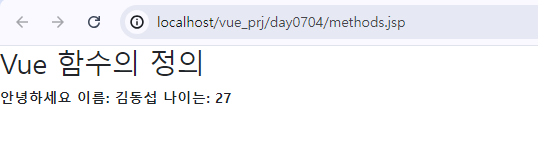
<div id="app"> {{ callFunction() }} </div> <script> new Vue({ el: "#app", data: { person: { name: "윤웅찬", age: 27 } }, methods: { test: function(msg) { return msg + " 이름 : " + this.person.name; }, callFunction() { return this.test("안녕"); } } }); </script> -
methods 속성안에서 다른 함수나 vue객체가 가진 변수를 사용할 때에는 this.를 붙여서 사용
-
결과
event
-
사용법)
- v-on:이벤트=“함수명” 속성사용
- vue 2.0이상에서는 축약형으로 @을 v-on 대신 사용가능.
-
예)
<input type=“button” v-on:click=“함수명”/> <input type=“button” @click=“함수명”/> -
클릭 이벤트 )
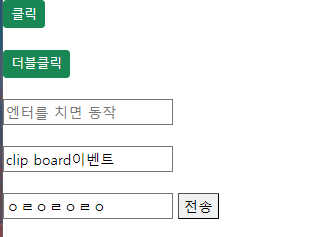
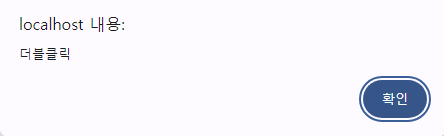
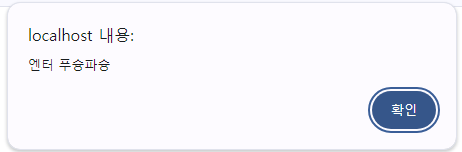
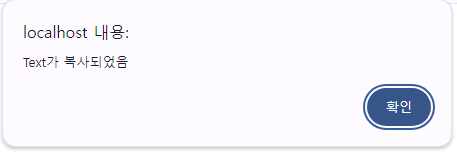
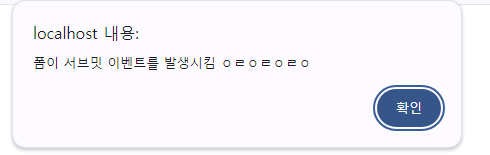
<div id="app"> <input type="button" value="클릭" class="btn btn-sm btn-primary" v-on:click="handleClick" /> <input type="button" value="더블클릭" class="btn btn-sm btn-primary" v-on:dblclick="handleDblClick" /> <input type="text" placeholder="엔터를 치면 동작" v-on:keyup.enter="handleEnter" /> <input type="text" value="clip board이벤트" v-on:copy="handleClip" /> <form v-on:submit.prevent="handleSubmit"> <input type="text" v-model="formValue" /> <button type="submit">전송</button> </form> </div> <script type="text/javascript"> new Vue({ el: "#app", data: { formValue: '' }, methods: { handleClick() { alert("버튼클릭됬슈~~~~"); }, handleDblClick() { alert("더블클릭"); }, handleEnter() { alert("엔터 푸슝파슝"); }, handleClip() { alert("Text가 복사되었음"); }, handleSubmit() { alert("폼이 서브밋 이벤트를 발생시킴 " + this.formValue); } } }); </script> -
화면
-
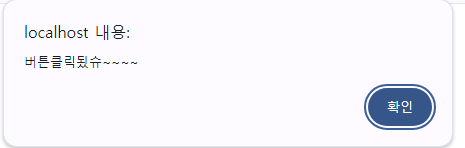
결과
- 클릭
- 더블클릭
- 엔터
- 복사 (안에있는내용 긁어서 ctrl+c 했을경우)
- 폼 이벤트
새로운프로젝트만듬
EVENT_TEST/SRC/App.vue
  <template>
    <div id="app">
      <h1>VueJS 이벤트리스너 연습</h1>
      <input type="text" placeholder="이름을 입력해주세요" v-model="name" />
      <button @click="greet">인사하기 (@click 축약형)</button>
      <button v-on:click="greet">인사하기 (v-on:click)</button>
      <p>{{ greetingMsg }}</p>
    </div>
  </template>

  <style>
  #app {
    text-align: center;
    color: #2c3e50;
    margin-top: 60px;
  }
  input {
    padding: 10px 20px;
  }
  </style>

  <script>
  export default {
    data() {
      return {
        name: '', // 사용자의 이름을 저장하는 상태
        greetingMsg: '', // 인사 메시지를 저장하는 상태
         // JavaScript 표준 스타일에서는 마지막 요소 뒤에 쉼표를 붙이는 것이 권장된다.
         // greetingMsg : ''   ,  <- 이거
      };
    },
    methods: {
      greet() {
        if (this.name) { // 만약 이름이 있으면
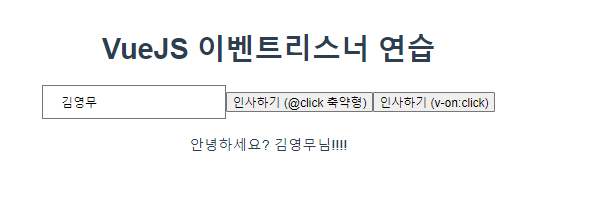
          this.greetingMsg = `안녕하세요? ${this.name}님!!!!`;
        } else {
          this.greetingMsg = "이름을 입력해 주세요.";
        } // end else
      }
    }
  };
  </script>

  <style>
  #app {
    font-family: Avenir, Helvetica, Arial, sans-serif;
    -webkit-font-smoothing: antialiased;
    -moz-osx-font-smoothing: grayscale;
    text-align: center;
    color: #2c3e50;
    margin-top: 60px;
  }
</style>- localhost:8080 접속 화면
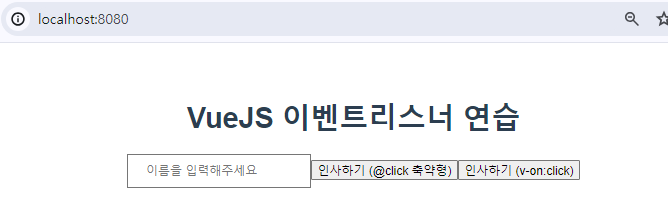
- 아무 이름을 입력 후 버튼 클릭시 아래 결과 출력
v-if
- 문법)
- HTML 태그에 넣어서 사용.
v-if=“조건식” 조건에 맞을 때 v-else-if=“조건식” 조건에 맞을 때 . v-else 모든조건에 맞지 않을 때 <태그명 v-if="조건식">조건에 맞을 때 실행코드</태그명> <태그명 v-else-if="조건식">조건에 맞을 때 실행코드</태그명> <태그명 v-else-if="조건식">조건에 맞을 때 실행코드</태그명> <태그명 v-else>모든 조건에 맞지 않을 떄 실행코드</태그명>- 직접제어 가능한 이유 : vue가 양방향 바인딩을 지원하기때문에.
IF_TEST/SRC/App.vue
<template>
  <div id="app">
    <h2>Vue if 예</h2>
    <input type="number" v-model="age" placeholder="나이를 입력해 주세요" />
    <button @click="chkAge">입력</button>
    <p v-if="ageMsg === 'adult'">성인입니다</p>
    <p v-else-if="ageMsg === 'teenager'">청소년입니다</p>
    <p v-else-if="ageMsg === 'child'">아동입니다</p>
    <p v-else>나이를 입력해 주세요</p>
  </div>
</template>

<script>
export default {
  data() {
    return {
      age: null,
      ageMsg: ""
    };
  },
  methods: {
    chkAge() {
      if (this.age === null) {
        this.ageMsg = "";
      } else if (this.age >= 20) {
        this.ageMsg = "adult";
      } else if (this.age >= 13) {
        this.ageMsg = "teenager";
      } else if (this.age >= 0) {
        this.ageMsg = "child";
      } else {
        this.ageMsg = "";
      }
    }
  }
};
</script>

<style>
#app {
  font-family: Avenir, Helvetica, Arial, sans-serif;
  -webkit-font-smoothing: antialiased;
  -moz-osx-font-smoothing: grayscale;
  text-align: center;
  color: #2c3e50;
  margin-top: 60px;
}
</style>- 실행화면
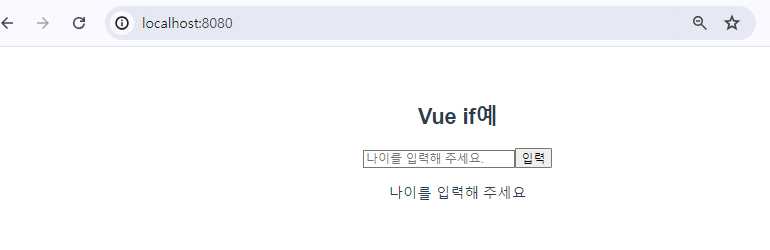
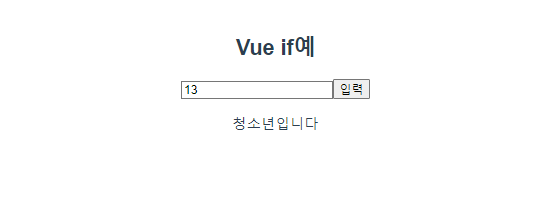
- 결과
v-for
-
반복시킬 때 사용.
-
문법 )
v-for = “(배열방의 값을 저장할 변수, 인덱스 저장변수) in 배열명” : key="index" -
key는 배열요소를 식별할 수 있는 고유값이 들어가야한다. (관리가능)
export default{
data(){
return{이름:[]}
}
}//모듈


<태그명 v-for="(변수명,인덱스) in 배열명" :key="인덱스">
{{ 변수명 }}
</태그명>
FOR_TEST / App.vue
<template>
  <div id="app">
  <h2>VueJs v-for</h2>
  <input type="text" placeholder="해야 할일을 입력해주세요" v-model="newTodo"/>
  <button @click="addTodo">추가하기</button>
  <ul>
    <li v-for="(todo,index) in todos" :key="index">
      <strong>{{index}}.</strong>{{todo}}
      <button @click="removeTodo(index)">삭제</button>
    </li>
  </ul>
  </div>
</template>

<script>

export default {
  data(){
    return{
      newTodo : "",
      todos:[]
    }
  },
  methods:{
    addTodo(){
      if(this.newTodo.trim()){
        this.todos.push(this.newTodo.trim());
        this.newTodo="";
      }
    },
    removeTodo(index){ //:KEY의 값
      this.todos.splice(index,1);

    }
  }
}
</script>

<style>
#app {
  font-family: Avenir, Helvetica, Arial, sans-serif;
  -webkit-font-smoothing: antialiased;
  -moz-osx-font-smoothing: grayscale;
  text-align: center;
  color: #2c3e50;
  margin-top: 60px;
}
</style>
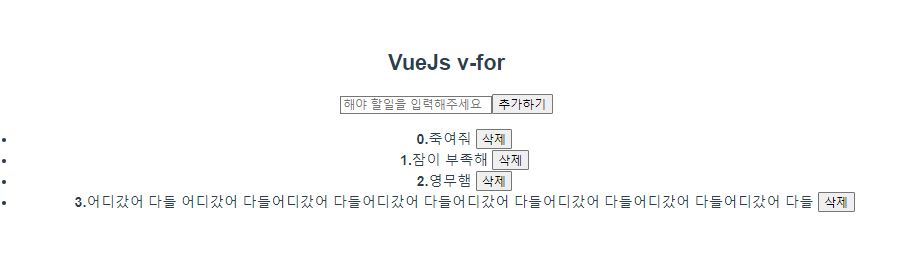
- 실행화면
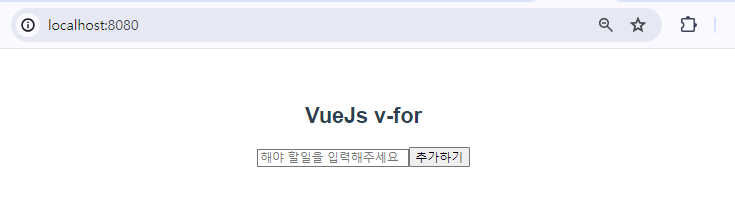
- 결과 (삭제하기를 누르면 해당 요소가 삭제됨)