[React Native] Android Build Warning - Deprecated Gradle features were used in this build, making it incompatible with Gradle 8.0.
React Native Troubleshooting
목록 보기
2/4

[문제]
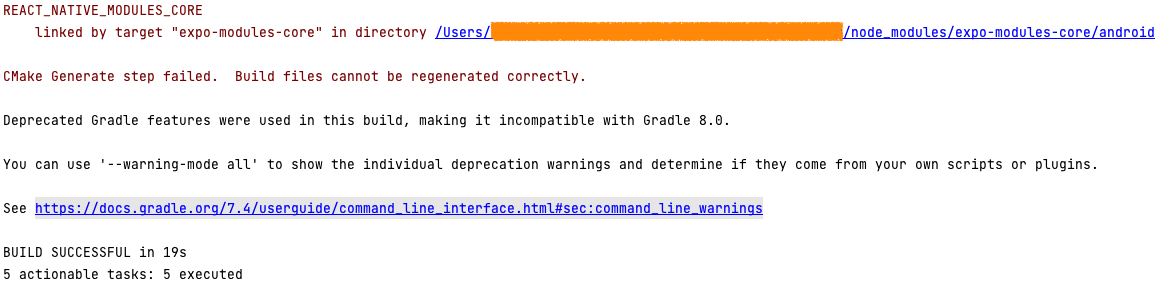
REACT_NATIVE_MODULES_CORE
    linked by target "expo-modules-core" in directory /Users/${프로젝트 경로}/node_modules/expo-modules-core/android

CMake Generate step failed.  Build files cannot be regenerated correctly.

Deprecated Gradle features were used in this build, making it incompatible with Gradle 8.0.
[해결]
이미 안드로이드 스튜디오 에서 해결방법을 제시해 주고 있음.
You can use '--warning-mode all' to show the individual deprecation warnings and determine if they come from your own scripts or plugins.
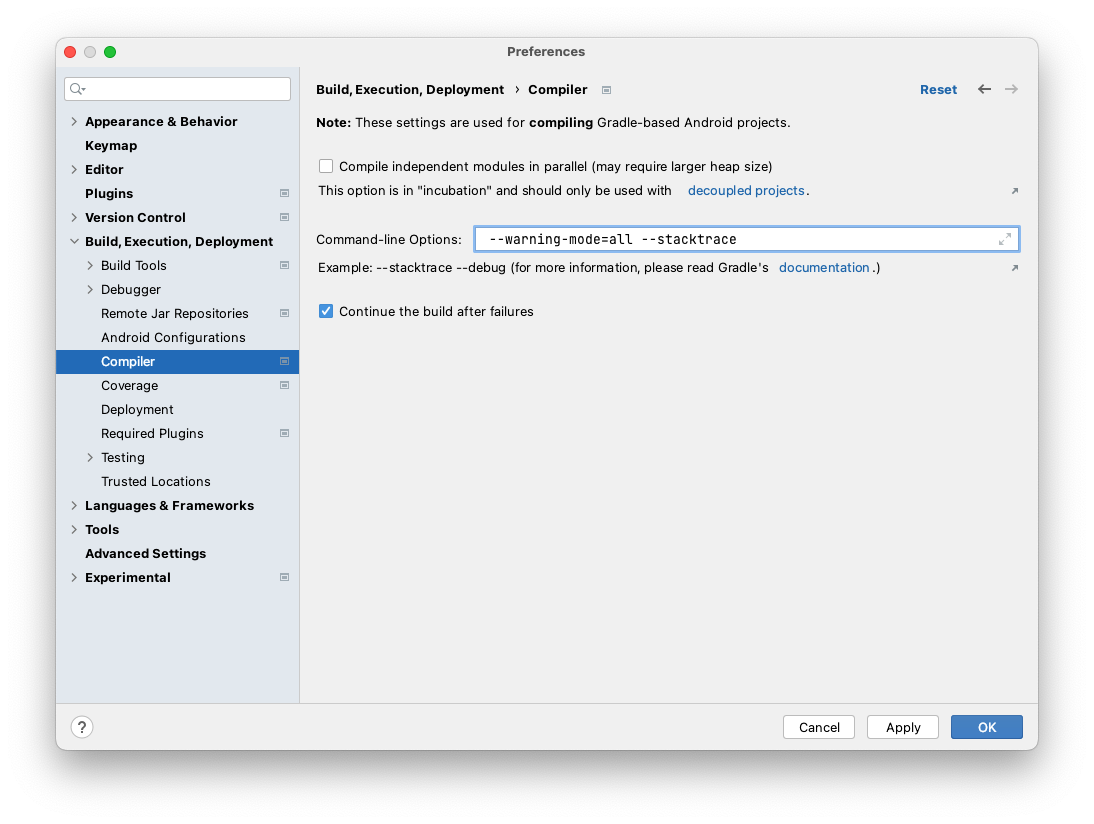
Android Studio 상단 메뉴에서 Settings 선택
→ Build, Execution, Deployment > Compiler
→ Command-line Options에 "--warning-mode=all --stacktrace" 입력
→ Apply 버튼 클릭
→ Android Studio 상단 메뉴 File > Invalidate Caches > Restart (캐시 초기화 및 재시작)
실제 설정경로
Preferences | Build, Execution, Deployment | Compiler

분야를 가리지 않는 개발자