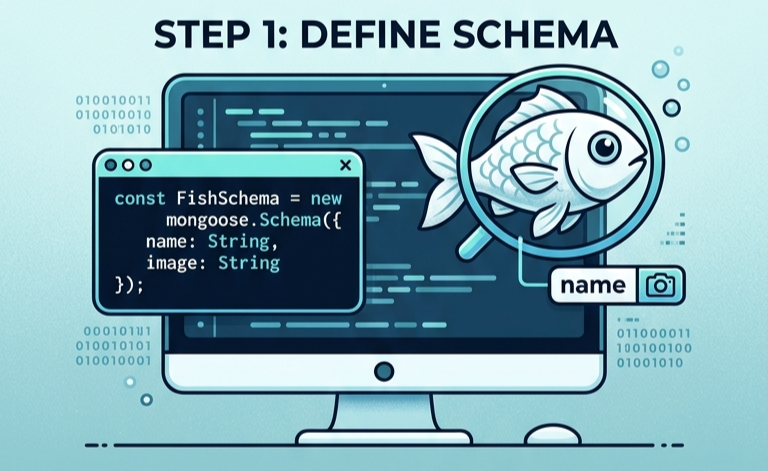
오늘은~ mongoDB를 활용해 사용자의 이름, 사진을 생성하고, 조회하고 사용자가 몇 명 있는지 사용자 수를 카운트하려고 합니다!
mongoose로 mongoDB의 있는 데이터에 있는 필드명의 type들을 정의해 줄 수 있습니다.
require를 사용하여 라이브러리를 불러오고 연결합니다!
npm install mongoose를 해줍니다.
const mongoose = require("mongoose");
const FishSchema = new mongoose.Schema(
   {
       name: {
           type : String,
           required : true
       },
       image: {
           type : String,
           required : true
       }
   }
);
const FishContact = mongoose.model("FishDB",FishSchema);
module.exports = FishContact;
저는 name(이름)과 image(사진)을 정의 해줬습니다!
그리고 이 FishDB를 활용할 router 소스를 만들어봅시다.
const ex = require("express");
const router = ex.Router();
const Fish = require("../models/FishDB");

//Get 물고기 개수 조회(사용자 수 카운트)
router
    .route("/fish/count")
    .get(async(req,res)=>{
        try{
            const userCount = await Fish.countDocuments();
            res.json(userCount);
        }catch(error){
            res.status(500)
        }
    });

//POST 물고기 생성
router
    .route("/fish")
    .post(async(req,res)=>{
        try{
            const {name,image} = req.body;
            const fish = new Fish({
                name,
                image
            });
            const savedFish = await fish.save(); //추가 사용자 저장하기
            res.status(201).json(savedFish);
        }catch(error){
            console.error(error);
            res.status(400).json({message: error.message});
        }
    });

//Get 물고기 목록 조회
router
    .route("/fish")
    .get(async(req,res)=>{
        try{
            const fishes = await Fish.find();
            res.json(fishes);
        }catch(error){
            console.error(error);
            res.status(500)
        }
    });
module.exports = router;
mongoDB를 라우터로 조회,추가,사용자 수 카운트를 처음 해봐서 찾아보니!
사용자 추가
Model.save()
사용자 조회
Model.find()
사용자 수 카운트
Model.countDocuments()
근데 항상 await가 앞에 있는 이유는??
=> DB 처리는 시간이 걸리기 때문에 데이터가 확실히 돌아온 후에 다음 로직을 처리하기 위해서 await를 사용합니다!
ai한테 소스 검사를 맡겼더니 /fish보다 /fish/count가 위에 있는 게 좋다고 하네요! Express는 위에서부터 읽기 때문에 주소가 겹치면 혼동할 수 있기 때문에 추천한다고 합니다!
MongoDB를 사용한 코드가 더 궁금하시다면?
https://github.com/Yeseo0502/Sebastian_Server

미림마이스터고 재학중인 고3 개발자 정예서입니다.
고생 많았어! 오늘도 어제처럼 열공해보자!~!!!