canvas-final[js]
globalCompositeOperation 타입 종류
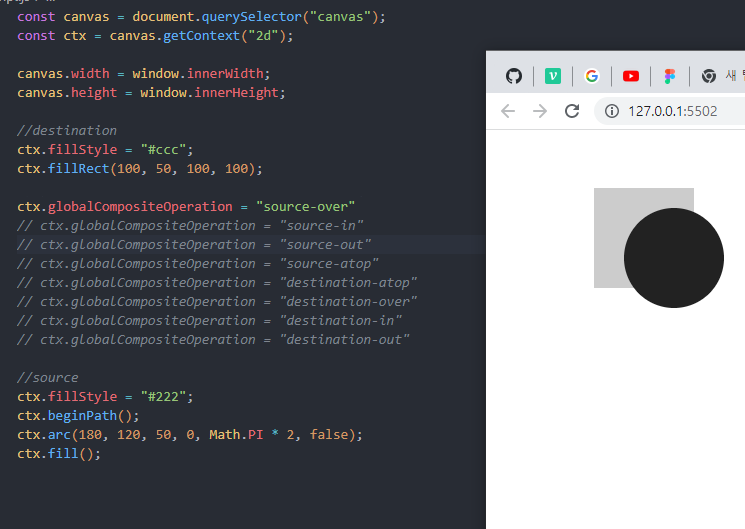
1)source-over
source로 시작하는 그래픽 요소를 destibation 요소 위쪽에 배치
ctx.globalCompositeOperation = "source-over"
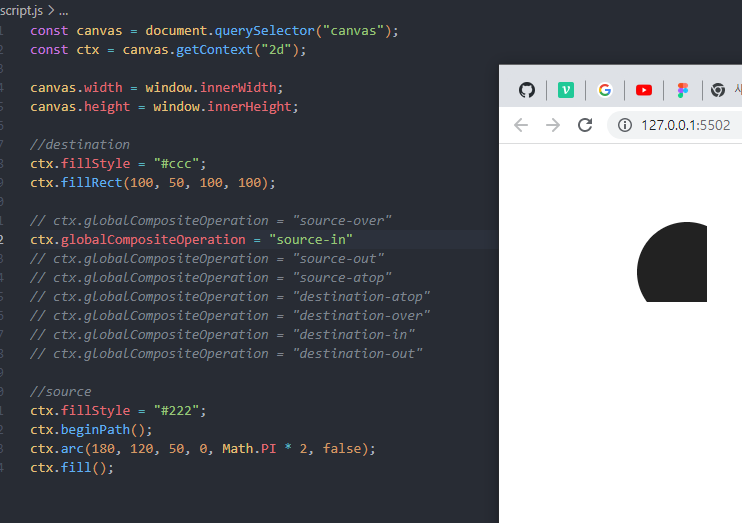
2)source-in
source를 그리면서 destination 요소와 겹쳐지는 부분만 그리고 나머지는 투명하게 처리
ctx.globalCompositeOperation = "source-in"
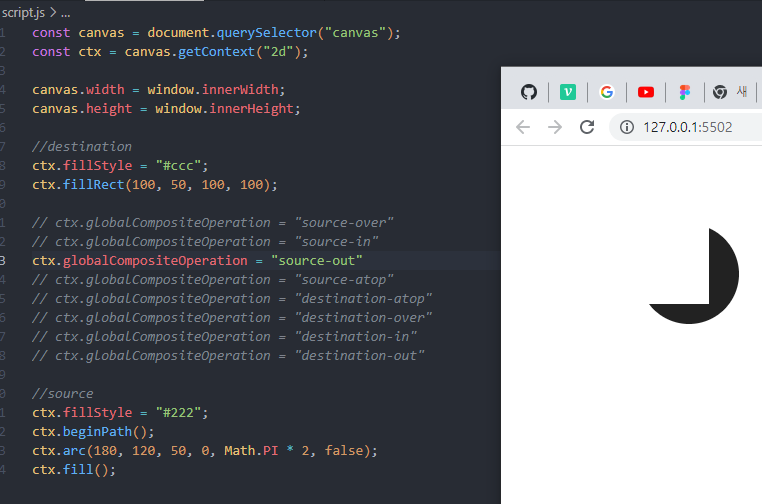
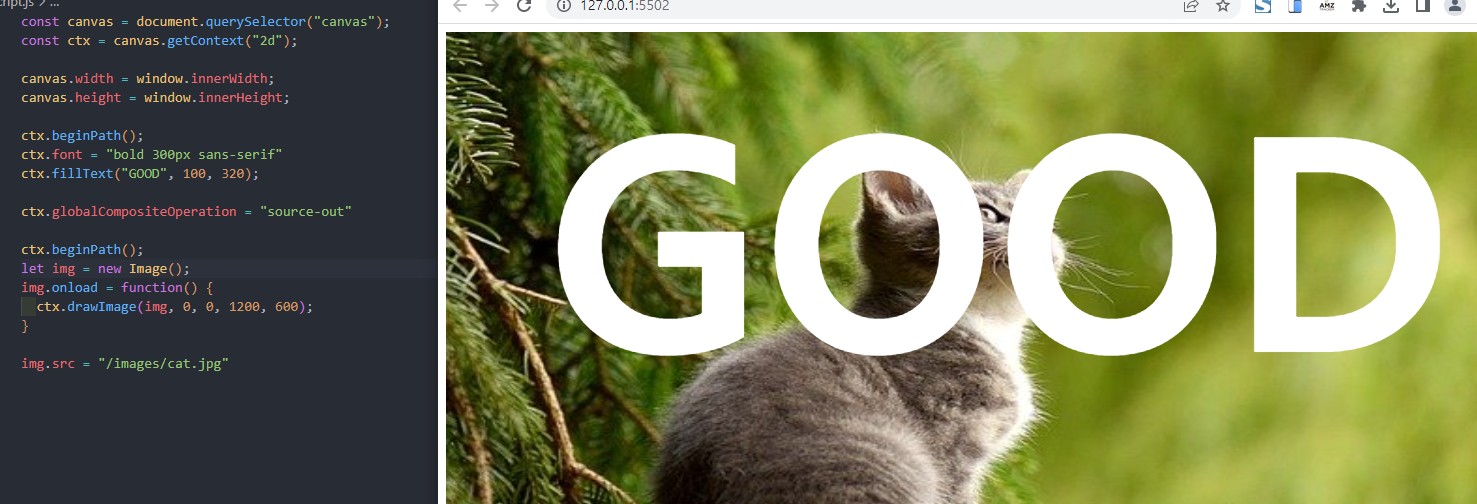
3)source-out
source를 그리면서 destination 요소와 겹쳐지지 않는 부분만 그립니다.
ctx.globalCompositeOperation = "source-out"
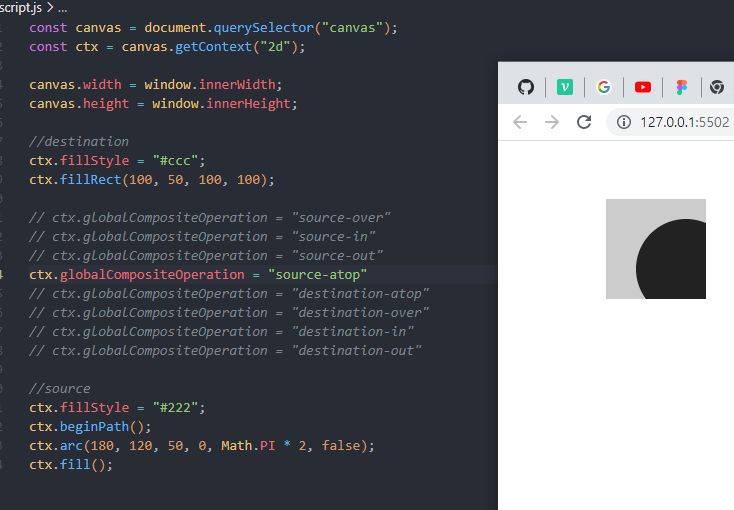
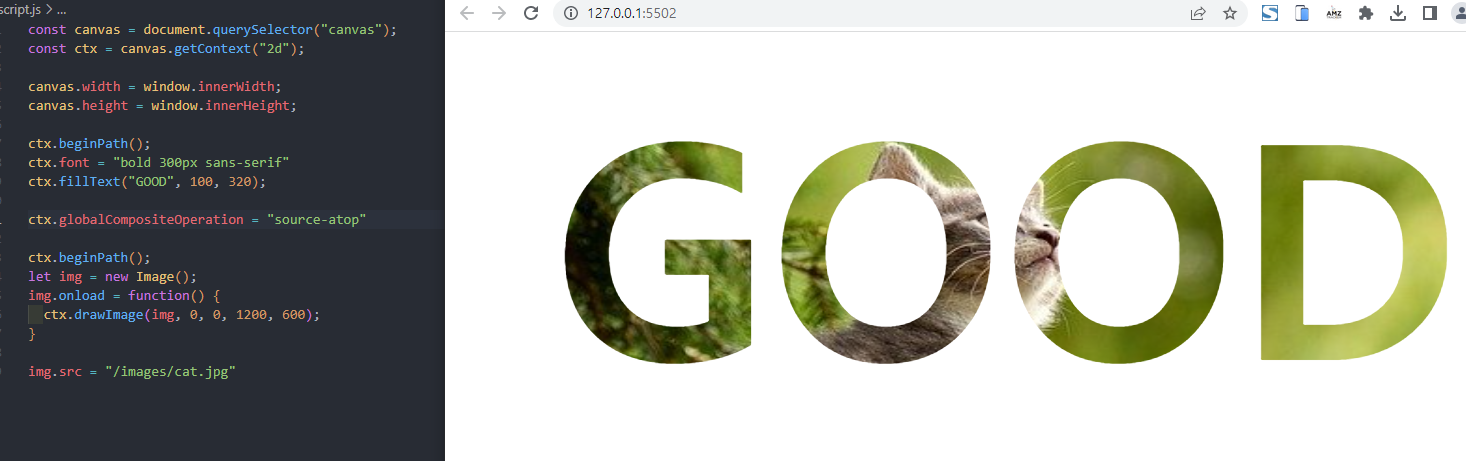
4)source-atop
source를 그리면서 destination 요소와 겹쳐지는 부분을 그리고 그 외의 destination은 불투명하게 배치
ctx.globalCompositeOperation = "source-atop"
아래는 위와 반대
ctx.globalCompositeOperation = "destination-atop"
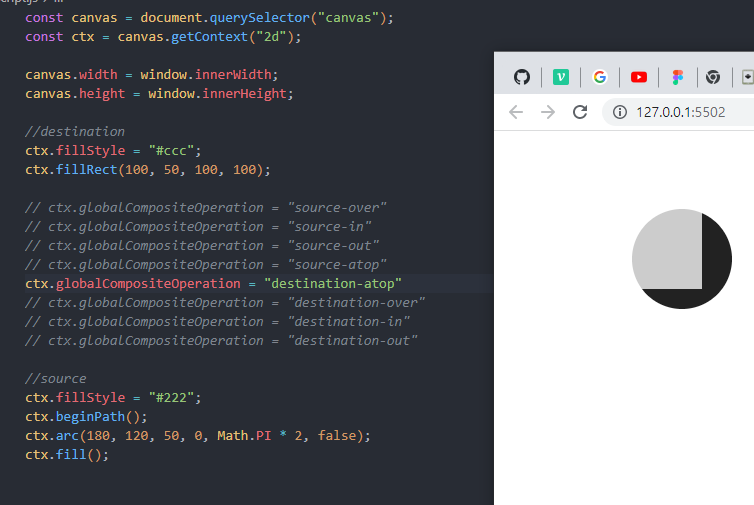
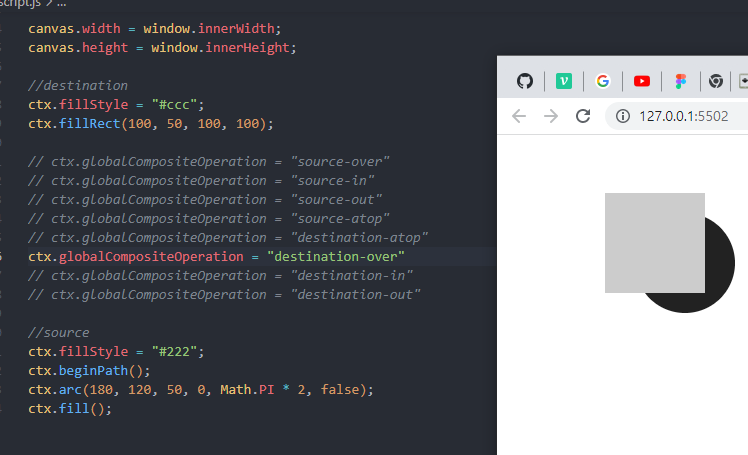
ctx.globalCompositeOperation = "destination-over"
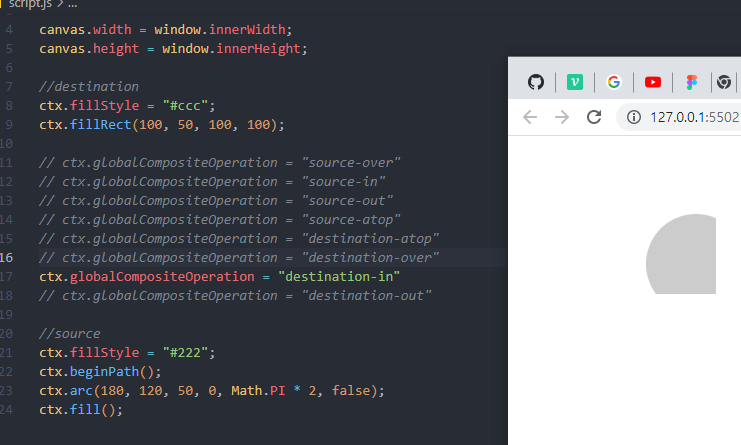
ctx.globalCompositeOperation = "destination-in"
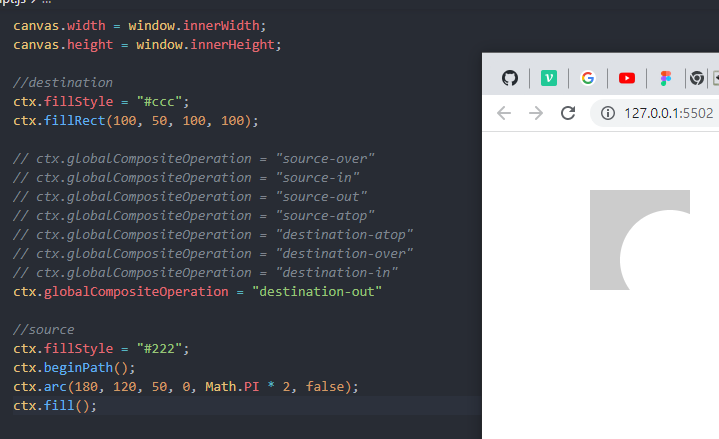
ctx.globalCompositeOperation = "destination-out"
ctx.globalCompositeOperation = "lighter"
서로 다른 두개의 더한 값을 보여줌
ctx.globalCompositeOperation = "darken"
서로 다른 두개의 차이 값을 보여줌
ctx.globalCompositeOperation = "copy"
앞에 보이는 요소만 보여줌
ctx.globalCompositeOperation = "xor"
교차가 되는 지점은 투명하게 만들어라
포토샵에서 clipping mask라고 부르는 것을 source-in js로 해보기
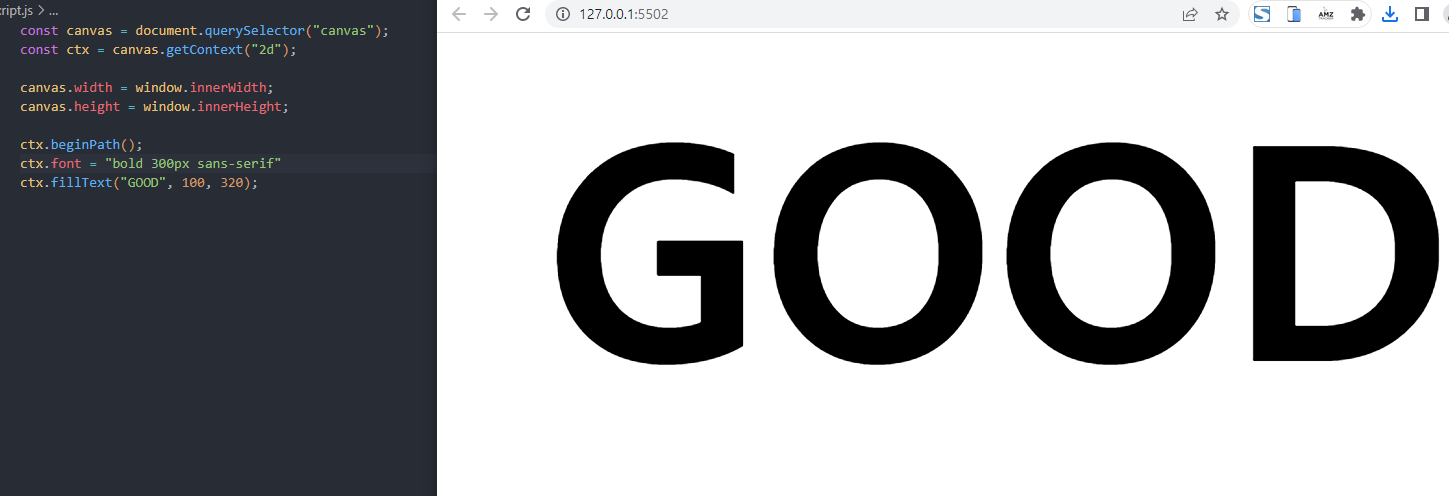
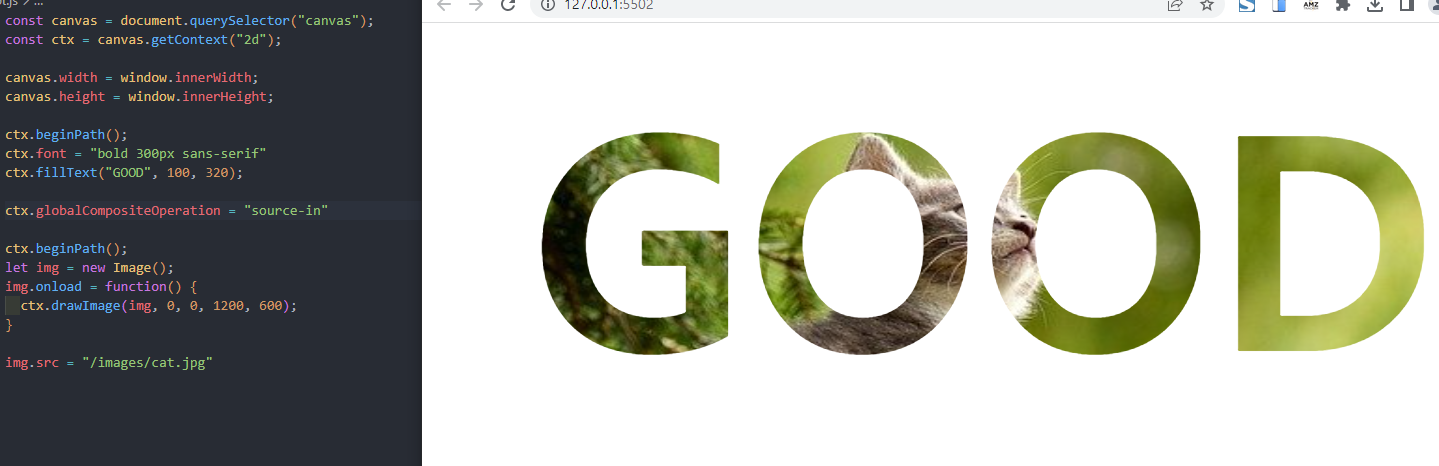
이 외에 source-out source atop 등을 해보기
source-out
source-atop
animation만들기 실습
연습1-움직이지 않는 여러 원들 생성
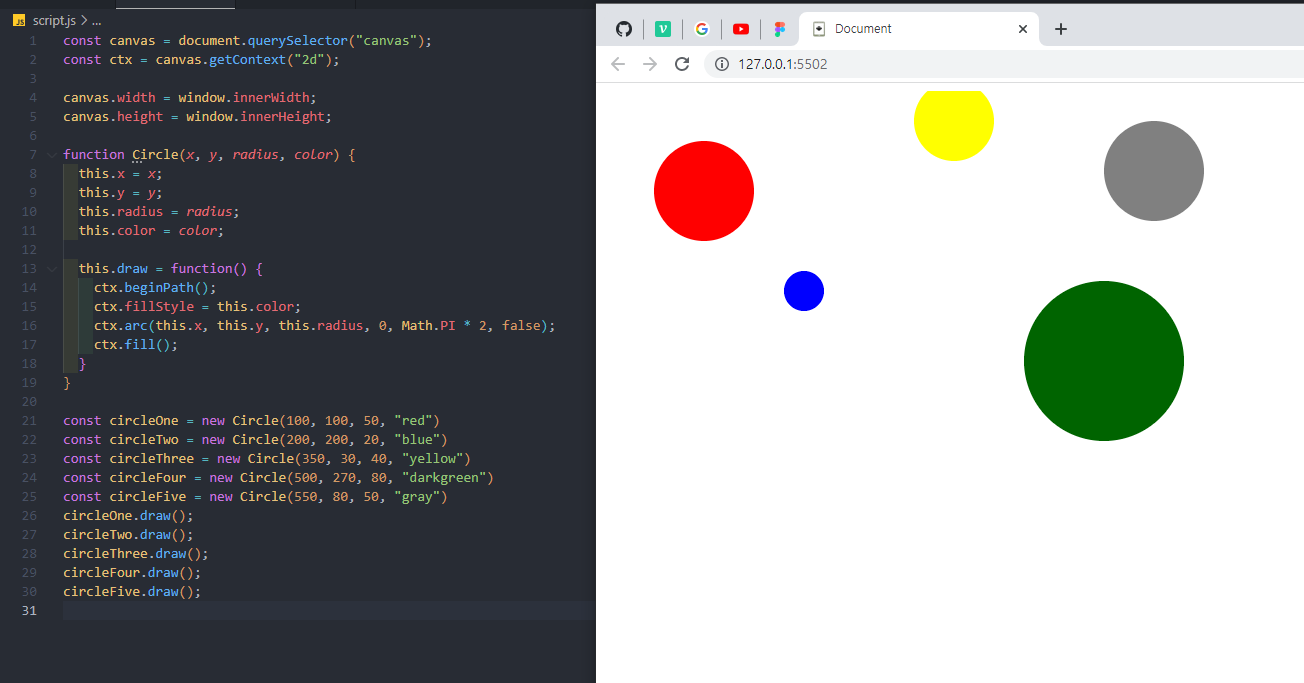
연습2-새로고침 할때마다 반지름과 색상이 다른 원 20개를 출력하기
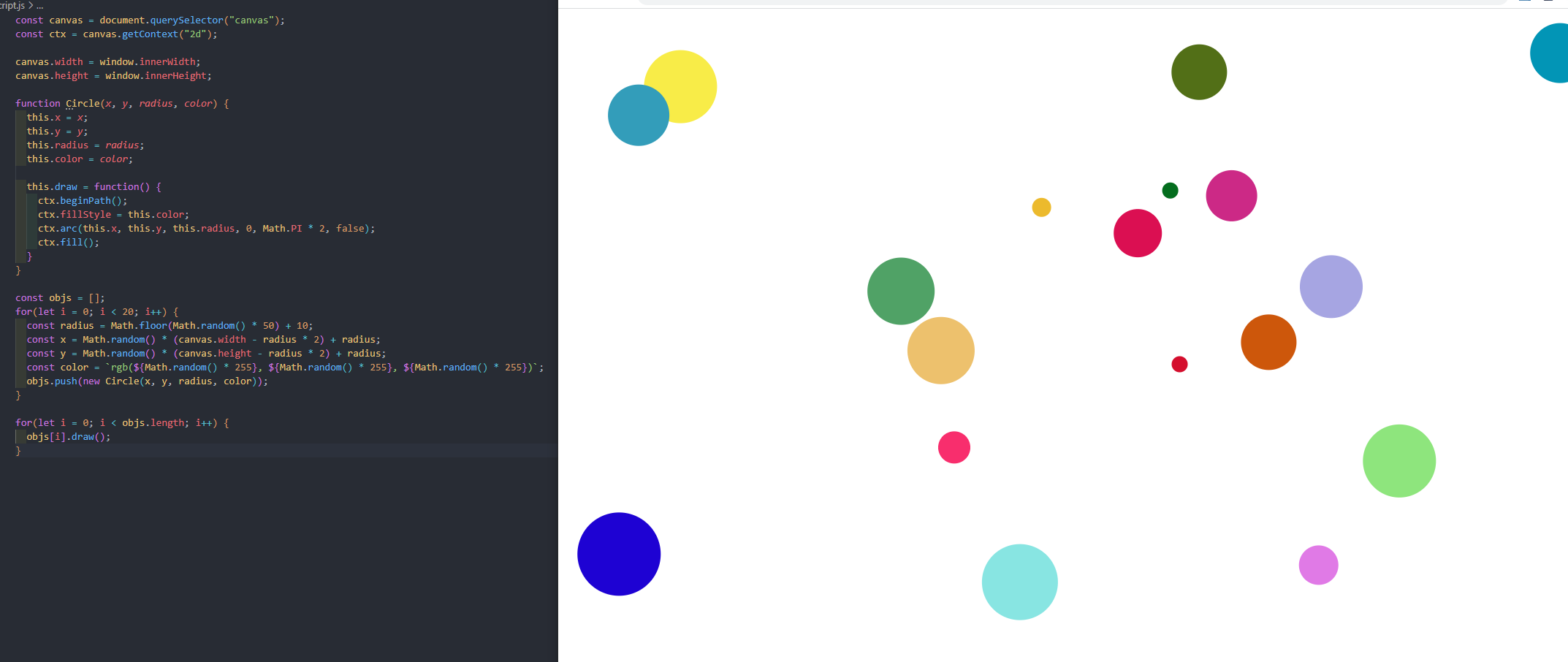
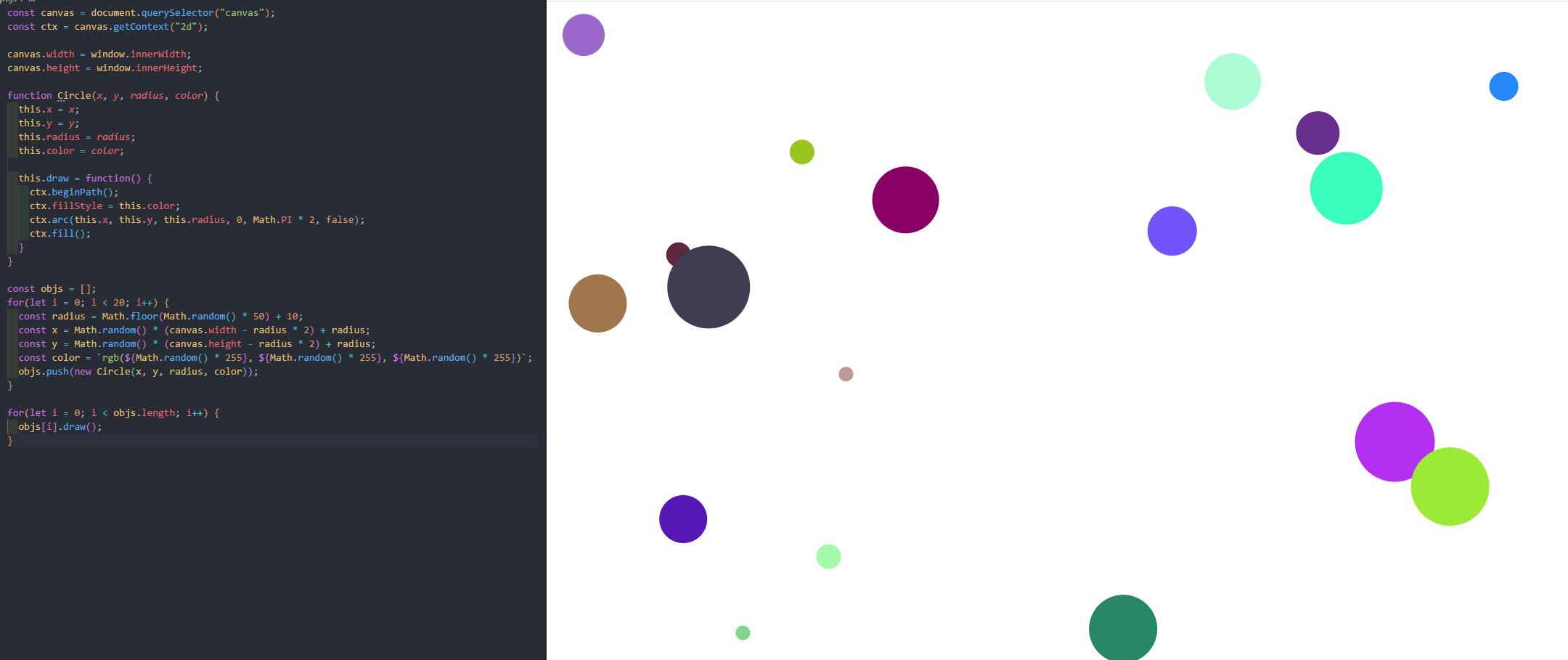
const canvas = document.querySelector("canvas");
const ctx = canvas.getContext("2d");
canvas.width = window.innerWidth;
canvas.height = window.innerHeight;
function Circle(x, y, radius, color) {
this.x = x;
this.y = y;
this.radius = radius;
this.color = color;
this.draw = function() {
ctx.beginPath();
ctx.fillStyle = this.color;
ctx.arc(this.x, this.y, this.radius, 0, Math.PI * 2, false);
ctx.fill();
}
}
const objs = [];
for(let i = 0; i < 20; i++) {
const radius = Math.floor(Math.random() 50) + 10;
const x = Math.random() (canvas.width - radius 2) + radius;
const y = Math.random() (canvas.height - radius 2) + radius;
const color = `rgb(${Math.random() 255}, ${Math.random() 255}, ${Math.random() 255})`;
objs.push(new Circle(x, y, radius, color));
}
for(let i = 0; i < objs.length; i++) {
objs[i].draw();
}
연습3-이어지는 원 그리기
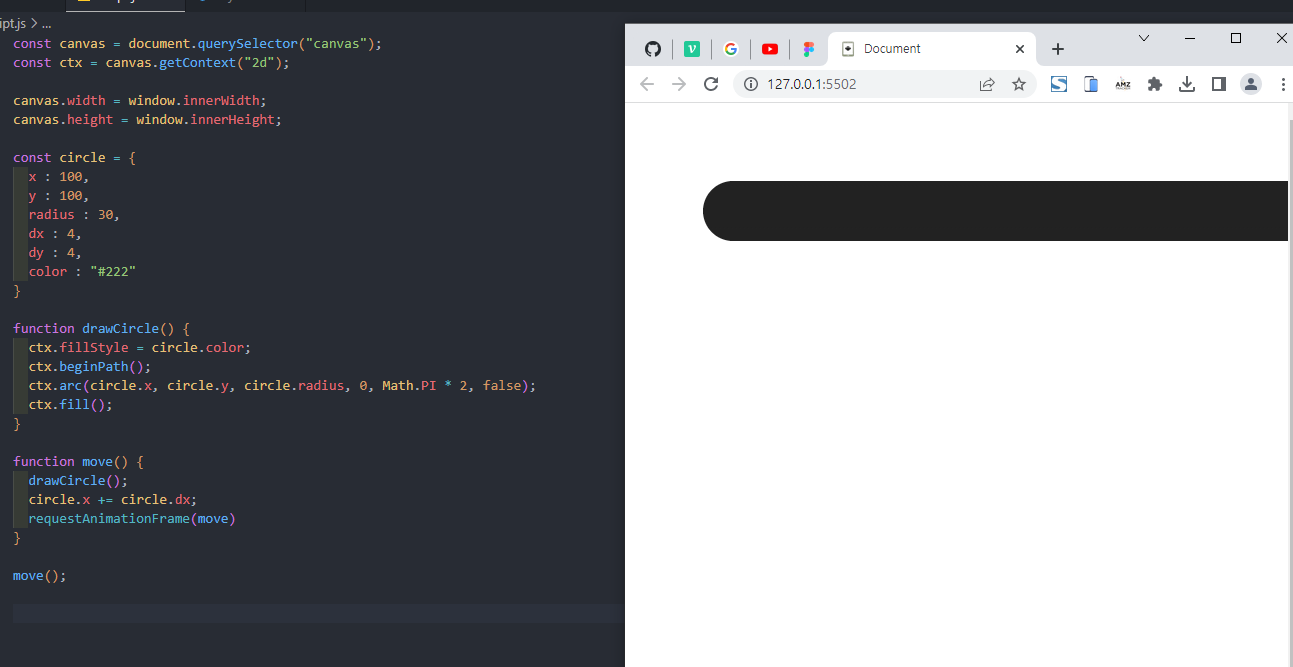
연습4-왔다갔다하는 원 그리기
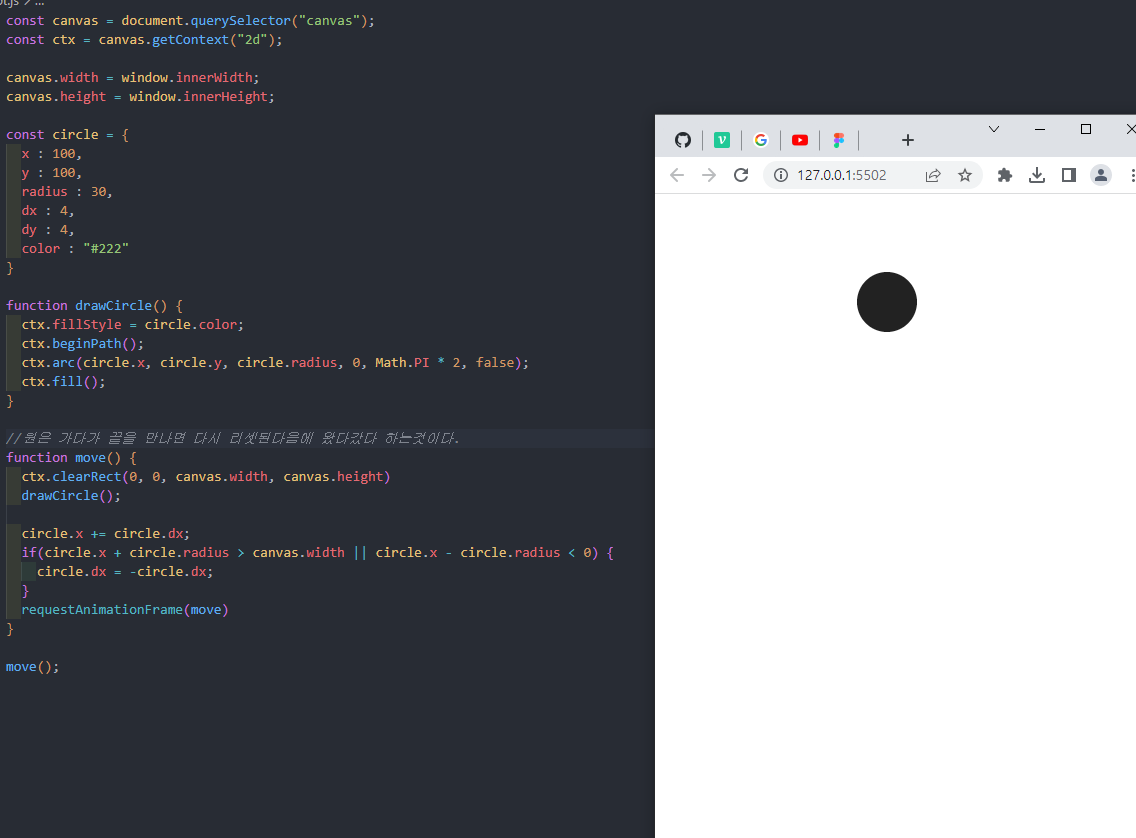
연습5-왔다갔다하면서 하는 궤도가 보이는 원 그리기
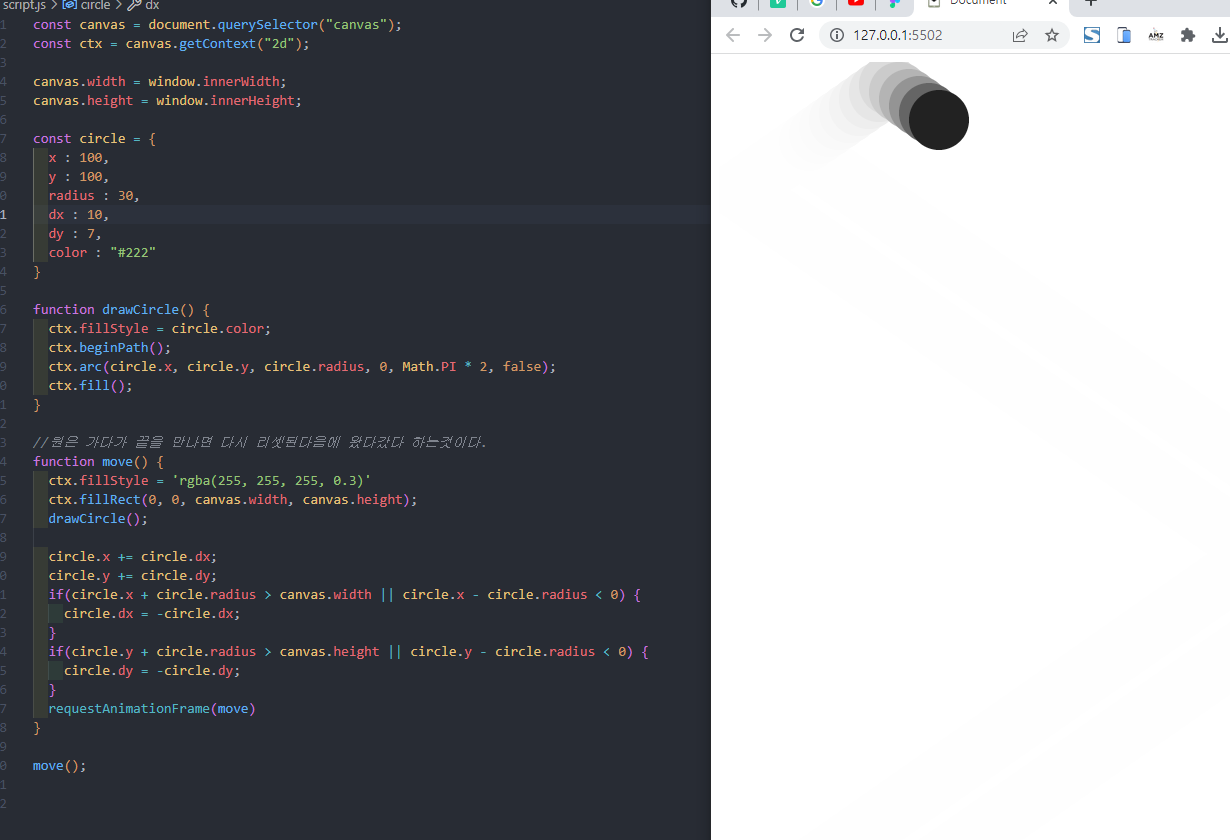
const circle = {
x : 100,
y : 100,
radius : 30,
dx : 10,
dy : 7,
color : "#222"
}
function drawCircle() {
ctx.fillStyle = circle.color;
ctx.beginPath();
ctx.arc(circle.x, circle.y, circle.radius, 0, Math.PI * 2, false);
ctx.fill();
}
//원은 가다가 끝을 만나면 다시 리셋된다음에 왔다갔다 하는것이다.
function move() {
ctx.fillStyle = 'rgba(255, 255, 255, 0.3)'
ctx.fillRect(0, 0, canvas.width, canvas.height);
drawCircle();
circle.x += circle.dx;
circle.y += circle.dy;
if(circle.x + circle.radius > canvas.width || circle.x - circle.radius < 0) {
circle.dx = -circle.dx;
}
if(circle.y + circle.radius > canvas.height || circle.y - circle.radius < 0) {
circle.dy = -circle.dy;
}
requestAnimationFrame(move)
}
move();
실습-랜덤으로 원을 만들고 랜덤으로 색과 위치 지정하기
(움직이는 애니메이션)
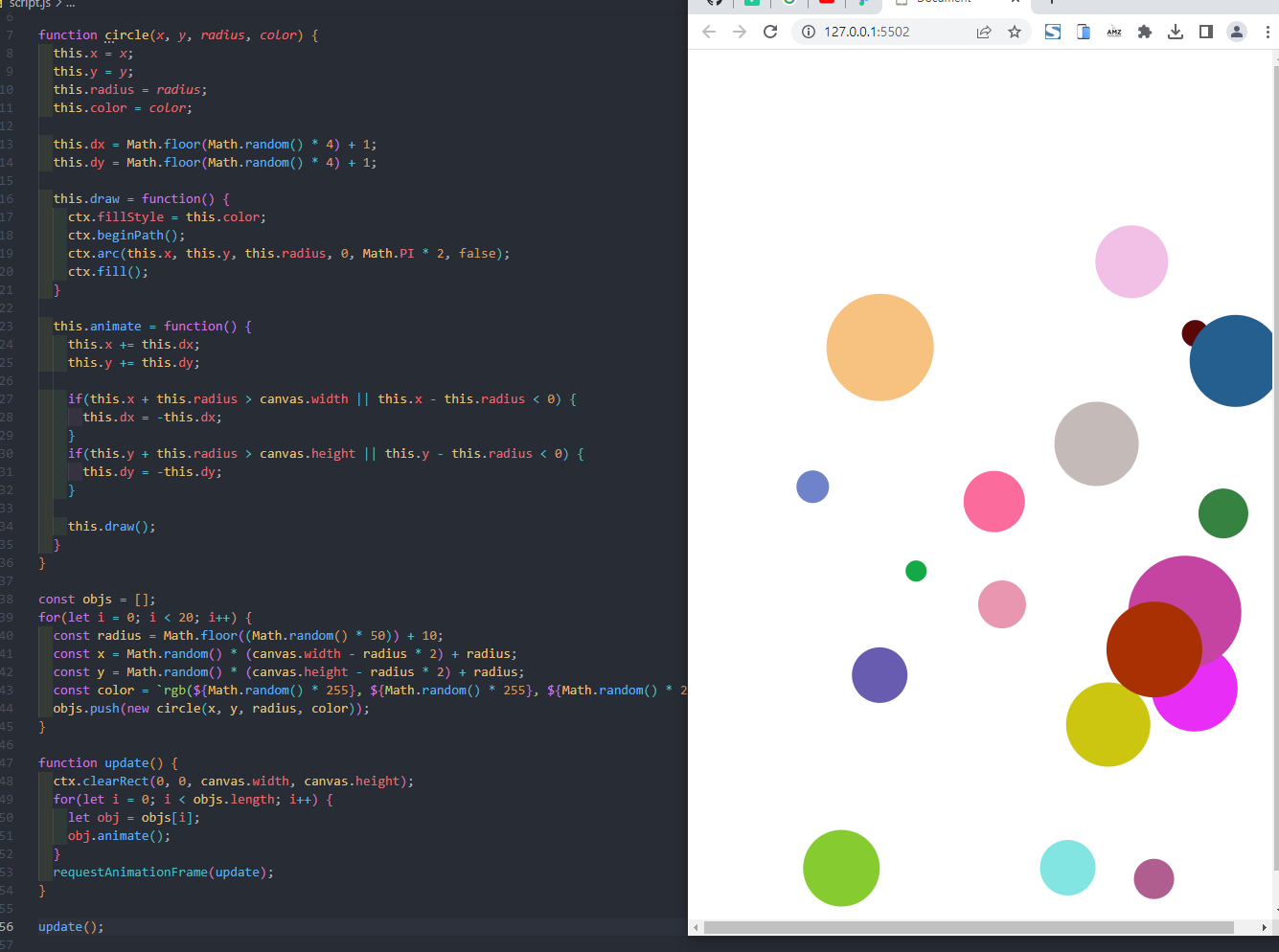
const canvas = document.querySelector("canvas");
const ctx = canvas.getContext("2d");
canvas.width = window.innerWidth;
canvas.height = window.innerHeight;
function circle(x, y, radius, color) {
this.x = x;
this.y = y;
this.radius = radius;
this.color = color;
this.dx = Math.floor(Math.random() 4) + 1;
this.dy = Math.floor(Math.random() 4) + 1;
this.draw = function() {
ctx.fillStyle = this.color;
ctx.beginPath();
ctx.arc(this.x, this.y, this.radius, 0, Math.PI * 2, false);
ctx.fill();
}
this.animate = function() {
this.x += this.dx;
this.y += this.dy;
if(this.x + this.radius > canvas.width || this.x - this.radius < 0) {
  this.dx = -this.dx;
}
if(this.y + this.radius > canvas.height || this.y - this.radius < 0) {
  this.dy = -this.dy;
}

this.draw();
}
}
const objs = [];
for(let i = 0; i < 20; i++) {
const radius = Math.floor((Math.random() 50)) + 10;
const x = Math.random() (canvas.width - radius 2) + radius;
const y = Math.random() (canvas.height - radius 2) + radius;
const color = `rgb(${Math.random() 255}, ${Math.random() 255}, ${Math.random() 255})`;
objs.push(new circle(x, y, radius, color));
}
function update() {
ctx.clearRect(0, 0, canvas.width, canvas.height);
for(let i = 0; i < objs.length; i++) {
let obj = objs[i];
obj.animate();
}
requestAnimationFrame(update);
}
update();
실습-랜덤으로 사각형을 만들고 랜덤으로 색과 위치 지정하기
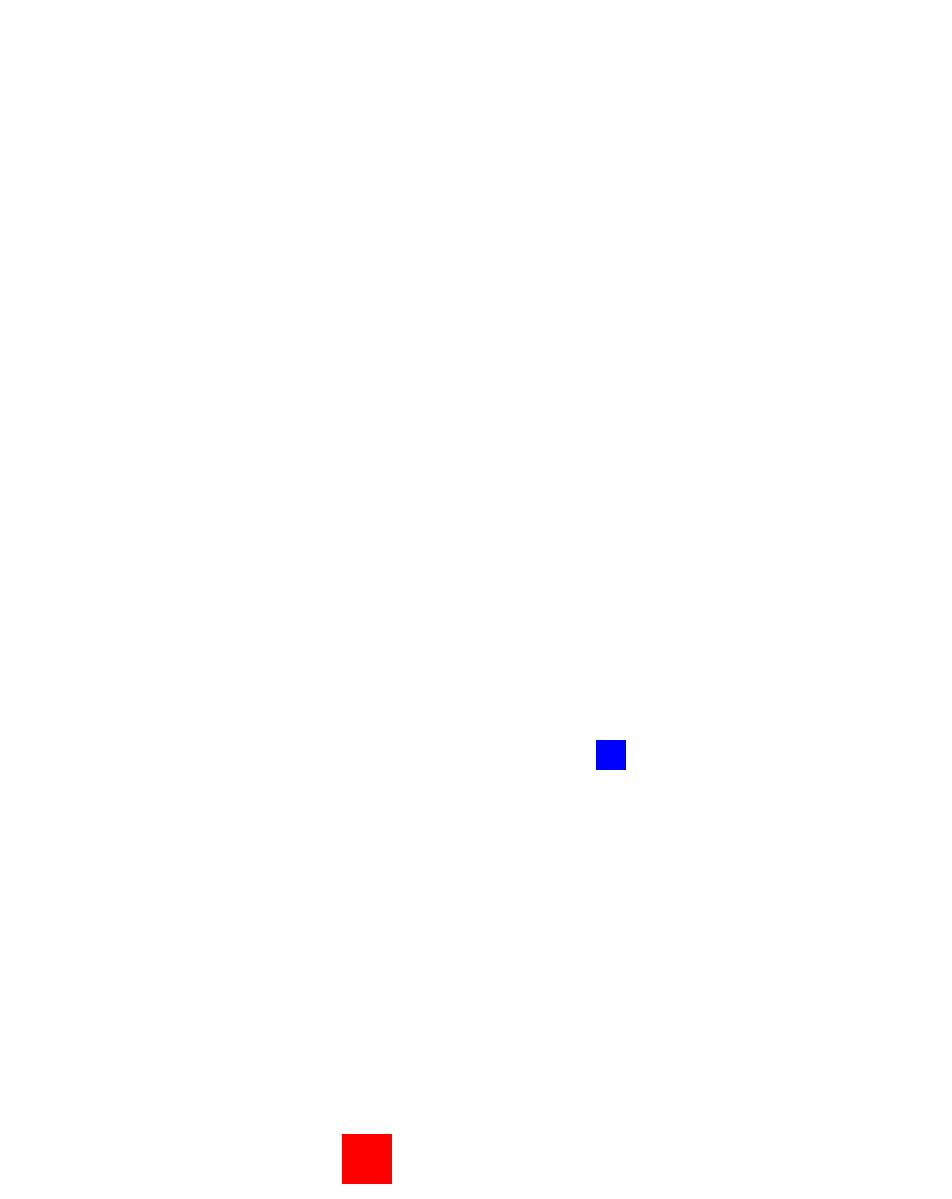
const canvas = document.querySelector("canvas");
const ctx = canvas.getContext("2d");
canvas.width = window.innerWidth;
canvas.height = window.innerHeight;
function Rect(x, y, width, height, color) {
this.x = x;
this.y = y;
this.width = width;
this.height = height;
this.color = color;
this.dx = Math.floor(Math.random() 10) + 1;
this.dy = Math.floor(Math.random() 10) + 1;
this.draw = function() {
ctx.fillStyle = this.color;
ctx.beginPath();
ctx.fillRect(this.x, this.y, this.width, this.height);
ctx.fill();
}
this.animate = function() {
this.x += this.dx;
this.y += this.dy;
if(this.x + this.width > canvas.width || this.x < 0) {
  this.dx = -this.dx;
}
if(this.y + this.height > canvas.height || this.y < 0) {
  this.dy = -this.dy;
}

this.draw();
}
}
const box1 = new Rect(10, 10, 50, 50, "red");
const box2 = new Rect(20, 20, 30, 30, "blue");
function move() {
ctx.clearRect(0, 0, canvas.width, canvas.height);
box1.animate();
box2.animate();
requestAnimationFrame(move);
}
box1.draw();
box2.draw();
move();