애니메이션
-
저장한 파일들의 값을 가져와서 애니메이션 구현하기
-
Model Renderer와 구별할수 있도록Animation은 추가로 생성하기 -
Animation정보를 가지고 있을ModelAnimation클래스 생성하기
ModelAnimation()
// ModelAnimation.h
#pragma once

struct ModelKeyframeData
{
	float time;
	Vec3 scale;
	Quaternion rotation;
	Vec3 translation;
};

struct ModelKeyframe
{
	wstring boneName;
	vector<ModelKeyframeData> transforms;
};

struct ModelAnimation
{
	shared_ptr<ModelKeyframe> GetKeyframe(const wstring& name);

	wstring name;
	float duration = 0.f;
	float frameRate = 0.f;
	uint32 frameCount = 0;
	unordered_map<wstring, shared_ptr<ModelKeyframe>> keyframes;
};

// ModelAnimation.cpp
shared_ptr<ModelKeyframe> ModelAnimation::GetKeyframe(const wstring& name)
{
	auto findIt = keyframes.find(name);
	if (findIt == keyframes.end())
		return nullptr;

	return findIt->second;
}
Model()
ModelAnimation()를 바탕으로 저장해둔 파일형식대로 파일 내용을 가져온 다음에ReadAnimation()을 통해서_animations에 배열에 담아두기
Model.h
#pragma once

struct ModelBone;
struct ModelMesh;
struct ModelAnimation;


class Model : public enable_shared_from_this<Model>
{
public:
	Model();
	~Model();

public:
	void ReadMaterial(wstring filename);
	void ReadModel(wstring filename);
	void ReadAnimation(wstring filename);		// 추가부분

	// 헬퍼 함수들
	uint32 GetMaterialCount() { return static_cast<uint32>(_materials.size()); }
	vector<shared_ptr<Material>>& GetMaterials() { return _materials; }
	shared_ptr<Material> GetMaterialByIndex(uint32 index) { return _materials[index]; }
	shared_ptr<Material> GetMaterialByName(const wstring& name);

	uint32 GetMeshCount() { return static_cast<uint32>(_meshes.size()); }
	vector<shared_ptr<ModelMesh>>& GetMeshes() { return _meshes; }
	shared_ptr<ModelMesh> GetMeshByIndex(uint32 index) { return _meshes[index]; }
	shared_ptr<ModelMesh> GetMeshByName(const wstring& name);

	uint32 GetBoneCount() { return static_cast<uint32>(_bones.size()); }
	vector<shared_ptr<ModelBone>>& GetBones() { return _bones; }
	shared_ptr<ModelBone> GetBoneByIndex(uint32 index) { return (index < 0 || index >= _bones.size() ? nullptr : _bones[index]); }
	shared_ptr<ModelBone> GetBoneByName(const wstring& name);

// 추가부분
	uint32 GetAnimationCount() { return _animations.size(); }
	vector<shared_ptr<ModelAnimation>>& GetAnimations() { return _animations; }
	shared_ptr<ModelAnimation> GetAnimationByIndex(UINT index) { return (index < 0 || index >= _animations.size()) ? nullptr : _animations[index]; }
	shared_ptr<ModelAnimation> GetAnimationByName(wstring name);
// 추가부분

private:
	void BindCacheInfo();

private:
	wstring _modelPath = L"../Resources/Models/";
	wstring _texturePath = L"../Resources/Textures/";

private:
	shared_ptr<ModelBone> _root;
	vector<shared_ptr<Material>> _materials;
	vector<shared_ptr<ModelBone>> _bones;
	vector<shared_ptr<ModelMesh>> _meshes;
	vector<shared_ptr<ModelAnimation>> _animations;	// 추가부분
};
Model.cpp
void Model::ReadAnimation(wstring filename)
{
	wstring fullPath = _modelPath + filename + L".clip";
	// 바이너리 파일이기에 FileUtils 사용
	shared_ptr<FileUtils> file = make_shared<FileUtils>();
	file->Open(fullPath, FileMode::Read);

	shared_ptr<ModelAnimation> animation = make_shared<ModelAnimation>();

	animation->name = Utils::ToWString(file->Read<string>());
	animation->duration = file->Read<float>();
	animation->frameRate = file->Read<float>();
	animation->frameCount = file->Read<uint32>();

	uint32 keyframesCount = file->Read<uint32>();

	for (uint32 i = 0; i < keyframesCount; i++)
	{
		shared_ptr<ModelKeyframe> keyframe = make_shared<ModelKeyframe>();
		keyframe->boneName = Utils::ToWString(file->Read<string>());

		uint32 size = file->Read<uint32>();

		if (size > 0)
		{
			keyframe->transforms.resize(size);
			void* ptr = &keyframe->transforms[0];
			file->Read(&ptr, sizeof(ModelKeyframeData) * size);
		}

		animation->keyframes[keyframe->boneName] = keyframe;
	}

	_animations.push_back(animation);
}

shared_ptr<ModelAnimation> Model::GetAnimationByName(wstring name)
{
	for (auto& animation : _animations)
	{
		if (animation->name == name)
			return animation;
	}

	return nullptr;
}
ModelAnimator
- 단순히
ModelRenderer와 비슷하게 애니메이션을 렌더링 해주는 클래스
ModelAnimator.h
#pragma once
#include "Component.h"

class Model;

class ModelAnimator : public Component
{
	using Super = Component;

public:
	ModelAnimator(shared_ptr<Shader> shader);
	~ModelAnimator();

	virtual void Update() override;

	void SetModel(shared_ptr<Model> model);
	void SetPass(uint8 pass) { _pass = pass; }


private:
	shared_ptr<Shader>	_shader;
	uint8				_pass = 0;
	shared_ptr<Model>	_model;
};
ModelAnimator.cpp
- 우선
Update()함수는ModelRenderer의Update()함수 내용을 그대로 가져오기
#include "pch.h"
#include "ModelAnimator.h"
#include "Material.h"
#include "ModelMesh.h"
#include "Model.h"
//#include "ModelAnimation.h"

ModelAnimator::ModelAnimator(shared_ptr<Shader> shader)
	:Super(ComponentType::ModelAnimator), _shader(shader)
{
}

ModelAnimator::~ModelAnimator()
{
}

void ModelAnimator::Update()
{
	if (_model == nullptr)
		return;

	// Bone
	BoneDesc boneDesc;

	const uint32 boneCount = _model->GetBoneCount();
	for (uint32 i = 0; i < boneCount; i++)
	{
		shared_ptr<ModelBone> bone = _model->GetBoneByIndex(i);
		boneDesc.transforms[i] = bone->transform;
	}
	RENDER->PushBoneData(boneDesc);

	// Transform
	auto world = GetTransform()->GetWorldMatrix();
	RENDER->PushTransformData(TransformDesc{ world });

	const auto& meshes = _model->GetMeshes();
	for (auto& mesh : meshes)
	{
		if (mesh->material)
			mesh->material->Update();

		// BoneIndex
		_shader->GetScalar("BoneIndex")->SetInt(mesh->boneIndex);

		uint32 stride = mesh->vertexBuffer->GetStride();
		uint32 offset = mesh->vertexBuffer->GetOffset();

		DC->IASetVertexBuffers(0, 1, mesh->vertexBuffer->GetComPtr().GetAddressOf(), &stride, &offset);
		DC->IASetIndexBuffer(mesh->indexBuffer->GetComPtr().Get(), DXGI_FORMAT_R32_UINT, 0);

		_shader->DrawIndexed(0, _pass, mesh->indexBuffer->GetCount(), 0, 0);
	}
}

void ModelAnimator::SetModel(shared_ptr<Model> model)
{
	_model = model;

	const auto& materials = _model->GetMaterials();
	for (auto& material : materials)
	{
		material->SetShader(_shader);
	}
}
GameObject
- 헬퍼 함수를 생성
// GameObject.h
public:
	shared_ptr<ModelAnimator> GetModelAnimator();

// GameObject.cpp
shared_ptr<ModelAnimator> GameObject::GetModelAnimator()
{
	shared_ptr<Component> component = GetFixedComponent(ComponentType::ModelAnimator);

	return static_pointer_cast<ModelAnimator>(component);
}
AnimationDemo
- 방금 만든
ReadAnimation()을 호출
void AnimationDemo::CreateKachujin()
{
	shared_ptr<class Model> m1 = make_shared<Model>();
	m1->ReadModel(L"Kachujin/Kachujin");
	m1->ReadMaterial(L"Kachujin/Kachujin");
	m1->ReadAnimation(L"Kachujin/Idle");
	m1->ReadAnimation(L"Kachujin/Run");
	m1->ReadAnimation(L"Kachujin/Slash");

	_obj = make_shared<GameObject>();
	_obj->GetOrAddTransform()->SetPosition(Vec3(0, 0, 1));
	_obj->GetOrAddTransform()->SetScale(Vec3(0.01f));
	_obj->AddComponent(make_shared<ModelAnimator>(_shader));
	{
		_obj->GetModelAnimator()->SetModel(m1);
		_obj->GetModelAnimator()->SetPass(1);
	}
}
결과
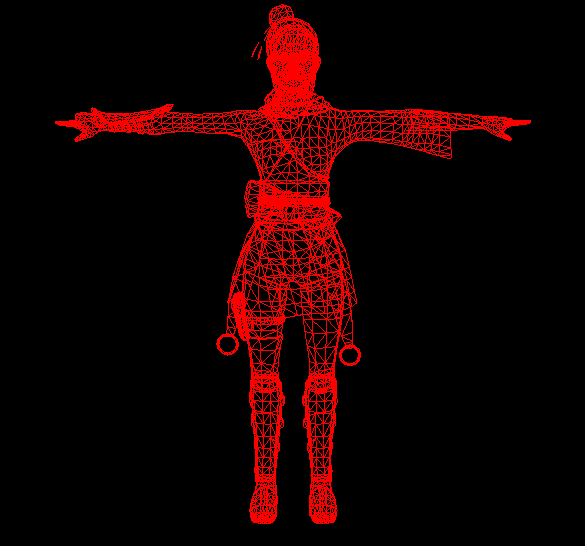
애니메이션 실행 시키기
- 모델이 정상적으로 나오기에 각 본의 상대적인 좌표를 통해서 애니메이션 실행 시키기
- 우선 스키닝을 통해서 얻은 정보를 쉐이더에 전달하기
00.Global.fx
- 정보를 받아둘 구조체 생성하기
struct VertexTetrueNormalTangentBlend
{
    float4 position : POSITION;
    float2 uv : TEXCOORD;
    float3 normal : NOERMAL;
    float3 tangent : TANGENT;
    float4 blendIndices : BLENDINDICES;
    float4 blendWeights : BLENDWEIGHT;
};
애니메이션과 관련된 정보 담아주기
- 애니메이션과 관련된 정보를 넘겨줘야 하지만 상수버퍼로 넘겨주기에는 상수버퍼가 많은 데이터를 담기에는 부족.
Texture를 사용해서 에니메이션 정보 담아주기
ModelAnimator
KeyFrame과Transform을 저장할 구조제AnimTransform선언- 텍스처를 GPU에 넘겨주기 위한
ResourceView선언
ModelAnimator.h
struct AnimTransform
{

	using TransformArrayType = array<Matrix, MAX_MODEL_TRANSFORMS>; // 250개의 관절 정보를 담아두기

	array<TransformArrayType, MAX_MODEL_KEYFRAMES> transforms;		// 2차 배열

};


class ModelAnimator : public Component
{

/* 추가되는 코드*/

private:
	void CreateTexture();
	void CreateAnimationTransform(uint32 index);

private:
	vector<AnimTransform> _animTransforms;
	ComPtr<ID3D11Texture2D> _texture;
	ComPtr<ID3D11ShaderResourceView> _srv;
}
ModelAnimator.cpp
CreateTexture()- 모든 애니메이션의 본 변환 행렬들을 GPU용 텍스처 배열로 만들어서 쉐이더에서 바로 사용할 수 있게 패킹하는 작업
- 각 프레임의 본 행렬 데이터를 Texture2DArray 형태로 묶어주는 초기화 과정
- malloc/free와 new/delete의 차이점 : 생성자 호출의 차이 (malloc은 생성자가 필요하지 않고, new는 생성자가 필요)
- void형 포인터를 BYTE형으로 바꾸는 이유 : 포인터형이 +4를 하는 경우 값이 +4가 되는게 아닌 4칸을 이동 -> 원하는 크기만큼 포인터를 이동시키고 싶다면 항상 1바이트 짜리인 포인터로 바꿔줘야 덧셈, 뺄셈 연산을 편하게 할 수 있다.
CreateAnimationTransform()(중요!)vector<>에 특정 본의 특정 프레임의 SRT를 Transform으로 묶어서 저장 (상위 노드의 상대 Matrix)- 애니메이션 동작할때 본의 위치를 맞춰주는 작업
- 루트 기준으로 본들의 위치를 맞춰놓고, 애니메이션으로 변한 본들의 월드 위치를 계산한 다음, 차이를 구해서, 다시 로트 기준으로 돌려 메쉬를 본에 맞게 움직이도록 설정
void ModelAnimator::CreateTexture()
{
	if (_model->GetAnimationCount() == 0)
		return;

	_animTransforms.resize(_model->GetAnimationCount());
	for (uint32 i = 0; i < _model->GetAnimationCount(); i++)
		CreateAnimationTransform(i);

	{
		D3D11_TEXTURE2D_DESC desc;
		ZeroMemory(&desc, sizeof(D3D11_TEXTURE2D_DESC));
		desc.Width = MAX_MODEL_TRANSFORMS * 4;
		desc.Height = MAX_MODEL_KEYFRAMES;
		desc.ArraySize = _model->GetAnimationCount();
		desc.Format = DXGI_FORMAT_R32G32B32A32_FLOAT; // 16바이트
		desc.Usage = D3D11_USAGE_IMMUTABLE;
		desc.BindFlags = D3D11_BIND_SHADER_RESOURCE;
		desc.MipLevels = 1;
		desc.SampleDesc.Count = 1;

		const uint32 dataSize = MAX_MODEL_TRANSFORMS * sizeof(Matrix);
		const uint32 pageSize = dataSize * MAX_MODEL_KEYFRAMES;
		void* mallocPtr = ::malloc(pageSize * _model->GetAnimationCount());

		// 파편화된 데이터를 조립한다.
		for (uint32 c = 0; c < _model->GetAnimationCount(); c++)
		{
			uint32 startOffset = c * pageSize;

			BYTE* pageStartPtr = reinterpret_cast<BYTE*>(mallocPtr) + startOffset;

			for (uint32 f = 0; f < MAX_MODEL_KEYFRAMES; f++)
			{
				void* ptr = pageStartPtr + dataSize * f;
				::memcpy(ptr, _animTransforms[c].transforms[f].data(), dataSize);
			}
		}

		// 리소스 만들기
		vector<D3D11_SUBRESOURCE_DATA> subResources(_model->GetAnimationCount());

		for (uint32 c = 0; c < _model->GetAnimationCount(); c++)
		{
			void* ptr = (BYTE*)mallocPtr + c * pageSize;
			subResources[c].pSysMem = ptr;
			subResources[c].SysMemPitch = dataSize;
			subResources[c].SysMemSlicePitch = pageSize;
		}

		HRESULT hr = DEVICE->CreateTexture2D(&desc, subResources.data(), _texture.GetAddressOf());
		CHECK(hr);

		::free(mallocPtr);
	}

	// Create SRV
	{
		D3D11_SHADER_RESOURCE_VIEW_DESC desc;
		ZeroMemory(&desc, sizeof(desc));
		desc.Format = DXGI_FORMAT_R32G32B32A32_FLOAT;
		desc.ViewDimension = D3D11_SRV_DIMENSION_TEXTURE2DARRAY;
		desc.Texture2DArray.MipLevels = 1;
		desc.Texture2DArray.ArraySize = _model->GetAnimationCount();

		HRESULT hr = DEVICE->CreateShaderResourceView(_texture.Get(), &desc, _srv.GetAddressOf());
		CHECK(hr);
	}
}

void ModelAnimator::CreateAnimationTransform(uint32 index)
{
	vector<Matrix> tempAnimBoneTransforms(MAX_MODEL_TRANSFORMS, Matrix::Identity);

	// 모델 Animation가져오기
	shared_ptr<ModelAnimation> animation = _model->GetAnimationByIndex(index);

	//
	for (uint32 f = 0; f < animation->frameCount; f++)
	{
		for (uint32 b = 0; b < _model->GetBoneCount(); b++)
		{
        	// Bone 정보
			shared_ptr<ModelBone> bone = _model->GetBoneByIndex(b);

			Matrix matAnimation;

			shared_ptr<ModelKeyframe> frame = animation->GetKeyframe(bone->name);
			if (frame != nullptr)
			{
				ModelKeyframeData& data = frame->transforms[f];

				Matrix S, R, T;
				S = Matrix::CreateScale(data.scale.x, data.scale.y, data.scale.z);
				R = Matrix::CreateFromQuaternion(data.rotation);
				T = Matrix::CreateTranslation(data.translation.x, data.translation.y, data.translation.z);

				matAnimation = S * R * T;
			}
			else
			{
				matAnimation = Matrix::Identity;
			}


			// 중요한 부분//
			Matrix toRootMatrix = bone->transform;
			Matrix invGlobal = toRootMatrix.Invert(); // 관절을 기준으로 하는 좌표계

			int32 parentIndex = bone->parentIndex;

			Matrix matParent = Matrix::Identity;

			if (parentIndex >= 0)
			{
				matParent = tempAnimBoneTransforms[parentIndex];
			}

			tempAnimBoneTransforms[b] = matAnimation * matParent;	// 애니메이션으로 틀어진 상태의 월드좌표로 넘어가는 것

			// 결론
			_animTransforms[index].transforms[f][b] = invGlobal * tempAnimBoneTransforms[b];
		}
	}
}
RenderManager
- 애니메이션에 관련된 정보(실행중인 에니메이션 번호, 프레임 등)을 GPU에 넘겨주는 작업을 하기 위한 구조체와 함수 생성하기
RenderMasnager.h
// Animation
struct KeyframeDesc
{
	int32 animIndex = 0;
	uint32 currFrame = 0;

	uint32 nextFrame = 0;
	float ratio = 0.f;
	float sumTime = 0.f;
	float speed = 1.f;
	Vec2 padding;
};

class RenderManager
{
	DECLARE_SINGLE(RenderManager);

public:
	void PushKeyframeData(const KeyframeDesc& desc);

private:
	KeyframeDesc _keyframeDesc;
	shared_ptr<ConstantBuffer<KeyframeDesc>> _keyframeBuffer;
	ComPtr<ID3DX11EffectConstantBuffer> _keyframeEffectBuffer;
}
RenderManager.cpp
void RenderManager::Init(shared_ptr<Shader> shader)
{
	_keyframeBuffer = make_shared<ConstantBuffer<KeyframeDesc>>();
	_keyframeBuffer->Create();
	_keyframeEffectBuffer = _shader->GetConstantBuffer("KeyframeBuffer");
}

void RenderManager::PushKeyframeData(const KeyframeDesc& desc)
{
	_keyframeDesc = desc;
	_keyframeBuffer->CopyData(_keyframeDesc);
	_keyframeEffectBuffer->SetConstantBuffer(_keyframeBuffer->GetComPtr().Get());
}
Animation.fx
- 쉐이더쪽에도 값을 받아주는 구조체와 버퍼, 택스트 배열 선언
#define MAX_MODEL_TRANSFORMS 250
#define MAX_MODEL_KEYFRAMES 500

struct KeyframeDesc
{
	int animIndex;
	uint currFrame;
	uint nextFrame;
	float ratio;
	float sumTime;
	float speed;
	float2 padding;
};

cbuffer KeyframeBuffer
{
	KeyframeDesc Keyframes;
};

Texture2DArray TransformMap;
ModelAnimator
- ImGui를 사용해서 애니메이션 사용하기
PushKeyframeData()를 통해서 쉐이더와 연결해주기
ModelAnimator.cpp
void ModelAnimator::Update()
{
	// Anim Update
	ImGui::InputInt("AnimIndex", &_keyframeDesc.animIndex);
	_keyframeDesc.animIndex %= _model->GetAnimationCount();
	ImGui::InputInt("CurrFrame", (int*)&_keyframeDesc.currFrame);
	_keyframeDesc.currFrame %= _model->GetAnimationByIndex(_keyframeDesc.animIndex)->frameCount;

	// 애니메이션 현재 프레임 정보
	RENDER->PushKeyframeData(_keyframeDesc);

    // SRV 전달
	_shader->GetSRV("TransformMap")->SetResource(_srv.Get());
}
결과
- 현재는 값이 변하진 않지만 ImGui창을 통해서 이후에 변경할수 있다는걸 알수 있음
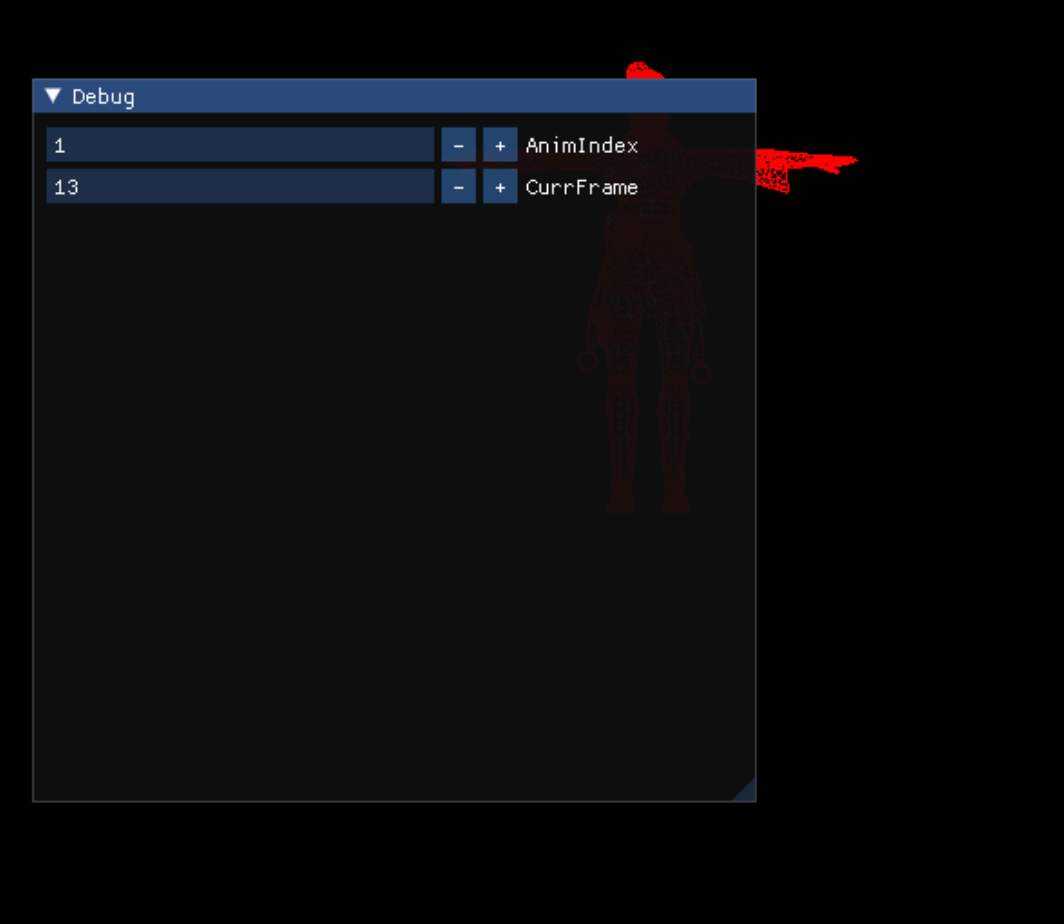
애니메이션 작동시키기
- 쉐이더를 애니메이션이 동작할 수 있도록 수정
Animation.fx
matrix GetAnimationWorldMatrix(VertexTetrueNormalTangentBlend input)
{
    float indices[4] = { input.blendIndices.x, input.blendIndices.y, input.blendIndices.z, input.blendIndices.w };
    float weights[4] = { input.blendWeights.x, input.blendWeights.y, input.blendWeights.z, input.blendWeights.w };

    int animIndex = Keyframes.animIndex;
    int currFrame = Keyframes.currFrame;

    float4 c0, c1, c2, c3;
    matrix curr = 0;
    matrix transform = 0;


    for (int i = 0; i < 4; i++)
    {
        c0 = TransformMap.Load(int4(indices[i] * 4 + 0, currFrame, animIndex, 0));
        c1 = TransformMap.Load(int4(indices[i] * 4 + 1, currFrame, animIndex, 0));
        c2 = TransformMap.Load(int4(indices[i] * 4 + 2, currFrame, animIndex, 0));
        c3 = TransformMap.Load(int4(indices[i] * 4 + 3, currFrame, animIndex, 0));
        curr = matrix(c0, c1, c2, c3);

        transform += mul(weights[i], curr);
    }

    return transform;
}


MeshOutput VS(VertexTetrueNormalTangentBlend input)
{
	MeshOutput output;

	matrix m = GetAnimationWorldMatrix(input);

	//output.position = mul(input.position, BoneTransforms[BoneIndex]);


	output.position = mul(input.position, m); // 로컬->월드좌표
	output.position = mul(output.position, W); // 로컬->월드좌표

	//output.position = mul(input.position, W); // 로컬->월드좌표
	output.worldPosition = output.position.xyz;
	output.position = mul(output.position, VP);
	output.uv = input.uv;
	output.normal = mul(input.normal, (float3x3) W);
	output.tangent = mul(input.tangent, (float3x3) W);

	return output;
}
결과
- Pass값을 0으로 해서 RasterizerState를 끈 상태
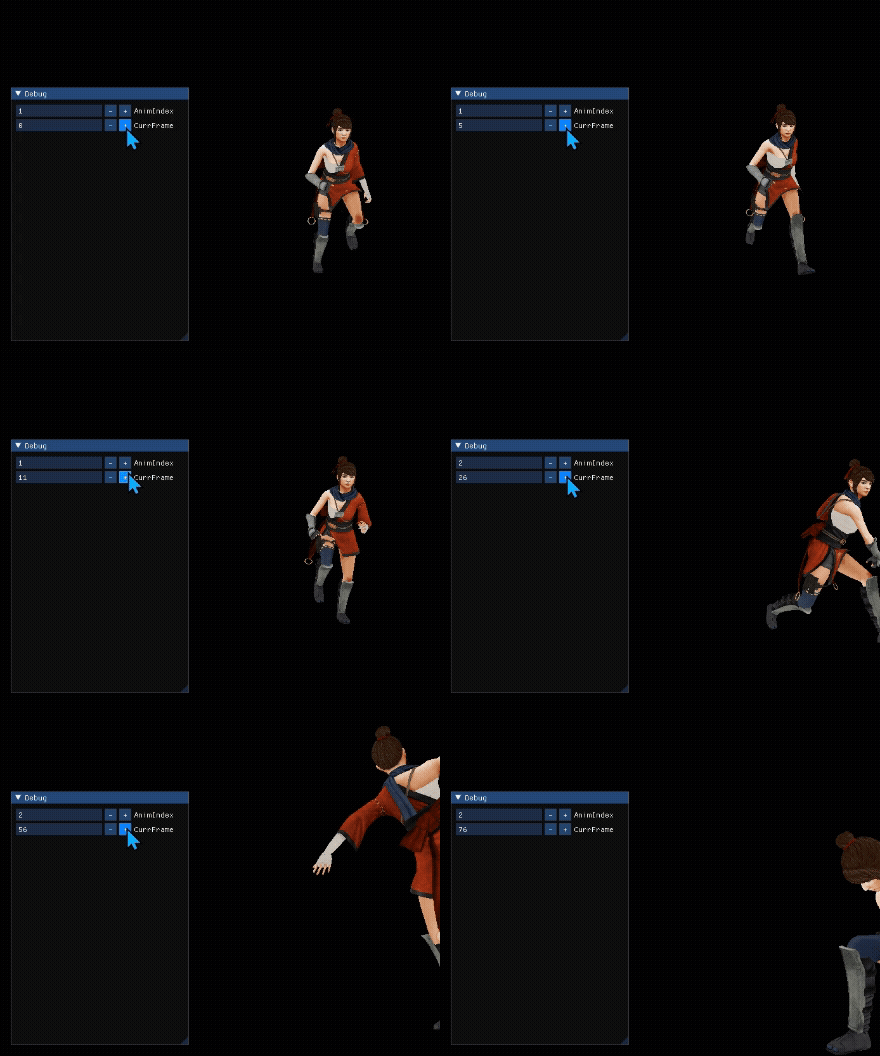
애니메이션 자동 재생 및 보간
- 중간중간 뚝뚝 끊기는 느낌이 드는 이유가 정점의 위치를 강제로 프레임단위로 조정해주기 때문
- 이를 해결하기 위해 보간 사용
- 현재 상태와 다음 상태의 재생비율에 따라서 섞어주는 방식으로 진행
Animation.fx
matrix GetAnimationWorldMatrix(VertexTetrueNormalTangentBlend input)
{
	float indices[4] = { input.blendIndices.x, input.blendIndices.y, input.blendIndices.z, input.blendIndices.w };
    float weights[4] = { input.blendWeights.x, input.blendWeights.y, input.blendWeights.z, input.blendWeights.w };

	int animIndex = Keyframes.animIndex;
	int currFrame = Keyframes.currFrame;
	int nextFrame = Keyframes.nextFrame;
    float ratio = Keyframes.ratio;

	float4 c0, c1, c2, c3;
	float4 n0, n1, n2, n3;
	matrix curr = 0;
    matrix next = 0;
	matrix transform = 0;


	for (int i = 0; i < 4; i++)
	{
		c0 = TransformMap.Load(int4(indices[i] * 4 + 0, currFrame, animIndex, 0));
		c1 = TransformMap.Load(int4(indices[i] * 4 + 1, currFrame, animIndex, 0));
		c2 = TransformMap.Load(int4(indices[i] * 4 + 2, currFrame, animIndex, 0));
		c3 = TransformMap.Load(int4(indices[i] * 4 + 3, currFrame, animIndex, 0));
		curr = matrix(c0, c1, c2, c3);


		n0 = TransformMap.Load(int4(indices[i] * 4 + 0, nextFrame, animIndex, 0));
		n1 = TransformMap.Load(int4(indices[i] * 4 + 1, nextFrame, animIndex, 0));
		n2 = TransformMap.Load(int4(indices[i] * 4 + 2, nextFrame, animIndex, 0));
        n3 = TransformMap.Load(int4(indices[i] * 4 + 3, nextFrame, animIndex, 0));
		next = matrix(n0, n1, n2, n3);

        matrix result = lerp(curr, next, ratio);

        transform += mul(weights[i], result);
    }

	return transform;
}
ModelAnimator
- 직접 frame의 index를 움직여주는게 아닌
DeltaTime에 따라서 자동으로 진행되는 방식으로 변경
ModelAnimator.cpp
void ModelAnimator::Update()
{
	if (_model == nullptr)
		return;

	// TODO
	if (_texture == nullptr)
		CreateTexture();


	_keyframeDesc.sumTime += DT;

	shared_ptr<ModelAnimation> current = _model->GetAnimationByIndex(_keyframeDesc.animIndex);
	if (current)
	{
		float timePerFrame = 1 / (current->frameRate * _keyframeDesc.speed);
		if (_keyframeDesc.sumTime >= timePerFrame)
		{
			_keyframeDesc.sumTime = 0.f;
			_keyframeDesc.currFrame = (_keyframeDesc.currFrame + 1) % current->frameCount;
			_keyframeDesc.nextFrame = (_keyframeDesc.currFrame + 1) % current->frameCount;
		}

		_keyframeDesc.ratio = (_keyframeDesc.sumTime / timePerFrame);
	}

	// Anim Update
	ImGui::InputInt("AnimIndex", &_keyframeDesc.animIndex);
	_keyframeDesc.animIndex %= _model->GetAnimationCount();
	ImGui::InputFloat("Speed", &_keyframeDesc.speed, 0.5f, 4.f);


	// 애니메이션 현재 프레임 정보
	RENDER->PushKeyframeData(_keyframeDesc);

	_shader->GetSRV("TransformMap")->SetResource(_srv.Get());


	// Bone
	BoneDesc boneDesc;

	const uint32 boneCount = _model->GetBoneCount();
	for (uint32 i = 0; i < boneCount; i++)
	{
		shared_ptr<ModelBone> bone = _model->GetBoneByIndex(i);
		boneDesc.transforms[i] = bone->transform;
	}
	RENDER->PushBoneData(boneDesc);

	// Transform
	auto world = GetTransform()->GetWorldMatrix();
	RENDER->PushTransformData(TransformDesc{ world });

	const auto& meshes = _model->GetMeshes();
	for (auto& mesh : meshes)
	{
		if (mesh->material)
			mesh->material->Update();

		// BoneIndex
		_shader->GetScalar("BoneIndex")->SetInt(mesh->boneIndex);

		uint32 stride = mesh->vertexBuffer->GetStride();
		uint32 offset = mesh->vertexBuffer->GetOffset();

		DC->IASetVertexBuffers(0, 1, mesh->vertexBuffer->GetComPtr().GetAddressOf(), &stride, &offset);
		DC->IASetIndexBuffer(mesh->indexBuffer->GetComPtr().Get(), DXGI_FORMAT_R32_UINT, 0);

		_shader->DrawIndexed(0, _pass, mesh->indexBuffer->GetCount(), 0, 0);
	}
}
결과
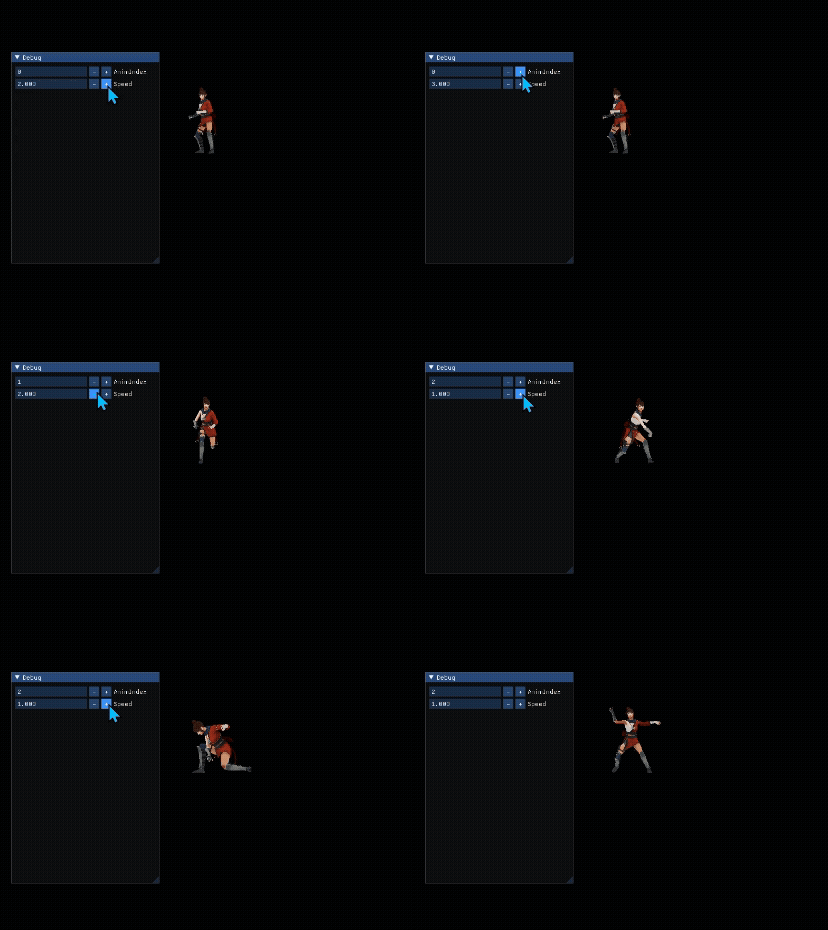
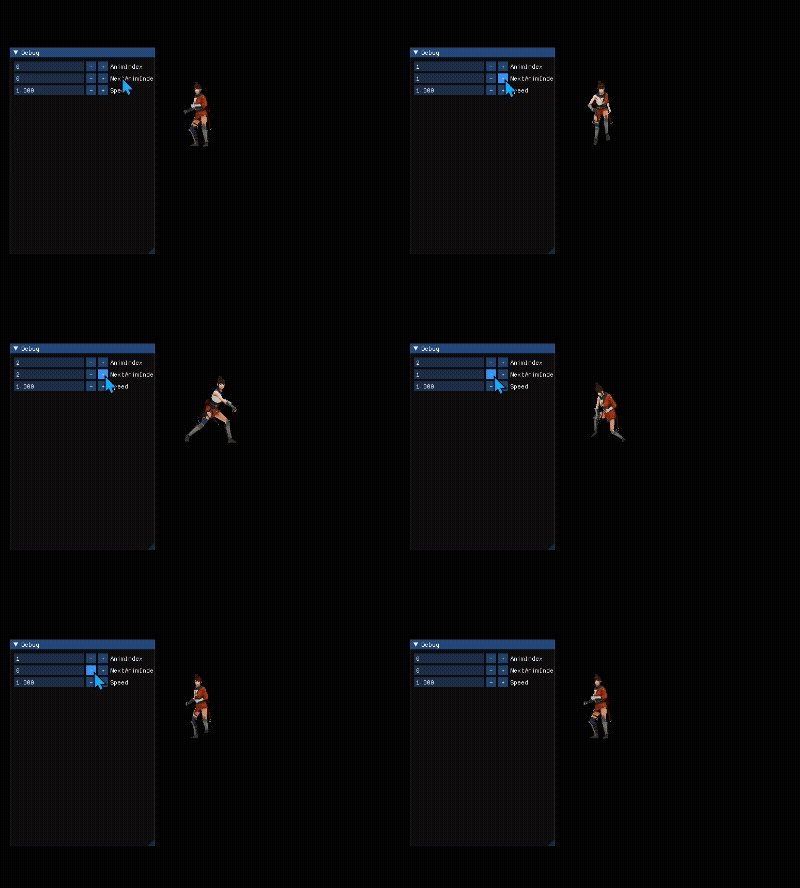
트위닝
- 트위닝 : 두 키프레임 사이의 중간 프레임을 자동으로 보간(interpolation) 해서 자연스러운 애니메이션 움직임을 만들어주는 기술
Tween.fx
- 쉐이더에서 트랜지션의 지속시간, 현재 애니메이션, 다음 애니메이션의 정도를 받아올 구조체와 버퍼 생성
- 다음 이어질 애니메이션과 보간해주도록
GetAnimationWorldMatrix()함수 수정하기
struct TweenFrameDesc
{
    float tweenDuration;
    float tweenRatio;
    float tweenSumTime;
    float padding;

    KeyframeDesc curr;
    KeyframeDesc next;
};


cbuffer TweenBuffer
{
    TweenFrameDesc TweenFrame;
};

matrix GetAnimationWorldMatrix(VertexTetrueNormalTangentBlend input)
{
	float indices[4] = { input.blendIndices.x, input.blendIndices.y, input.blendIndices.z, input.blendIndices.w };
    float weights[4] = { input.blendWeights.x, input.blendWeights.y, input.blendWeights.z, input.blendWeights.w };

    int animIndex[2];
	int currFrame[2];
	int nextFrame[2];
    float ratio[2];

    animIndex[0] = TweenFrame.curr.animIndex;
    currFrame[0] = TweenFrame.curr.currFrame;
    nextFrame[0] = TweenFrame.curr.nextFrame;
    ratio[0] = TweenFrame.curr.ratio;

    animIndex[1] = TweenFrame.next.animIndex;
    currFrame[1] = TweenFrame.next.currFrame;
    nextFrame[1] = TweenFrame.next.nextFrame;
    ratio[1] = TweenFrame.next.ratio;


	float4 c0, c1, c2, c3;
	float4 n0, n1, n2, n3;
	matrix curr = 0;
    matrix next = 0;
	matrix transform = 0;


	for (int i = 0; i < 4; i++)
	{
		c0 = TransformMap.Load(int4(indices[i] * 4 + 0, currFrame[0], animIndex[0], 0));
		c1 = TransformMap.Load(int4(indices[i] * 4 + 1, currFrame[0], animIndex[0], 0));
		c2 = TransformMap.Load(int4(indices[i] * 4 + 2, currFrame[0], animIndex[0], 0));
		c3 = TransformMap.Load(int4(indices[i] * 4 + 3, currFrame[0], animIndex[0], 0));
		curr = matrix(c0, c1, c2, c3);


		n0 = TransformMap.Load(int4(indices[i] * 4 + 0, nextFrame[0], animIndex[0], 0));
		n1 = TransformMap.Load(int4(indices[i] * 4 + 1, nextFrame[0], animIndex[0], 0));
		n2 = TransformMap.Load(int4(indices[i] * 4 + 2, nextFrame[0], animIndex[0], 0));
        n3 = TransformMap.Load(int4(indices[i] * 4 + 3, nextFrame[0], animIndex[0], 0));
		next = matrix(n0, n1, n2, n3);

        matrix result = lerp(curr, next, ratio[0]);

		// 다음 애니메이션이 있는지
		if (animIndex[1] >= 0)
        {
            c0 = TransformMap.Load(int4(indices[i] * 4 + 0, currFrame[1], animIndex[1], 0));
            c1 = TransformMap.Load(int4(indices[i] * 4 + 1, currFrame[1], animIndex[1], 0));
            c2 = TransformMap.Load(int4(indices[i] * 4 + 2, currFrame[1], animIndex[1], 0));
            c3 = TransformMap.Load(int4(indices[i] * 4 + 3, currFrame[1], animIndex[1], 0));
            curr = matrix(c0, c1, c2, c3);


            n0 = TransformMap.Load(int4(indices[i] * 4 + 0, nextFrame[1], animIndex[1], 0));
            n1 = TransformMap.Load(int4(indices[i] * 4 + 1, nextFrame[1], animIndex[1], 0));
            n2 = TransformMap.Load(int4(indices[i] * 4 + 2, nextFrame[1], animIndex[1], 0));
            n3 = TransformMap.Load(int4(indices[i] * 4 + 3, nextFrame[1], animIndex[1], 0));
            next = matrix(n0, n1, n2, n3);

            matrix nextResult = lerp(curr, next, ratio[1]);
            result = lerp(result, nextResult, TweenFrame.tweenRatio);
        }

        transform += mul(weights[i], result);
    }

	return transform;
}
RenderManager
- Animation때와 동일하게 GPU에 보내주기 위해 구조체 선언하고 Push함수 생성하고, 생성자와 다음 애니메이션으로 교체했다면 값을 초기화해주는 함수도 생성
RenderManager.h
struct TweenDesc
{
	TweenDesc()
	{
		curr.animIndex = 0;
		next.animIndex = -1;
	}

	void ClearNextAnim()
	{
		next.animIndex = -1;
		next.currFrame = 0;
		next.nextFrame = 0;
		next.sumTime = 0;
		tweenSumTime = 0;
		tweenRatio = 0;
	}

	float tweenDuration = 1.0f;
	float tweenRatio = 0.f;
	float tweenSumTime = 0.f;
	float padding = 0.f;
	KeyframeDesc curr;
	KeyframeDesc next;
};

class RenderManager
{
	DECLARE_SINGLE(RenderManager);

public:
	void PushTweenData(const TweenDesc& desc);

private:
    TweenDesc _tweenDesc;
	shared_ptr<ConstantBuffer<TweenDesc>> _tweenBuffer;
	ComPtr<ID3DX11EffectConstantBuffer> _tweenEffectBuffer;
};
RenderManager.cpp
void RenderManager::Init(shared_ptr<Shader> shader)
{
	_tweenBuffer = make_shared<ConstantBuffer<TweenDesc>>();
	_tweenBuffer->Create();
	_tweenEffectBuffer = _shader->GetConstantBuffer("TweenBuffer");
}

void RenderManager::PushTweenData(const TweenDesc& desc)
{
	_tweenDesc = desc;
	_tweenBuffer->CopyData(_tweenDesc);
	_tweenEffectBuffer->SetConstantBuffer(_tweenBuffer->GetComPtr().Get());
}
ModelAnimator
- 현재 애니메이션은 진행시키고 만약에 다음 애니메이션이 예약되어 있으면, 두 애니메이션을 섞어서 재생하도록 수정
ModelAnimator.cpp
- 코드가 길어지는 관계로 아래
bone부분은 생략
void ModelAnimator::Update()
{
	if (_model == nullptr)
		return;

	// TODO
	if (_texture == nullptr)
		CreateTexture();

	TweenDesc& desc = _tweenDesc;

	desc.curr.sumTime += DT;

	// 현재 애니메이션
	{
		shared_ptr<ModelAnimation> currentAnim = _model->GetAnimationByIndex(desc.curr.animIndex);
		if (currentAnim)
		{
			float timePerFrame = 1 / (currentAnim->frameRate * desc.curr.speed);
			if (desc.curr.sumTime >= timePerFrame)
			{
				desc.curr.sumTime = 0;
				desc.curr.currFrame = (desc.curr.currFrame + 1) % currentAnim->frameCount;
				desc.curr.nextFrame = (desc.curr.currFrame + 1) % currentAnim->frameCount;
			}

			desc.curr.ratio = (desc.curr.sumTime / timePerFrame);
		}
	}

	// 다음 애니메이션이 예약되어 있다면
	if (desc.next.animIndex >= 0)
	{
		desc.tweenSumTime += DT;
		desc.tweenRatio = desc.tweenSumTime / desc.tweenDuration;

		if (desc.tweenRatio >= 1.f)
		{
			// 애니메이션 교체 성공
			desc.curr = desc.next;
			desc.ClearNextAnim();
		}
		else
		{
			// 교체
			shared_ptr<ModelAnimation> nextAnim = _model->GetAnimationByIndex(desc.next.animIndex);
			desc.next.sumTime += DT;

			float timePerFrame = 1.f / (nextAnim->frameRate * desc.next.speed);

			if (desc.next.ratio >= 1.f)
			{
				desc.next.sumTime = 0;

				desc.next.currFrame = (desc.next.currFrame + 1) % nextAnim->frameCount;
				desc.next.nextFrame = (desc.next.currFrame + 1) % nextAnim->frameCount;
			}

			desc.next.ratio = desc.next.sumTime / timePerFrame;
		}
	}

	// Anim Update
	ImGui::InputInt("AnimIndex", &desc.curr.animIndex);
	_keyframeDesc.animIndex %= _model->GetAnimationCount();

	// 다른 애니메이션으로 골라주기 위한
	static int32 nextAnimIndex = 0;
	if (ImGui::InputInt("NextAnimIndex", &nextAnimIndex))
	{
		nextAnimIndex %= _model->GetAnimationCount();
		desc.ClearNextAnim(); // 기존꺼 밀어주기
		desc.next.animIndex = nextAnimIndex;
	}

	// 애니메이션이 없을때 나는 크레쉬를 막기위한 코드
	if (_model->GetAnimationCount() > 0)
		desc.curr.animIndex %= _model->GetAnimationCount();


	ImGui::InputFloat("Speed", &desc.curr.speed, 0.5f, 4.f);

	// 애니메이션 현재 프레임 정보
	RENDER->PushTweenData(desc);

	_shader->GetSRV("TransformMap")->SetResource(_srv.Get());
}
결과
참고 강의

게임 클라이언트 프로그래머 준비중 (공부 및 기록용)