php8 기준, laravel 등의 framework를 사용하지 않고, google 계정으로 로그인 하기
특징
. claude의 도움을 받음.
. php에서 composer나 link등을 사용하지 않고 sub folder에 파일만 복사함으로 간단하게 실행되는데 중점을 둠.
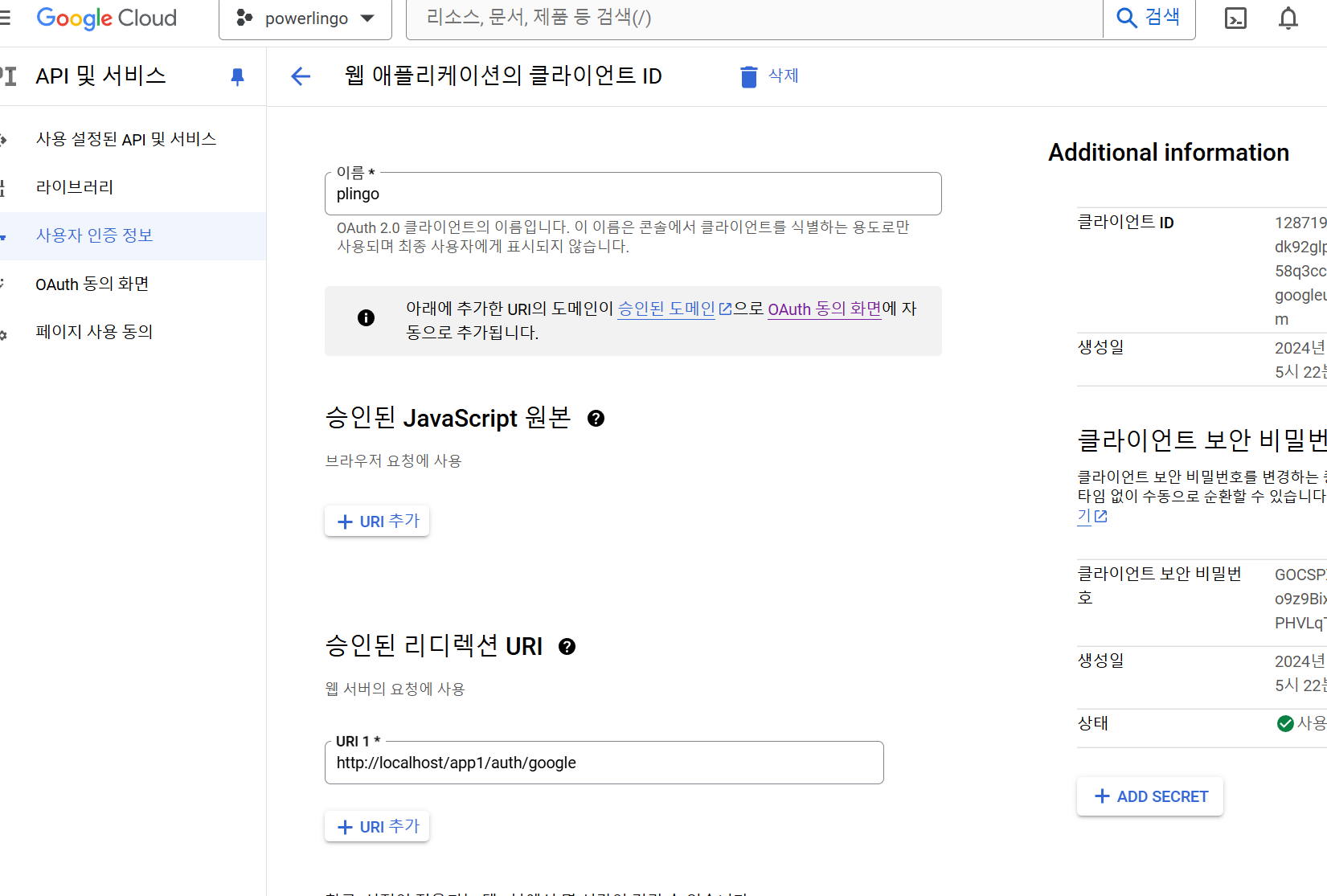
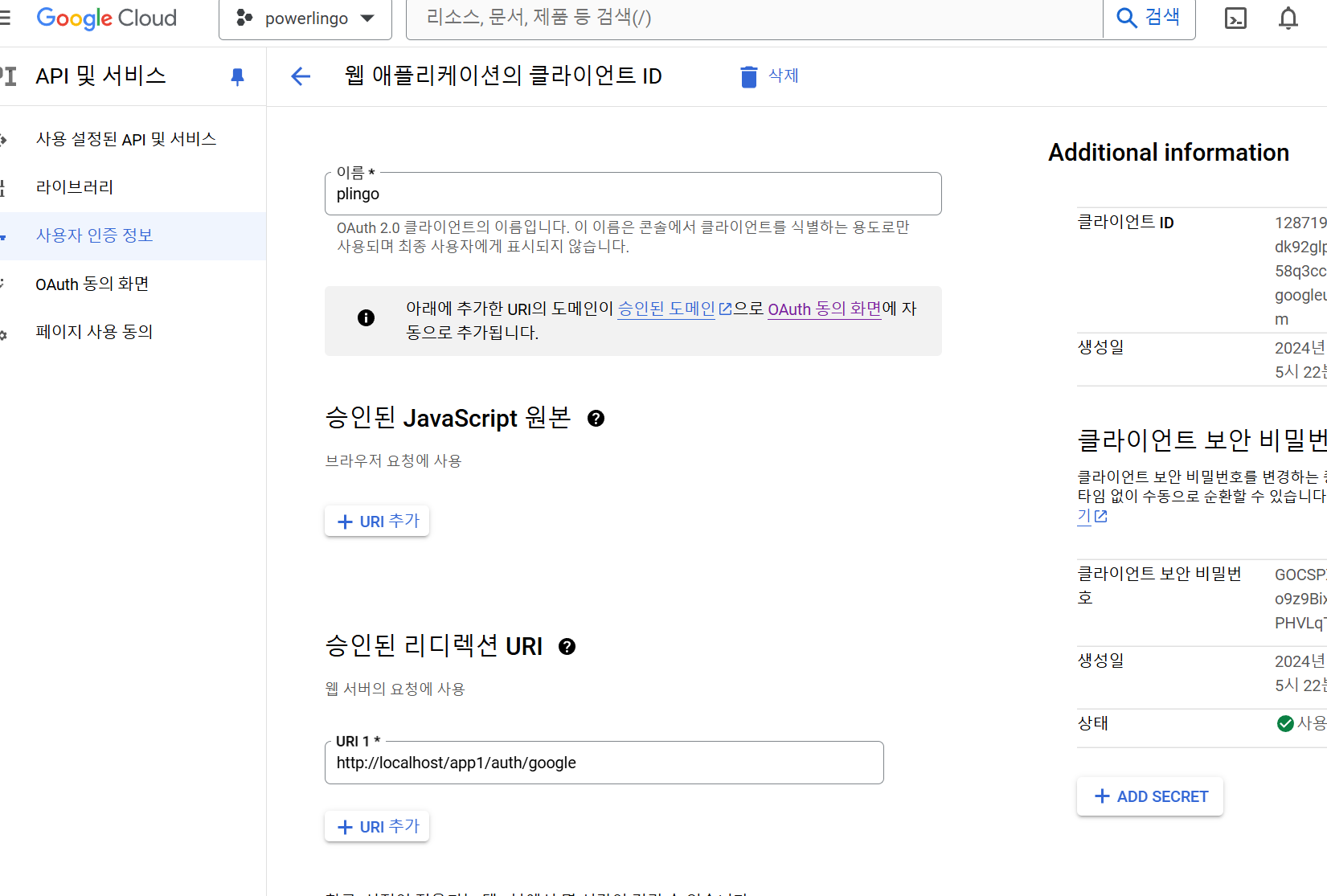
!Google Console에서 사용자 인증 정보의 승인된 리디렉션 uri를 반드시 기록해야 함
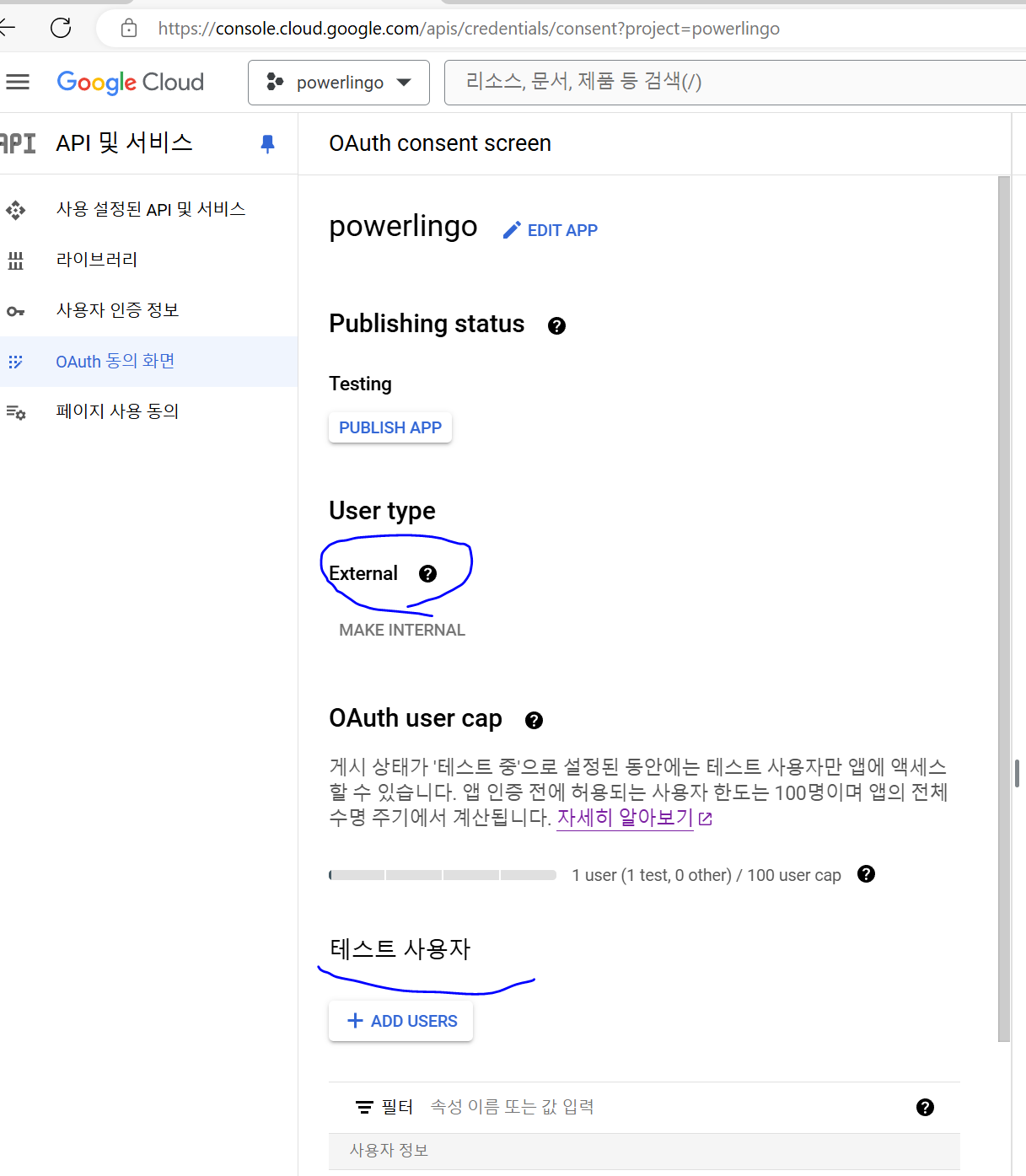
OAuth동의 화면은 External 타입으로 만들고 테스트 사용자에 테스트할 자기 계정을 넣어야 함.
다음은 claude ai 내용 -
물론입니다. 프레임워크를 사용하지 않고 순수한 PHP로 같은 기능을 구현할 수 있습니다. 아래에 프레임워크 없이 구현한 예제 코드를 제공해 드리겠습니다.
프로젝트 구조:
Copyproject/
├── public/
│ └── index.php
├── src/
│ ├── auth.php
│ ├── admin.php
│ ├── user.php
│ ├── database.php
│ └── config.php
├── templates/
│ ├── login.php
│ ├── admin.php
│ └── user.php
└── composer.json (Google API Client용)
composer.json:
jsonCopy{
"require": {
"google/apiclient": "^2.0"
}
}
public/index.php:
session_start();
require_once __DIR__ . '/../vendor/autoload.php';
require_once __DIR__ . '/../src/config.php';
require_once __DIR__ . '/../src/database.php';
require_once __DIR__ . '/../src/auth.php';
require_once __DIR__ . '/../src/admin.php';
require_once __DIR__ . '/../src/user.php';

$request_uri = $_SERVER['REQUEST_URI'];

switch ($request_uri) {
    case '/':
        showLoginPage();
        break;
    case '/auth/google':
        handleGoogleAuth();
        break;
    case '/admin':
        if (isAdmin()) {
            showAdminPage();
        } else {
            header('Location: /');
        }
        break;
    case '/admin/sentence':
        if (isAdmin() && $_SERVER['REQUEST_METHOD'] === 'POST') {
            addSentence();
        } else {
            header('Location: /admin');
        }
        break;
    case '/user':
        if (isLoggedIn()) {
            showUserPage();
        } else {
            header('Location: /');
        }
        break;
    case '/user/like':
        if (isLoggedIn() && $_SERVER['REQUEST_METHOD'] === 'POST') {
            likeSentence();
        } else {
            header('Location: /user');
        }
        break;
    default:
        http_response_code(404);
        echo "404 Not Found";
        break;
}
src/config.php:
define('GOOGLE_CLIENT_ID', 'YOUR_GOOGLE_CLIENT_ID');
define('GOOGLE_CLIENT_SECRET', 'YOUR_GOOGLE_CLIENT_SECRET');
define('DB_HOST', 'localhost');
define('DB_NAME', 'your_database_name');
define('DB_USER', 'your_database_user');
define('DB_PASS', 'your_database_password');
src/database.php:
function getDbConnection() {
    static $db = null;
    if ($db === null) {
        $db = new PDO("mysql:host=".DB_HOST.";dbname=".DB_NAME, DB_USER, DB_PASS);
        $db->setAttribute(PDO::ATTR_ERRMODE, PDO::ERRMODE_EXCEPTION);
    }
    return $db;
}
src/auth.php:
function showLoginPage() {
    include __DIR__ . '/../templates/login.php';
}

function handleGoogleAuth() {
    $client = new Google_Client();
    $client->setClientId(GOOGLE_CLIENT_ID);
    $client->setClientSecret(GOOGLE_CLIENT_SECRET);
    $client->setRedirectUri('http://your-domain.com/auth/google');
    $client->addScope("email");
    $client->addScope("profile");

    if (isset($_GET['code'])) {
        $token = $client->fetchAccessTokenWithAuthCode($_GET['code']);
        $client->setAccessToken($token['access_token']);

        $google_oauth = new Google_Service_Oauth2($client);
        $google_account_info = $google_oauth->userinfo->get();
        $email =  $google_account_info->email;
        $name =  $google_account_info->name;

        // 사용자 정보를 데이터베이스에 저장하거나 업데이트
        $db = getDbConnection();
        $stmt = $db->prepare("INSERT INTO users (email, name) VALUES (?, ?) ON DUPLICATE KEY UPDATE name = ?");
        $stmt->execute([$email, $name, $name]);

        $_SESSION['user_id'] = $db->lastInsertId() ?: $db->query("SELECT id FROM users WHERE email = '$email'")->fetchColumn();
        $_SESSION['user_email'] = $email;
        $_SESSION['user_name'] = $name;

        header('Location: /user');
    } else {
        $auth_url = $client->createAuthUrl();
        header('Location: ' . $auth_url);
    }
}

function isLoggedIn() {
    return isset($_SESSION['user_id']);
}

function isAdmin() {
    return isLoggedIn() && $_SESSION['user_email'] === 'admin@example.com'; // 관리자 이메일을 확인
}
src/admin.php:
function showAdminPage() {
    include __DIR__ . '/../templates/admin.php';
}

function addSentence() {
    $korean = $_POST['korean'] ?? '';
    $english = $_POST['english'] ?? '';
    $korean_file = $_FILES['korean_file']['name'] ?? '';
    $english_file = $_FILES['english_file']['name'] ?? '';

    // 파일 업로드 처리 (실제 구현 시 보안을 위해 추가 검증 필요)
    move_uploaded_file($_FILES['korean_file']['tmp_name'], __DIR__ . '/../uploads/' . $korean_file);
    move_uploaded_file($_FILES['english_file']['tmp_name'], __DIR__ . '/../uploads/' . $english_file);

    $db = getDbConnection();
    $stmt = $db->prepare("INSERT INTO sentences (korean, english, korean_file, english_file) VALUES (?, ?, ?, ?)");
    $stmt->execute([$korean, $english, $korean_file, $english_file]);

    header('Location: /admin');
}
src/user.php:
function showUserPage() {
    $db = getDbConnection();
    $stmt = $db->query("SELECT * FROM sentences");
    $sentences = $stmt->fetchAll(PDO::FETCH_ASSOC);

    include __DIR__ . '/../templates/user.php';
}

function likeSentence() {
    $user_id = $_SESSION['user_id'];
    $sentence_id = $_POST['sentence_id'] ?? 0;

    $db = getDbConnection();
    $stmt = $db->prepare("INSERT INTO likes (user_id, sentence_id) VALUES (?, ?) ON DUPLICATE KEY UPDATE created_at = CURRENT_TIMESTAMP");
    $stmt->execute([$user_id, $sentence_id]);

    header('Location: /user');
}
templates/login.php:
<html>
<head>
    <title>Login</title>
</head>
<body>
    <h1>Login with Google</h1>
    <a href="/auth/google">Login with Google</a>
</body>
</html>
templates/admin.php:
phpCopy<!DOCTYPE html>
<html>
<head>
    <title>Admin Page</title>
</head>
<body>
    <h1>Admin Page</h1>
    <form action="/admin/sentence" method="post" enctype="multipart/form-data">
        <input type="text" name="korean" placeholder="Korean sentence" required>
        <input type="text" name="english" placeholder="English sentence" required>
        <input type="file" name="korean_file">
        <input type="file" name="english_file">
        <button type="submit">Add Sentence</button>
    </form>
</body>
</html>
templates/user.php:
phpCopy<!DOCTYPE html>
<html>
<head>
    <title>User Page</title>
</head>
<body>
    <h1>Welcome, <?php echo htmlspecialchars($_SESSION['user_name']); ?></h1>
    <h2>Sentences</h2>
    <?php foreach ($sentences as $sentence): ?>
        <div>
            <p>Korean: <?php echo htmlspecialchars($sentence['korean']); ?></p>
            <p>English: <?php echo htmlspecialchars($sentence['english']); ?></p>
            <form action="/user/like" method="post">
                <input type="hidden" name="sentence_id" value="<?php echo $sentence['id']; ?>">
                <button type="submit">Like</button>
            </form>
        </div>
    <?php endforeach; ?>
</body>
</html>
이 코드는 프레임워크를 사용하지 않고 순수 PHP로 구현한 예제입니다. 실제 사용 시에는 보안, 에러 처리, 입력 유효성 검사 등을 추가로 구현해야 합니다. 또한, 데이터베이스 스키마를 적절히 설계하고 생성해야 합니다.
이 예제에서는 Google API Client 라이브러리만 사용했습니다. 이 라이브러리는 Google 인증을 쉽게 구현하기 위해 사용되었습니다.
프레임워크를 사용하지 않으면 코드가 더 직관적이고 이해하기 쉬울 수 있지만, 대규모 프로젝트에서는 유지보수와 확장성 측면에서 어려움이 있을 수 있습니다. 프로젝트의 규모와 요구사항에 따라 프레임워크 사용 여부를 결정하시면 됩니다.
sub folder에 놓기 위한 중요 포인트
.htaccess의 RewriteBase부분 - subfolder기록
RewriteBase /app1/
그것때문인지, index.php의 base_path
/app1 은 빼고 넘어온다.
composer.json은 위 내용대로 기록한 후, local pc에서 composer install을 하면 vender 폴더가 생성된다. 이를 복사하면, ssh를 지원하지 않은 웹호스트에서도 사용 가능.
sql
CREATE TABLE `users` (
  `id` int(11) NOT NULL,
  `email` varchar(255) NOT NULL,
  `name` varchar(255) NOT NULL,
  `oauth_provider` enum('google','facebook','github','kakao','naver') CHARACTER SET utf8 COLLATE utf8_unicode_ci NOT NULL DEFAULT 'google',
  `oauth_uid` varchar(50) CHARACTER SET utf8 COLLATE utf8_unicode_ci NOT NULL,
  `created` datetime DEFAULT current_timestamp(),
  `modified` datetime DEFAULT current_timestamp()
) ENGINE=InnoDB DEFAULT CHARSET=utf8mb4 COLLATE=utf8mb4_general_ci;
다음 소스는 참조만 하세요. 깔끔하진 않음
https://koolwind.duckdns.org/index.php/s/i37ZLBtm7Aobtdb