현재 나의 .jason파일 세팅은 아래와 같다. (아래 에러와 상관없이 계속 업데이트. 기록용임)
<task.json>
{
    // See https://go.microsoft.com/fwlink/?LinkId=733558
    // for the documentation about the tasks.json format
    "version": "2.0.0",
    "tasks": [
      {
        "type": "shell",
        "label": "clang++ build active file",
        "command": "/usr/bin/clang++",
        "args": [
          "-std=c++17",
          "-stdlib=libc++",
          "-g",
          "${file}",
          "-o",
          "${fileDirname}/${fileBasenameNoExtension}"
        ],
        "options": {
          "cwd": "${workspaceFolder}"
        },
        "problemMatcher": ["$gcc"],
        "group": {
          "kind": "build",
          "isDefault": true
        }
      }
    ]
  }
<launch.json>
{
    // Use IntelliSense to learn about possible attributes.
    // Hover to view descriptions of existing attributes.
    // For more information, visit: https://go.microsoft.com/fwlink/?linkid=830387
    "version": "0.2.0",
    "configurations": [
      {
        "name": "clang++ - Build and debug active file",
        "type": "cppdbg",
        "request": "launch",
        "program": "${fileDirname}/${fileBasenameNoExtension}",
        "args": [],
        "stopAtEntry": true,
        "cwd": "${workspaceFolder}",
        "environment": [],
        "externalConsole": true,
        "MIMode": "lldb",
        "preLaunchTask": "clang++ build active file"
      }
    ]
}- Unable to perform this action because the process is running.
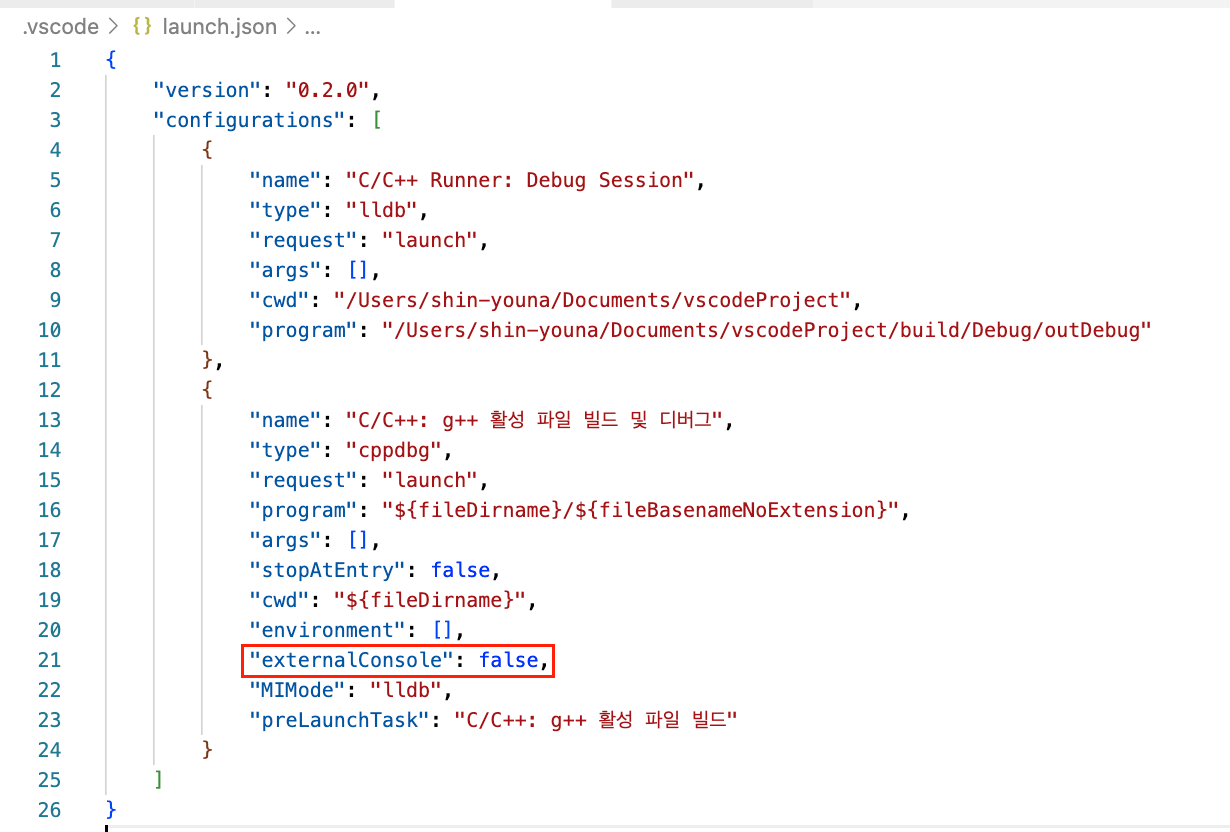
스택오버플로우에서 해답을 찾을 수 있었다. "externalConsole": true로 바꾸면, 외부 터미널이 열리면서 외부 터미널에 값을 입력할 수 있다.

대학원 지망생 (인턴)