로그인 창 <input> 태그에 삭제 아이콘 적용하기
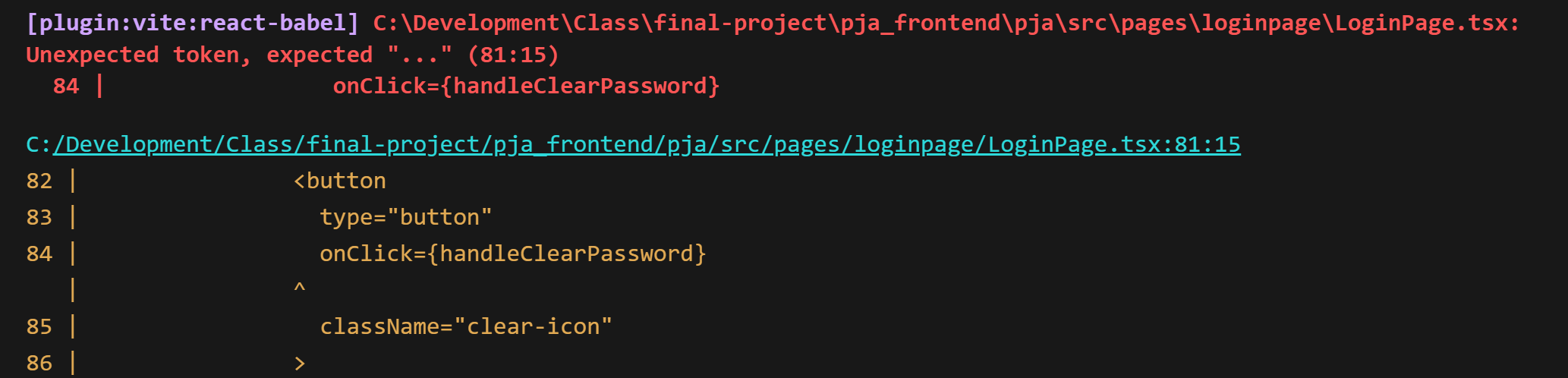
로그인 창에 효과를 적용하다가 발생한 오류를 적어보았다
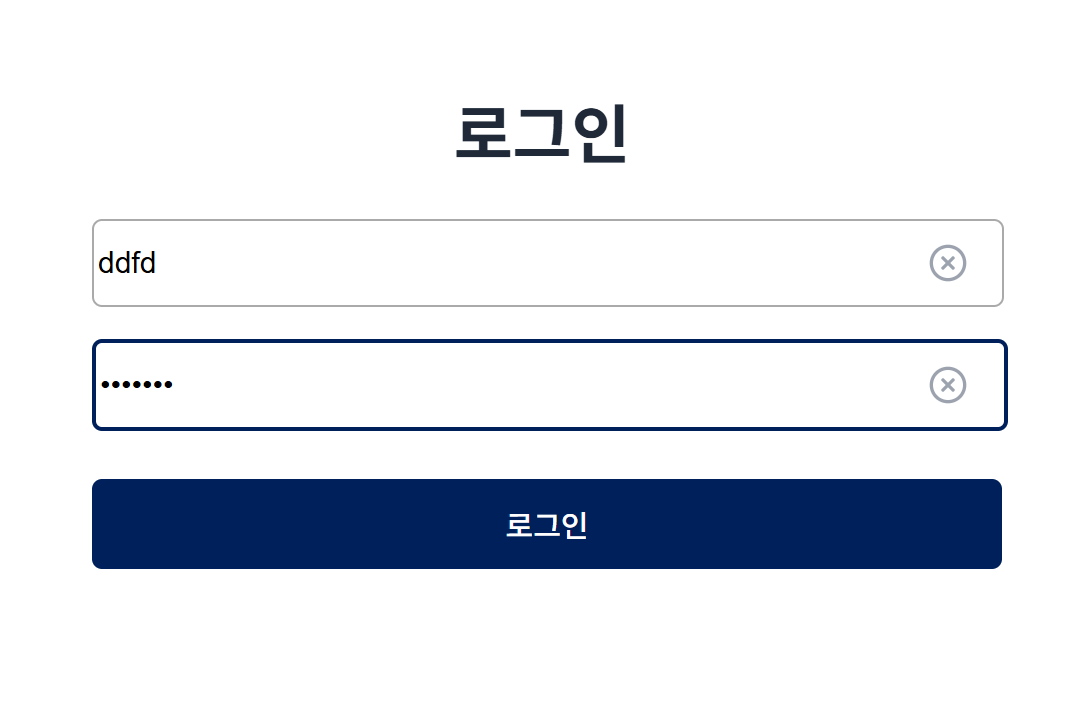
내 작업은 로그인 창을 클릭해 아이디를 입력하려고 하면 삭제 아이콘이 뜨면서 아이디를 입력하거나 한번에 삭제할 수 있게 하는 효과를 적용하는 것 이였다
        <div className="input-section">
          <input
            type="password"
            placeholder="비밀번호"
            className="pw-input"
            value={password}
            onChange={handlePasswordChange}
            onFocus={(e) => {
              e.target.classList.add("input-focus");
            }}
            onBlur={(e) => {
              e.target.classList.remove("input-focus");
            }}

           // 비밀번호 창 삭제 아이콘 부분

              {password && (
              <button
                type="button"
                onClick={handleClearPassword}
                className="clear-icon"
              >
                <svg
                  width="20"
                  height="20"
                  viewBox="0 0 24 24"
                  fill="none"
                  stroke="currentColor"
                  strokeWidth="2"
                  strokeLinecap="round"
                  strokeLinejoin="round"
                >
                  <circle cx="12" cy="12" r="10" />
                  <path d="M15 9l-6 6" />
                  <path d="M9 9l6 6" />
                </svg>
              </button>
            )}

          />
        </div>
여기서 궁금증이 생겼다.
<div className="input-section"> 를 적었는데
왜 계속 JSX가 닫히지 않았다고 뜨는건지..
오류의 원인은 이거였다
<input> 태그는 Self-closing tag (자체적으로 닫힘) 이기 때문에, 내부에 다른 JSX 요소를 넣을 수 없습니다!
그래서<div><input></div>로 감싸주어야 한다
그렇다면 <div className="input-section">을 쓰고도
한번 더 <div className=input-wrapper>로 감싸주어야 하는가?
| 핵심 개념 | 설명 | 추가 정보 | 예시 |
|---|---|---|---|
| input-section | 하나의 입력 필드를 감싸는 전체 블록 역할 | 상하 간격, 섹션 구분 등 | margin-bottom, padding |
| input-wrapper | 입력창(input)과 아이콘(button)을 한 줄로 배치하기 위한 컨테이너 | position: relative, flex 사용 | input 옆에 X버튼 배치 |
<div className="input-wrapper>를 사용하면 <input> 과 <button>을 하나의 컨테이너로 묶고가로로 한 줄로 정렬할 수 있다
버튼 위치 조정을 유연하게 할 수 있는 장점이 있다
결과 코드
       <div className="input-section">
          <div className="input-wrapper"> // input과 버튼을 감쌈
            <input
              type="password"
              placeholder="비밀번호"
              className="pw-input"
              value={password}
              onChange={handlePasswordChange}
              onFocus={(e) => {
                e.target.classList.add("input-focus");
              }}
              onBlur={(e) => {
                e.target.classList.remove("input-focus");
              }}
            />       // 자동적으로 닫힘
            {password && (
              <button
                type="button"
                onClick={handleClearPassword}
                className="clear-icon"

                <svg
                  width="20"
                  height="20"
                  viewBox="0 0 24 24"
                  fill="none"
                  stroke="currentColor"
                  strokeWidth="2"
                  strokeLinecap="round"
                  strokeLinejoin="round"

                  <circle cx="12" cy="12" r="10" />
                  <path d="M15 9l-6 6" />
                  <path d="M9 9l6 6" />
                </svg>
              </button>
            )}
          </div>
        </div>

비전공자로써 금융 IT 취업에 도전하고 있습니다.