이벤트의 종류
-
마우스 이벤트
: 마우스 이벤트는 마우스를 이용해 버튼이나 휠 버튼을 조작할때 사용한다.[종류] -click★ : 사용자가 html요소를 클릭할때 이벤트가 발생한다. -dblclick : 사용자가 html요소를 더블클릭할때 이벤트가 발생한다. -mousedown : 사용자가 요소 위에서 버튼을 눌렀을때 이벤트가 발생한다. -mousemove★ : 사용자가 요소 위에서 마우스 포인터를 움직일때 이벤트가 발생한다. -mouseout : 마우스 포인터가 요소를 벗어날때 이벤트가 발생한다. -mouseover★ : 마우스 포인터가 요소 위로 옮겨질때 이벤트가 발생한다. -mouseup : 사용자가 요소 위에 놓은 마우스 버튼에서 손을 뗄 때 이벤트가 발생한다. -wheel★ : 사용자가 마우스 휠을 움직이면 이벤트가 발생한다.-
키보드 이벤트
: 키보드 이벤트는 키보드에서 특정 키를 조작할때 이벤트가 발생한다.[종류]
-keydown★ : 사용자가 키를 누르는 동안 이벤트가 발생한다. 예) 검색창의 엔터
-keypress : 사용자가 키를 눌렀을때 이벤트가 발생한다.
-keyup : 사용자가 키에서 손을 뗄 때 이벤트가 발생한다.
-
  3. 문서로딩 이벤트
    : 서버에서 웹 문서를 가져오거나 문서를 위 아래로 스크롤하는 등 웹 문서를 브라우저 창에
      보여주는 것과 관련된 이벤트이다.


    [종류]
    -abort : 문서가 완전히 로딩 되기 전에 불러오기를 멈췄을때 이벤트가 발생한다.
    -error : 문서가 정확히 로딩되지 않았을때 이벤트가 발생한다.
    -load : 문서 로딩이 끝나면 이벤트가 발생한다.
    -resize : 문서 화면 크기가 바뀌었을때 이벤트가 발생한다.
    -scroll : 문서 화면이 스크롤 되었을때 이벤트가 발생한다.
    -unload : 문서에서 벗어날때 이벤트가 발생한다.

  4. 폼 이벤트
    : 로그인, 검색, 게시판, 설문 조사처럼 사용자가 입력하는 모든 요소에 내용을 입력하면
      이벤트가 발생한다.

    [종류]
    -blur★ : 폼요소에서 포커스를 잃었을때 이벤트가 발생한다.
    -change★ : 목록이나 체크 상태 등이 변경되면 이벤트가 발생한다.
            <input>,<select>,<textarea>태그에서 사용된다.
    -focus★ : 폼 요소에 포커스가 놓였을때 이벤트가 발생한다.
            <label>,<eslect>,<input>,<textarea>,<button>등에 사용된다.
    -reset★ : 폼이 리셋되었을때 이벤트가 발생한다.
    -submit★ : submit버튼을 클릭했을때 이벤트가 발생한다.
이벤트 핸들러
이벤트를 연결하는 가장 기본적인 방법은 이벤트가 발생한 html태그에 이벤트 핸들러를 직접 연결하는
것이다. 이 방법은 자바스크립트 초기 버전부터 많이 사용하던 방식이고 지금도 많이 사용한다.
이벤트 핸들러를 연결하는 기본형은 아래와 같다.
먼저 html 태그에 on이라는 키워드를 사용하고 다음에 이벤트명을 넣어 속성명을 만들고 실행할
이벤트 함수명을 넣으면 된다.
    [기본형]
<태그명 on 이벤트명 ="함수명()">- 예시)
클릭하면 배경이 바뀌는 이벤트
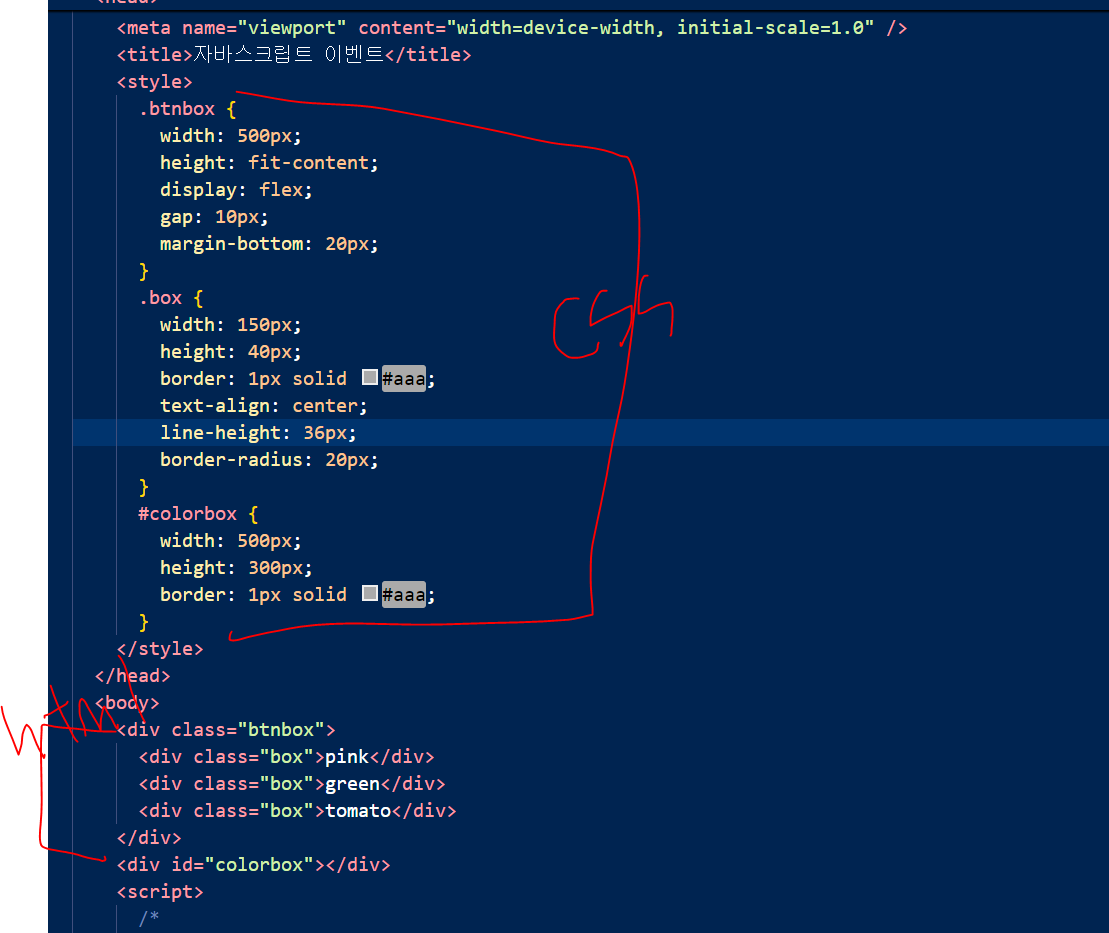
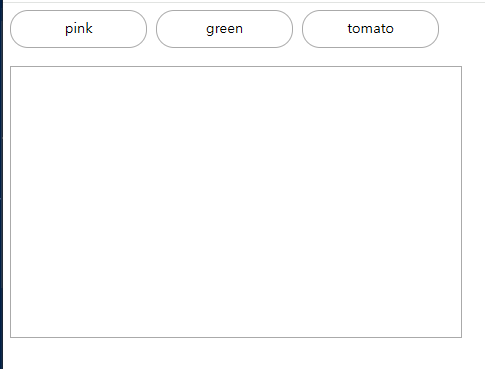
이런 화면이 생성된다.
거기에

onclick추가
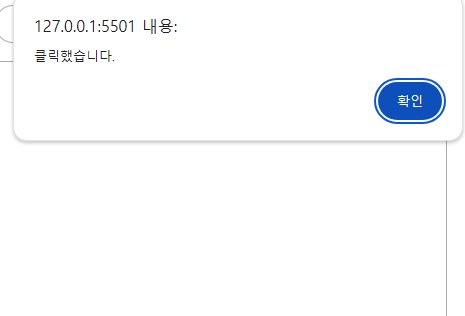
누르면 alert가 뜬다.
이렇게 하는 방법이 있고
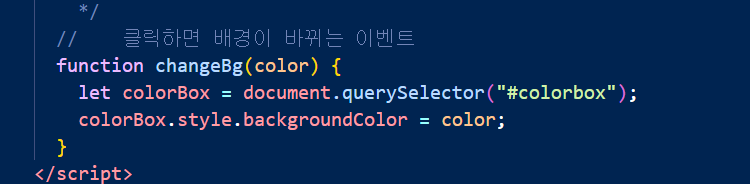
자바스크립트로 함수를 만들어준다.

onclick자리에 색을 넣어주면 클릭이 되었을떄 각 각 함수가 실행된다.
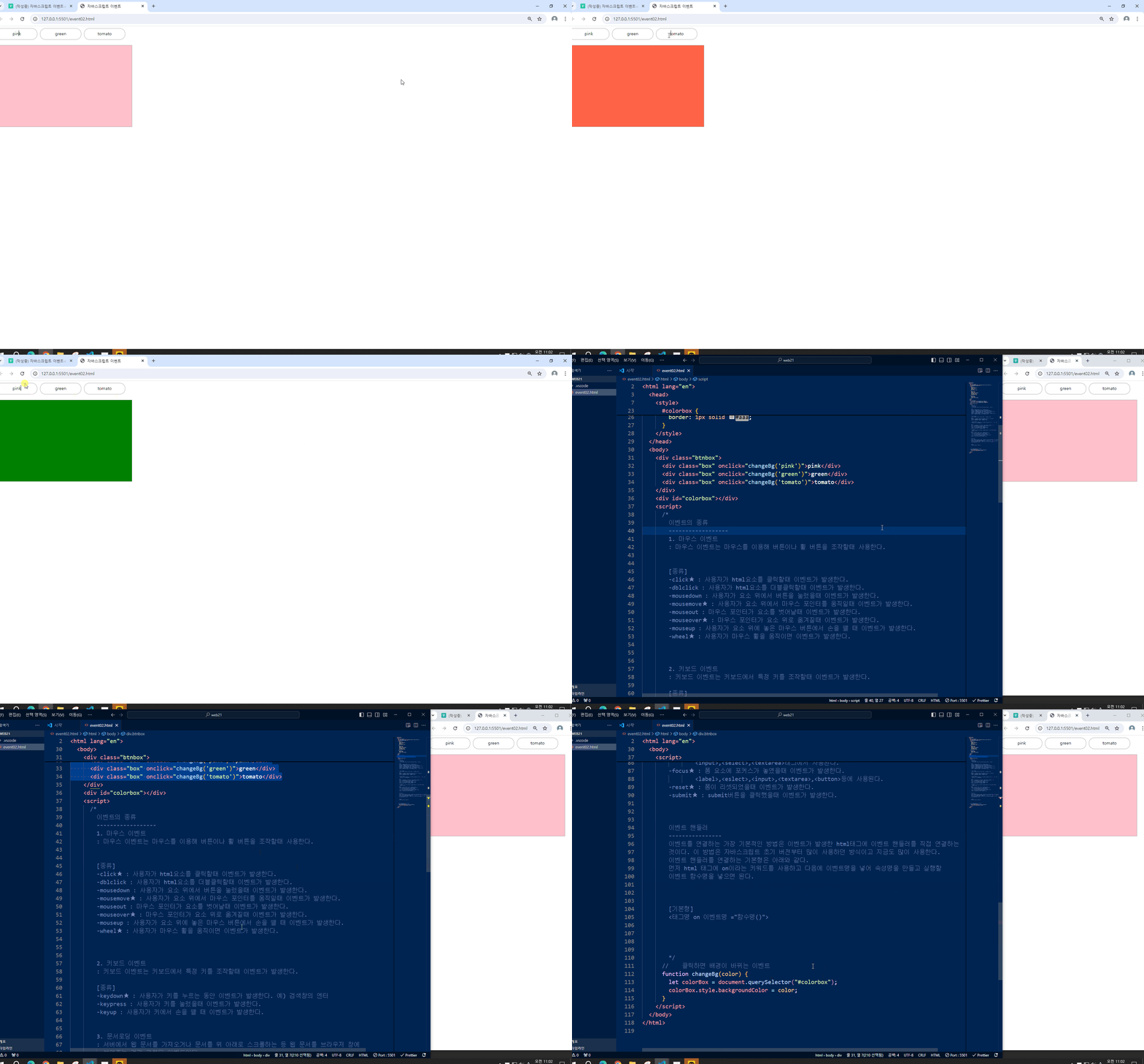
이런식으로 진행이 된다.
- 예시)
화면을 숨기고 나타내는 함수 만들기 !!!!!!!!!!!!!!!!!!!
html
    <div class="bigbox">
      <div class="imgbox">
        <img src="./img/cup.jpg" alt="cup" />
        <button type="button" onclick="showDetail()">상세설명보기</button>
      </div>
      <div class="textbox">
        <h3>예쁜 사진</h3>
        <p>
          Lorem ipsum dolor sit amet consectetur adipisicing elit. Magni
          veritatis, amet animi similique illo modi. Doloremque officiis nisi
          odio, modi temporibus atque a laboriosam aspernatur officia, ipsa aut
          eligendi voluptates.
        </p>
        <button type="button" onclick="hideDetail()">상세설명 닫기</button>
      </div>
    </div>
css
   <style>
      .bigbox {
        width: fit-content;
        height: auto;
      }
      .imgbox {
        width: 500px;
        height: 300px;
        overflow: hidden;
        position: relative;
      }
      .imgbox > img {
        max-width: 100%;
        position: absolute;
        top: -200px;
        left: 0;
      }
      .imgbox > button {
        position: absolute;
        bottom: 20px;
        left: 20px;
        border: 1px solid #000;
        padding: 5px 16px;
        background-color: #000;
        color: aliceblue;
        border-radius: 5px;
        cursor: pointer;
      }
      .textbox {
        width: 500px;
        height: 300px;
        box-sizing: border-box;
        padding-left: 20px;
        /* display: none; */ <- 후에 다시 풀어주기
      }
      .textbox > button {
        bottom: 20px;
        left: 20px;
        border: 1px solid #000;
        padding: 5px 16px;
        background-color: #000;
        color: aliceblue;
        border-radius: 5px;
        cursor: pointer;
      }
    </style>
자바스크립트
<script>
      // 상세 설명을 화면에 표시하는 함수
      function showDetail() {
        // 상세설명 보여주기
        document.querySelector(".textbox").style.display = "block";
        // 상세설명 보기버튼 없애기(숨기기)
        document.querySelector(".imgbox > button").style.display = "none";
      }

      // 상세 설명을 화면에 숨기는 함수
      function hideDetail() {
        // 상세설명 숨기기
        document.querySelector(".textbox").style.display = "none";
        // 상세설명 보기버튼 나타내기
        document.querySelector(".imgbox > button").style.display = "block";
      }
    </script>
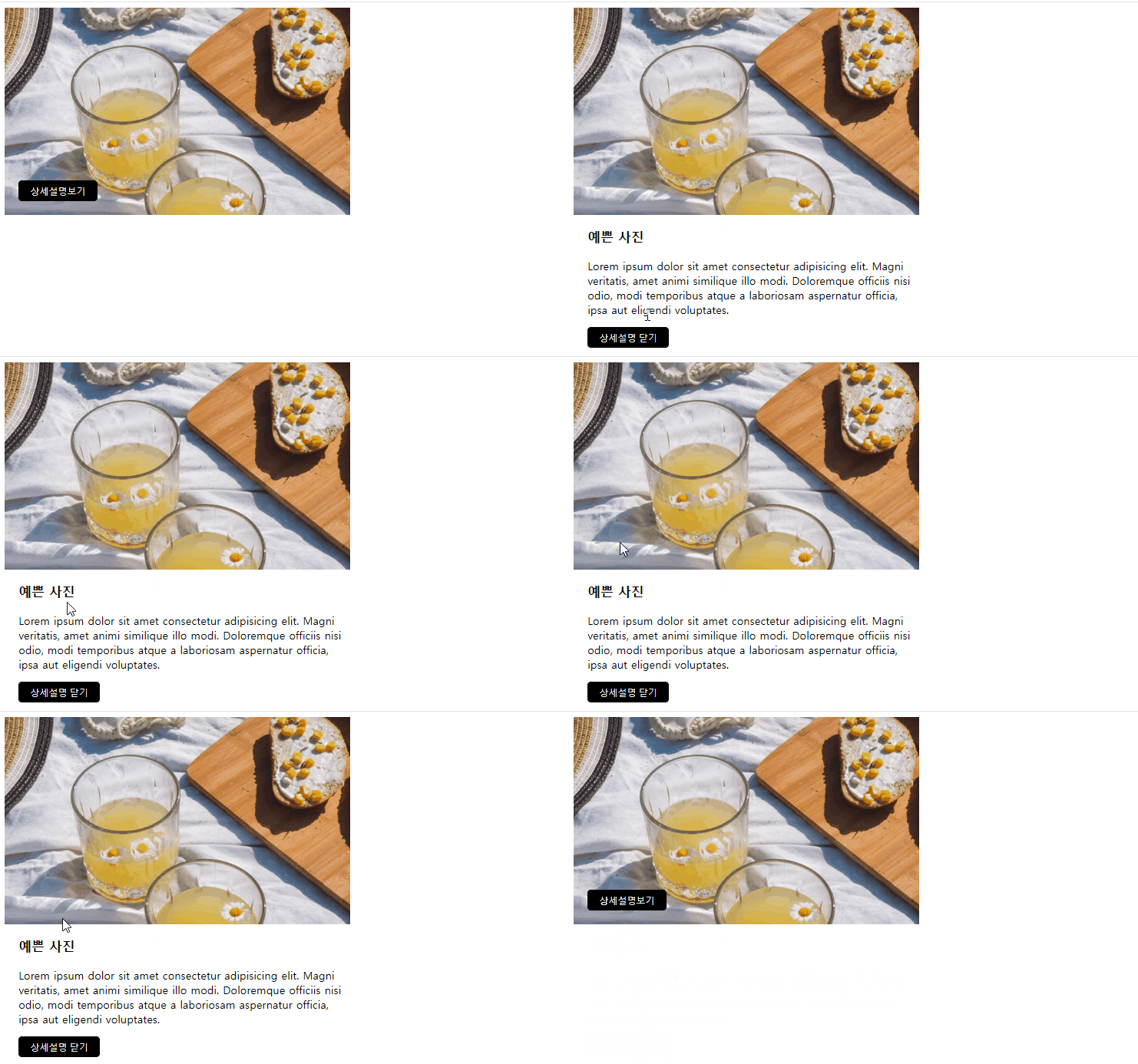
실완 !!
클릭하려는 html요소에 onclick를 잘 넣어주는 게 핵심 !!!!!!!!
위의 함수를 효율적으로 고치기
<!DOCTYPE html>
<html lang="en">
  <head>
    <meta charset="UTF-8" />
    <meta name="viewport" content="width=device-width, initial-scale=1.0" />
    <title>이벤트 실습</title>
    <style>
      .bigbox {
        width: fit-content;
        height: auto;
      }
      .imgbox {
        width: 500px;
        height: 300px;
        overflow: hidden;
        position: relative;
      }
      .imgbox > img {
        max-width: 100%;
        position: absolute;
        top: -200px;
        left: 0;
      }
      .imgbox > button {
        position: absolute;
        bottom: 20px;
        left: 20px;
        border: 1px solid #000;
        padding: 5px 16px;
        background-color: #000;
        color: aliceblue;
        border-radius: 5px;
        cursor: pointer;
      }
      .textbox {
        width: 500px;
        height: 300px;
        box-sizing: border-box;
        padding-left: 20px;
        display: none;
      }
      .textbox > button {
        bottom: 20px;
        left: 20px;
        border: 1px solid #000;
        padding: 5px 16px;
        background-color: #000;
        color: aliceblue;
        border-radius: 5px;
        cursor: pointer;
      }
    </style>
  </head>
  <body>
    <div class="bigbox">
      <div class="imgbox">
        <img src="./img/cup.jpg" alt="cup" />
        <button type="button" onclick="showDetail()">상세설명보기</button>
      </div>
      <div class="textbox">
        <h3>예쁜 사진</h3>
        <p>
          Lorem ipsum dolor sit amet consectetur adipisicing elit. Magni
          veritatis, amet animi similique illo modi. Doloremque officiis nisi
          odio, modi temporibus atque a laboriosam aspernatur officia, ipsa aut
          eligendi voluptates.
        </p>
      </div>
    </div>
    <!-- 스크립트 -->

    <script>
      let result = true;
      // 상세 설명을 화면에 표시하는 함수
      function showDetail() {
        if (result == true) {
          // 상세설명 보여주기
          document.querySelector(".textbox").style.display = "block";
        } else {
          // 상세설명 숨기기
          document.querySelector(".textbox").style.display = "none";
          result = true;
        }
      }
    </script>
  </body>
</html>
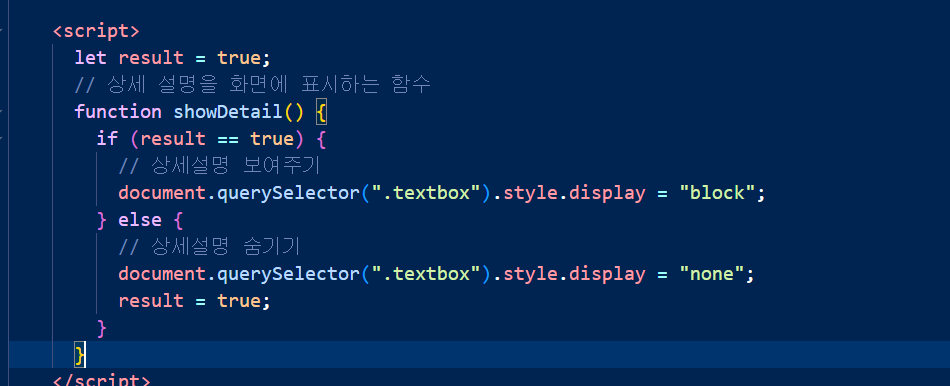
이렇게만 변경됨
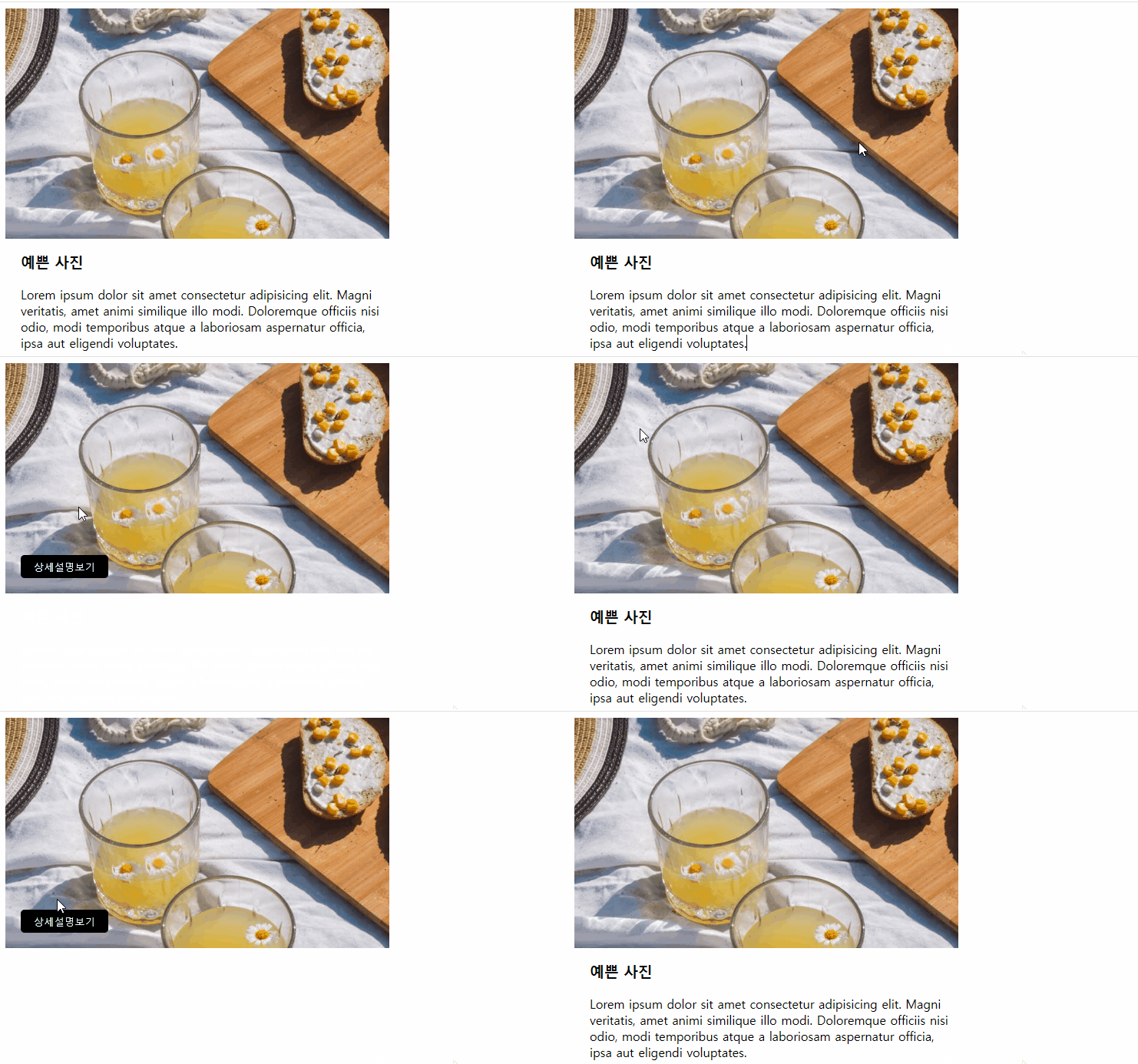
똑같이 실행이 가능하다.
자바스크립트만 바꿈

안녕하세요 ! 발전을 위해 매일 도전하는 퍼블리셔 류영경입니다.