[flutter] 유데미x스나이퍼팩토리 프로젝트 캠프 - 7일차 학습일지 - 5: 패키지 탐방
Package: animate_do
- 플러터 자체 애니메이션 구현 방법이 있지만, 애니메이션을 보다 쉽게 구현하는 방법
- https://pub.dev/packages/animate_do
Package: english_words
Package: animate_do, english_words 사용 예시
class MyApp extends StatelessWidget {
const MyApp({super.key});
Widget build(BuildContext context) {
return MaterialApp(
home: Scaffold(
body: PageView.builder(
itemCount: nouns.length,
itemBuilder: (context, index) {
return ZoomIn(
//PageView.builder는 딱 페이지에 도착 했을 때
// 위젯의 애니메이션을 구현 해주기 때문에,
// 구현할 위젯을 애니메이션으로 감싸준다.
child: Center(
child: Text(
nouns[index],
style: TextStyle(fontSize: 36, fontWeight: FontWeight.bold),
)),
);
},
),
),
);
}
}
Package: badges
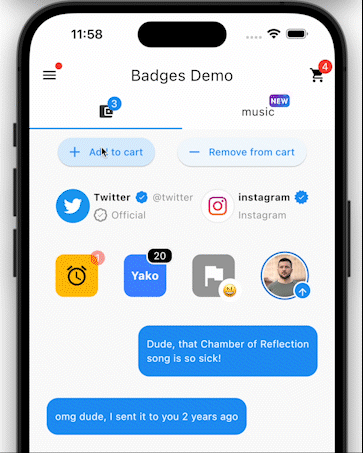
- 보다 작은 Chip을 제공하고, 보통은 알림수를 표시할 때 사용하는 패키지
- https://pub.dev/packages/badges
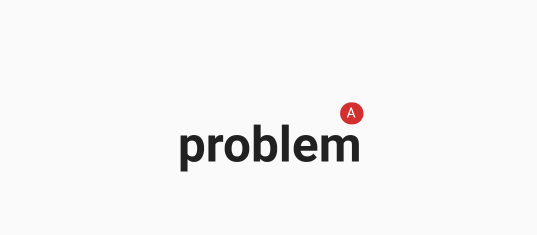
Badge(
                  label: Text('A'),
                  offset: Offset(0, -10),
                  child: Text(
                    nouns[index],
                    style: TextStyle(fontSize: 36, fontWeight: FontWeight.bold),
                  ),
                )
Package: fluttertoast
- 토스트(알림창, 스낵바)을 띄울 때 사용하는 패키지
- 위젯이 아닌, 실행할 수 있는 함수라고 생각하자!
- https://pub.dev/packages/fluttertoast
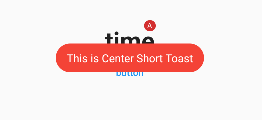
- 동작을 테스트 할 때는 버튼을 만들어서 사용
                    TextButton(
                      onPressed: () {
                        Fluttertoast.showToast(
                            msg: "This is Center Short Toast",
                            toastLength: Toast.LENGTH_SHORT,
                            gravity: ToastGravity.CENTER,
                            timeInSecForIosWeb: 1,
                            backgroundColor: Colors.red,
                            textColor: Colors.white,
                            fontSize: 16.0);
                      },
                      child: Text('button'),
                    )
Package: font_awesome_flutter
- https://fontawesome.com/icons
- FontAwesomeIcon을 사용할 수 있게 해주는 패키지
- https://pub.dev/packages/font_awesome_flutter
FaIcon(FontAwesomeIcons.airbnb)Package: animated_bottom_navigation_bar
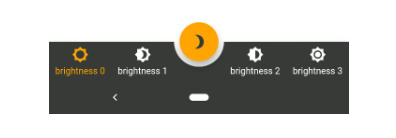
- 보다 예쁜 BottomNavigationBar를 구현할 수 있게 해주는 패키지
- https://pub.dev/packages/animated_bottom_navigation_bar
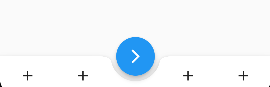
        floatingActionButton: FloatingActionButton(
          onPressed: () {
            _pageController.nextPage(
                duration: Duration(milliseconds: 500), curve: Curves.linear);
          },
          child: Icon(Icons.arrow_forward_ios),
          //params
        ),
        floatingActionButtonLocation: FloatingActionButtonLocation.centerDocked,
        bottomNavigationBar: AnimatedBottomNavigationBar(
          icons: [
            Icons.add,
            Icons.add,
            Icons.add,
            Icons.add,
          ], //list 형태의 iconDatd를 짝수로 넣어줄것

          activeIndex: 1,
          gapLocation: GapLocation.center,
          onTap: (_) {
            //int index를 받을 변수명, int 값을 무조건 받아야 하기 때문에 v를 넣어줌.
            print(_);
          },
        ),

힙스터 개발자가 될래요