
FastAPI로 만든 API를 AWS Lambda에 배포하고, GitHub에 코드를 푸시하면 자동으로 배포되는 파이프라인을 만들어보겠습니다.
기술 스택 선택 이유
- FastAPI: 빠르고 현대적인 Python 웹 프레임워크, 자동 문서화 지원
- AWS Lambda: 서버 관리 불필요, 사용한 만큼만 과금
- SAM: 서버리스 앱을 간단하게 정의하고 배포
- GitHub Actions: 코드 저장소에서 바로 사용 가능한 CI/CD
전체 흐름
GitHub Push → 자동 테스트 → 빌드 → AWS 배포 → 헬스체크핵심 보안: OIDC 인증
기존에는 AWS Access Key를 GitHub에 저장했지만, 이제는 OIDC 방식을 사용합니다.
장점:
- Access Key 저장 불필요
- 키 유출 걱정 없음
- AWS 공식 권장 방식
설정 3단계:
1. AWS IAM에 GitHub을 Identity Provider로 등록
2. GitHub Actions용 IAM Role 생성 (특정 리포지토리만 접근 가능하도록)
3. 최소 권한만 부여 (Lambda, API Gateway, CloudFormation 등)
프로젝트 구조
project/
├── .github/workflows/deploy.yml    # GitHub Actions 설정
├── src/
│   ├── app.py                      # FastAPI 앱
│   └── requirements.txt
├── tests/test_app.py               # 테스트
├── template.yaml                   # SAM 인프라 정의
└── samconfig.toml                  # SAM 설정
FastAPI 앱 작성 (예시)
from fastapi import FastAPI
from mangum import Mangum

app = FastAPI()

@app.get("/health")
async def health():
    return {"status": "healthy"}

@app.post("/api/items")
async def create_item(item: dict):
    return {"id": "123", "item": item}

# Lambda용 핸들러
handler = Mangum(app, lifespan="off")
주요 포인트:
Mangum: FastAPI를 Lambda에서 실행하게 해주는 어댑터- 환경 변수로 설정 관리 (API 키, CORS 등)
- 입력 검증과 에러 핸들링 필수
SAM Template (인프라 정의)
Resources:
  FastAPIFunction:
    Type: AWS::Serverless::Function
    Properties:
      Runtime: python3.12
      Architectures: [arm64]  # 비용 절감
      Handler: app.handler
      Environment:
        Variables:
          ENVIRONMENT: dev
      Events:
        ApiEvent:
          Type: HttpApi
          Properties:
            Path: /{proxy+}
            Method: ANY
핵심 설정:
- Python 3.12 최신 버전
- ARM64 아키텍처 (20% 저렴)
- HTTP API 사용 (REST API보다 빠르고 저렴)
- 스로틀링으로 과도한 요청 방지
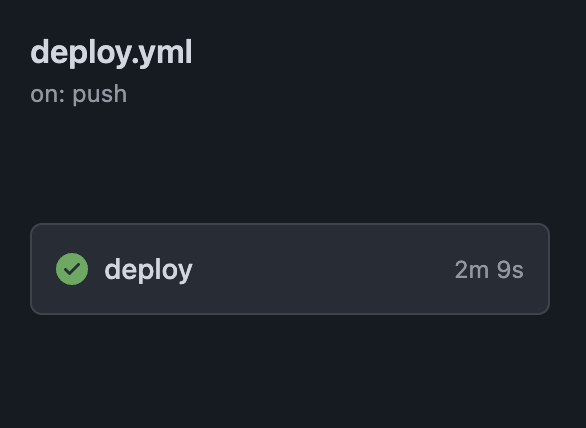
GitHub Actions 워크플로우
name: Deploy to AWS

on:
  push:
    branches: [main, develop]

permissions:
  id-token: write  # OIDC 토큰용
  contents: read

jobs:
  deploy:
    runs-on: ubuntu-latest
    steps:
      # 1. 코드 체크아웃
      - uses: actions/checkout@v4

      # 2. Python 설정
      - uses: actions/setup-python@v5
        with:
          python-version: '3.12'

      # 3. 테스트
      - run: |
          pip install -r src/requirements.txt pytest
          pytest tests/

      # 4. AWS 인증 (OIDC)
      - uses: aws-actions/configure-aws-credentials@v4
        with:
          role-to-assume: ${{ secrets.AWS_ROLE_ARN }}
          aws-region: ap-northeast-2

      # 5. SAM 빌드 & 배포
      - uses: aws-actions/setup-sam@v2
      - run: |
          sam build
          sam deploy --no-confirm-changeset

      # 6. 헬스체크
      - run: curl -f $API_ENDPOINT/health
워크플로우 흐름:
1. 코드 품질 검사 (린팅, 보안 스캔)
2. 테스트 실행
3. OIDC로 AWS 인증
4. SAM으로 빌드 & 배포
5. API 정상 작동 확인
보안 체크리스트
✅ 반드시 해야 할 것:
- OIDC 인증 사용 (Access Key 금지)
- 최소 권한 IAM 정책
- API 인증 추가 (API Key, JWT 등)
- CORS 특정 도메인만 허용
- 의존성 보안 스캔 (Bandit, Safety)
- 민감 정보는 GitHub Secrets 사용
- 환경별 분리 (dev, prod)
로컬 테스트
# SAM 로컬 실행
sam build
sam local start-api

# 테스트
curl http://localhost:3000/health
배포 과정
- 코드 푸시:
git push origin main - 자동 실행: GitHub Actions 트리거
- 품질 검사: 린팅, 테스트, 보안 스캔
- 빌드: SAM이 Lambda 패키지 생성
- 배포: CloudFormation으로 AWS 리소스 생성
- 검증: 헬스체크로 정상 작동 확인
완료되면 API 엔드포인트 URL을 받고, 바로 사용 가능합니다.✨

'같이의 가치를'