
Next.js로 구현하는 가상 스크롤(Virtual Scroll)
가상 스크롤이란?
화면에 한 번에 보이는 리스트 아이템만 렌더링하고,
보이지 않는 영역은 빈(spacer) 요소로 대체해 렌더링·메모리 비용을 줄이는 기법이다.
- 전체 데이터(수천~수만 건)를 모두 DOM에 올리지 않음
- 뷰포트(viewport) + 버퍼(overscan) 영역만 실제 렌더링
- “윈도우잉(windowing)”, “리스트 버츄얼라이제이션”이라고도 부름
가상 스크롤을 사용하는 이유
- 렌더링 비용 절감:
전체 아이템이 아니라, 보이는 부분만 그리기 때문에 레이아웃·페인트 비용이 크게 줄어든다. - 메모리 최적화:
DOM 노드 개수를 최소화해 메모리 사용량과 GC(Garbage Collection) 부담을 낮춘다. - 부드러운 스크롤 경험:
보이지 않는 아이템을 업데이트하지 않아 프레임 드랍 없이 매끄럽게 스크롤된다.
Garbage Collection vs Garbage Collector
1. Garbage Collection (가비지 컬렉션)
- 정의: 메모리에서 더 이상 사용되지 않는(참조되지 않는) 객체를 자동으로 찾아 해제하는 과정(process)
- 목적:
- 메모리 누수(memory leak) 방지
- 개발자가 직접 메모리 할당/해제를 관리하지 않아도 되는 편의 제공
2. Garbage Collector (가비지 콜렉터)
- 정의: 가비지 컬렉션 과정을 실제로 수행하는 컴포넌트(또는 모듈/엔진)
- 역할:
- 런타임 환경(JS 엔진, JVM 등)에 포함되어
- 주기적으로 힙(heap)을 스캔하고
- 가비지 컬렉션 알고리즘(마크·스윕, 참조 카운팅 등)을 실행
핵심 차이
| 구분 | Garbage Collection | Garbage Collector |
|---|---|---|
| 개념 | 프로세스(행위) | 컴포넌트(구현체) |
| 책임 | ‘언제’·‘어떻게’ 메모리 청소할지 결정 | 실제 청소 작업 수행 |
| 예시 | “JS 엔진이 가비지 컬렉션을 수행한다” | “V8 엔진의 GC 모듈” |
동작 예시 (JS 환경)
- 가비지 컬렉션
- 이벤트 루프가 한 사이클을 돌고 난 뒤
- GC 스케줄러가 동작 시점 판단 → GC 트리거
- 가비지 콜렉터
- Mark: 루트(root)에서 도달 가능한 객체 표시
- Sweep: 표시되지 않은 객체 메모리 해제
- Compact(선택적): 메모리 단편화 제거
가비지 컬렉션은 “무거운 작업”이므로, 런타임 성능에 민감할 때는 수동 최적화(객체 풀링, 참조 최소화 등)을 고려해야 한다.
핵심 원리 & 로직
// startIndex 계산
startIndex = Math.max(0,
	Math.floor(scrollTop / itemHeight) - overscan
)

// endIndex 계산
endIndex = Math.min(
  totalItems,
  Math.ceil((scrollTop + viewportHeight) / itemHeight) + overscan
)

// 렌더 대상 추출
visibleItems = allItems.slice(startIndex, endIndex)

// 위·아래 스페이서(spacer) 높이
topGap = startIndex * itemHeight
bottomGap = (totalItems - endIndex) * itemHeight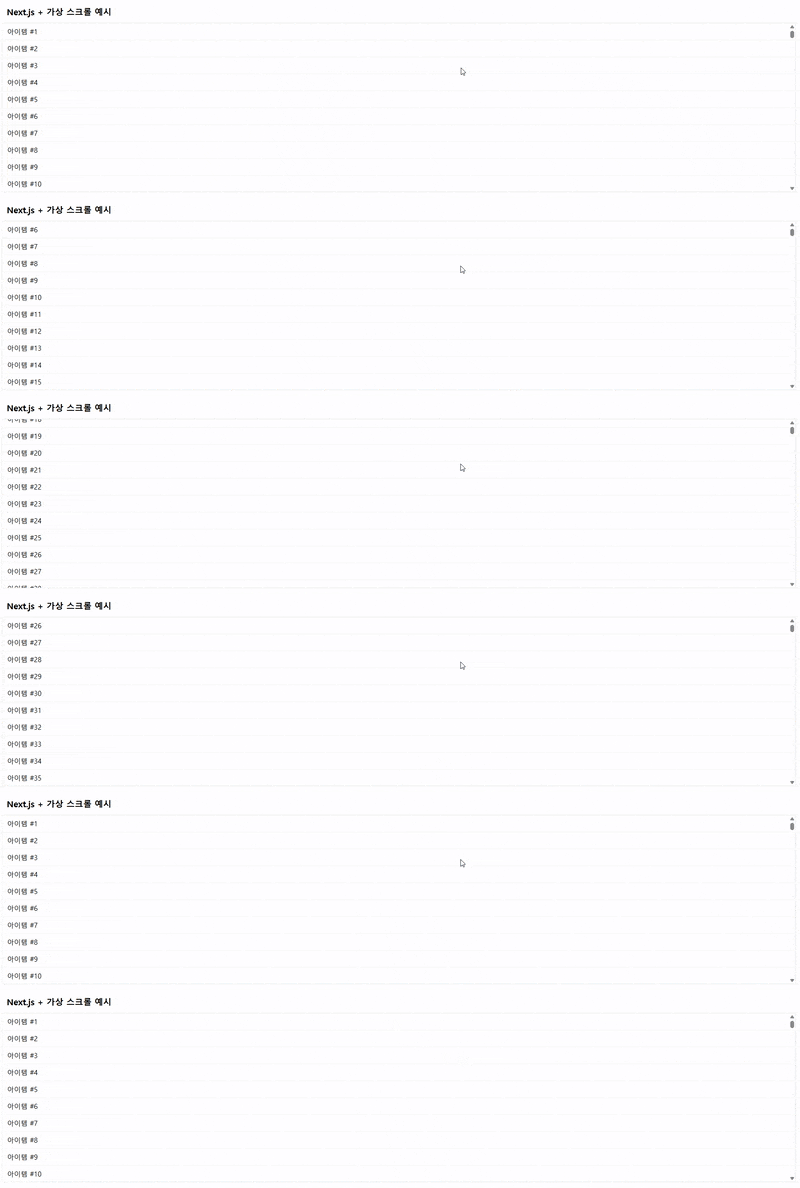
예시 코드
// VirtualScrollList.tsx
"use client";

import { useCallback, useEffect, useRef, useState } from "react";

interface VirtualScrollListProps {
    items: string[];
    itemHeight?: number;
    height?: number;
    overscan?: number;
}

export default function VirtualScrollList({
    items,
    itemHeight = 50,
    height = 500,
    overscan = 5,
}: VirtualScrollListProps) {
    const containerRef = useRef<HTMLDivElement>(null);
    const [scrollTop, setScrollTop] = useState(0);

    const onScroll = useCallback(() => {
        if (!containerRef.current) return;
        const top = containerRef.current.scrollTop;
        window.requestAnimationFrame(() => setScrollTop(top));
    }, []);

    useEffect(() => {
        const el = containerRef.current;
        if (!el) return;
        el.addEventListener("scroll", onScroll);
        return () => el.removeEventListener("scroll", onScroll);
    }, [onScroll]);

    const totalCount = items.length;
    const startIndex = Math.max(
        0,
        Math.floor(scrollTop / itemHeight) - overscan,
    );
    const endIndex = Math.min(
        totalCount,
        Math.ceil((scrollTop + height) / itemHeight) + overscan,
    );
    const visibleItems = items.slice(startIndex, endIndex);
    const spacerBefore = startIndex * itemHeight;
    const spacerAfter = (totalCount - endIndex) * itemHeight;

    useEffect(() => {
        const el = containerRef.current;
        console.log(
            `[VirtualScroll] startIndex=${startIndex} `,
            `endIndex=${endIndex} `,
            `visibleItems=${visibleItems.length} `,
            `DOM nodes=${el?.childElementCount} `,
        );
    }, [startIndex, endIndex, visibleItems.length]);

    return (
        <div
            ref={containerRef}
            className="relative w-full overflow-y-auto border border-gray-200"
            style={{ height: `${height}px` }}
        >
            <div style={{ height: spacerBefore }} />

            {visibleItems.map((item, idx) => (
                <div
                    key={startIndex + idx}
                    className="box-border flex items-center border-b border-gray-100 px-3"
                    style={{ height: `${itemHeight}px` }}
                >
                    {item}
                </div>
            ))}

            <div style={{ height: spacerAfter }} />
        </div>
    );
}
// page.tsx
"use client";
import VirtualScrollList from "../components/VirtualScrollList";
export default function Home() {
const data = Array.from({ length: 10000 }, (_, i) => `아이템 #${i + 1}`);
return (
<main className="p-5">
<h1 className="p-3 text-xl font-semibold">
Next.js + 가상 스크롤 예시
</h1>
<VirtualScrollList
items={data}
itemHeight={40}
height={400}
overscan={5}
/>
</main>
);
}rAF란?
- 브라우저가 “다음 화면 갱신 전에” 실행할 콜백을 예약하는 Web API
- 주로 애니메이션, 스크롤 최적화, 레이아웃 읽기 후 쓰기에 사용한다.
rAF 동작 원리
- 브라우저가 모니터의 리프레시 주기(보통 60Hz → 16.67ms)마다 화면을 그릴 때, RAF 콜백을 호출한다.
- 콜백 인자로 DOMHighResTimeStamp(밀리초 단위의 현재 타임스탬프)가 전달한다.
- rAF 콜백 체인을 만들면 매 프레임마다 애니메이션 루프를 구성 가능하다.
장점
- setTimeout/interval 대비 정확한 타이밍: 브라우저 리페인트 전에만 실행 → 레이아웃·페인트 최적화
- 애니메이션이 백그라운드 탭에서는 자동으로 일시 중지 → 불필요한 CPU 사용 방지
사용 방법
// 시작
let id = window.requestAnimationFrame(animate)

function animate(time) {
	// time: RAF가 호출된 시점의 타임스탬프(밀리초)
	// 애니메이션 로직: 요소 위치, 스타일 업데이트 등
	updatePositions(time)

	// 다음 프레임 예약
	id = window.requestAnimationFrame(animate)
}

// 중단
window.cancelAnimationFrame(id)
주의 사항
- 반드시 cancelAnimationFrame으로 필요 없어진 콜백 해제해야한다 !
- callback 내부에서 heavy 연산 지양: 단순 상태 업데이트 or DOM 읽기/쓰기만 !
결론
rAF는 브라우저 렌더 사이클에 최적화된 스케줄러로, 애니메이션 · 스크롤 · 레이아웃 변경 시 정확한 타이밍 제어와 성능 이점을 제공한다.

사이버 노트