국비 수료후 김영한 인프런 스프링 강의를 보면서
스프링부트를 설치하는데 강의영상은 2.x.x였고
내가 설치하려는건 3.x.x
근데 이게 이제 3.x.x버전은 java11 지원이 중단되어서
java17로 설치를 해야함
그 과정에서 생긴 오류들 정리..
김영한님은 인텔리제이를 사용하지만 나는 eclipse를 사용하고 있어서
이클립스로 적용을 해보려고 했다
인텔리제이를 사용하면 강의를 따라가는데는 수월하겠지만
잘 사용하고있던 이클립스를 써보고싶기도 했고
남들은 이클립스로 잘만 하던데?! 해서 나도 못할거있나?해서 이클립스로 사용했다
일단 이클립스에 gradle을 임포트 해오는 것 까지는 성공을 했는데
core폴더에 x표시가 뜨면서 콘솔에 빨간줄로
AILURE: Build failed with an exception.

* What went wrong:
A problem occurred configuring root project 'core'.
> Could not resolve all artifacts for configuration ':classpath'.
   > Could not resolve org.springframework.boot:spring-boot-gradle-plugin:3.3.2.
     Required by:
         project : > org.springframework.boot:org.springframework.boot.gradle.plugin:3.3.2
      > Dependency requires at least JVM runtime version 17. This build uses a Java 11 JVM.

* Try:
> Run this build using a Java 17 or newer JVM.
> Run with --stacktrace option to get the stack trace.
> Run with --info or --debug option to get more log output.
> Run with --scan to get full insights.
> Get more help at https://help.gradle.org.

CONFIGURE FAILED in 6s

FAILURE: Build failed with an exception.

* What went wrong:
A problem occurred configuring root project 'core'.
> Could not resolve all artifacts for configuration ':classpath'.
   > Could not resolve org.springframework.boot:spring-boot-gradle-plugin:3.3.2.
     Required by:
         project : > org.springframework.boot:org.springframework.boot.gradle.plugin:3.3.2
      > Dependency requires at least JVM runtime version 17. This build uses a Java 11 JVM.

* Try:
> Run this build using a Java 17 or newer JVM.
> Run with --stacktrace option to get the stack trace.
> Run with --info or --debug option to get more log output.
> Run with --scan to get full insights.
> Get more help at https://help.gradle.org.

CONFIGURE FAILED in 181ms
이게 자꾸만 떴다..
맨처음에는 java 17이 제대로 적용이안된거군 해서
환경변수도 해줬는데 안됨
그래서 열심히 구글링해본 결과
해결방법
프로젝트 마우스 우클릭 -> properties -> Gradle 로 들어간 후
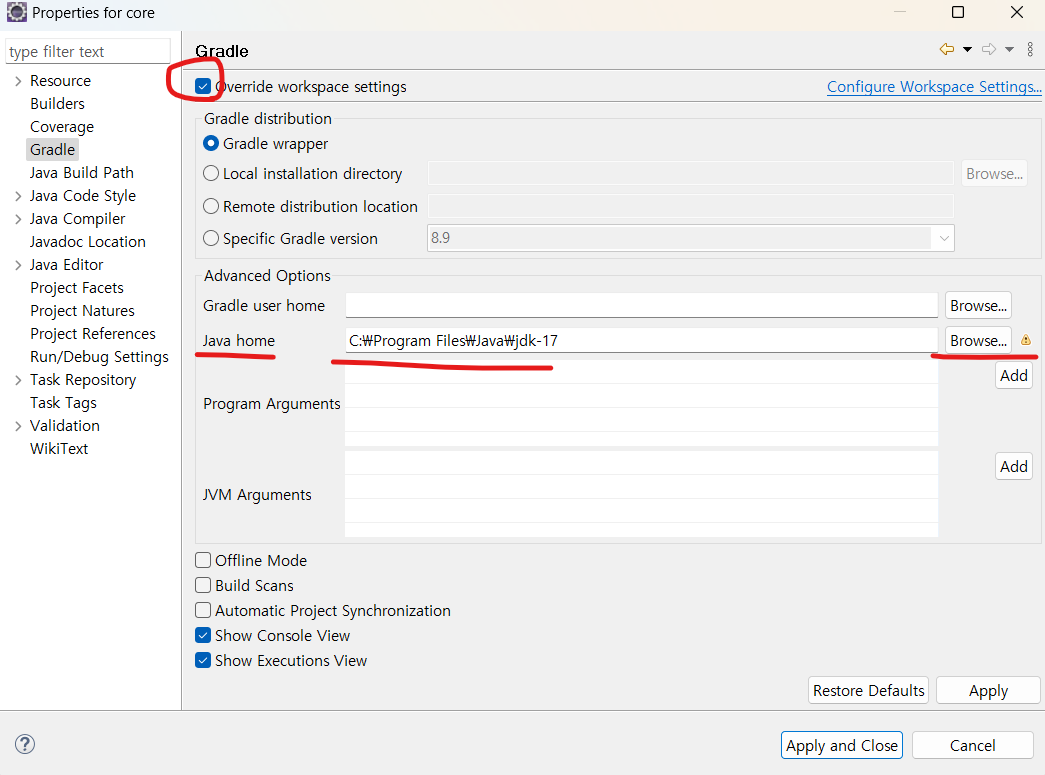
override workspace settings 체크 후 -> java home의 Browse 버튼 클릭
-> java설치된 폴더로 경로를 잡아주고 -> apply and close
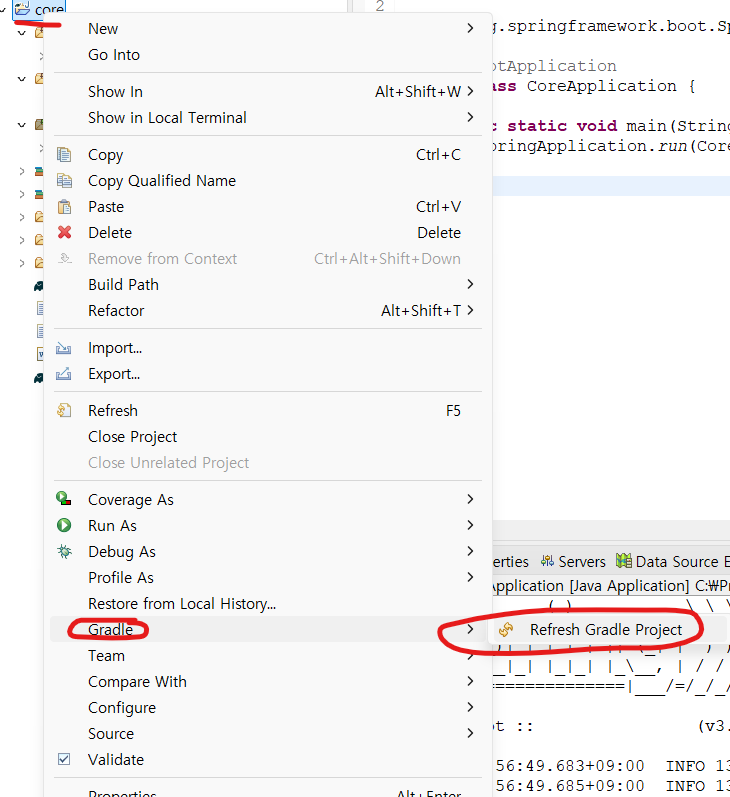
다시 프로젝트 우클릭 -> gradle -> Refresh Gradle Project 클릭해주면 됨!
원래는 여기가 끝이나 여기까지 해도 안되는 분들(은 나였다)
window -> preference
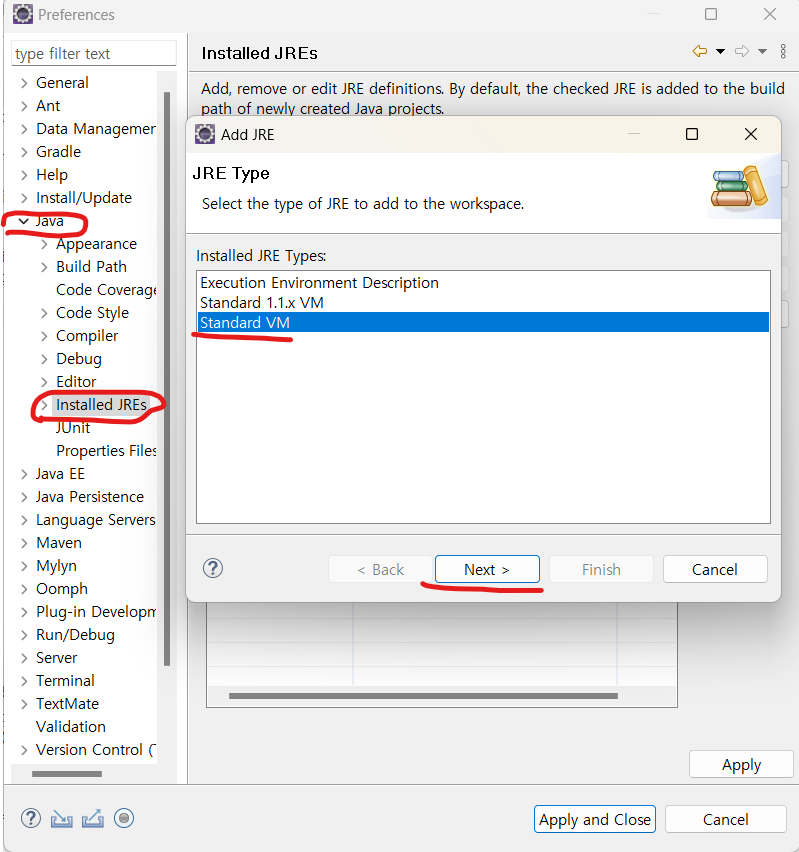 Java -> Installed JREs -> Add버튼 클릭
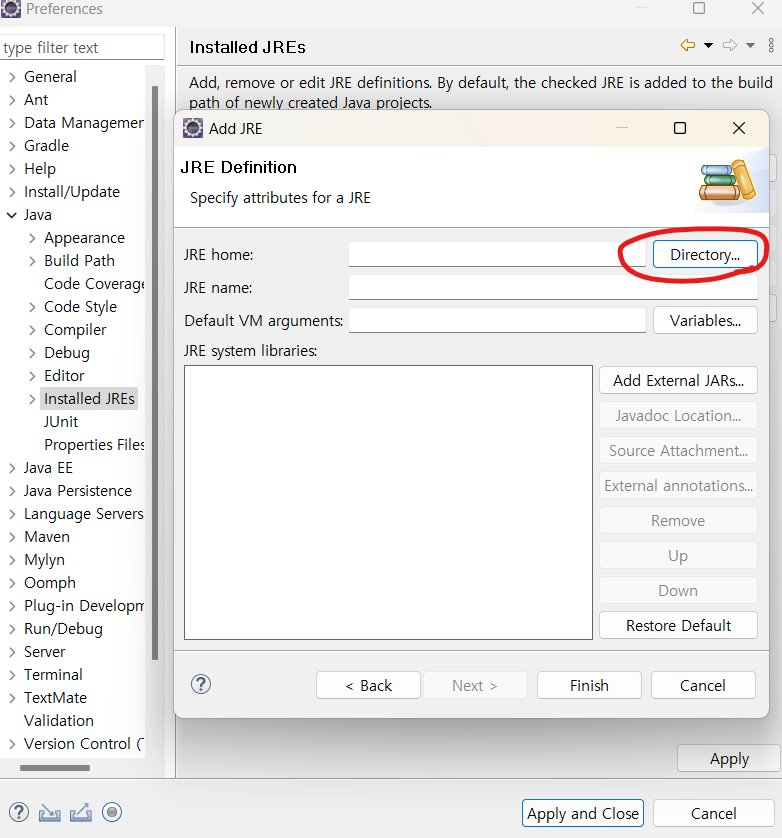
Directory버튼 클릭
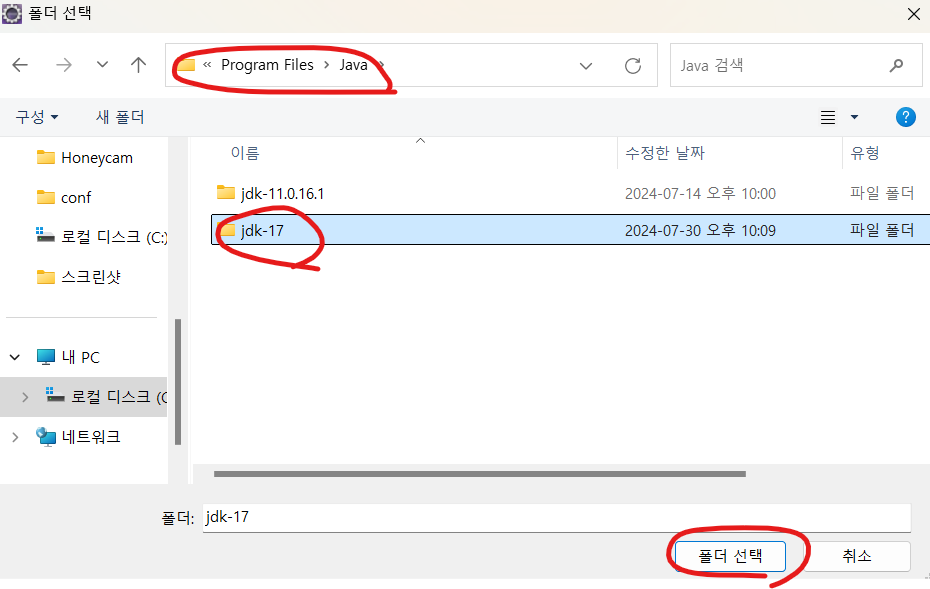
java17이 설치되어있는 폴더 선택
(대부분 c->program files->java에 있을것)
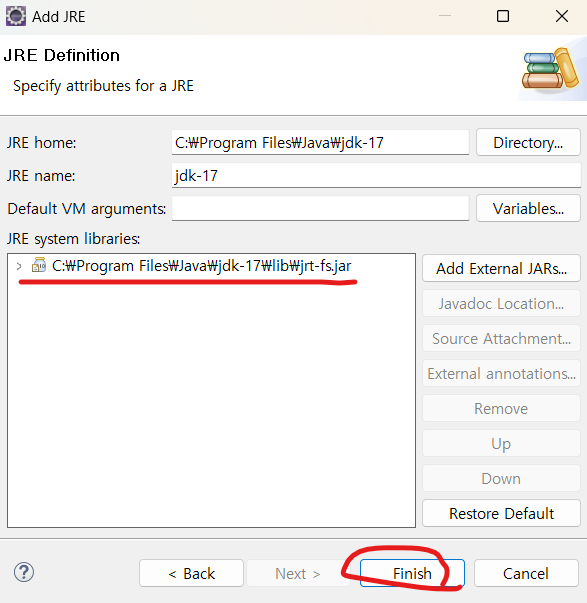
finish 눌러주면 됨
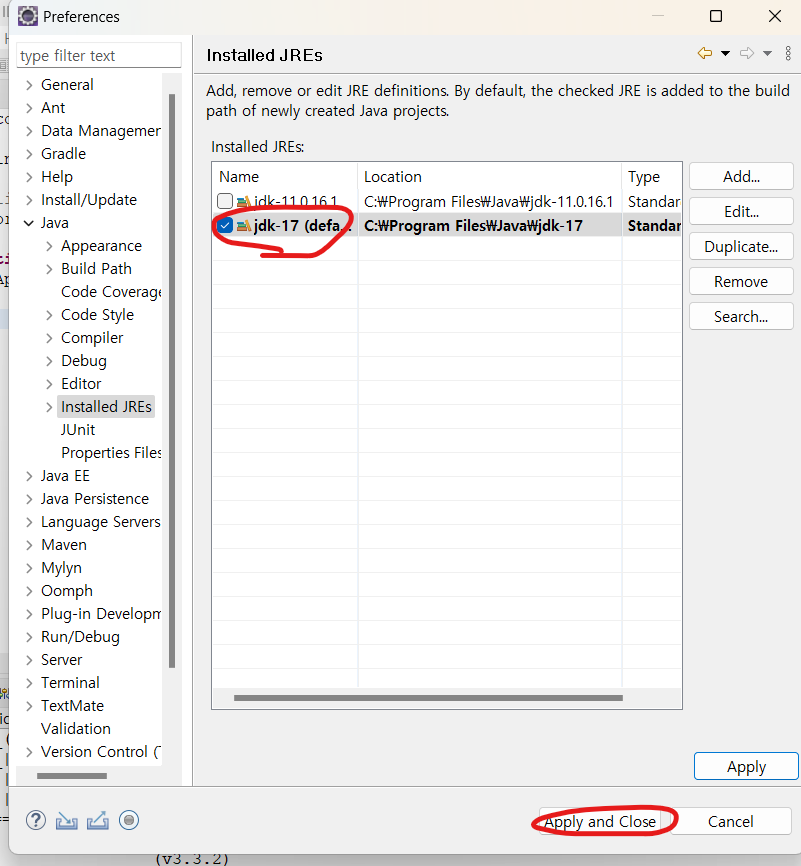
jdk-17 클릭후 apply and close 클릭
그리고 다시
window -> preference -> java -> compiler
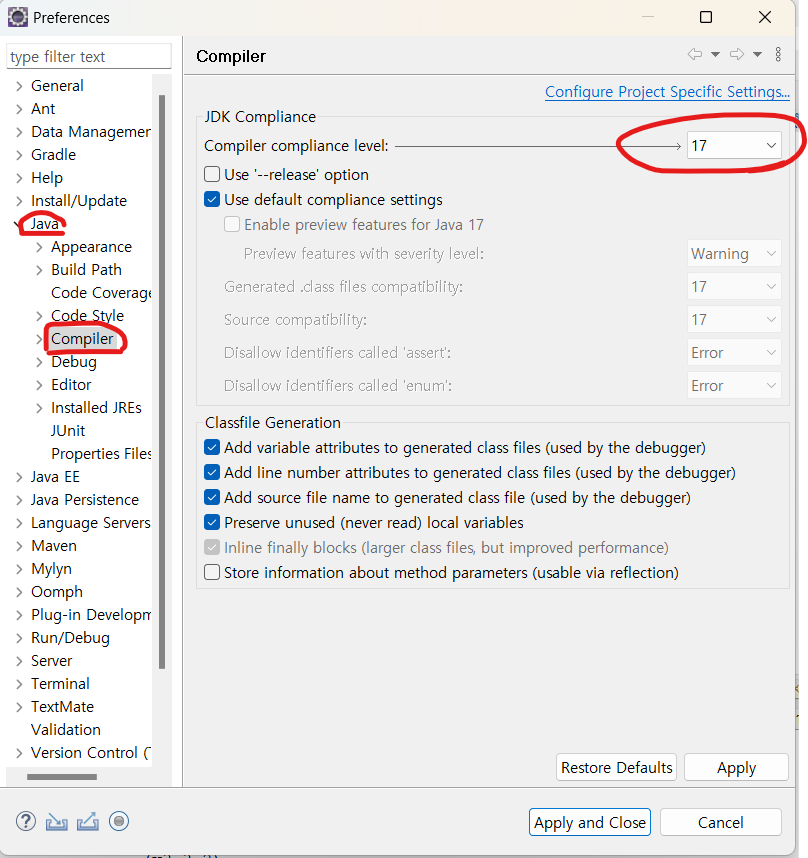
동그라미친 부분 17로 맞춰주고
apply and close 해주면 됨!
이때 무슨 창 뜨면 yes클릭하면 된다
이렇게 하고 run하면
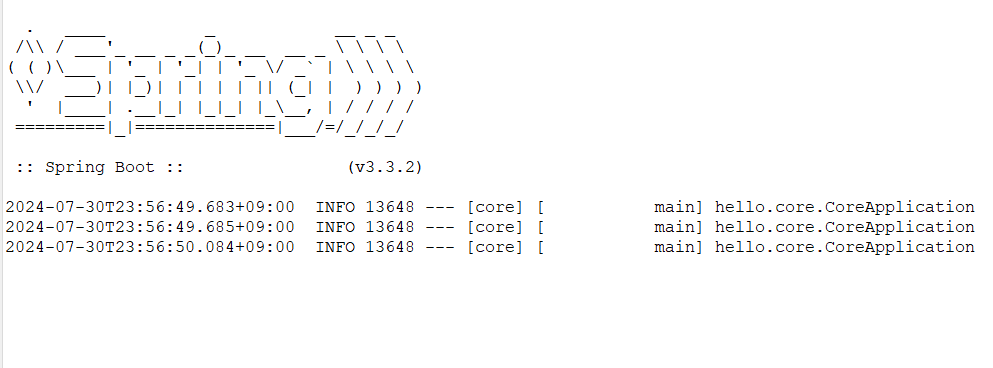
이 화면 뜸
김영한님 spring강의 좋대서 일단 들어보는 중인데
이거 설정하다가 포기할뻔,,했지만 그래도 다시 해냈죠?
흑흑
다들 화이팅!