※ 해당 본몬은 ImGUI API와 Graphic library DirectX11 기준으로 쓰여진 글입니다!
1. 개발 목표
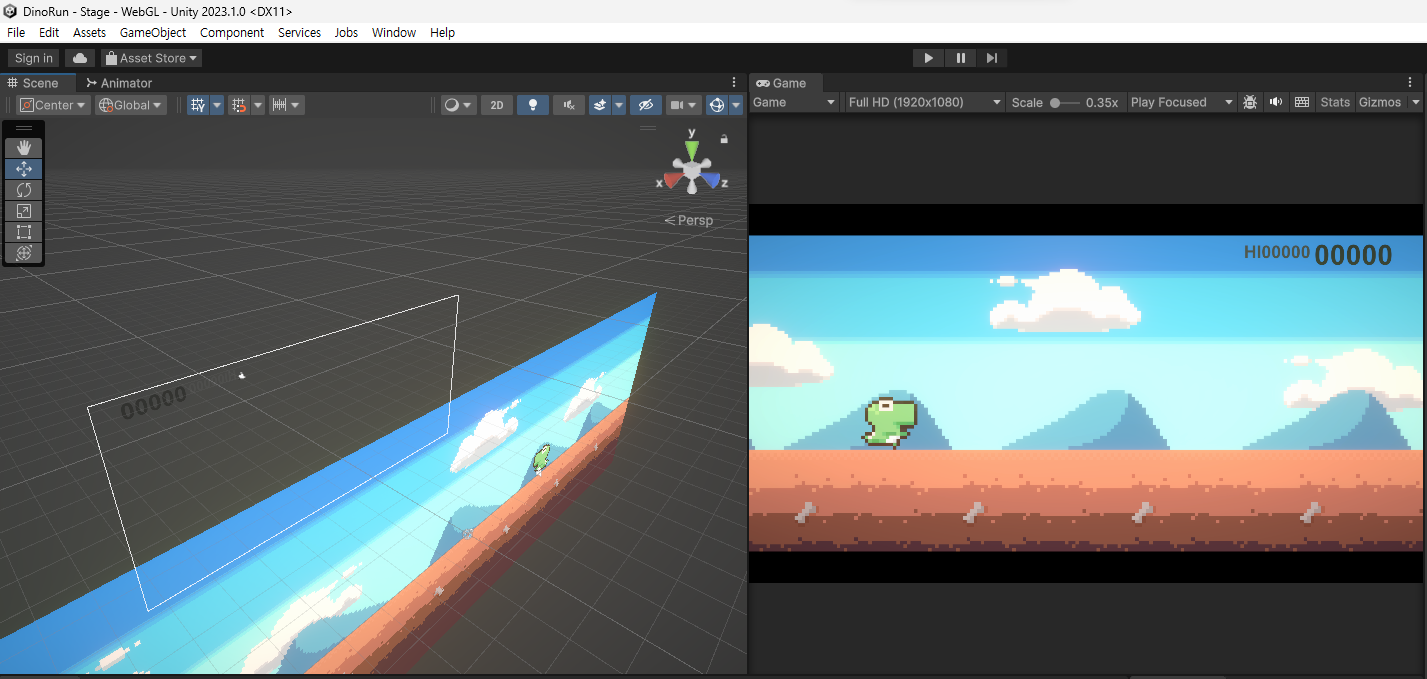
유니티 GameView와 SceneView로 나뉜 해당 이미지 뷰를 ImGUI를 통해 재현하고 싶었습니다.
2. 결과물
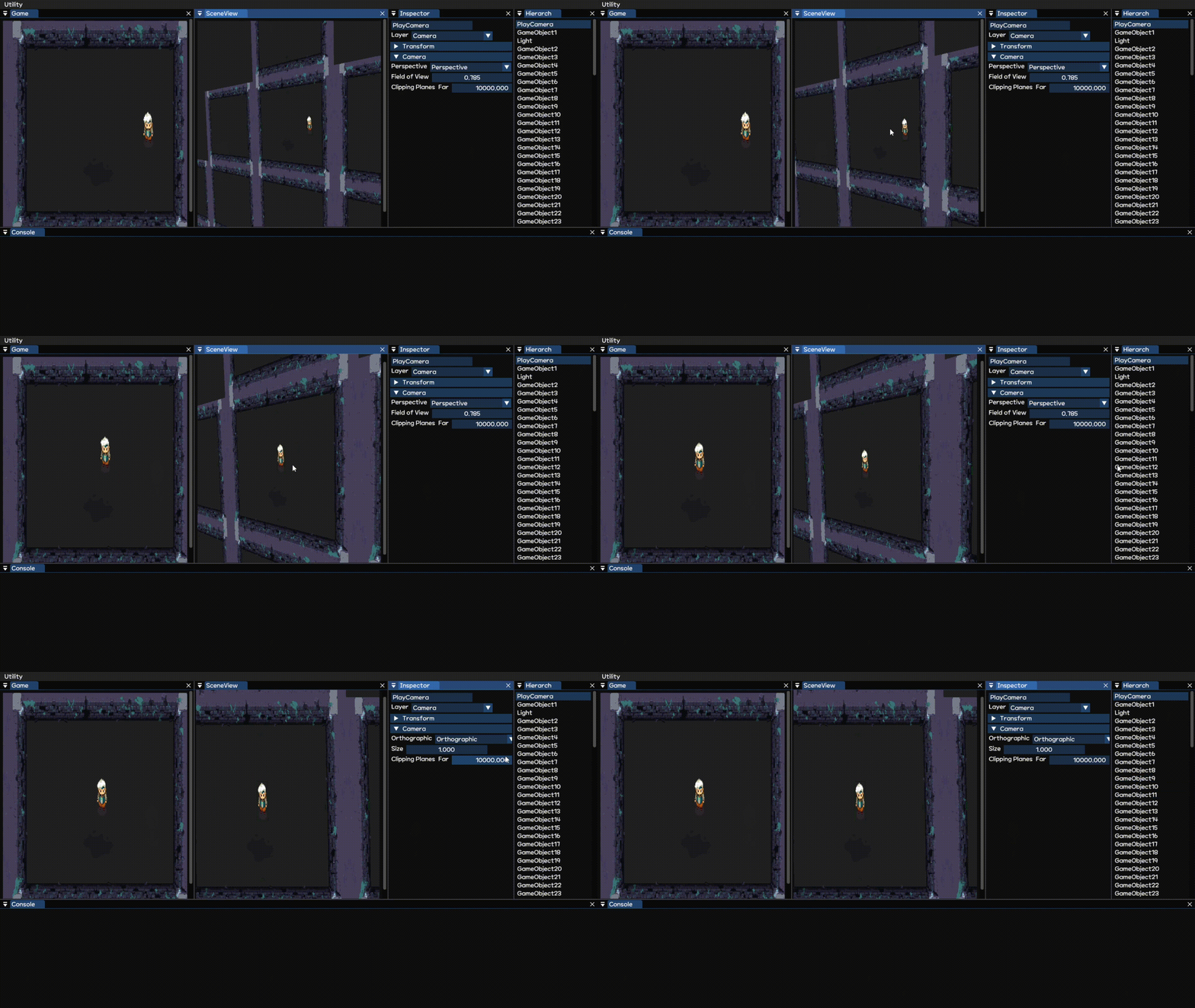
※ 추후 play pause 단계 추가 예정
3. 구현 과정
1. 우선 multiviewport(유사 멀티 뷰포트 결국 렌더 타켓 텍스쳐는 한개)을 구현해줍니다.
- 이론적으로는 해당 drawcall을 불러주기전에 레스터라이저 단계에서 해당 렌더 타켓 텍스쳐 위치에 그려지게끔 viewport들을 생성해줍니다.
// 의사 코드는 좌우로 나뉘는 viewport을 생성하는 코드입니다.
void SetViewPorts(Vec2 vPos,Vec2 vScale)
{
	D3D11_VIED3D11_VIEWPORT vDesc = {};
	vDesc.MinDepth = 0;
	vDesc.MaxDepth = 1.f;
	vDesc.TopLeftX = vPos.x;
	vDesc.TopLeftY = vPos.y;
	vDesc.Width = vScale.x;
	vDesc.Height = vScale.y;
	DEVICE_CONTEXT->RSSetViewports(1,&Desc);
}
void Render()
{
	SetViewPorts(Vec2(0.f,0.f),Vec2(resolution.x/2.f,resolution.y/2.f));
    -> 왼쪽에 그려질 물체들에 대한 렌더(VSset->PSset->DrawCall)
    SetViewPorts(Vec2(resolution.x/2.f,0.f),Vec2(resolution.x/2.f,resolution.y/2.f));
    -> 오른쪽에 그려질 물체들에 대한 렌더(VSset->PSset->DrawCall)
	swapchain->present(0,0);
}
2. 해당 뷰를 구현하는데 있어서는 postprocess을 재현하기 위해 현재 렌더 타켓 텍스처(Texture2D)에 그려진 이미지를 Image Texture을 바인딩해 줄 수 있는 shaderresource로 copyresource해줍니다.
- DX11 초기화 과정에서 생성한 SWAPCHAIN이 가지고 있는 RendertargetTexture을 임의로 생성해준 shaderresourceview가 가리키는 texture에 copy해줍니다.
- 결과적으로 화면에 표시될 이미지를 texture에 복사해주게 됩니다.(포스트 프로세스에서 해당 이미지를 활용한 후처리를 하기도 함)
3. 해당
- 2번까지 성공했다면 3번은 아주 쉽습니다. 해당 이미지를 활용하여 Imgui에 method 중에 Image method를 활용해주면 끝납니다.
void ImGui::Image(ImTextureID user_texture_id, const ImVec2& image_size, const ImVec2& uv0, const ImVec2& uv1, const ImVec4& tint_col, const ImVec4& border_col);
- user_texture_id : image method을 통해 바인딩해줄 image 객체를 넣어줘여하는 파라미터입니다.
※ DirectX기준으로 texture image을 바인딩 해주는 shaderresrouceview을 사용합니다.
DirectX 기준이 아닌 다른 graphic library 기준을 보고싶다면 아래 링크를 참고하길 바랍니다.
imgui - image method examples- image_size : 해당 imgui를 통해 보여질 image을 말합니다.
- uv0 : 해당 image(uv)좌표의 시작점(LeftTop)
- uv1 : 해당 image(uv)좌표의 끝점(RightBottom)

- uv0,uv1 parameter을 활용해 해당 이미지를 각각의 비율로 잘라주고 image을 통해 출력해주면
- 위에 결과물처럼 표현됩니다.
참고 사이트

게임프로그래머 지망!