EC2
프리티어를 사용하다 보면, 용량으로 인해서 느려지거나 자주 멈추는 현상이 발생하는데 프리티어로서 해결할 방법은 EBS 볼륨 설정
EBS 볼륨 생성
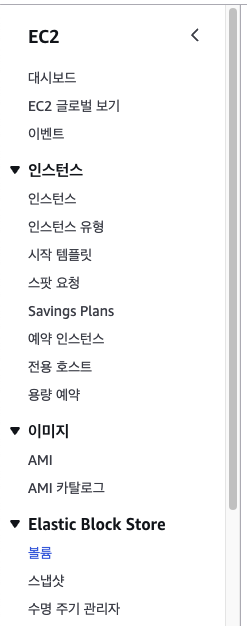
AWS 메뉴에 보면, Elastic Block Store 가 존재한다.
거기서 볼륨 새로 생성!
그 후 EC2와 연결해주면 끝
관리자 권한으로 전환(sudo)
-
console 실행
-
root 계정 비번 설정
sudo passwd root -
sudo 적용
su
취소하려면 exit (root 계정 나가고 일반 계정으로 돌아온다.)
하드디스크 목록 확인(하드 이름 확인)
fdisk -l
lsblk
df -h
해당 명령어들을 입력하면, 내가 연결한 EBS 볼륨명이 보일 것이다.
입력할 때, 자신의 볼륨명으로 입력할 것 - !!
fdisk /dev/자신의볼륨명
파티션 연결
fdisk /dev/자신의볼륨명
n
p
1
enter(기본값으로 설정)
enter(기본값으로 설정)
p
w
reboot
ubuntu@ip-172:~$ sudo fdisk /dev/xvdbb
Welcome to fdisk (util-linux 2.37.2).
Changes will remain in memory only, until you decide to write them.
Be careful before using the write command.
Device does not contain a recognized partition table.
Created a new DOS disklabel with disk identifier 0xd2607b1c.
Command (m for help): n
Partition type
p primary (0 primary, 0 extended, 4 free)
e extended (container for logical partitions)
Select (default p): p
Partition number (1-4, default 1): 1
First sector (2048-41943039, default 2048):
Last sector, +/-sectors or +/-size{K,M,G,T,P} (2048-41943039, default 41943039):
Created a new partition 1 of type 'Linux' and of size 20 GiB.
Command (m for help): p
Disk /dev/xvdbb: 20 GiB, 21474836480 bytes, 41943040 sectors
Units: sectors of 1 * 512 = 512 bytes
Sector size (logical/physical): 512 bytes / 512 bytes
I/O size (minimum/optimal): 512 bytes / 512 bytes
Disklabel type: dos
Disk identifier: 0xd2607b1c
Device Boot Start End Sectors Size Id Type
/dev/xvdbb1 2048 41943039 41940992 20G 83 Linux
Command (m for help): w
The partition table has been altered.
Calling ioctl() to re-read partition table.
Syncing disks.이후 reboot 하기 ~
sudo mkfs -t ext4 /dev/xvdbb
마운트
mkdir /disk01                   // 메모리 할당 디렉토리 생성
chmod 777 /disk01               // 디렉토리에 모든 권한 부여
mount /dev/xvd*1 /disk01        // 파티션 마운트


#마운트 영구 적용
vi /etc/fstab                                                   // 설정 파일 편집
/dev/xvd*1 /    /disk01    ext4    defaults    1 2              // 공백은 TAB
마운트 영구 적용 입력 시

mount -a
이렇게 적용된 걸 볼 수 있다 ~!

ฅʕ•̫͡•ʔฅ