
컨테이너 보관창고(Docker Registry)
Registry : 컨테이너 이미지를 저장하는 저장소
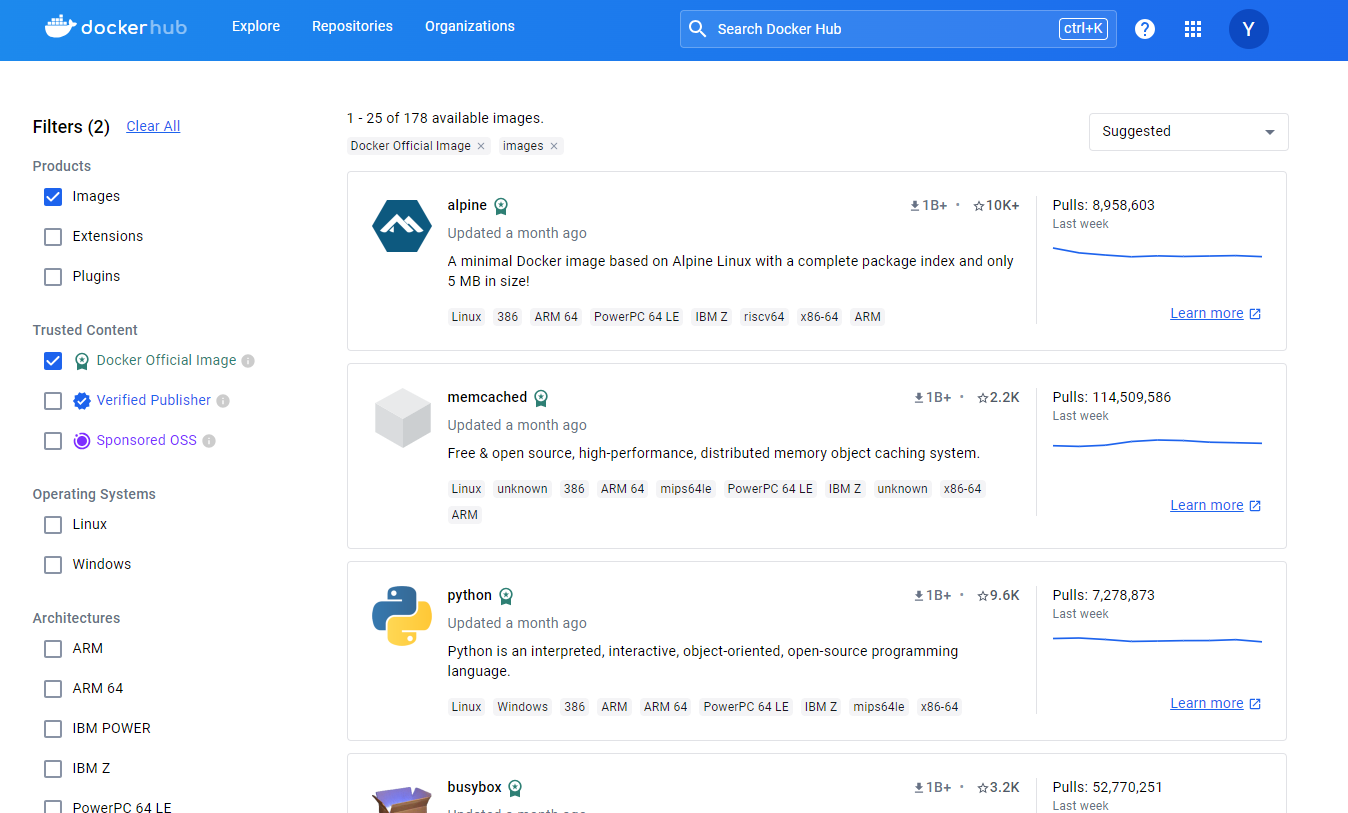
Docker Hub : hub.docker.com
Private Registry : 사내의 컨테이너 저장소
docker hub(registry)를 사용하고 싶어요
https://hub.docker.com/
image 종류 : Official Images, Verified Publisher, etc.이미지 검색
docker search "keyword"

dockerhub containers에 들어가보면 다양한 이미지들 존재
Private Registry를 구축하고 싶어요.
- registry 컨테이너를 이용해 Private 컨테이너 운영
docker run -d -p 5000:5000 --restart always --name registry registry:2- image repository
localhost:5000/ubuntu:18.04
docker.example.com:5000/ubuntu:18.04 #hostname:portnumber
실습으로 따라하는 Repository 운영
1. hub.docker.com에 컨테이너 업로드 및 다운로드
# docker pull
totoro@docker-ubuntu:~$ docker pull httpd:latest
latest: Pulling from library/httpd
b0a0cf830b12: Pull complete
851c52adaa9b: Pull complete
4f4fb700ef54: Pull complete
39d9f60535a6: Pull complete
943a2b3cf551: Pull complete
ea83e81966d6: Pull complete
Digest: sha256:36c8c79f900108f0f09fd4148ad35ade57cba0dc19d13f3d15be24ce94e6a639
Status: Downloaded newer image for httpd:latest
docker.io/library/httpd:latest

totoro@docker-ubuntu:~$ docker images
REPOSITORY             TAG       IMAGE ID       CREATED        SIZE
httpd                  latest    67c2fc9e3d84   4 weeks ago    147MB

# docker tag로 이름 변경
totoro@docker-ubuntu:~$ docker tag httpd youngbinjo/httpd

totoro@docker-ubuntu:~$ docker images youngbinjo/httpd
REPOSITORY         TAG       IMAGE ID       CREATED       SIZE
youngbinjo/httpd   latest    67c2fc9e3d84   4 weeks ago   147MB

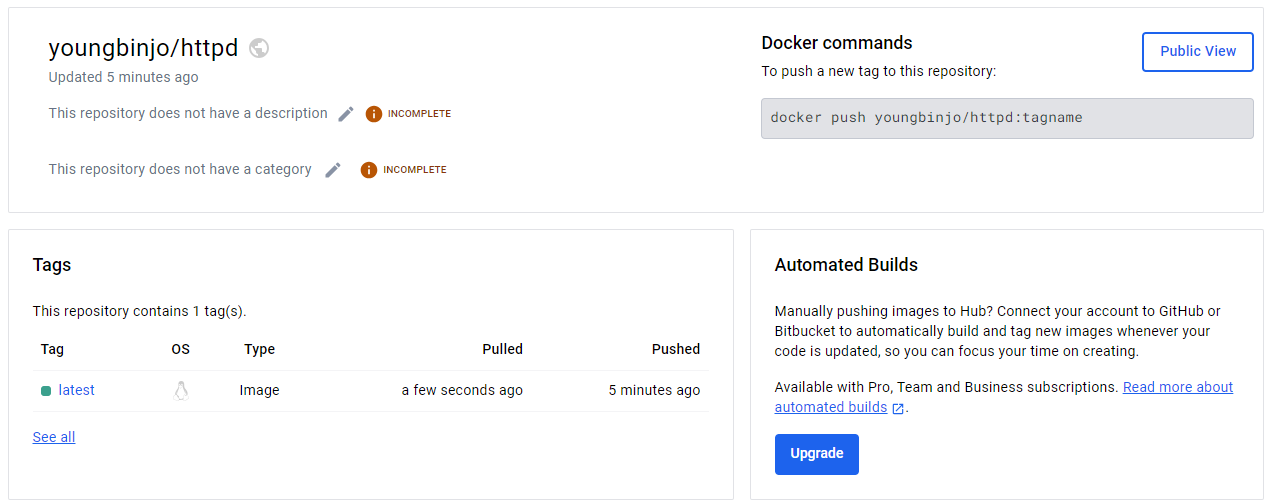
# youngbinjo라는 도커 사용자의 repository로 push
totoro@docker-ubuntu:~$ docker push youngbinjo/httpd
Using default tag: latest
The push refers to repository [docker.io/youngbinjo/httpd]
dba1169a4ef8: Mounted from library/httpd
ed8b961e754f: Mounted from library/httpd
53920c8b9c11: Mounted from library/httpd
5f70bf18a086: Mounted from library/httpd
46176a0cbe9f: Mounted from library/httpd
52ec5a4316fa: Mounted from library/httpd
latest: digest: sha256:1cfdddb545e2ced605763ad7d6f72c27f88e72d0ba26bcb57bb3d41c57d991c5 size: 1572
2. Private Registry 운영하기
사내에서만 전용으로 쓸 수 있는 컨테이너 저장소가 필요할 경우
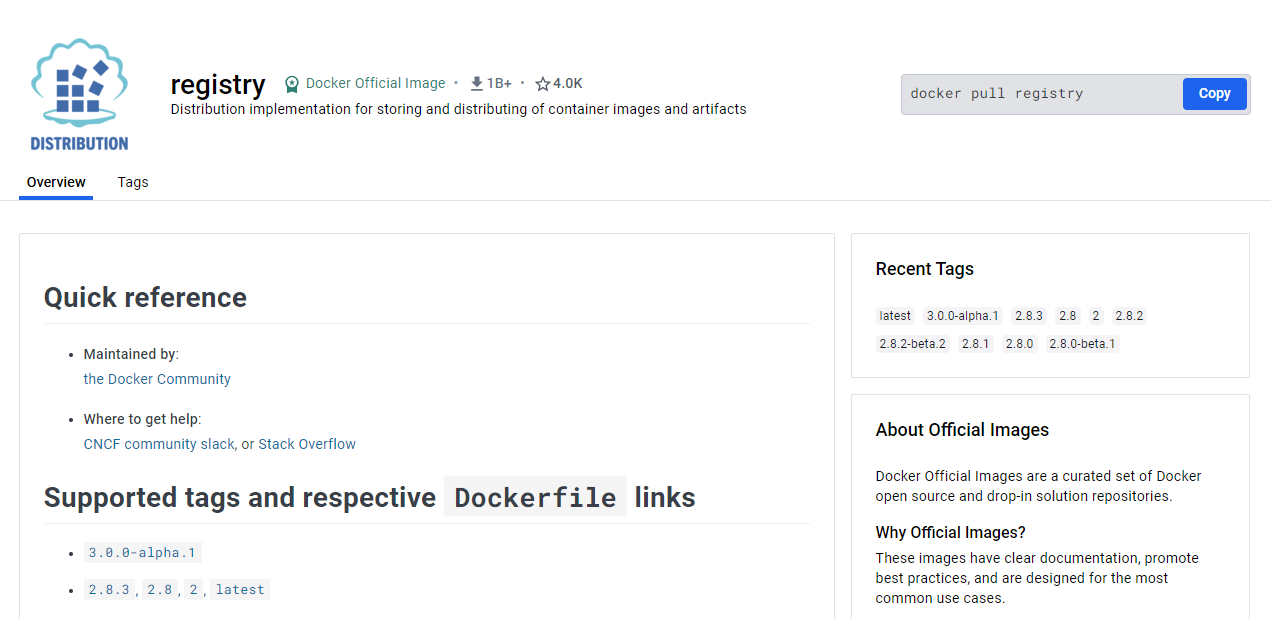
# private registry로 운영
totoro@docker-ubuntu:~$ docker run -d -p 5000:5000 --restart always --name registry registry:2
Unable to find image 'registry:2' locally
2: Pulling from library/registry
619be1103602: Pull complete
862815ae87dc: Pull complete
74e12953df95: Pull complete
6f0ce73649a0: Pull complete
ef4f267ce8ed: Pull complete
Digest: sha256:4fac7a8257b1d7a86599043fcc181dfbdf9c8f57e337db763ac94b0e67c6cfb5
Status: Downloaded newer image for registry:2
af6bec2313c3d68c369c1739887bd555f47b22fe61710783c1eeb8c8a23ede0e

totoro@docker-ubuntu:~$ docker ps
CONTAINER ID   IMAGE        COMMAND                   CREATED          STATUS          PORTS                                       NAMES
af6bec2313c3   registry:2   "/entrypoint.sh /etc…"   40 seconds ago   Up 39 seconds   0.0.0.0:5000->5000/tcp, :::5000->5000/tcp   registry
tag 명령어로 이름을 변경하고 Private Registry로 push하기
totoro@docker-ubuntu:~$ docker tag httpd:latest localhost:5000/httpd:latest

totoro@docker-ubuntu:~$ docker images localhost:5000/httpd
REPOSITORY             TAG       IMAGE ID       CREATED       SIZE
localhost:5000/httpd   latest    67c2fc9e3d84   4 weeks ago   147MB

totoro@docker-ubuntu:~$ docker push localhost:5000/httpd:latest
The push refers to repository [localhost:5000/httpd]
dba1169a4ef8: Pushed
ed8b961e754f: Pushed
53920c8b9c11: Pushed
5f70bf18a086: Pushed
46176a0cbe9f: Pushed
52ec5a4316fa: Pushed
latest: digest: sha256:1cfdddb545e2ced605763ad7d6f72c27f88e72d0ba26bcb57bb3d41c57d991c5 size: 1572
Private Registry에서 확인하기
# 권한때문에 일반 사용자로는 볼 수 없어서 root로 변경 후 private registry 확인
root@docker-ubuntu:~# ls /var/lib/docker/volumes/fcc7eabd6ca485bd38f85759a5223caf4d3ca567a18ede9ef726bc301abdc783/_data/docker/registry/v2/repositories/
httpd
Viva La Vida