1. 폴더 구조 생성
먼저 verdaccio 폴더를 만들고, 내부에 필요한 디렉토리를 생성합니다.
mkdir -p ~/verdaccio/{storage,conf,plugins}
cd ~/verdaccio
폴더 구조:
📦verdaccio
┣ 📂conf
┃ ┣ 📜config.yaml
┃ ┗ 📜htpasswd
┣ 📂plugins
┣ 📂storage
┗ 📜docker-compose.yml
2. Verdaccio docker-compose.yml 작성
Docker Compose를 이용해 Verdaccio 컨테이너를 쉽게 실행할 수 있습니다.
verdaccio/docker-compose.yml에는 다음과 같이 작성했습니다.
version: '3.8'

services:
  verdaccio:
    image: verdaccio/verdaccio
    container_name: verdaccio
    ports:
      - "4873:4873"
    volumes:
      - ./storage:/verdaccio/storage
      - ./conf:/verdaccio/conf
      - ./plugins:/verdaccio/plugins
    environment:
      - VERDACCIO_PORT=4873
    restart: unless-stopped
✅ 설정 설명
- storage, conf, plugins 폴더를 컨테이너 내부에서 사용할 수 있도록 설정
- 4873 포트를 외부에서 접근할 수 있도록 연결
- 컨테이너를 항상 재시작 (unless-stopped)
3. Conf 파일 작성 (config.yaml)
📌 config.yaml 생성
Verdaccio의 동작을 정의하는 설정 파일입니다.
verdaccio가 어떻게 동작할지 설정해주는 파일이므로 경로를 맞춰주어야 합니다.
verdaccio/conf/config.yaml에는 다음과 같이 작성했습니다.
📝 파일 내용
# 패키지 저장할 디렉토리
storage: /verdaccio/storage

# 플러그인 경로
plugins:
  - /verdaccio/plugins/

# 사용자 인증 설정
auth:
  htpasswd:
    file: /verdaccio/conf/htpasswd
    max_users: 100 				# 최대 100명, "-1"처럼 사용자 추가 가입 불가능하게 할 수 있음

# 외부 npm 레지스트리 연결 => 로컬에 없으면 공개 npm registry 패키지를 설치함
uplinks:
  npmjs:
    url: https://registry.npmjs.org/
    timeout: 15s
    max_fails: 3
    cache: true

# 패키지 접근 권한 설정
packages:
  '@*/*':
    access: $all			 	# 모든 사용자가 읽기 가능, 설치도 막고 싶으면 authenticated로 설정
    publish: $authenticated 	# 인가 사용자만 publish 가능
    unpublish: $authenticated 	# 인가 사용자만 unpublish 가능
    proxy: npmjs 				# 로컬에 없는 패키지는 경우 npmjs에서 가져오기
  '**':
    access: $all
    publish: $authenticated
    unpublish: $authenticated
    proxy: npmjs

# 웹 UI 관련 설정
web:
  title: "npm registry"
  logo: logo.png
  primary_color: "#4b5e40"
  darkMode: true
  enable_theme_selector: true

# 감사 로그 기능 활성화
middlewares:
  audit:
    enabled: true 				# 감사 로그 기능 활성화

# http 연결 유지 시간 (second)
server:
  keepAliveTimeout: 60

# 로그 설정
logs:
  - {type: stdout, format: pretty, level: http}
✅ 설정 요약
- 인가된 사용자만 패키지 설치, 배포 가능하도록 제한 (authenticated)
- 외부 npm registry를 proxy로 설정해 로컬에 없는 패키지는 자동으로 npmjs에서 가져옴
✅ 4. EC2 방화벽 설정
AWS 보안 그룹(Security Group)에서 포트 4873을 개방해야 합니다.
포트 4873 허용 추가
✅ 설명
- AWS 콘솔 → EC2 → Security Groups
Inbound Rules에서4873포트 허용

✅ 5. Docker Compose 실행 및 테스트 🚀
Docker Compose 실행
docker-compose up -d✅ -d: 컨테이너가 백그라운드에서 실행됨
컨테이너 상태 확인
docker ps📌 예제 출력:
CONTAINER ID   IMAGE                        COMMAND                  CREATED          STATUS          PORTS                                         NAMES
4a0b4344c8d1   verdaccio/verdaccio:latest   "uid_entrypoint /bin…"   28 minutes ago   Up 28 minutes   0.0.0.0:4873->4873/tcp, [::]:4873->4873/tcp   verdaccio
웹 UI 접속
🚀 브라우저에서 접속:
http://<EC2_Public_IP>:4873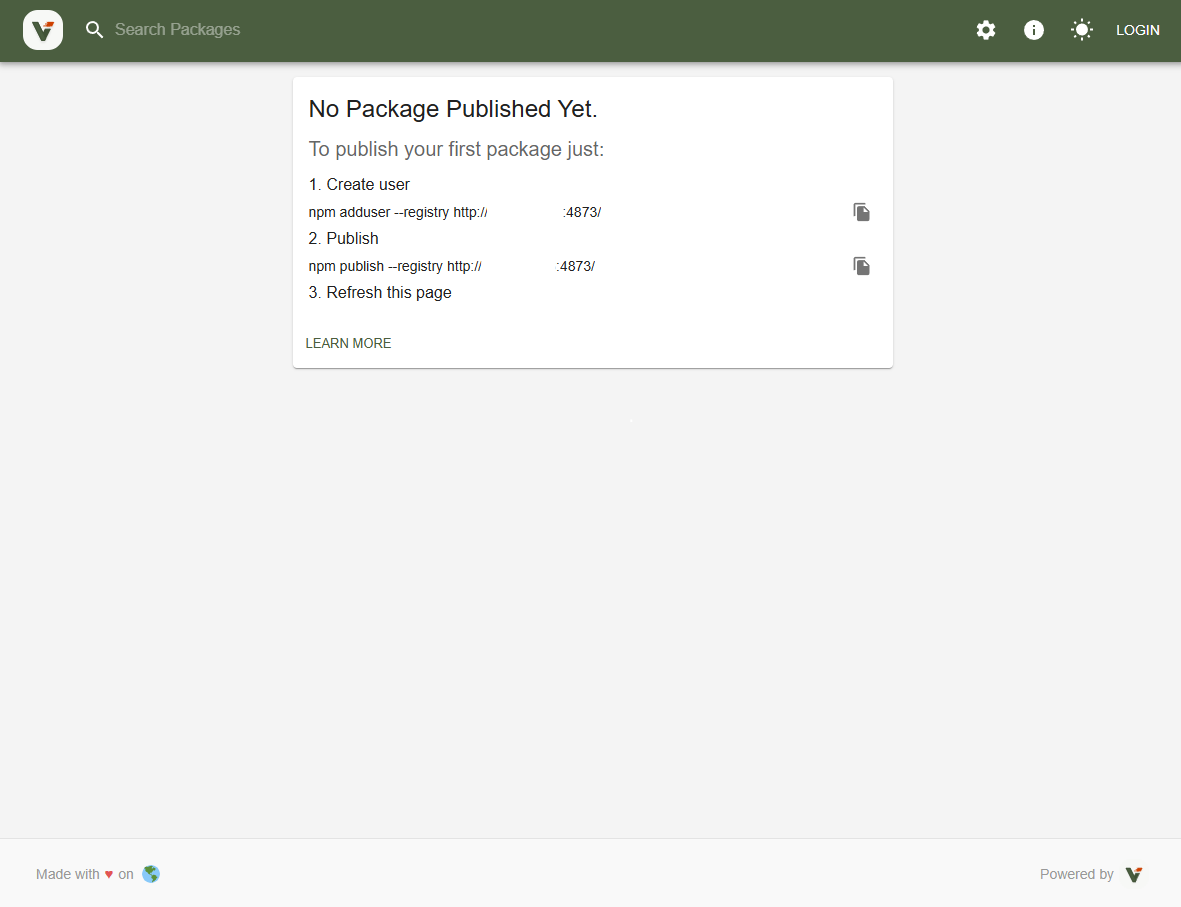
6. NPM 사용자 등록 및 로그인
npm@9 이상 버전에서는 --auth-type=legacy 를 붙여야 합니다.
https://verdaccio.org/docs/next/setup-npm/#creating-user
NPM Registry 설정
npm set registry http://your-ec2-ip:4873/ --auth-type=legacy사용자 등록
npm adduser --registry http://<EC2_Public_IP>:4873 --auth-type=legacy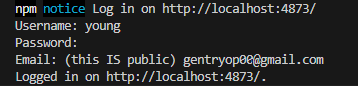
NPM 로그인
npm login --registry http://<EC2_Public_IP>:4873 --auth-type=legacy
7. 패키지 배포 및 확인
📜 패키지 구조:
📦hello-world
┣ 📜index.js
┗ 📜package.json
📜 index.js
console.log("Hello, Verdaccio!");📜 pagacke.json
{
  "name": "hello-world",
  "version": "1.0.0",
  "description": "My verdaccio test package",
  "main": "index.js",
  "scripts": {
    "test": "echo \"Error: no test specified\" && exit 1",
    "start": "node index.js"
  },
  "keywords": [],
  "author": "",
  "license": "ISC"
}
✅ 패키지 배포
cd hello-world
npm publish --registry http://<EC2_Public_IP>:4873/ --auth-type=legacy
📌 배포 완료 예시
...진행 로그
npm notice Publishing to http://3.36.123.93:4873/ with tag latest and default access
+ hello-world@1.0.0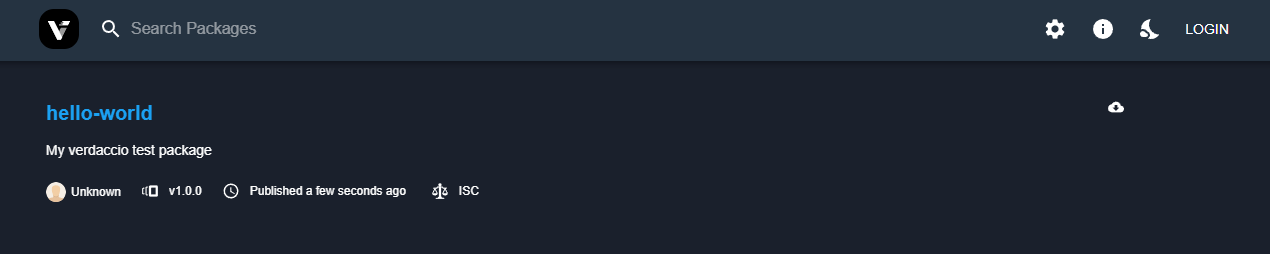
✅ 패키지를 설치할 프로젝트 루트에 .npmrc 파일을 생성하고 registry를 설정합니다.
(.npmrc)

registry=http://<EC2_Public_IP>:4873/
패키지 설치
npm install hello-world🚨 만약 인가된 사용자만 설치 가능하도록 설정했다면, 로그인이 필요합니다
access: $authenticated
설정에서 막아놓은 경우에는 등록된 user name과 password를 통해 login 해야합니다.$ npm install hello-world npm error code E401 npm error Unable to authenticate, your authentication token seems to be invalid. npm error To correct this please try logging in again with: npm error npm login npm error A complete log of this run can be found in: C:\Users\gentr\AppData\Local\npm-cache\_logs\2025-05-23T03_27_32_391Z-debug-0.log
실행 되는지 확인
$ node index.js
Hello, Verdaccio!
마무리
📌 .npmrc에서 레지스트리에서 유저 확인 가능
This will set the registry for your operational system user and you can find it on the file ~/.npmrc
cat ~/.npmrc
//1.2.3.4:4873/:_authToken="AUTH_TOKEN="