Apple Developer
- Identifiers
- App IDs
- Services IDs
- Keys
Identifiers
https://developer.apple.com/account/resources/identifiers/list
Apple Developer 사이트(developer.apple.com)
--> Certificates, Identifiers & Profiles 섹션
--> "Identifiers" 선택
--> "+" 버튼 클릭
--> "App IDs" 선택
--> Select a type "App"
--> Bundle ID 입력
--> "Sign In with Apple" 체크
--> Continue
--> Register 클릭
Apple Developer 사이트(developer.apple.com)
--> Certificates, Identifiers & Profiles 섹션
--> "Identifiers" 선택
--> "+" 버튼 클릭
--> "Services IDs" 선택
--> Identifier 입력 - <Bundle ID>.signin 추천
Edit your Services ID Configuration
--> Sign In with Apple - "Configure" 버튼 클릭
--> "Primary App ID"에서 앞서 만든 App ID 선택
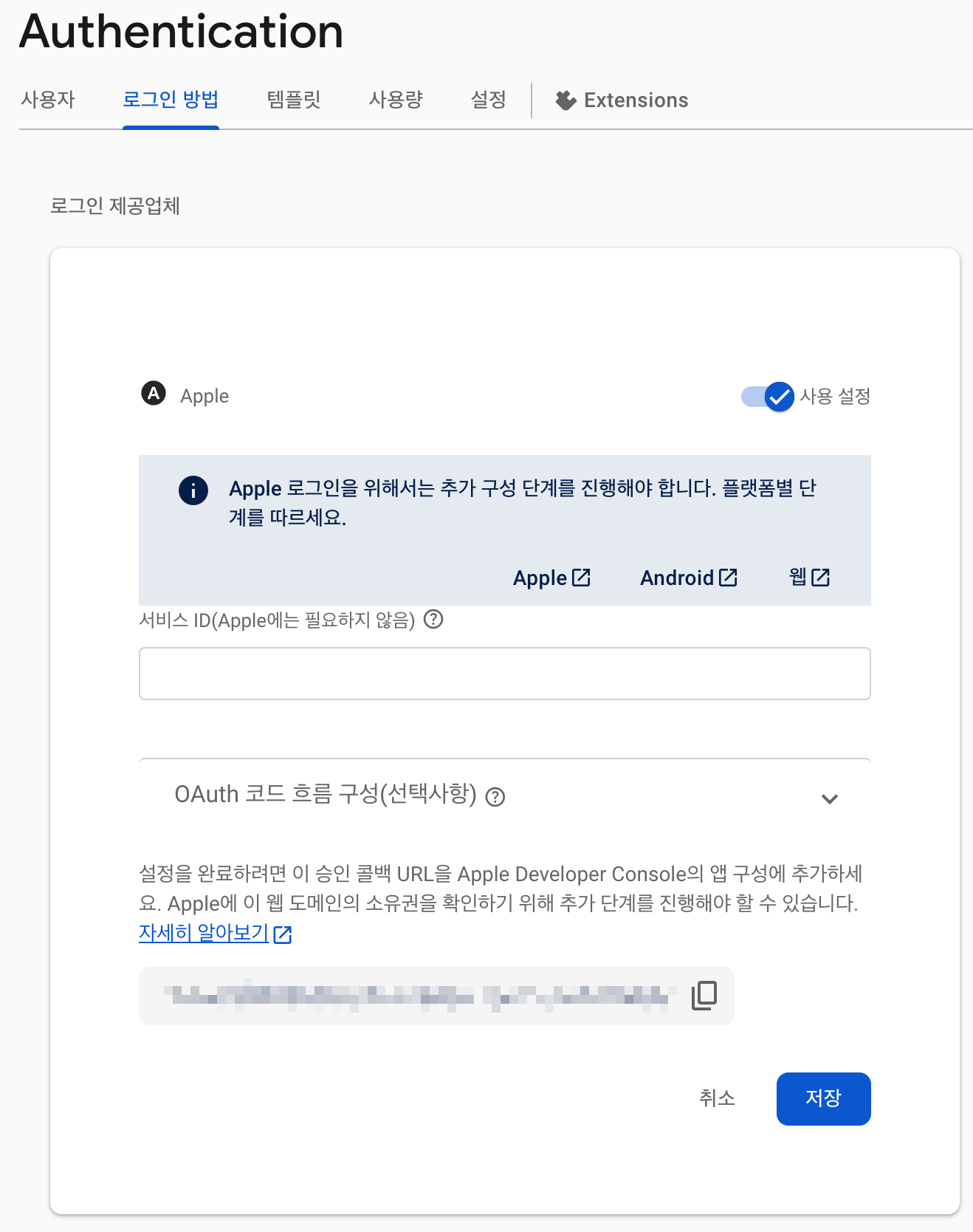
--> Return URLs에 Firebase Console → Authentication → Sign-in method → Apple → OAuth redirect URL 입력
Keys
https://developer.apple.com/account/resources/authkeys/list
Apple Developer 사이트(developer.apple.com)
--> Certificates, Identifiers & Profiles 섹션
--> "Keys" 선택
--> "+" 버튼 클릭
--> Key 이름 입력
--> "Sign In with Apple" 체크
--> "Configure" 클릭
--> Primary App ID 선택
--> Continue
--> Register 클릭
Firebase 설정
- Apple Developer Account 정보
- Service ID
Flutter Project
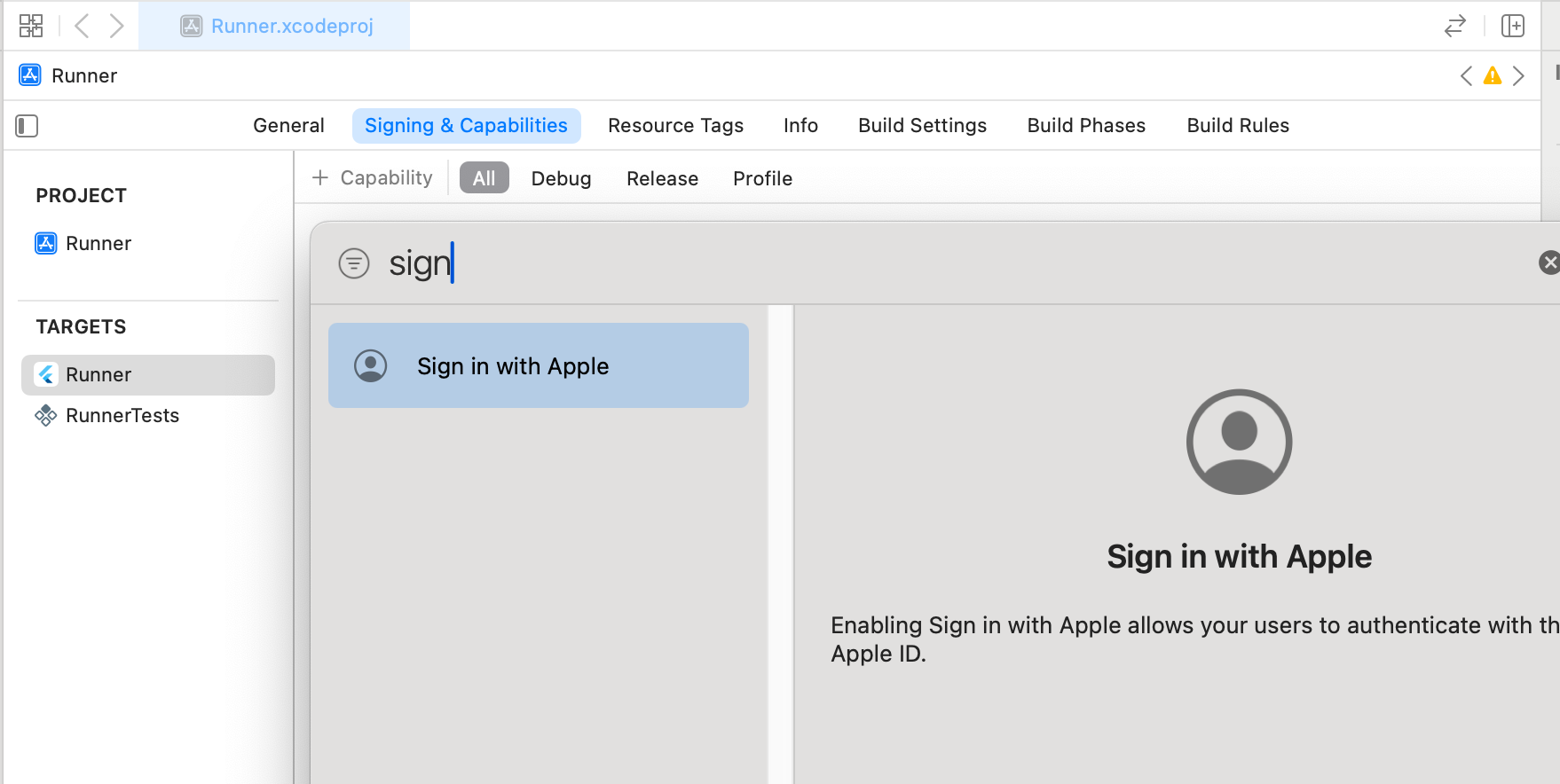
- Targets → Runner → Signing & Capabilities → +Capabilities → Sign in with Apple. 활성화
apple_sign_in_service.dart
import 'package:firebase_auth/firebase_auth.dart';
import 'package:sign_in_with_apple/sign_in_with_apple.dart';

class AppleSignInService {
  final FirebaseAuth _auth = FirebaseAuth.instance;

  Future<UserCredential?> signInWithApple() async {
    try {
      // Apple 로그인 시도
      final appleCredential = await SignInWithApple.getAppleIDCredential(
        scopes: [
          AppleIDAuthorizationScopes.email,
          AppleIDAuthorizationScopes.fullName,
        ],
      );

      // Apple 인증 정보로 OAuthCredential 생성
      final oauthCredential = OAuthProvider('apple.com').credential(
        idToken: appleCredential.identityToken,
        accessToken: appleCredential.authorizationCode,
      );

      // Firebase에 인증
      final userCredential = await _auth.signInWithCredential(oauthCredential);

      // 사용자 이름이 있는 경우 Firebase 사용자 프로필 업데이트
      if (appleCredential.givenName != null) {
        await userCredential.user?.updateDisplayName(
            '${appleCredential.givenName} ${appleCredential.familyName}'
        );
      }

      return userCredential;
    } catch (e) {
      print('Apple 로그인 실패: $e');
      return null;
    }
  }

  // 로그아웃
  Future<void> signOut() async {
    await _auth.signOut();
  }
}
login_screen.dart
import 'package:flutter/material.dart';
import 'package:sign_in_with_apple/sign_in_with_apple.dart';
import '../service/apple_sign_in_service.dart';
class LoginScreen extends StatelessWidget {
final AppleSignInService _appleSignInService = AppleSignInService();
Future<void> _handleAppleSignIn() async {
final userCredential = await _appleSignInService.signInWithApple();
if (userCredential != null) {
print('로그인 성공: ${userCredential.user?.displayName}');
// 로그인 성공 후 처리
} else {
print('로그인 실패');
// 에러 처리
}
}
Widget build(BuildContext context) {
return Scaffold(
body: Center(
child: SignInWithAppleButton(
onPressed: _handleAppleSignIn,
),
),
);
}
}