1) sshd_config 수정
sudo vim /etc/ssh/sshd_config# worker와 ssh 통신할 때, 비번 생략
PermitRootLogin yes # (root 로그인 허용여부를 결정함,yes, no, without-password를 사용할 수 있음)
PasswordAuthentication yes # (열쇠글 인증을 설정하는 것으로 프로토콜 버전 1과 2 모두 적용) 
# 재실행
sudo systemctl restart sshd
# 확인
systemctl status sshd
2) worker1, worker2, worker3 생성

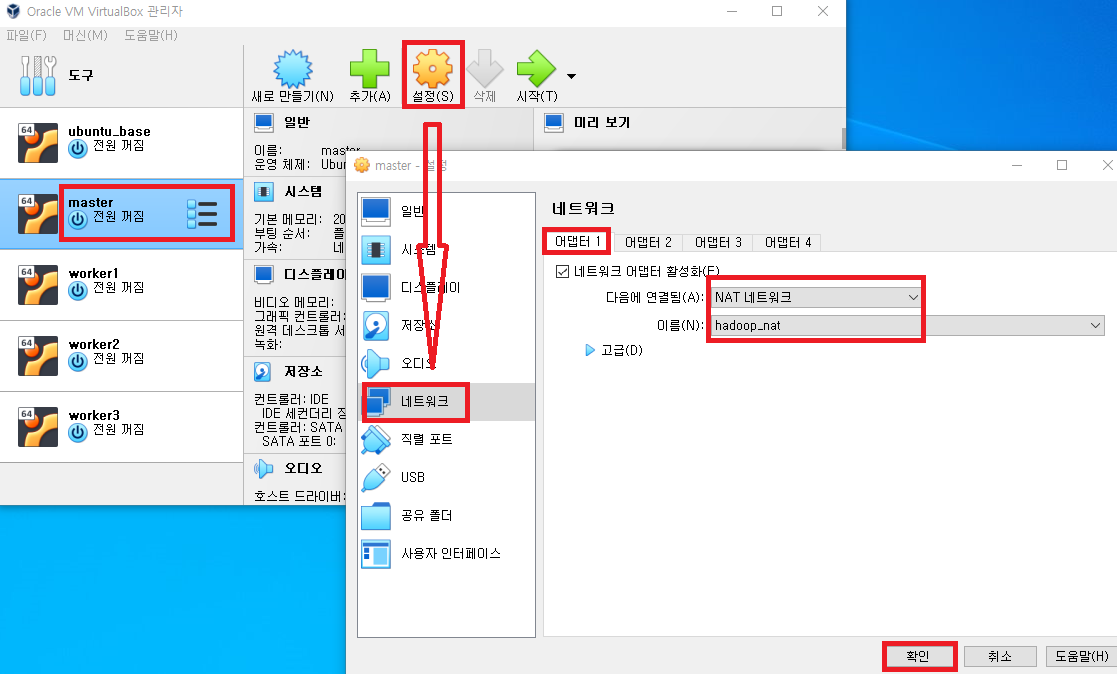
3) <모두 실행> hostname 설정
sudo hostnamectl set-hostname 인스턴스명
hostname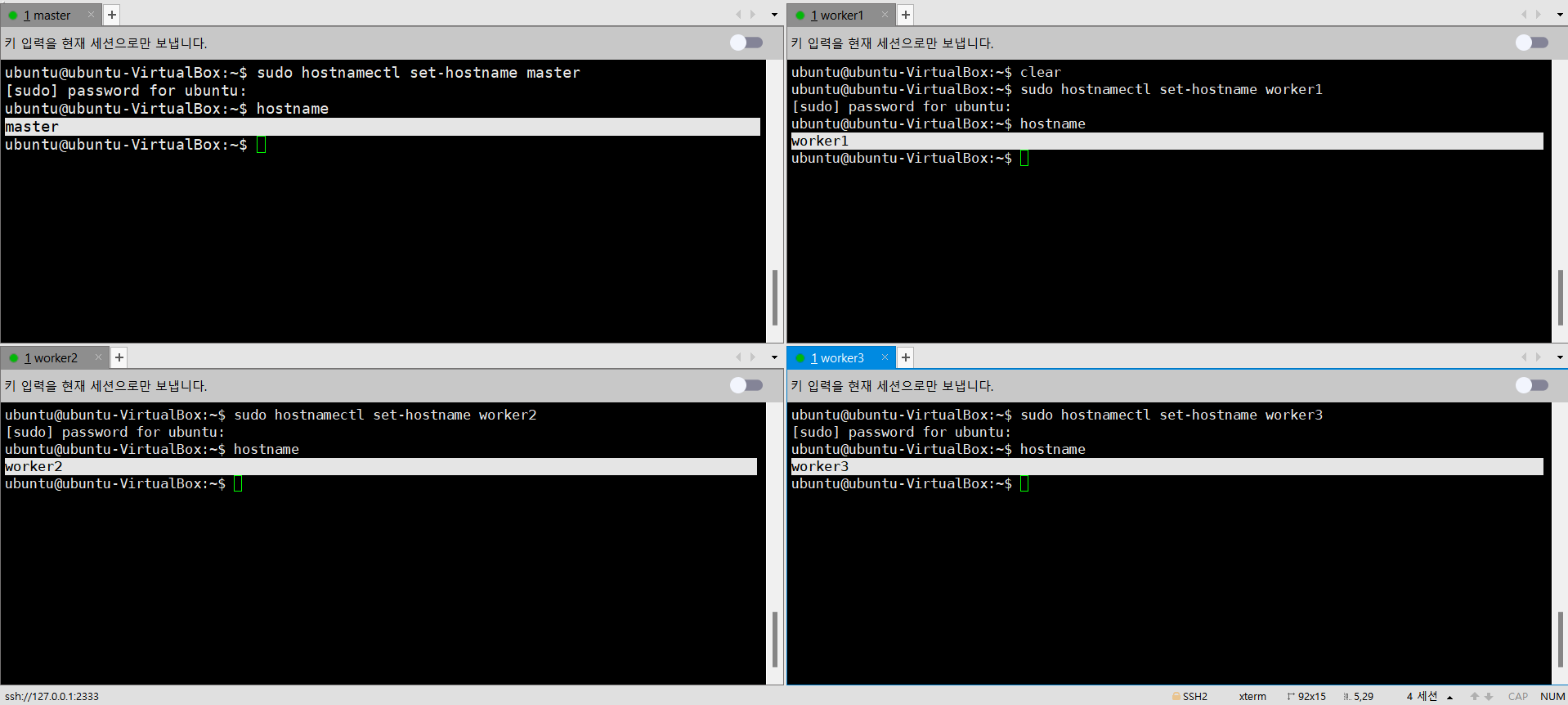
4) <모두 실행> hosts 설정
# hosts 파일 편집
sudo vim /etc/hosts
127.0.0.1 localhost
127.0.1.1 ubuntu-VirtualBox
# 아래 내용처럼 ip주소 추가 후 저장
10.0.2.xx master # 프라이빗 IPv4 주소 복사
10.0.2.xx worker1 # 프라이빗 IPv4 주소 복사
10.0.2.xx worker2 # 프라이빗 IPv4 주소 복사
10.0.2.xx worker3 # 프라이빗 IPv4 주소 복사5) <모두 실행> ssh-keygen 생성
ssh-keygen # enter 3번
cd ~/.ssh
ls -al ~/.ssh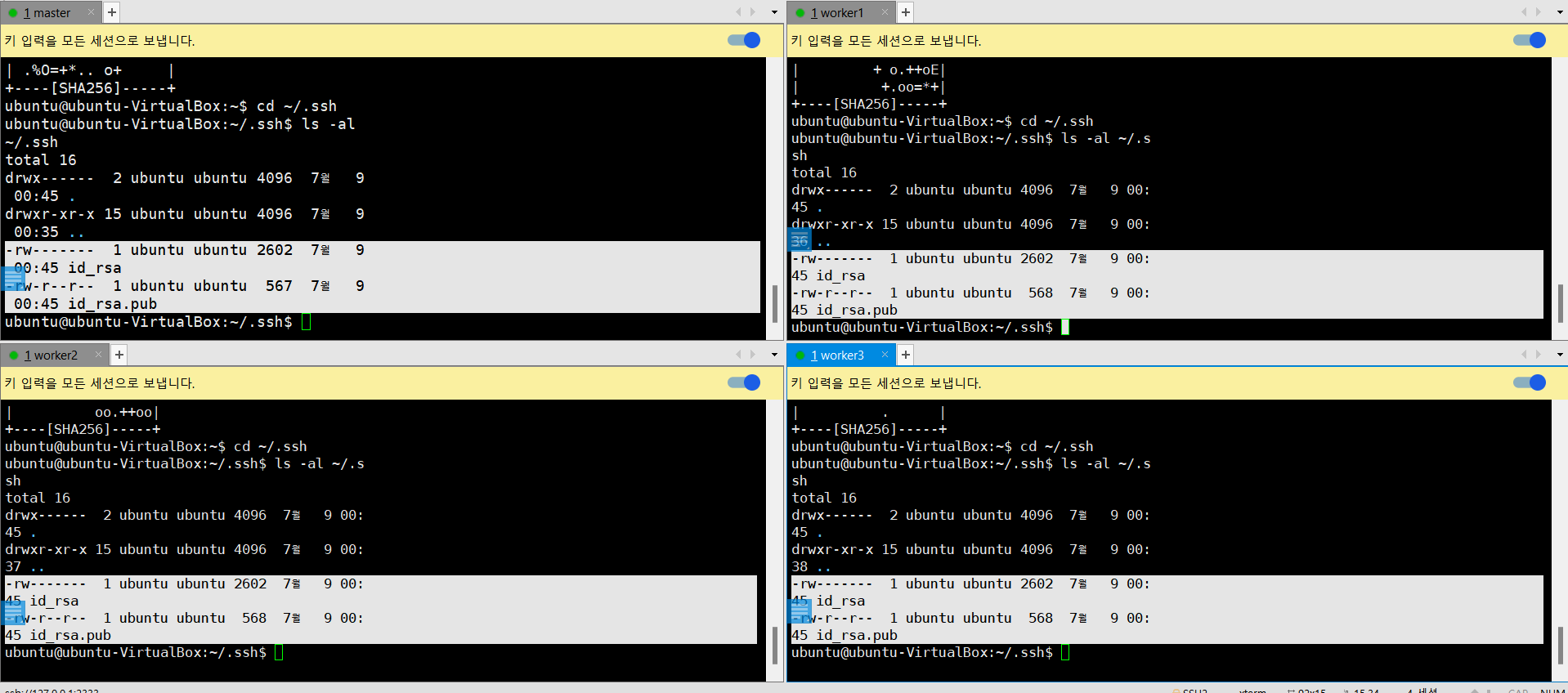
6) 모두 실행 > ssh public key 교환 작업
ssh-copy-id ubuntu@master
ssh-copy-id ubuntu@worker1
ssh-copy-id ubuntu@worker2
ssh-copy-id ubuntu@worker3
# 결과 확인
ls -al ~/.ssh
# authorized_keys, known_hosts 확인
7) <모두 실행> 접속 테스트
ssh master
ssh worker1
ssh worker2
ssh worker3