1. BurpSuite - Proxy Setting
1.1 Proxy Setting 열기
| 사진 |
|---|
 |
1.2 Proxy 추가
| 사진 |
|---|
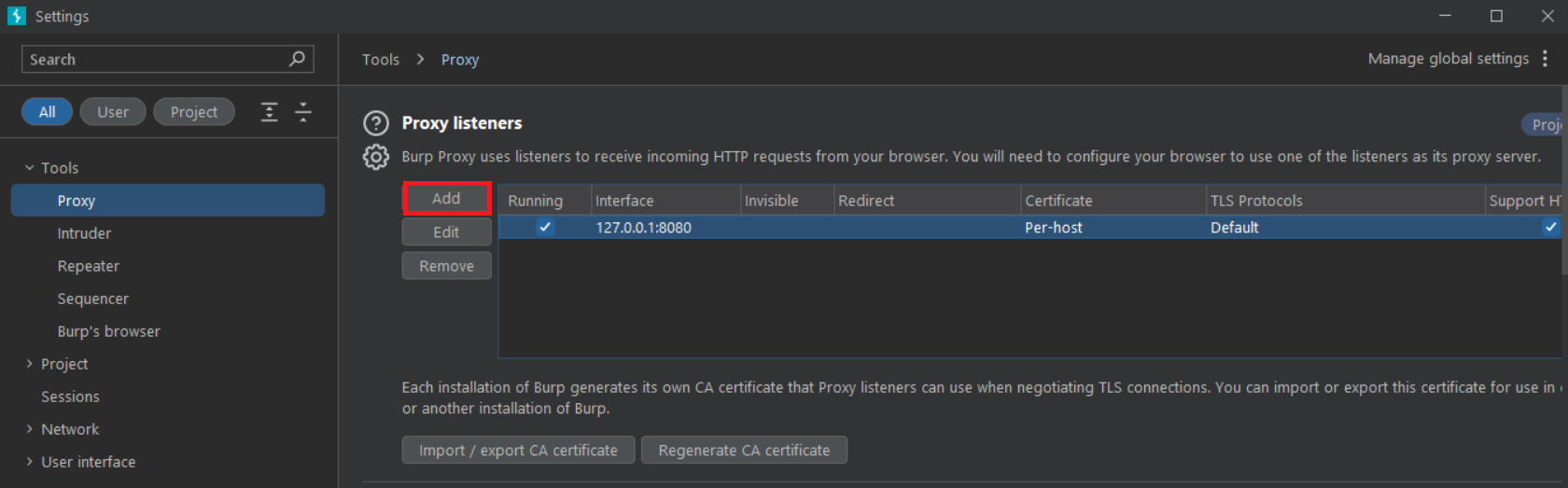 |
1.3 IPv4 주소값과 포트번호 설정
IPv4값은 cmd에서 ipconfig명령어를 입력하면 알 수 있음
| 사진 |
|---|
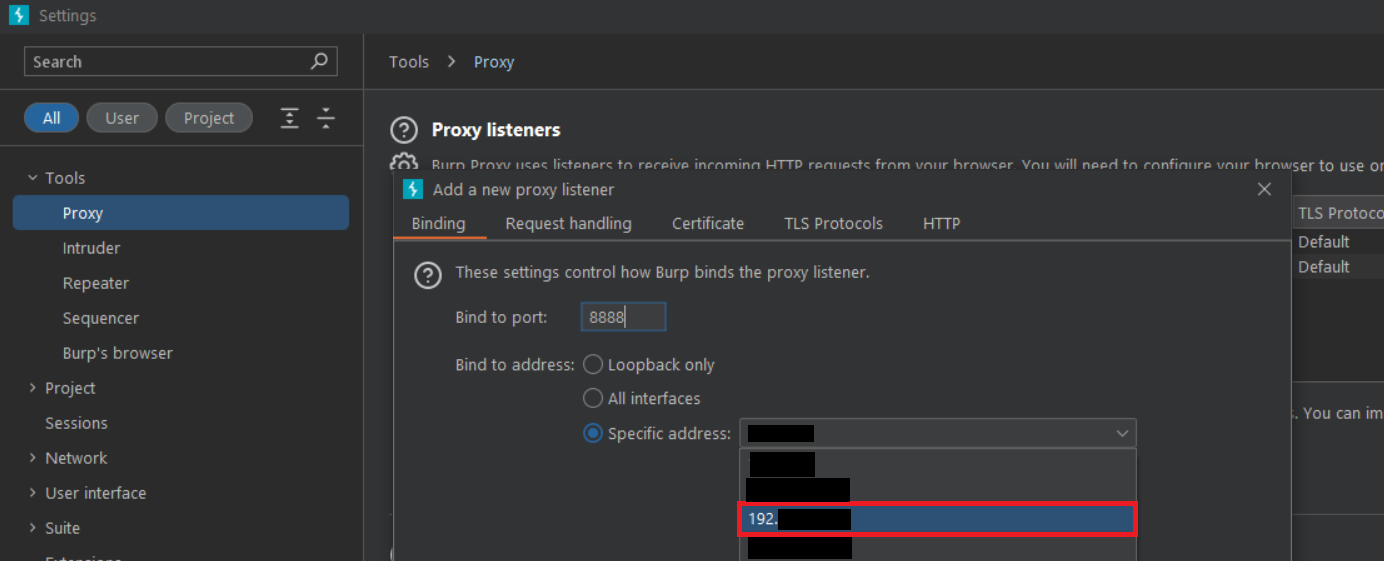 |
1.4 완료
| 사진 |
|---|
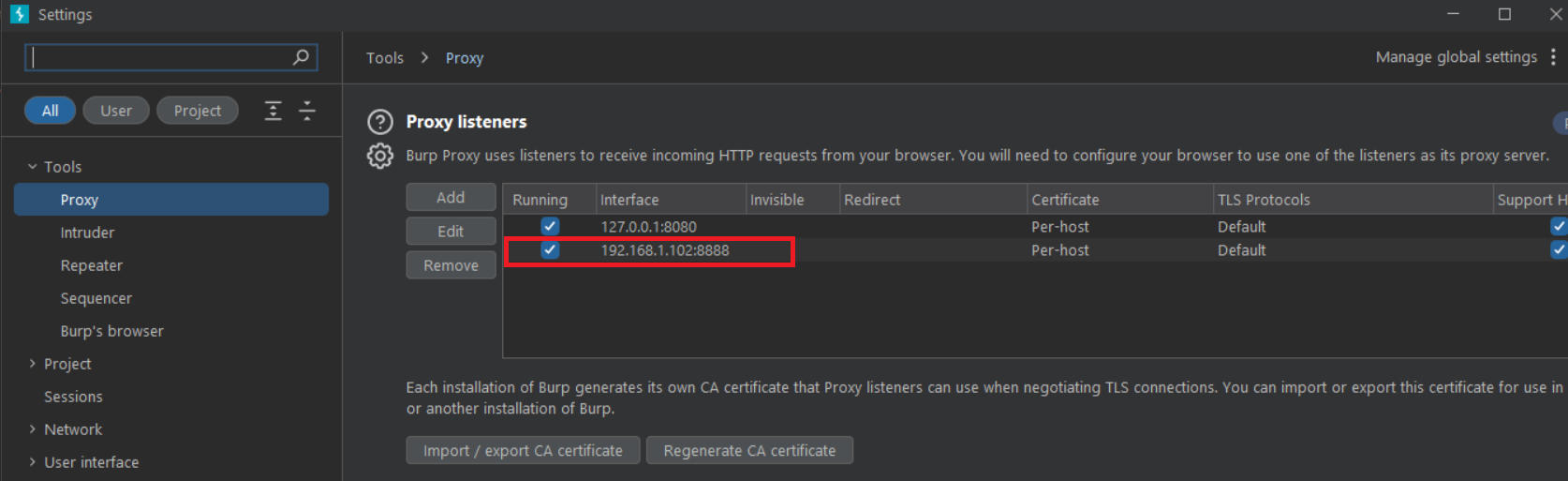 |
2. 인증서 가져오기
2.1 Import/Export CA certificate 클릭
| 사진 |
|---|
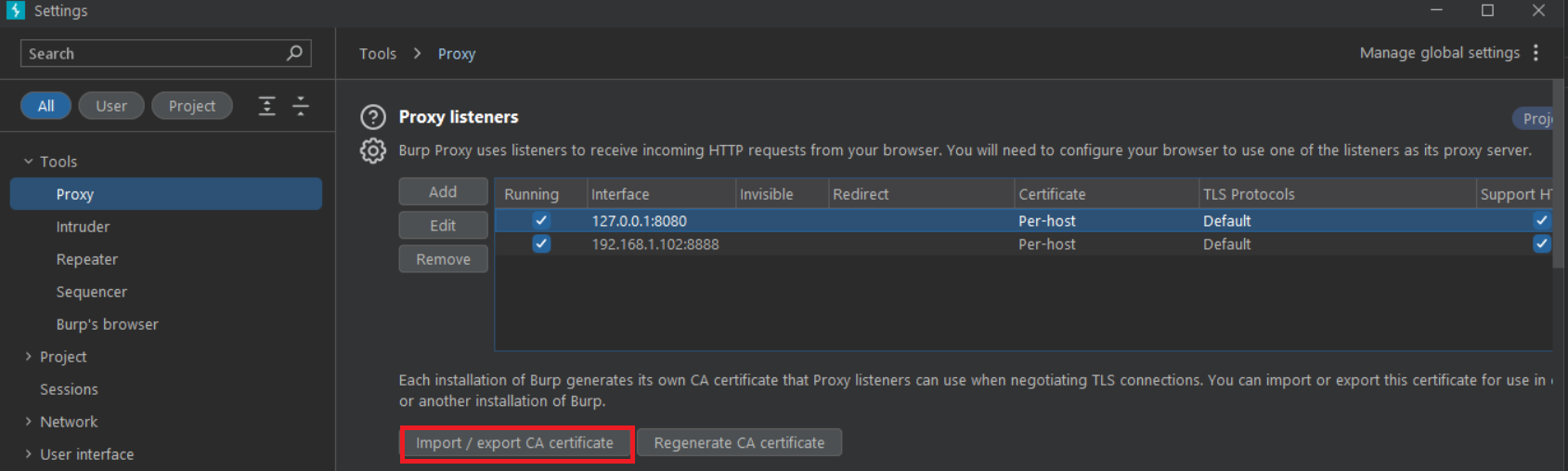 |
2.2 certificate in DER format 클릭
| 사진 |
|---|
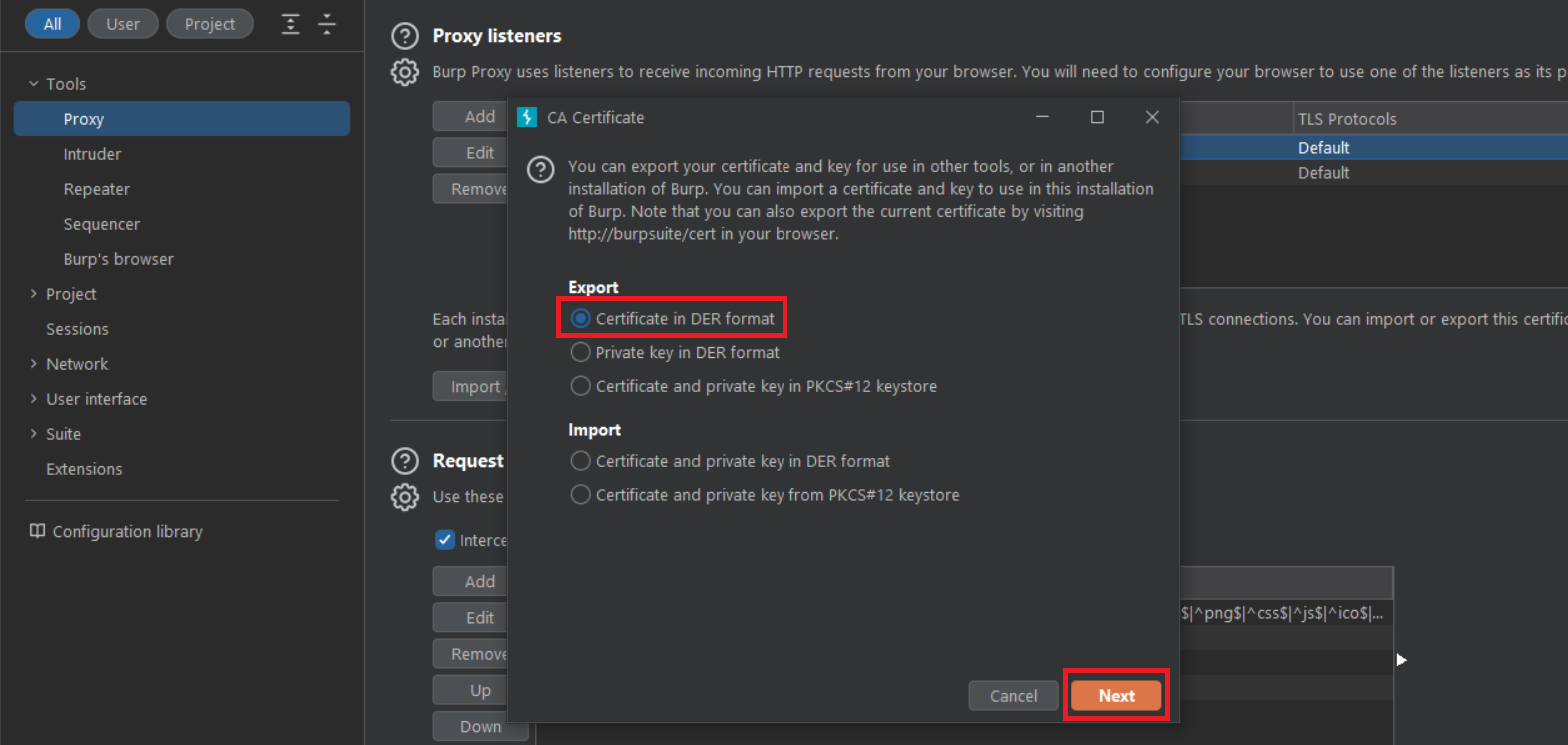 |
2.3 select files 클릭
| 사진 |
|---|
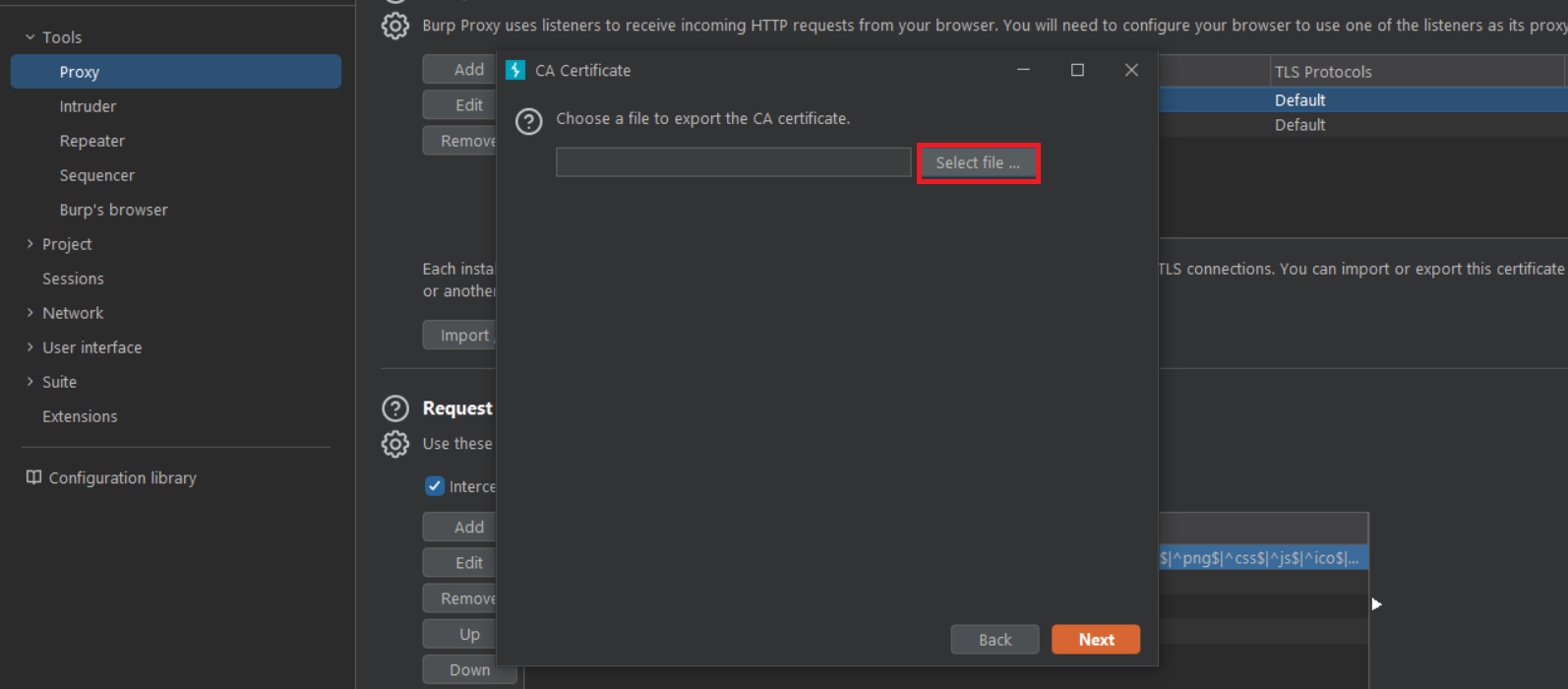 |
2.4 이름을 carcert.der로 설정하고 저장
(폴더는 상관없음)
| 사진 |
|---|
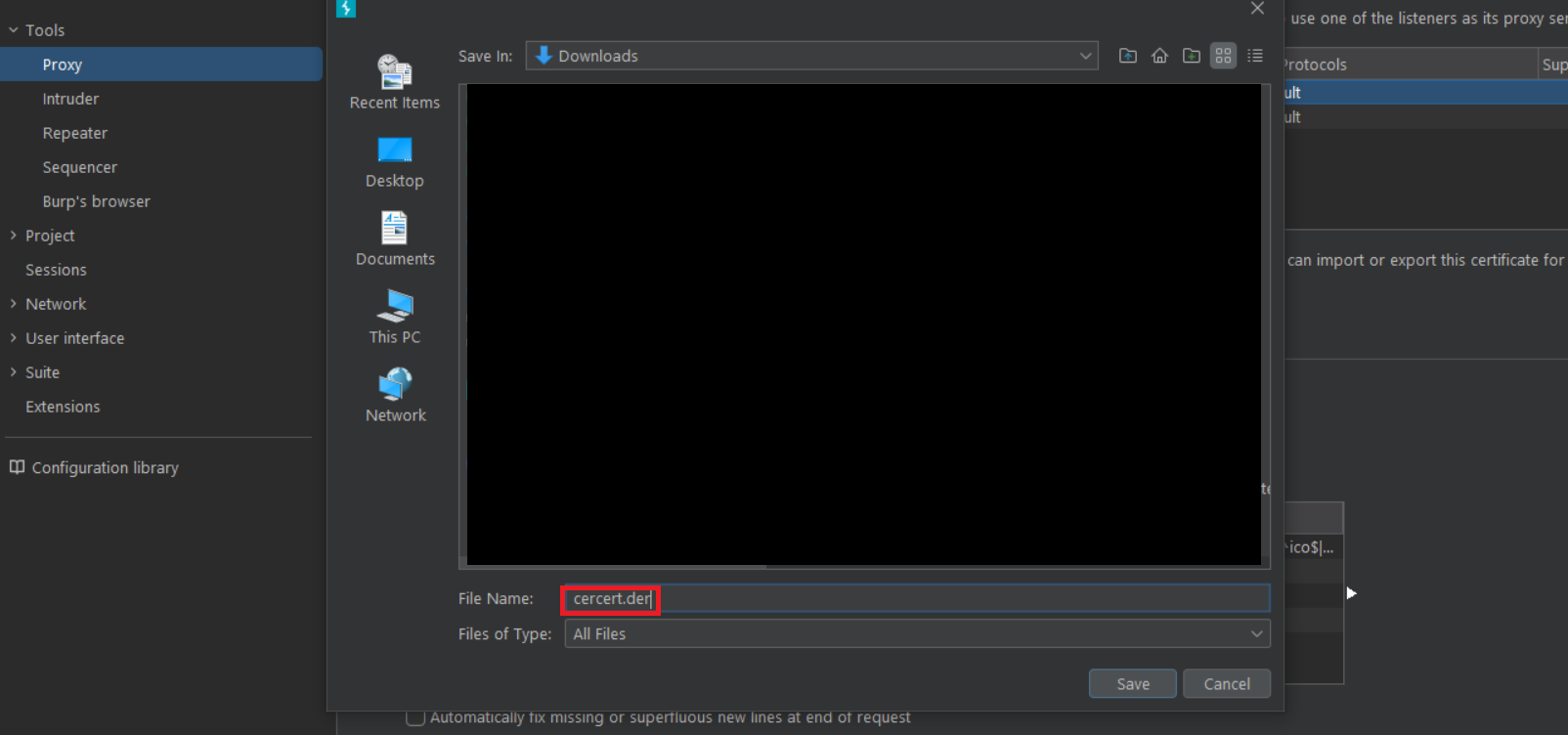 |
3. 인증서 변형
3.1 carcert.der을 opensll.exe가 있는 폴더로 이동
내컴퓨터에 있는 위치 C:\Program Files (x86)\OpenSSL-Win32\bin
openSLL-Win32/64 -> bin 폴더에 주로 있음
| 사진 |
|---|
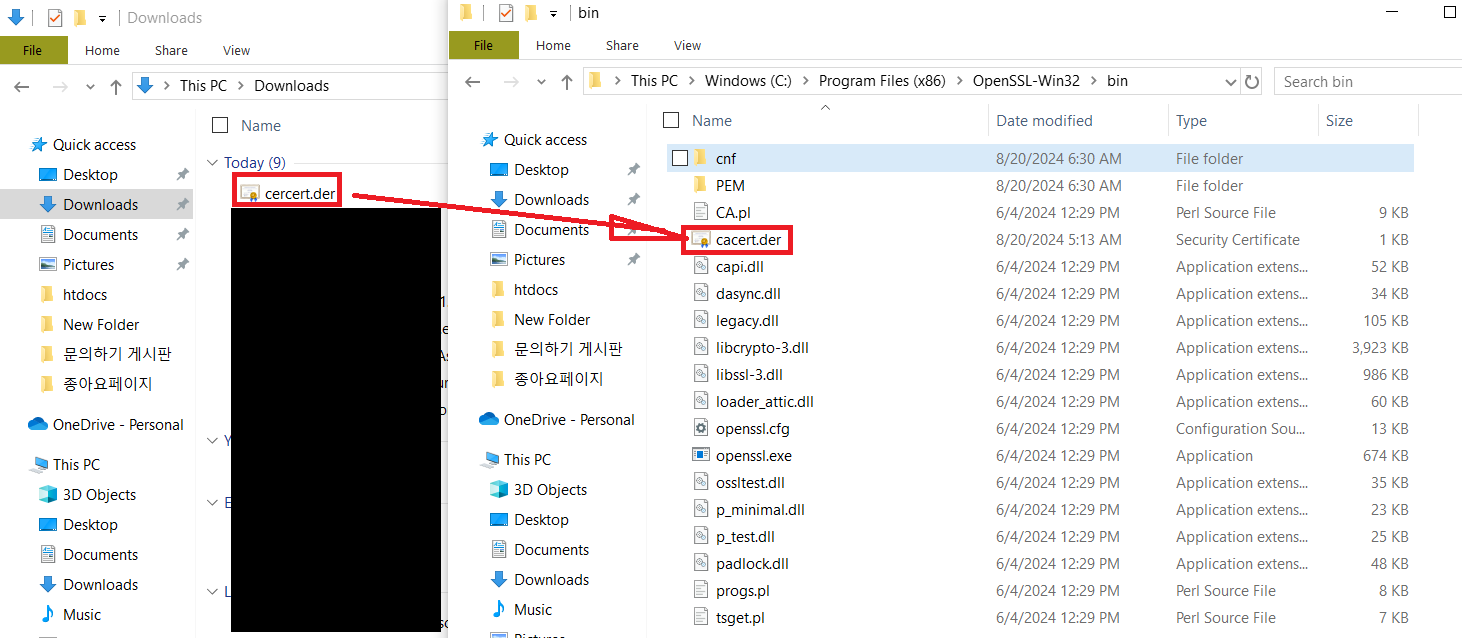 |
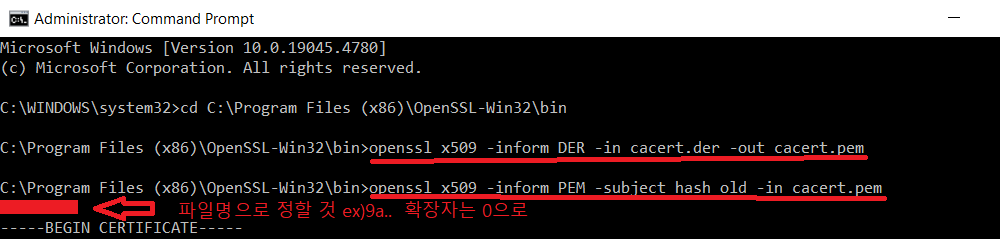
3.2 cmd에서 명령어 실행
-> 관리자 권한으로 cmd 실행 후 opensll.exe가 있는 폴더로 이동
-> 명령어 실행(순서대로)
openssl x509 -inform DER -in cacert.der -out cacert.pem
openssl x509 -inform PEM -subject_hash_old -in cacert.pem
| 사진 |
|---|
 |
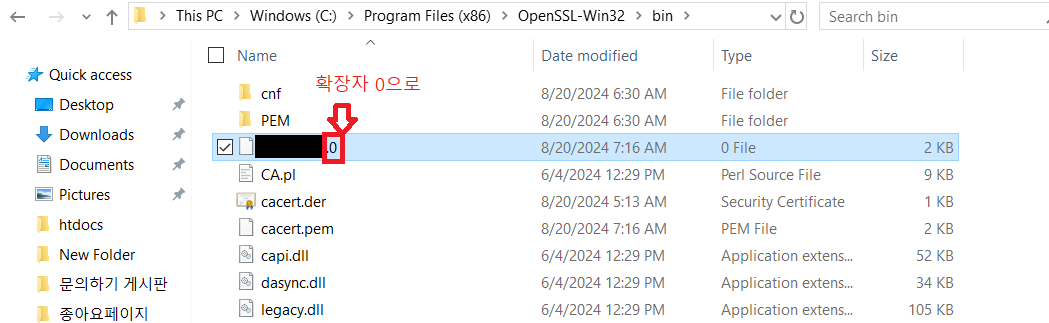
3.3 carcert.der이름 변경
carcert.der을 2번째 명령어 직후 나온 문자들과 확장자는 0으로 변경
ex) 9a8b7c6d.0
| 사진 |
|---|
 |
4. 인증서 전송
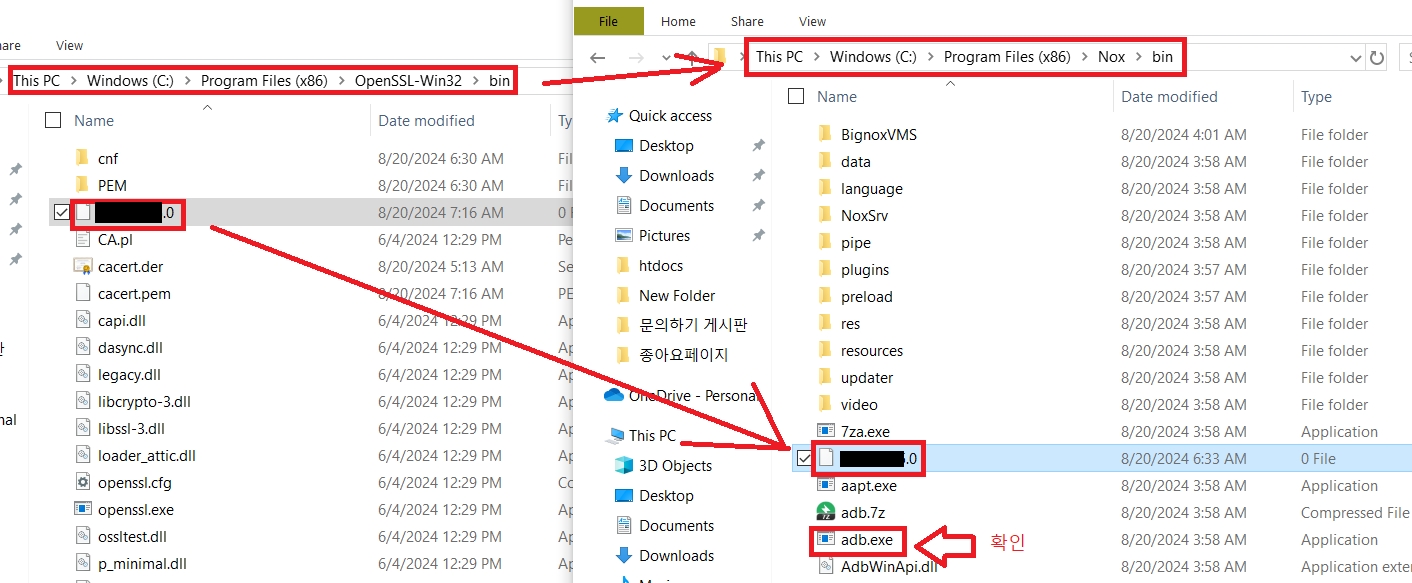
4.1 adb.exe가 존재하는 폴더로 이동
내컴퓨터에 있는 위치 C:\Program Files (x86)\Nox\bin
Nox -> bin 폴더에 주로 있음
| 사진 |
|---|
 |
4.2 전송하는 명령어 입력
관리자 권한으로 cmd 입력후 adb.exe가 존재하는 폴더로 이동
명령어 입력
1.nox_adb remount 입력 후
2.nox_adb push .\파일명.0 /system/etc/security/cacerts/ 입력
| CMD 창 글로 설명 |
|---|
C:\Program Files (x86)\Nox\bin>nox_adb remount // 리마운트 해주기 adb.exe있는 폴더에서 관리자로 진행 |
remount succeeded |
C:\Program Files (x86)\Nox\bin>nox_adb push .\9a8b7c6d.0 /system/etc/security/cacerts/ |
[100%] /system/etc/security/cacerts/9a5ba575.0 |
Open SLL 다운로드 사이트
https://slproweb.com/products/Win32OpenSSL.html
