📩 HTTP Message Body(요청)
✅ 왜 이걸 배워야 할까?
- 기존의
@RequestParam,@ModelAttribute는 쿼리 파라미터나 폼 데이터를 처리함 - REST API에서는 데이터를 주고받을 때 대부분 JSON 포맷을 사용
- JSON, TEXT, XML 등은 모두 HTTP Message Body에 담기므로, 이를 처리할 수 있는 방식 필요
✉️ HTTP Message 구조
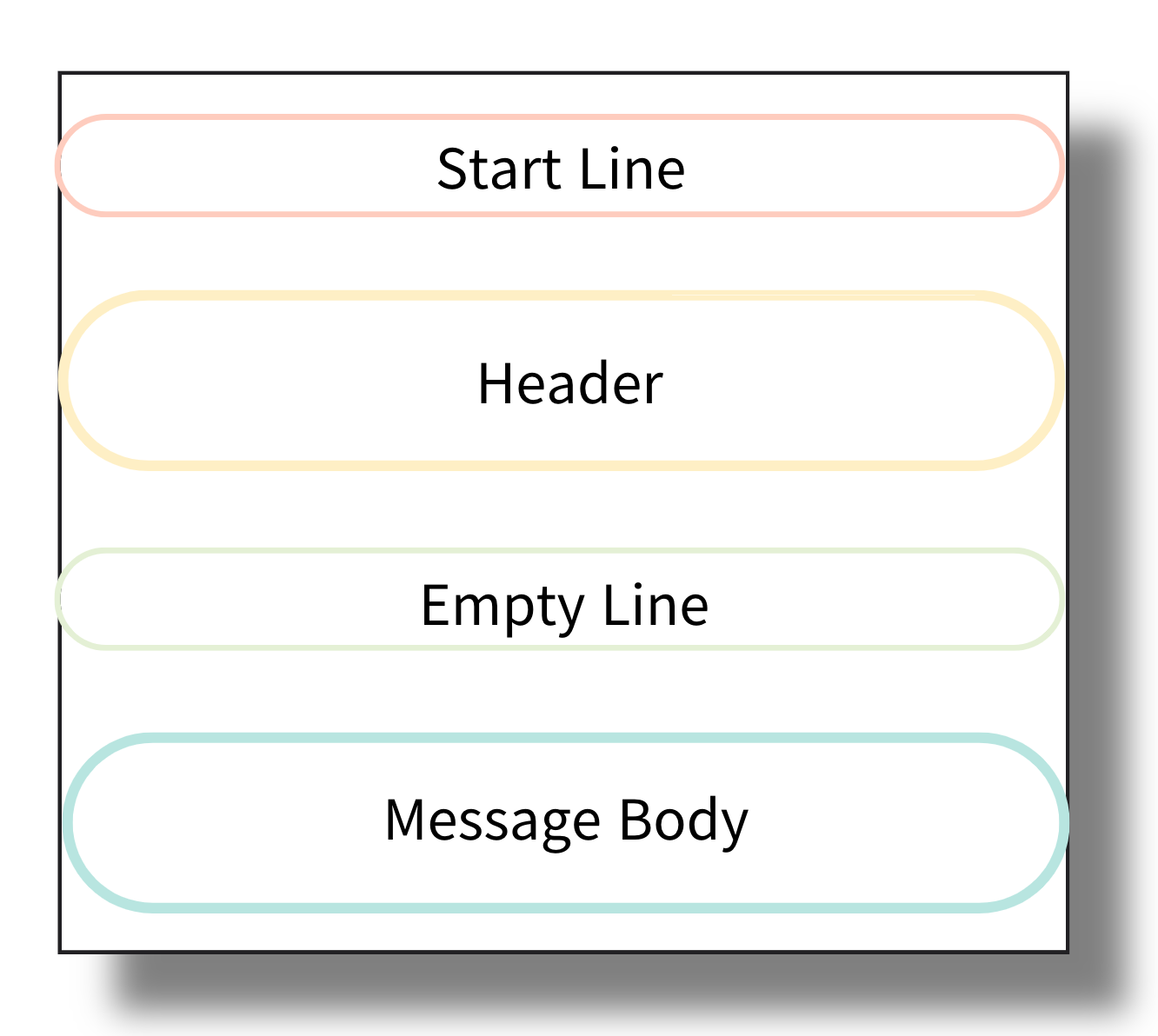
- Header: 데이터 타입, 길이, 권한 등 메타 정보
- Body: 실제 전송할 데이터(JSON, TEXT 등)
🔧 HTTP Request, Response 예시
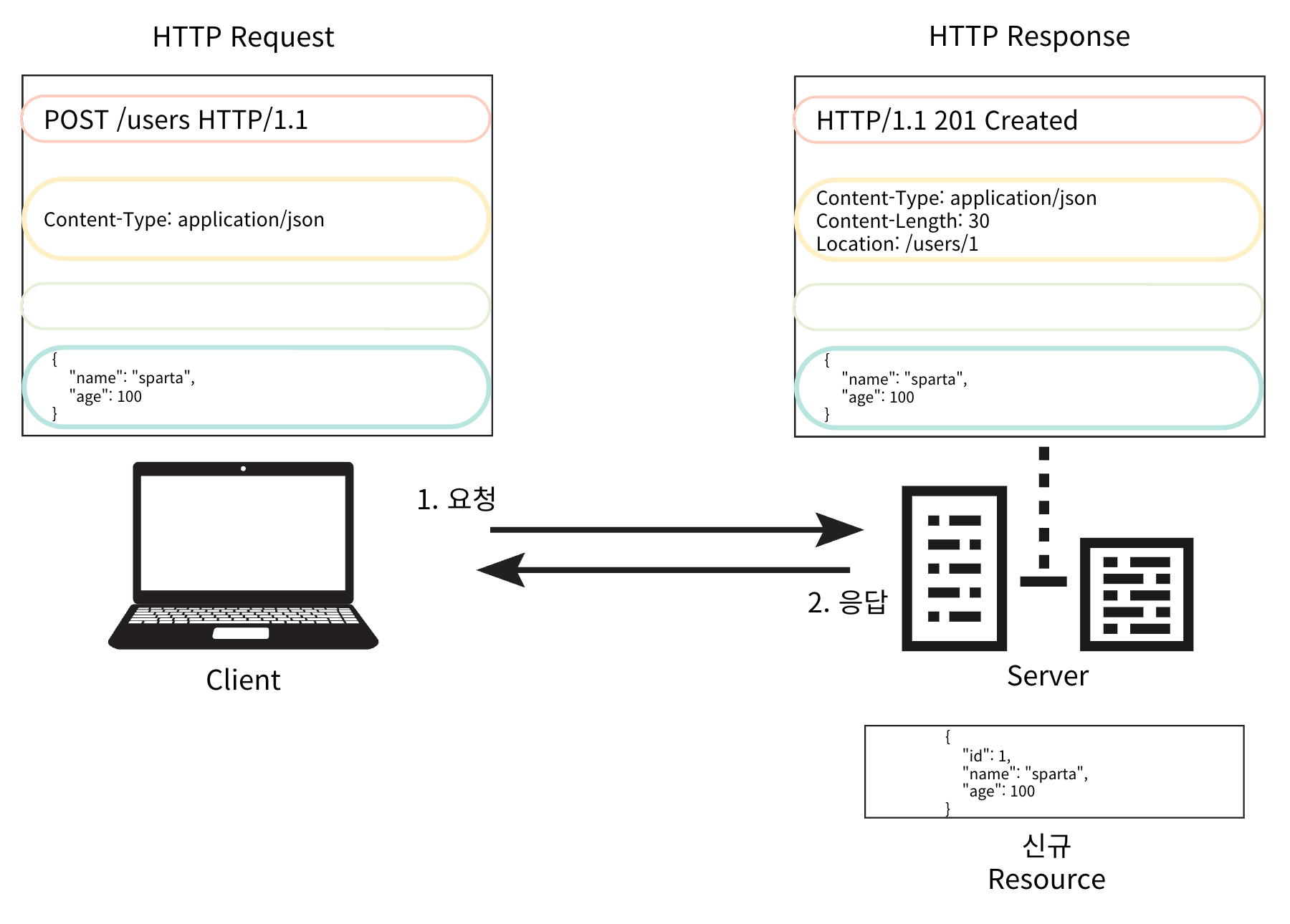
- Server에서 Request로 전달받은 Data를 처리하기 위해서 바인딩 해야 한다.
- ex) JSON → Object
📚 TEXT
1. HttpServletRequest 사용
- 가장 저수준 방식 (직접 InputStream 처리)
@Slf4j
@Controller
public class RequestBodyStringController {

	@PostMapping("/v1/request-body-text")
  public void requestBodyTextV1(
          HttpServletRequest request,
          HttpServletResponse response
  ) throws IOException {

      ServletInputStream inputStream = request.getInputStream();
      String bodyText = StreamUtils.copyToString(inputStream, StandardCharsets.UTF_8);

      response.getWriter().write("response = " + bodyText);

  }

}
📌 Postman 설정:
- Body → raw → Text
- Header:
Content-Type: text/plain
2. InputStream / Writer 파라미터 직접 사용
- 스프링이 InputStream과 Writer를 주입해 줌
@PostMapping("/v2/request-body-text")
public void requestBodyTextV2(
				InputStream inputStream,
				Writer responseWriter
) throws IOException {

	String body = StreamUtils.copyToString(inputStream, StandardCharsets.UTF_8);

	responseWriter.write("response = " + bodyText);
}
→ ServletRequest 없이도 Stream으로 직접 처리 가능
3. HttpEntity 사용 (권장)
- 스프링의 HttpMessageConverter를 활용한 방식
@PostMapping("/v3/request-body-text")
public HttpEntity<String> requestBodyTextV3(HttpEntity<String> httpEntity) {

	// HttpMessageConverter가 동작해서 아래 코드가 동작하게됨
	String body = httpEntity.getBody();

	return new HttpEntity<>("response = " + body); // 매개변수 = Body Message

}
→ HttpEntity<T>는 요청 바디를 자동으로 변환해 줌
→ 타입이 String이면 text/plain, 객체면 application/json 등 자동 처리
→ 응답도 함께 반환할 수 있음