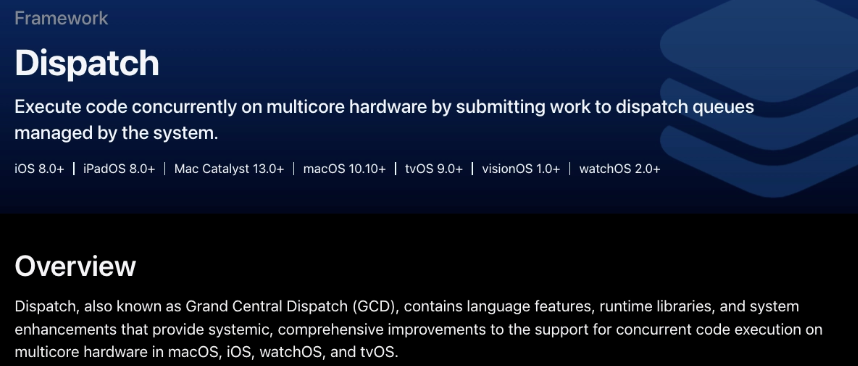
- 동기/비동기 개념이랑 GCD는 볼때마다 초면이다.. 뇌가 거부하는듯 하길래 swift concurrency만 쓰고 싶다고 생각했는데 이번에 보니까 이것도 결국 GCD 기반이라서 공부하고 넘어가야 할 것 같다..🫠🫠
📌 GCD?
- Grand Central Dispatch (GCD) 는 동시성 프로그래밍을 돕는 프레임워크
- Swift 에서 사용하는 GCD 기술로 Dispatch Queue 가 있다. 즉 GCD 안에 DispatchQueue 가 포함되는 개념.
- 여러 가지의 스레드를 가지고 멀티 스레딩 작업을 하며, 비동기적으로 여러가지 작업을 수행하기 위해서는 Dispatch Queue 를 사용
📌GCD가 왜 필요한가?
- 앱에서 실행하는 많은 작업 중에서는 어떤건 빨리 끝나고 어떤건 오래걸린다. 그래서 모든 걸 다 한번에 하면 오래걸리는 작업을 하는 동안은 화면이 멈춰보인다.
- 그래서!
- UI(사용자가 보는 화면)관련 작업은 메인에서
- 오래 걸리는 작업은 백그라운드에서 진행하게 만들기 위해서 필요하다.
📌 GCD 핵심 정리
- Grand Gentral Dispatch는 작업을 Queue에 넣으면 시스템이 적절한 스레드에서 실행해 주는 기술
🔎 Queue가 뭘까?
- 작업줄이다.
- 작업들이 줄을 서있고 큐의 규칙에 따라 실행됨
🖌️ Queue의 종류
Serial Queue: 작업을 하나씩 순서대로 실행Concurrent Queue: 작업을 여러 개 동시에 시작 가능
🖌️실제 사용하는 Queue
main Queue: Serial Queue + Main Thread (한번에 하나씩, UI 담당)global Queue: Concurrent Queue + Background Thread(여러작업 동시에, UI 아닌 작업)Custom Queue: 개발자가 직접 생성하고 관리하는 큐
let customQueue = DispatchQueue(
		label: "com.myapp.customqueue",
		attributes: .concurrent
)
🔎 async와 sync
- 작업 맡기고 안기다림 vs 작업 맡기고 기다림
async: 큐에 넣고 안기다림
작업을 큐에 맡기고 그 작업이 끝날 때까지 기다리지 않고 바로 다음 코드로 넘어감sync: 기다림
작업을 큐에 맡기고 그 작업이 끝날때 까지 기다리고 다음 코드로 넘어감
🖌️ async 흐름 예시
print("1")
DispatchQueue.global().async {
    print("2")
}
print("3") // 1 3 2- 1출력 -> 2를 global 큐에 넣음, 안기다리고 다음 코드로 -> 3출력 -> 2출력
🖌️ sync 흐름 예시
print("1")

DispatchQueue.global().sync {
    print("2")
}

print("3")- 1출력 -> 2를 global 큐에 넣음. 기다림 2출력 -> 3출력
🔎 정리
sync/async: 작업을 넣는 방식serial/concurrent: 큐가 작업을 처리하는 방식main Queue:Serial Queue+Main Thread(한번에 하나씩, UI 담당)global Queue:Concurrent Queue+Background Thread(여러작업 동시에, UI 아닌 작업)
DispatchQueue.{큐종류}.{qos옵션}.{sync/async} {
		// 수행할 작업 코드 작성
}
// 큐 종류: Main / Global / Custom
// qos: Quality Of Service
// sync: 동기적으로 작업 수행
// async: 비동기적으로 작업 수행
🖌️ 자주 쓰이는 main.async / global.async
DispatchQueue.main.async {
    // 어떤 UI 작업
}- main: 해당 작업을 메인큐에게 맡기겠다.
async: 근데 이 해당 작업 끝나는거 기다리지 않고 계속 하던거 진행해
DispatchQueue.global().async {
    // 오래 걸리는 작업 ex: URLSession
    let data = loadData()

    DispatchQueue.main.async {
        // UI 업데이트
        self.updateUI(data)
    }
}- 오래 걸리는 작업을 할 건데 일단 백그라운드에서 하자 그리고 그거 끝나고 그 데이터 가지고 UI 업데이트 해야하니까 UIUpdate 라는 작업은 메인에 넘기자
📌swift Concurrency
🔎 GCD vs Swift Concurrency
GCD: 위에도 봤다싶이 개발자가 직접 어떤 큐에서 실행할지, 어느 스레드로 돌아올지 관리가 필요함.Swift Concurrency: Task 중심의 구조화된 비동기 시스템(아무 데서나 비동기 던지기보다는
관계가 보이도록 설계되어 있음)
Swift가 직접 스레드 관리, 실행 스케쥴링, main thread 전환을 맡아서 함
🖌️ 기본 예시코드
- 호출 시
Task {

    async let nowPlaying = fetchNowPlaying()
    async let upcoming = fetchUpcoming()
    async let popular = fetchPopular()

    let result = await (nowPlaying, upcoming, popular)

}-
Task: 여기서 비동기 작업 일어남 보여줌
-
async let: 동시에 작업시작
-
await: 결과 기다리겠음
-
정의할 때,
func fetchMovies() async -> [Movie] {
    return []
}async: 비동기 함수라는 의미(결과가 나중에 반환됨)- throw와 함께 사용가능
🔎 async
func fetchMovies() async -> [Movie] {
    return []
}- 이 함수는 비동기 함수라는 의미(시간이 걸릴 수 있는 작업)
🔎 await, Task
Task {
    let movies = await fetchMovies()
}- 영화 정보를 가져오기 시작 -> 결과 올때까지 기다림 -> movies 변수에 저장
- 스레드를 block하지 않고 Task만 멈춤(suspend)
🖌️ Task는 어떤거고 왜 필요한거지??
async함수는 아무곳에서나 호출할 수 없음
let movies = await fetchMovies- 이런식으로 그냥 호출하면 에러남
await은 비동기context안에서만 사용 가능
🖌️ Task
Task: 비동기 작업을 시작하는 컨테이너/단위- 비동기 작업을 실행 할 수 있는 환경을 만들어 줌
Task{}는 새로운 비동기 작업을 스케쥴러에 등록하고 스케쥴러가 실행 순서를 결정함- Task는 바로 실행된다는 보장이 없음
- Task 생성 -> Task 실행 -> fetchMovies 시작 -> Task suspend -> 다른 작업 실행 -> fetchMovies 완료 -> Task resume
Task {
    print("1")
}

Task {
    print("2")
}- 위의 코드는 결과가 2,1 일수도 있다(Task의 실행 순서는 스케쥴러가 관리하기 때문에)
🖌️ Task.sleep
- 비동기 상황에서 잠시 대기
try await Task.sleep(nanoseconds: 1_000_000_000)- 1초 기다리기
- 비동기적으로 대기하는 방식
🖌️ Task.cancel()
let task = Task {
    let movies = await fetchMovies()
}

task.cancel()- Task를 취소 할 수 있음
- 검색어가 바뀌었는데 이전 요청이 아직 진행중 이런 경우에 취소해줄 수 있음
🖌️ Task.isCancelled
- 작업 중간에 취소 여부를 확인 할 수 있음
Task {
    if Task.isCancelled { return }
}
🖌️ Task.detached
Task.detached {
    print("독립적인 작업")
}- 현재 문맥(부모 자식 관계나 @MainActor 등)이랑은 완전히 분리된 독립된 Task
🔎 async let
- 여러 비동기 작업을 동시에 실행함
Task {

    async let nowPlaying = fetchNowPlaying()
    async let upcoming = fetchUpcoming()
    async let popular = fetchPopular()

    let result = await (nowPlaying, upcoming, popular)

}- 묶어서 모든 작업들이 모두 끝날때까지 기다림
🔎 MainActor
- UI 관련 코드를 메인 스레드에서 실행하도록 보장
await MainActor.run {
    label.text = "완료"
}@MainActor
func updateUI() {
label.text = "완료"
}🖌️ @MainActor
- 해당 함수, 클래스, 프로퍼티가 메인 액터에 속한다는 표시
-ViewModel에서 UI에 연결되는 상태 변경, ViewController 내부 UI 업데이트 함수
🔎 TaskGroup
-
여러 비동기 작업을 동적으로 생성할 때 사용(개수가 고정되지 않은 여러 비동기 작업을 묶어서 처리하는 방식)
-
여러 비동기 작업 생성하고 동시에 실행하고 결과를 모으는 순서
-
for문으로 Task 생성 할 때 사용됨
-
async let은 개수가 고정되어 있을 때사용하고 Task는 동적으로 추가할 때
-
ex) 영화 ID 배열이 있고 각 영화 상세정보를 전부 동시에 가져오고 싶을 때 사용.
func loadMovies() async {

    let ids = [1,2,3,4,5]

    await withTaskGroup(of: String.self) { group in

        for id in ids {
            group.addTask {
                await fetchMovie(id: id)
            }
        }

        for await movie in group {
            print(movie)
        }
    }
}- Movie 1 요청
Movie 2 요청
Movie 3 요청
Movie 4 요청
Movie 5 요청
그 후에
완료되는 순서대로 출력
🔎 Actor
- 여러 Task가 동시에 접근해서 바꾸려 할때(Race Condition(경쟁 상태))데이터 충돌을 방지
- 정확히는 한번에 하나만 접근가능하게 함
🔎 Sendable
- 어떤 타입이 동시성 환경에서 안전하게 전달 가능한지 표시
struct Movie: Sendable {
    let title: String
}- Task나 Actor 사이에서 값을 주고받을 때
이 타입이 안전한가를 컴파일러가 확인하게 해줌 - 컴파일러가 이 타입이 안전한가를 검사함
🔎 withCheckedContinuation/continuation
- 기존의 completion handler 기반 코드를 async/await 스타일로 바꿀 때 사용하는 도구
func fetch(completion: @escaping (String) -> Void) {
    completion("완료")
}
func fetch() async -> String {
await withCheckedContinuation { continuation in
fetch { result in
continuation.resume(returning: result)
}
}
}
iOS 개발