
Refs :
https://dev.twitch.tv/docs/authentication/
Types of Tokens
- ID tokens (OIDC) : 이 토큰에는 사용자에 대한 권한정보가 들어있다. 이 토큰을 사용하면 사용자의 자세한 정보를 획득할 수 있다(예. email 주소).
- User access tokens : 사용자를 인증하고, app이 request를 보낼 수 있도록 한다. app이 사용자를 로그인하고 request를 보내는 기능을 가지고 있다면 이 토큰을 사용해야 한다.
- App access tokens : app을 인증한다. 사용자가 아닌 app을 인증하기 때문에 사용자 권한이 필요한 endpoint에는 사용할 수 없다.
Getting tokens
Twitch Authentication : https://id.twitch.tv
토큰을 획득하는 authentication flow에는 3가지 방법이 있다.
- Implicit code flow : app이 server를 사용하지 않을 때 사용한다. (client-side JavaScript or Mobile app)
- Authorization code flow : app이 server를 사용할 때 사용한다.
- Client credentials flow : app access token이 필요하다.
나는 app이 서버를 사용해서 사용자 정보를 얻어와야 하므로
Authorization code flow를 통해 User access token을 가져오는 기능을 구현했다.
OAuth authorization code flow
인증순서
1. user를 https://id.twitch.tv/oauth2/authorize로 redirect 시킨다. redirect_url param를 담아 보내야 한다.
2. user가 application에 authorize를 부여한다면 redirect_url에 authorization code가 담겨서 넘어오게 된다.
3. authorization code를 담아 POST request를 보내면, response에 access_token이 담겨 넘어오게 된다.
각 flow 별로 선택할 수 있는 procedure에도 여러가지가 있는데, 나는 Authorization flow 중에서도 OAuth Authorization Code Flow를 사용했다.
각 단계에 대한 example code는 다음과 같다.
python-django 환경에서 테스트를 위해 간단하게 작성하였다.
def twitch_login(request):
    url = 'https://id.twitch.tv/oauth2/authorize'
    params = {'client_id': 'aaaabbbbccccddddeeeeffff',
              'redirect_uri': 'http://localhost:8080/account/login/twitch/callback',
              'response_type': 'code',
              'scope': 'channel:read:subscriptions'}
    query_string = urlencode(params)
    return redirect(f'{url}?{query_string}')

def twitch_callback(request):
    params = request.GET
    params = {
        'client_id': 'aaaabbbbccccddddeeeeffff',
        'client_secret': 'gggghhhhiiiijjjjkkkkllll',
        'code': params['code'],
        'grant_type': 'authorization_code',
        'redirect_uri': 'http://localhost:8080'
    }
    rst = requests.post('https://id.twitch.tv/oauth2/token', params=params)
    rst.raise_for_status()

    return JsonResponse(rst.json())
Postman에서 Browser redirect가 동작하지 않아서 chrome에서 테스트를 하여 정상적으로 token이 넘어오는 것을 확인했다.
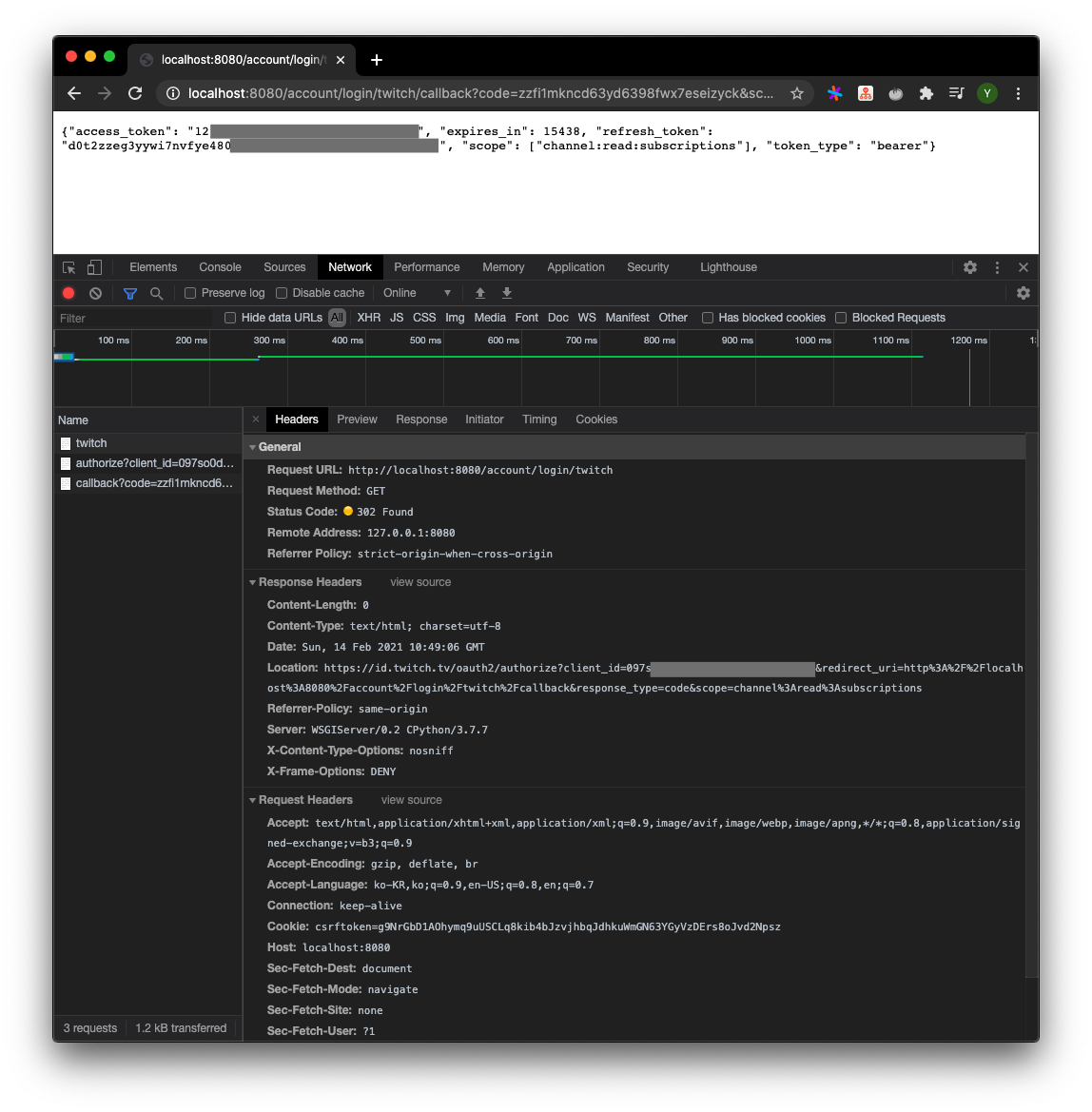
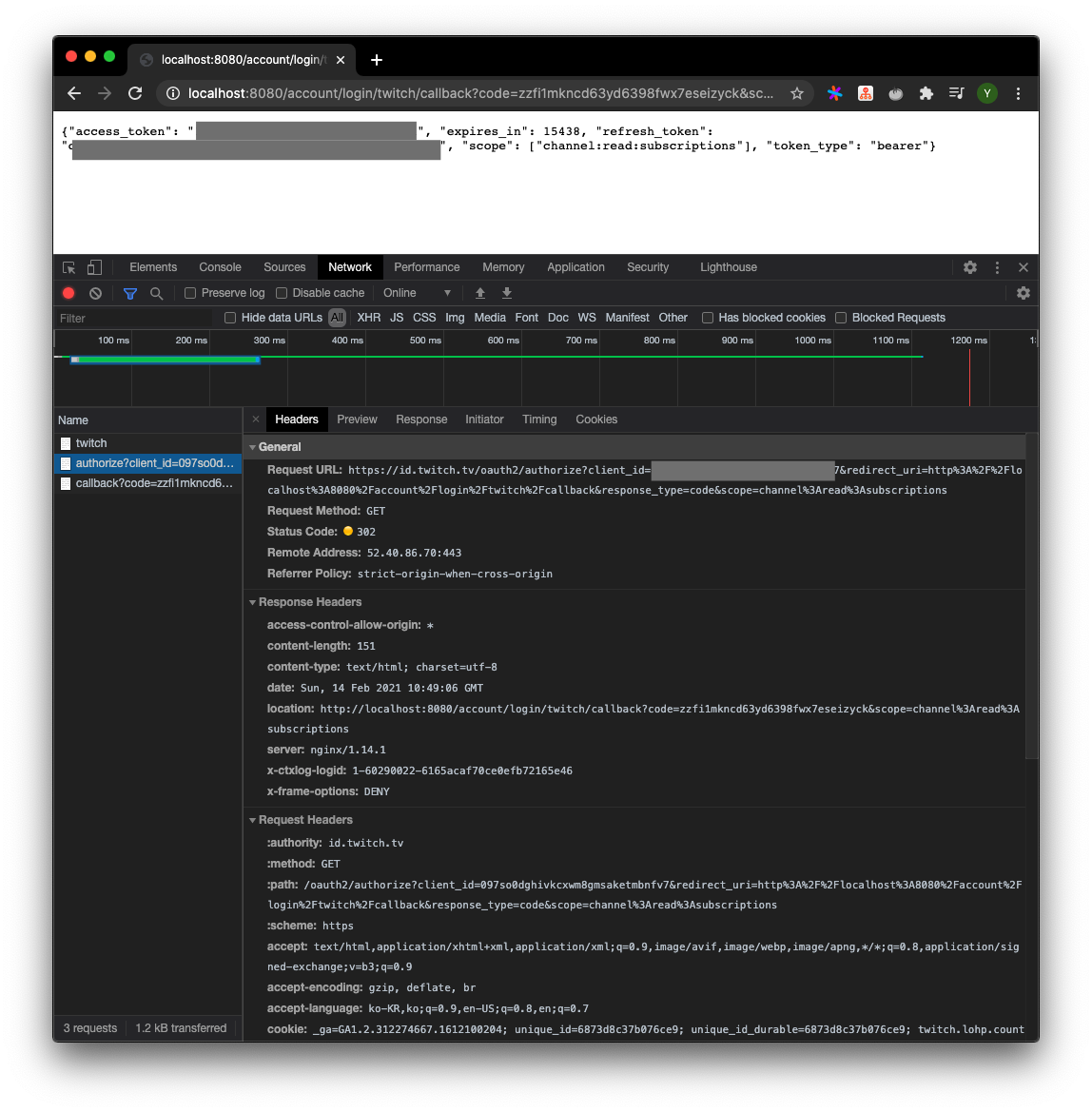
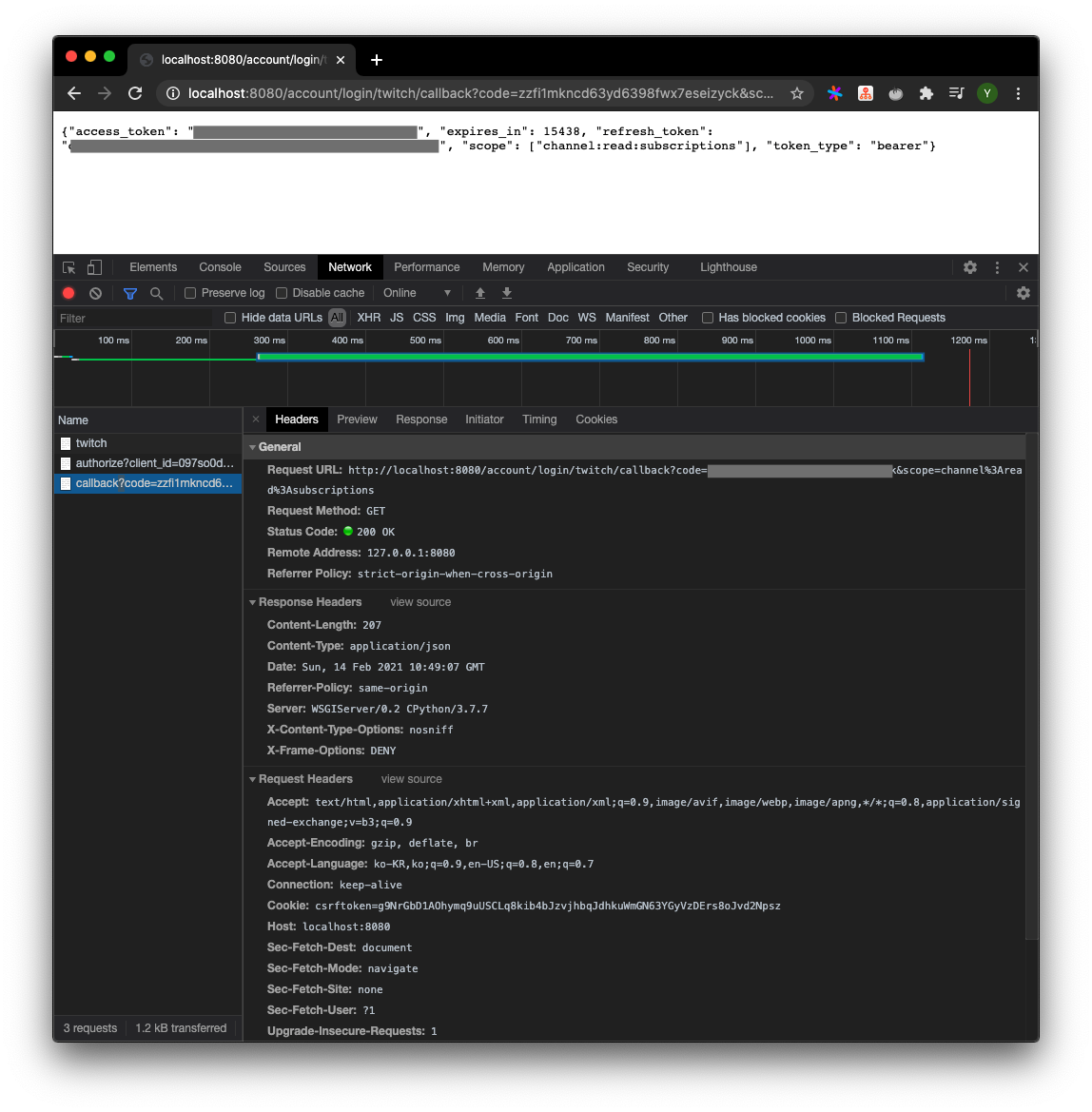
뭐 쓸데없이 어설프게 가렸지만 GET http://localhost:8080/account/login/twitch request의 response가 302, 302, 200이라는 것만 이해하고 넘어가자.
즉 token 획득 과정은
1. /account/login/twitch에 접근
2. https://id.twitch.tv/oauth2/authorize로 redirct
3. 로그인 후 2단계에서 실어서 보냈던 redirect_url로 redirect
4. POST로 access_token 획득 & return response
의 과정을 거친다.
처음 해보는 Auth API사용이라 어지러웠다.
이제 이 토큰을 가지고 Twitch API를 사용해보자!