Spring Boot Tutorial 를 따라 Spring Initializr로 HelloController 를 만들어 실행해 보았다.
작업환경은 IntelliJ IDE 를 사용, Gradle를 빌드 툴로 사용하였으며 Java 20으로 작성하였다. (지금 중요한 건 아니지만 앞으로도 그럴 예정..)
프로젝트 이름을 tutorial_springboot로 설정하니 Initializr이 자동으로 TutorialSpringbootApplication 클래스 파일을 생성해주었다.
package com.example.tutorial_springboot;

import org.springframework.boot.SpringApplication;
import org.springframework.boot.autoconfigure.SpringBootApplication;

@SpringBootApplication
public class TutorialSpringbootApplication {

    public static void main(String[] args) {
        SpringApplication.run(TutorialSpringbootApplication.class, args);
    }

}
@SpringBootApplication은 해당 클래스가 스프링 부트의 어플리케이션이라는 것을 나타낸다. 아래의 어노테이션을 합친 것이다.
@Configuration은 bean source 라는 것을 알려준다.
@EnableAutoConfiguration은 classpath 의 bean들을 추가하도록 한다. (ex. spring-webmvc 등의 bean)
@ComponentScan은 com/example 에 있는 컴포넌트, 구성정보, 서비스 등을 스캔한다.
실행하니 아래와 같은 로그가 기록되었다.
Starting TutorialSpringbootApplication using Java 20.0.2 with PID 36066
 No active profile set, falling back to 1 default profile: "default"
 o.s.b.w.embedded.tomcat.TomcatWebServer  : Tomcat initialized with port(s): 8080 (http)
 o.apache.catalina.core.StandardService   : Starting service [Tomcat]
 o.apache.catalina.core.StandardEngine    : Starting Servlet engine: [Apache Tomcat/10.1.11]
 o.a.c.c.C.[Tomcat].[localhost].[/]       : Initializing Spring embedded WebApplicationContext
 w.s.c.ServletWebServerApplicationContext : Root WebApplicationContext: initialization completed in 367 ms
 o.s.b.w.embedded.tomcat.TomcatWebServer  : Tomcat started on port(s): 8080 (http) with context path ''
 Started TutorialSpringbootApplication in 0.667 seconds (process running for 0.983)
살펴보면, 내가 아무것도 설정해주지 않았는데도 톰캣이 Initialized 되고, 톰캣과 서블릿 엔진이 실행되었다는 것을 확인할 수 있다.
@RestController
public class HelloController {

    @GetMapping("/")
    public String index() {
        return "Greetings from Spring Boot!";
    }

}
@RestController는 Spring의 Annotation(주석)이며, Spring MVC에게 HelloContainer가 요청(request) 을 받는 RESTful 클래스임을 알려준다.
@getMapping은 '/' 라는 URI 루트를 index() 메서드에 매핑시켜준다.
@RestControllercombines@Controllerand@ResponseBody, two annotations that results in web requests returning data rather than a view.
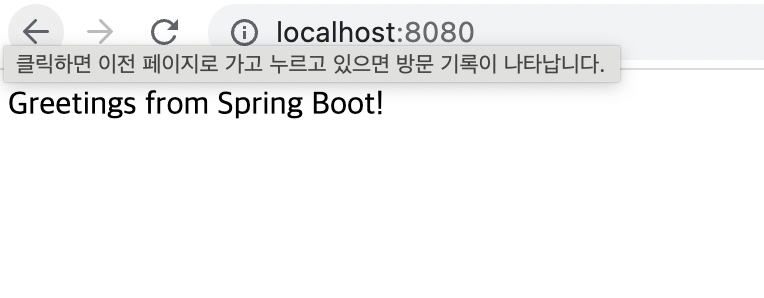
위와 같이 HelloContainer.java 파일을 생성하여 Run 하고 http://localhost:8080 에 접속하면 index() 함수의 리턴 문자열 값이 출력된다.