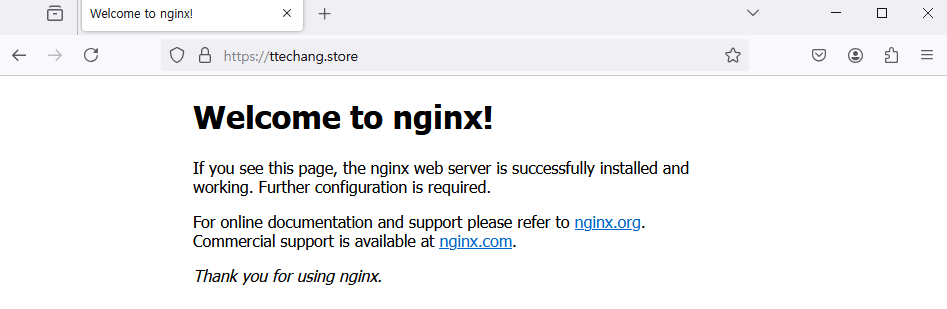
cloudflare
gabia로 구입한 도메인을 cloudflare 네임서버에 등록후 통신 확인
deployment & service
---
apiVersion: v1
kind: Service
metadata:
  name: nginx-service-01
  namespace: ingress-nginx
spec:
  type: LoadBalancer
  selector:
    app: nginx
  ports:
    - port: 80
      targetPort: 80
      protocol: TCP

---
apiVersion: apps/v1
kind: Deployment
metadata:
  name: nginx-deployment
  namespace: ingress-nginx
spec:
  replicas: 2
  selector:
    matchLabels:
      app: nginx
  template:
    metadata:
      labels:
        app: nginx
    spec:
      containers:
      - name: nginx
        image: nginx:latest
        ports:
        - containerPort: 80
          protocol: TCP
deployment & service 생성
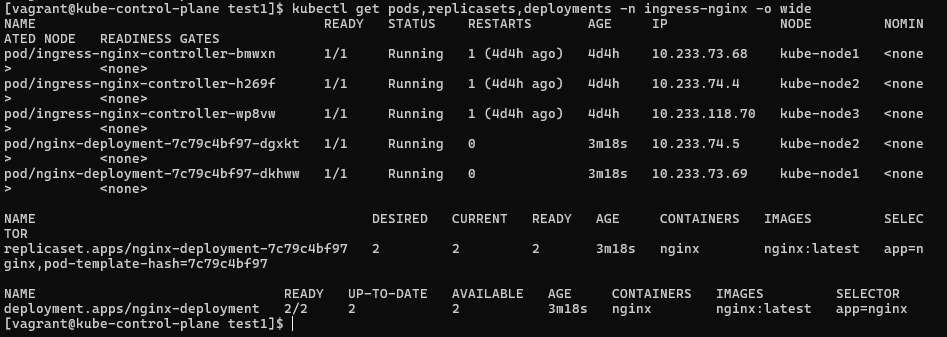
deployment, replicaset, pods확인

service와 endpoint확인
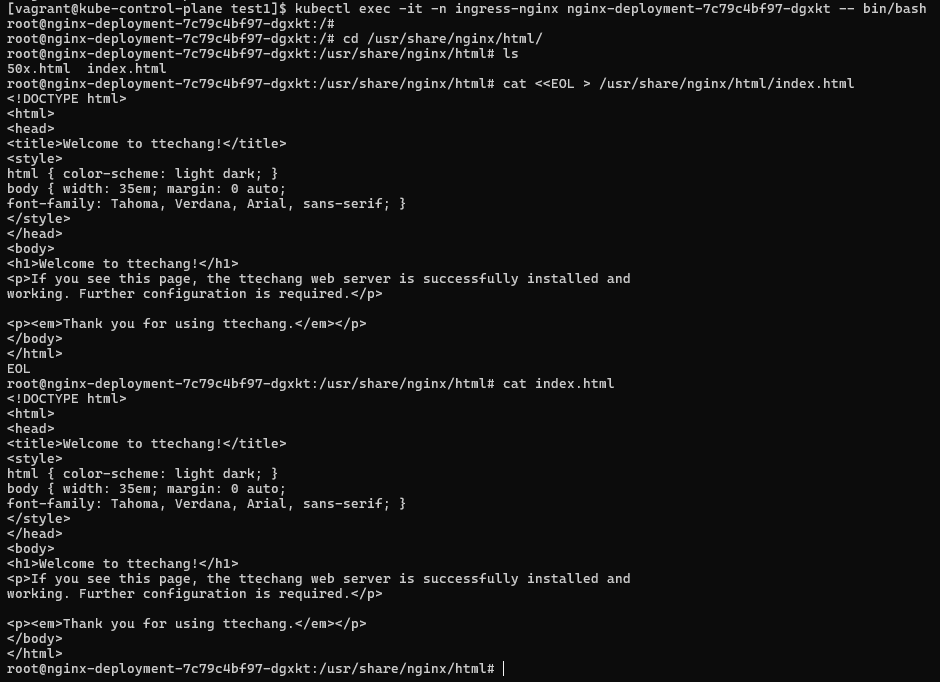
pod하나의 index.html 내용 수정
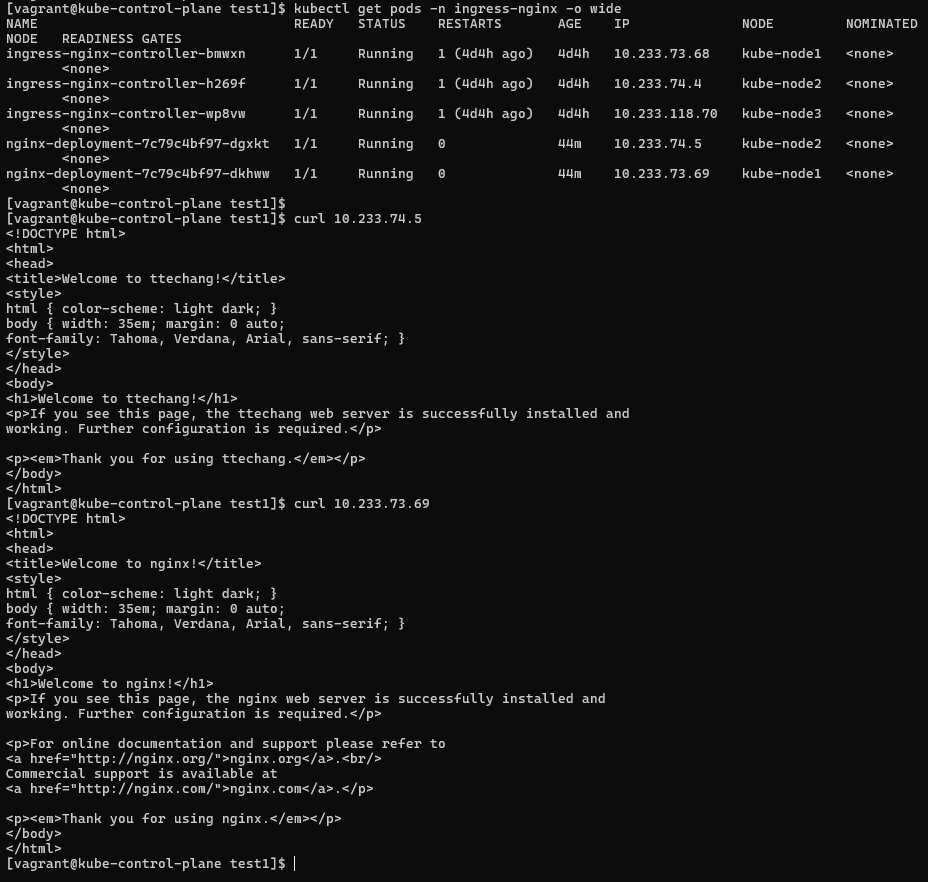
각 pod에 직접접속
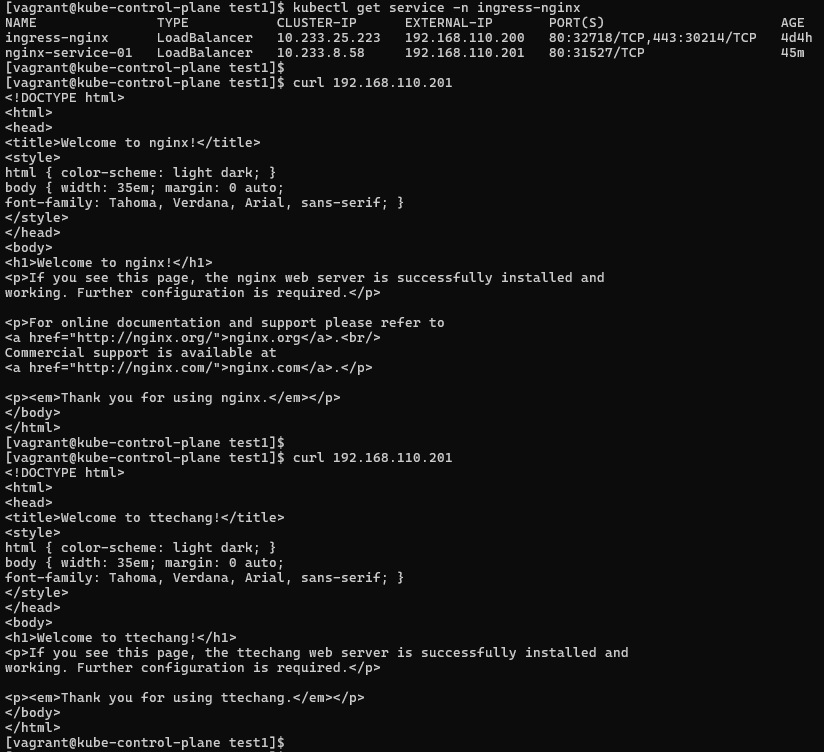
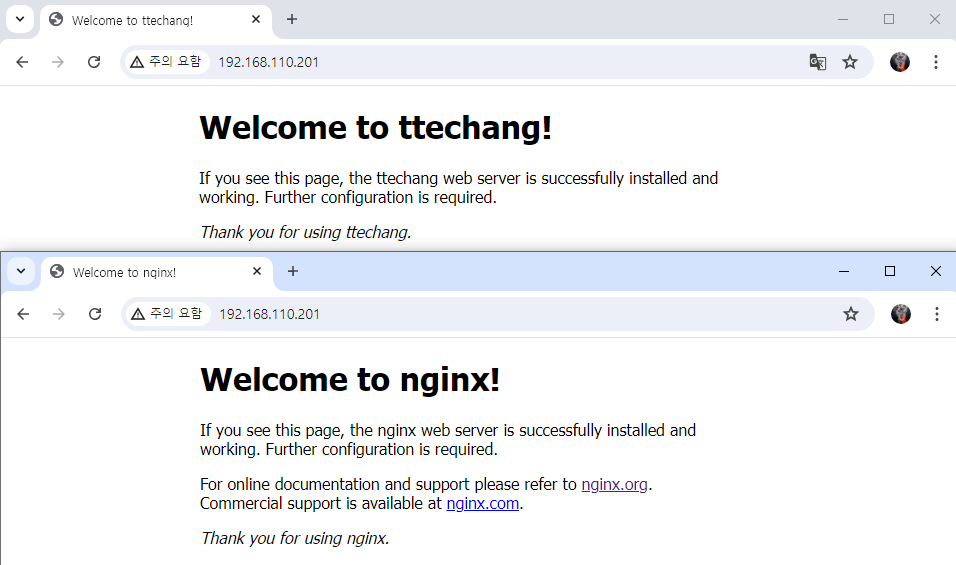
loadbalancer 서비스 접속시 부하분산 확인
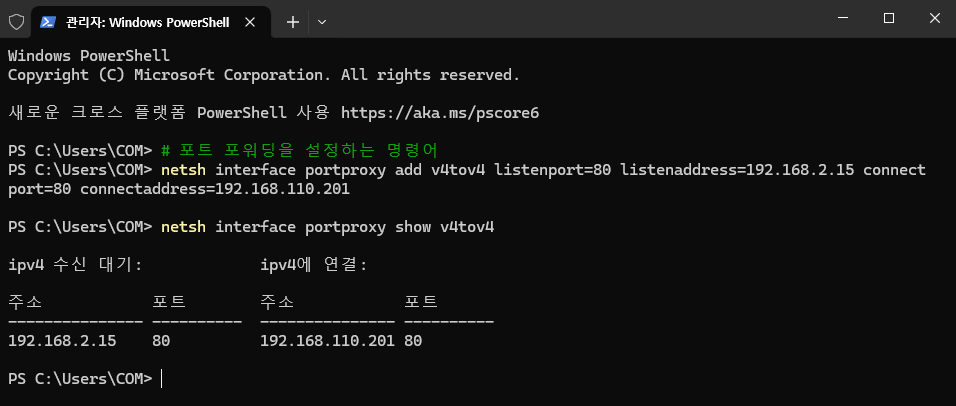
호스트 pc에서 관리자 권한으로 loadbalancer 서비스에 80번 포트 포트포워딩 설정 후 확인
-> netsh interface portproxy add v4tov4 listenport=80 listenaddress=192.168.2.15 connectport=80 connectaddress=192.168.110.201
-> netsh interface portproxy show v4tov4포트포워딩 참고
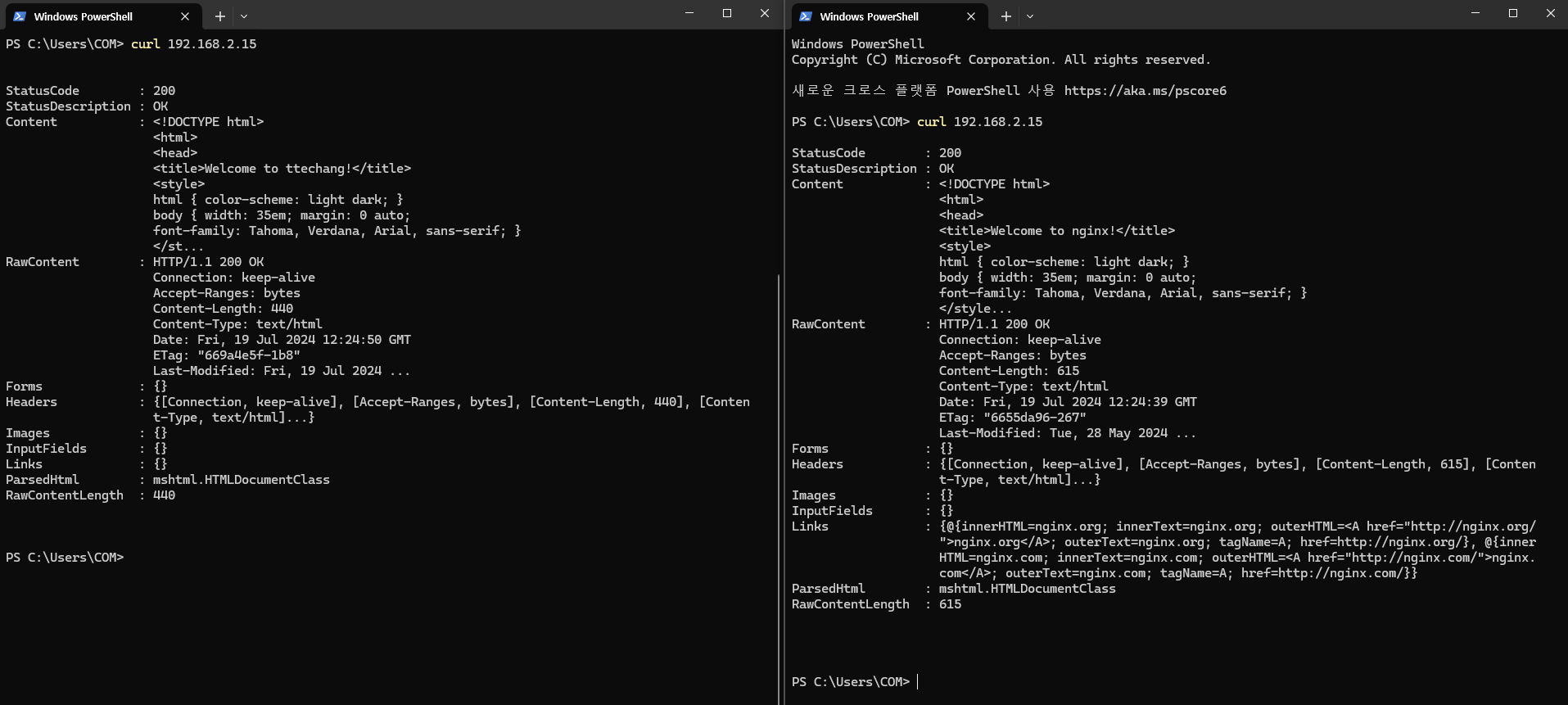
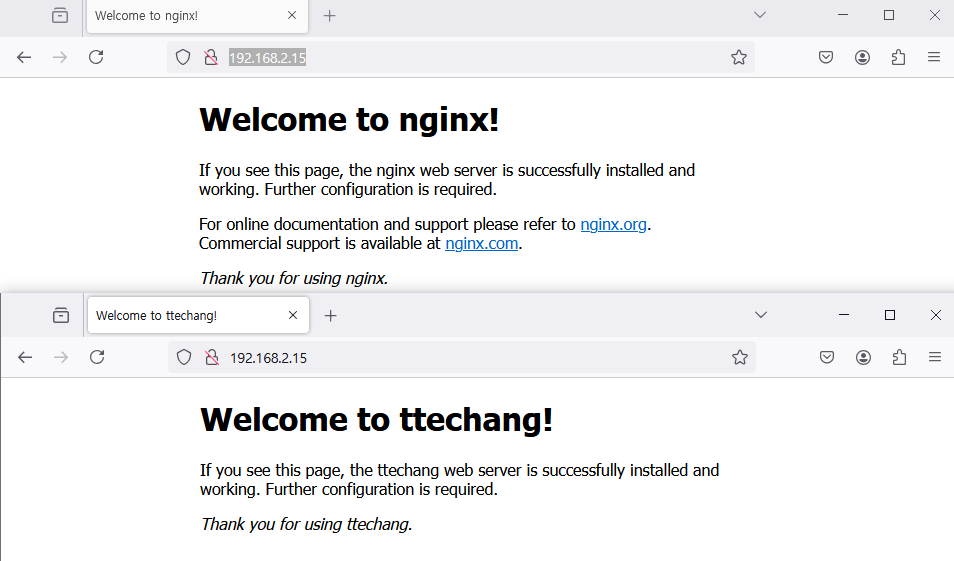
호스트 pc에서 접속 확인
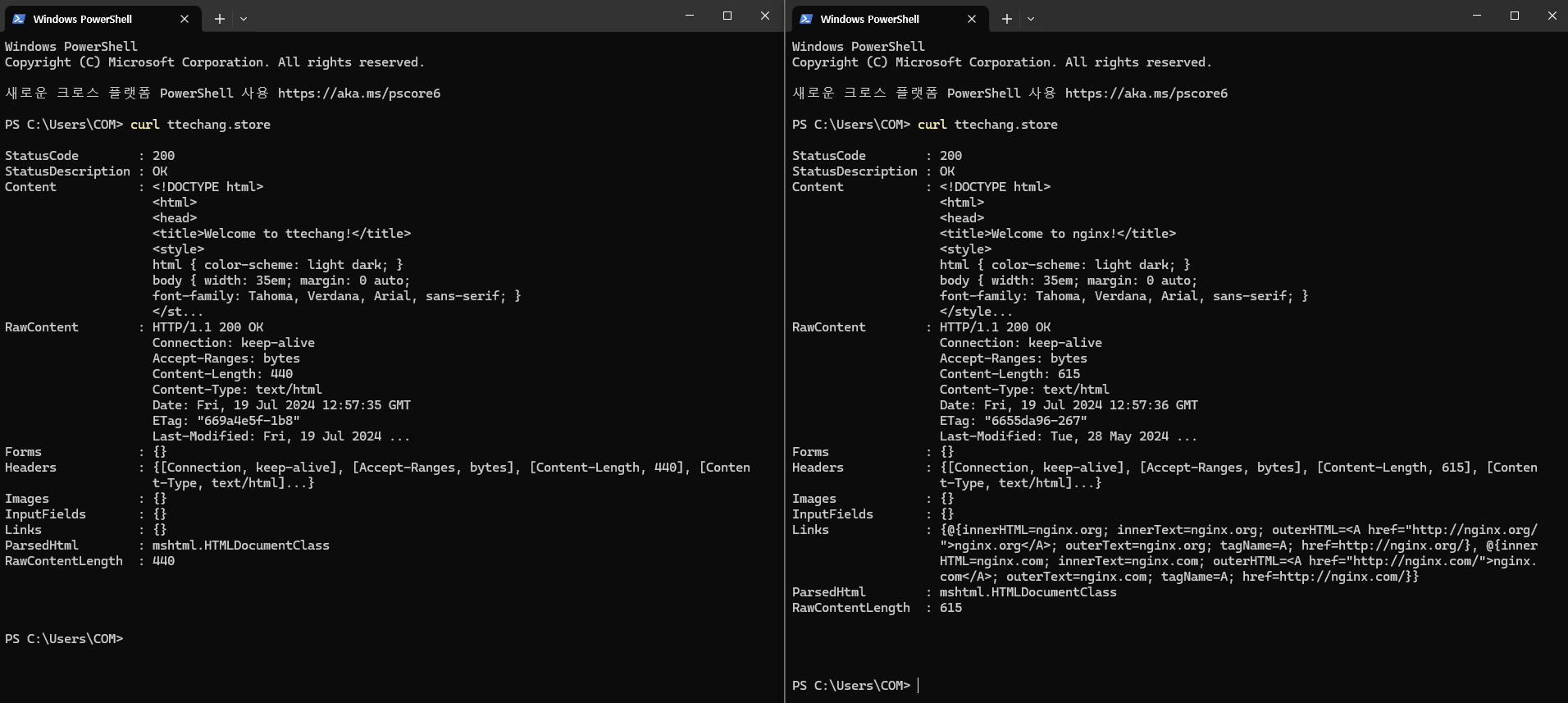
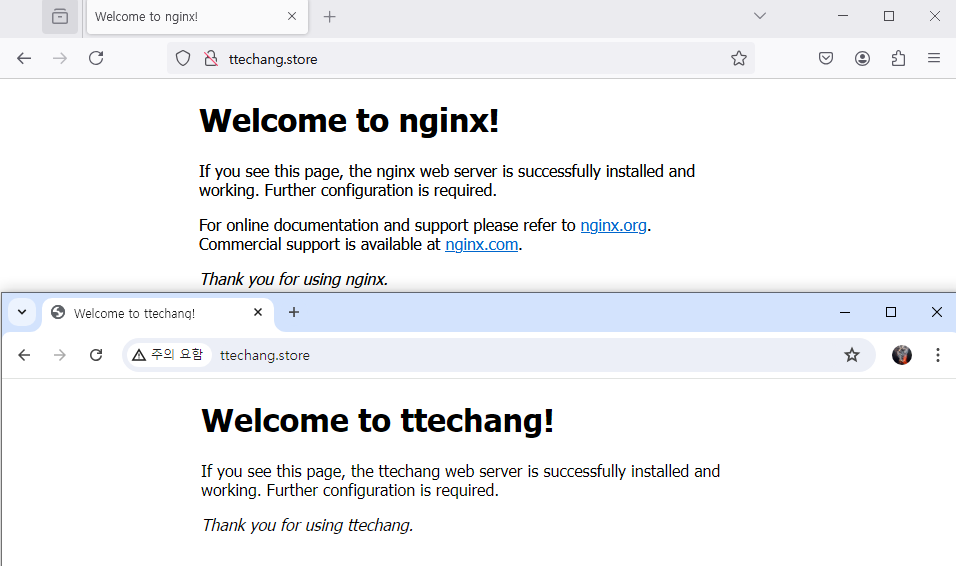
http://ttechang.store/ 접속 확인
https 리디렉션 불가능?
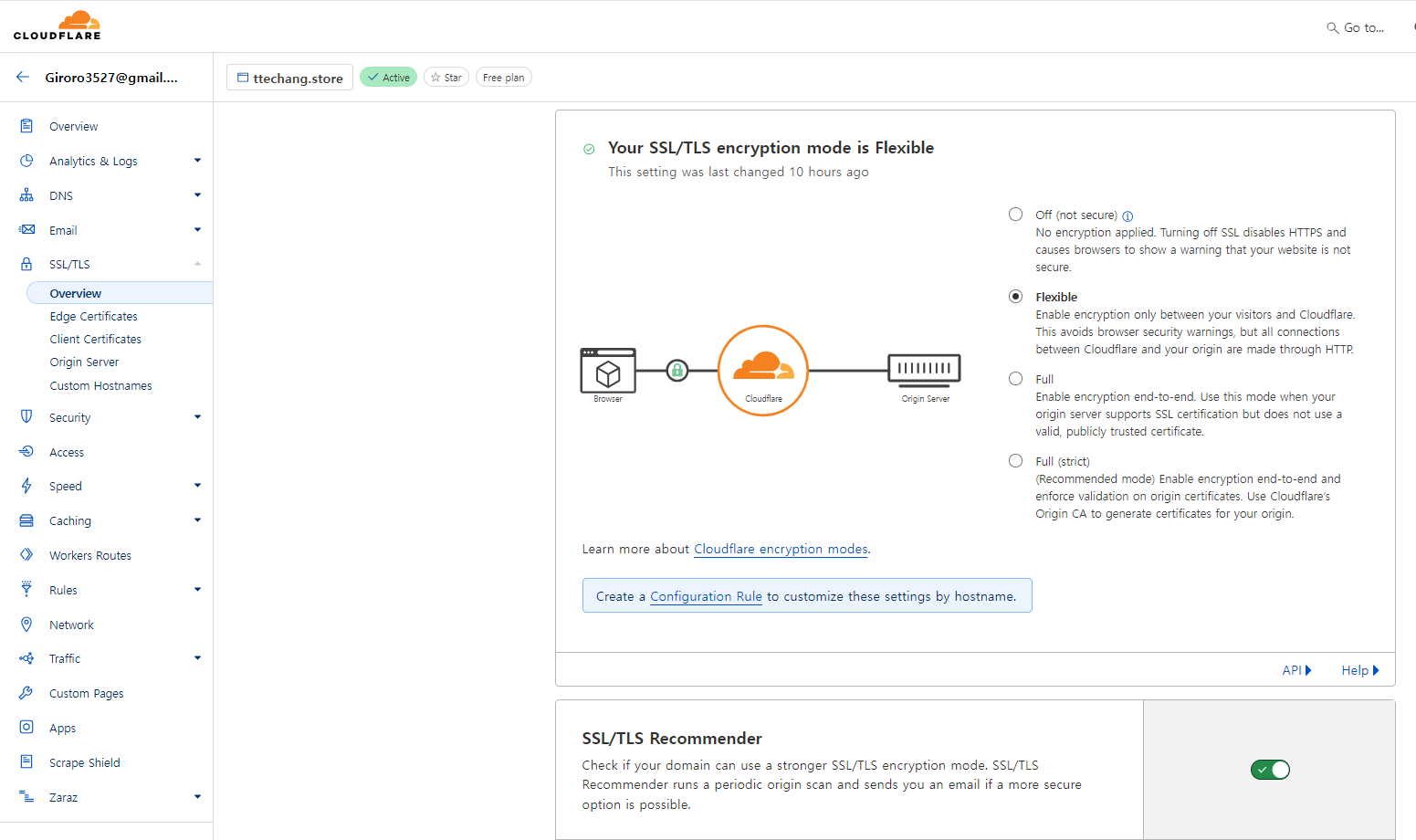
1
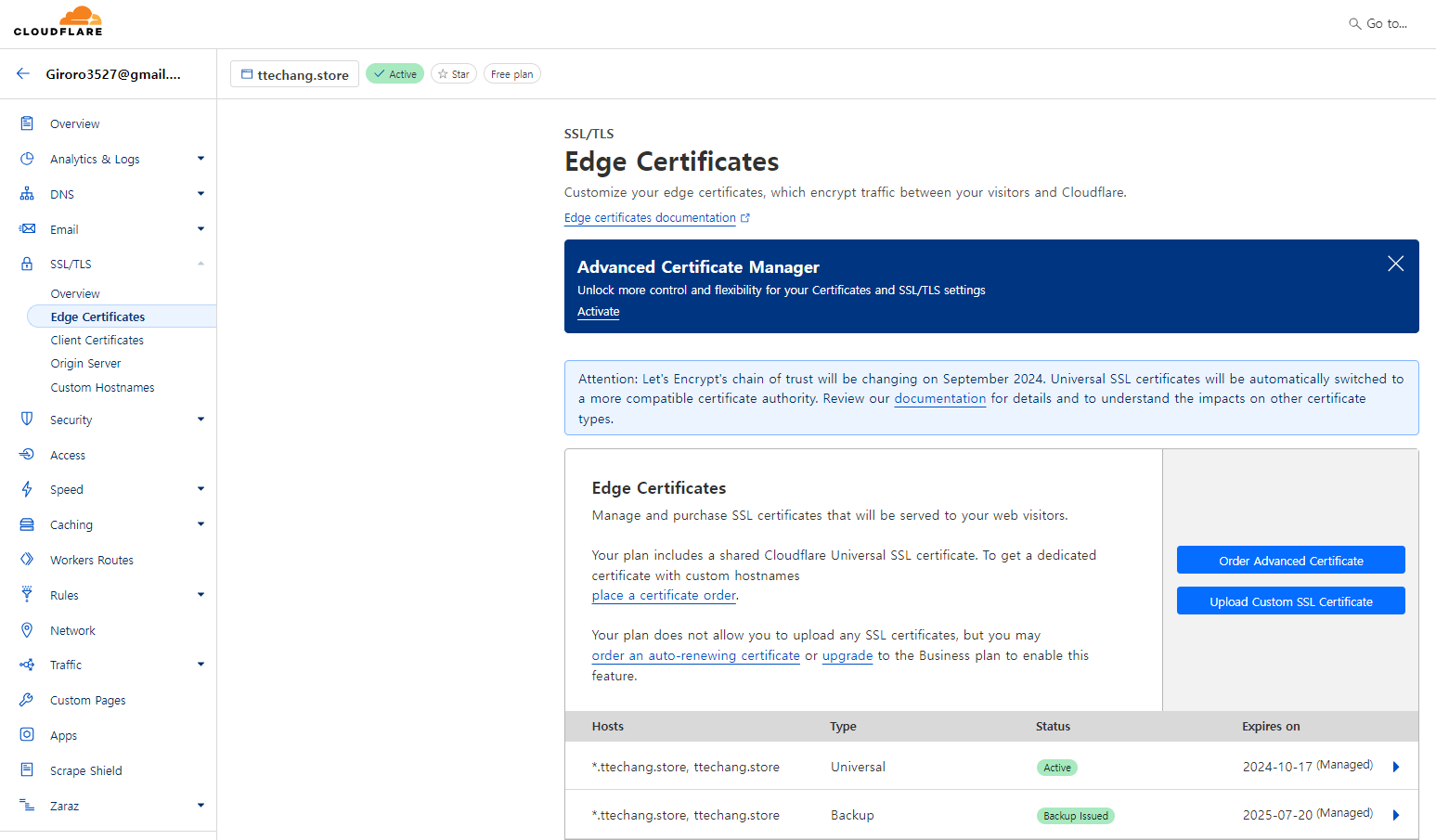
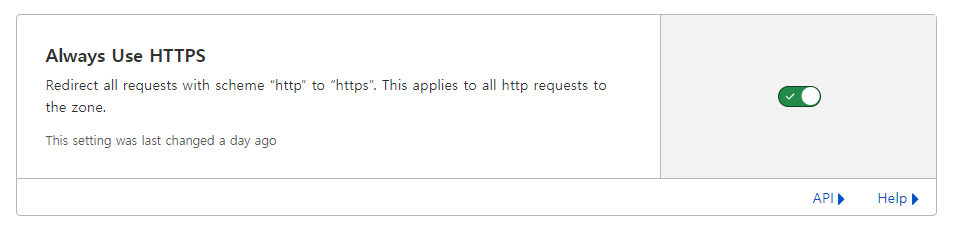
2
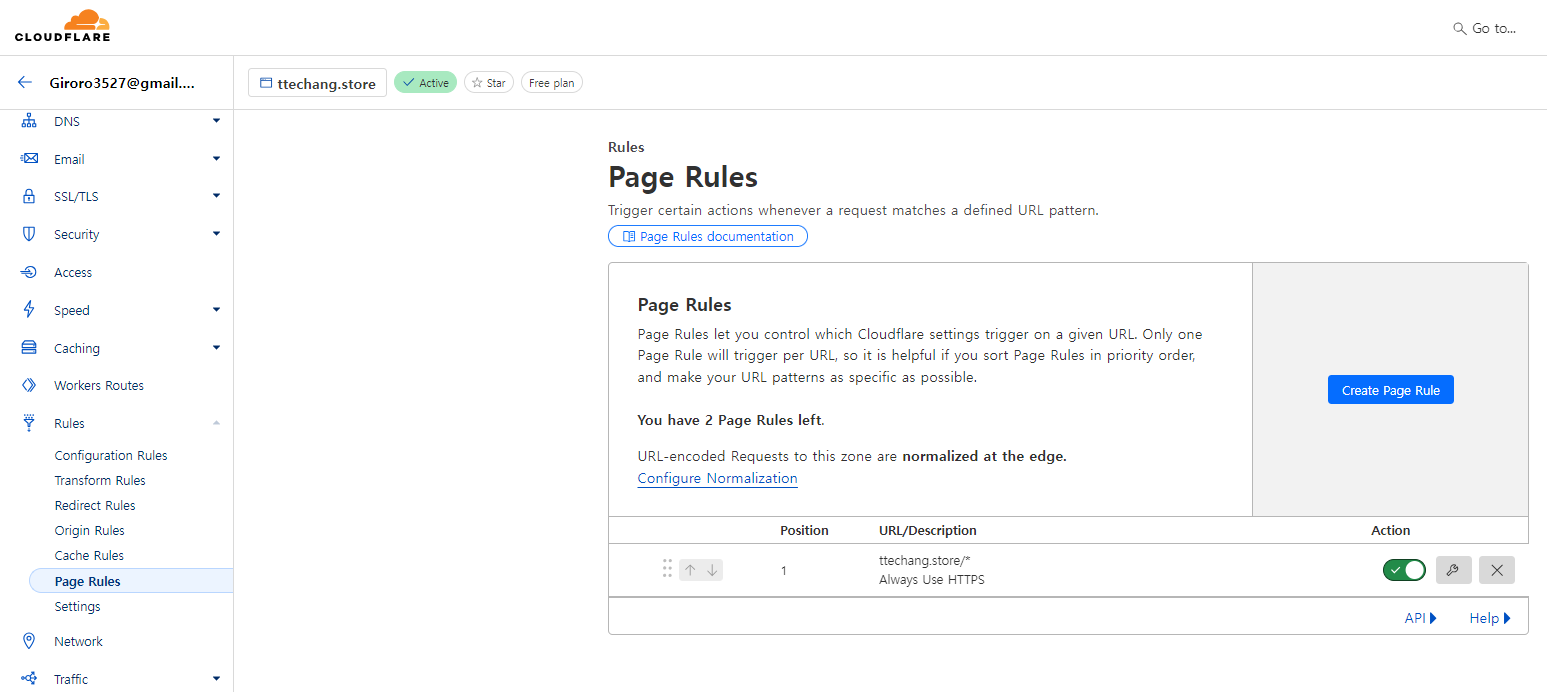
3
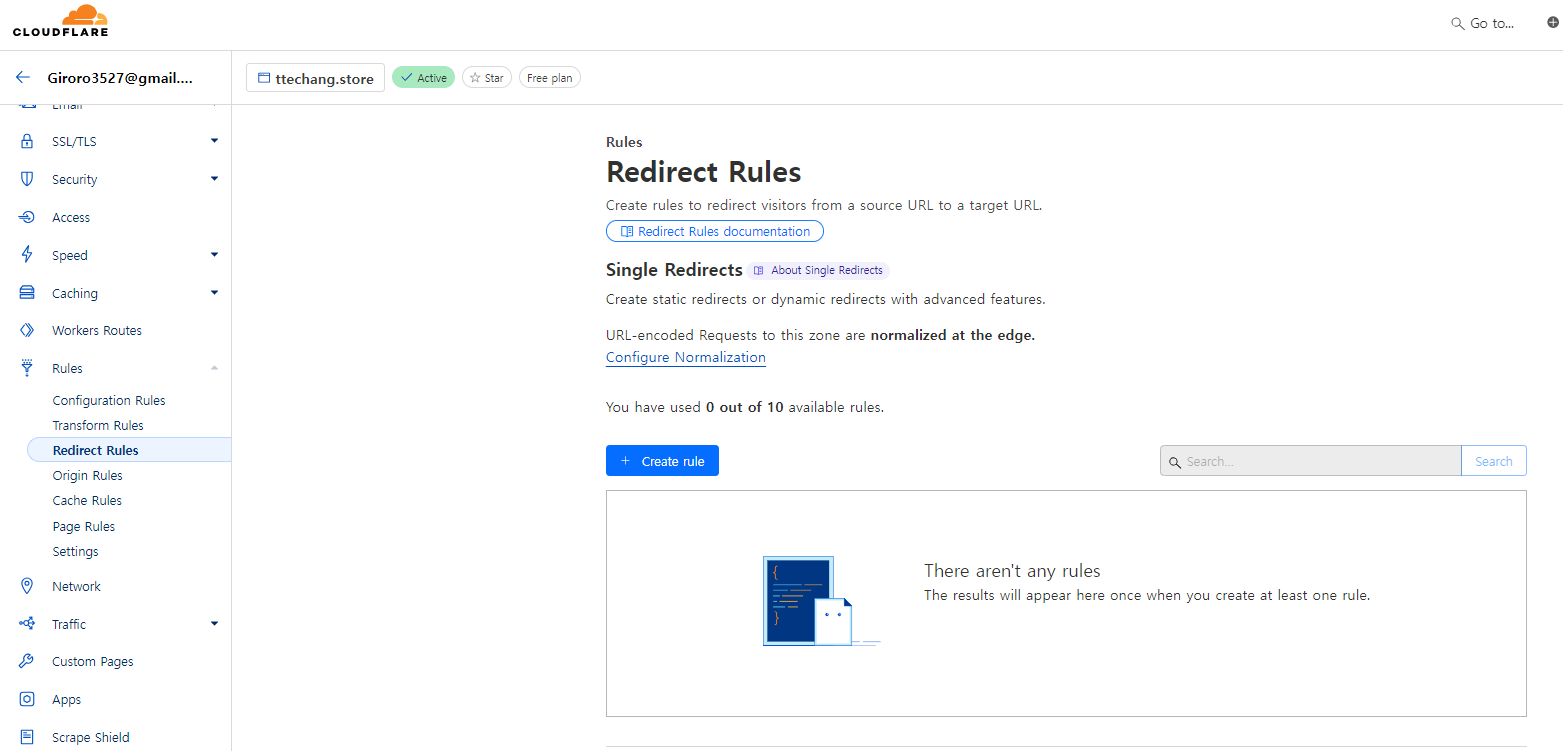
1~3진행해도 안될경우
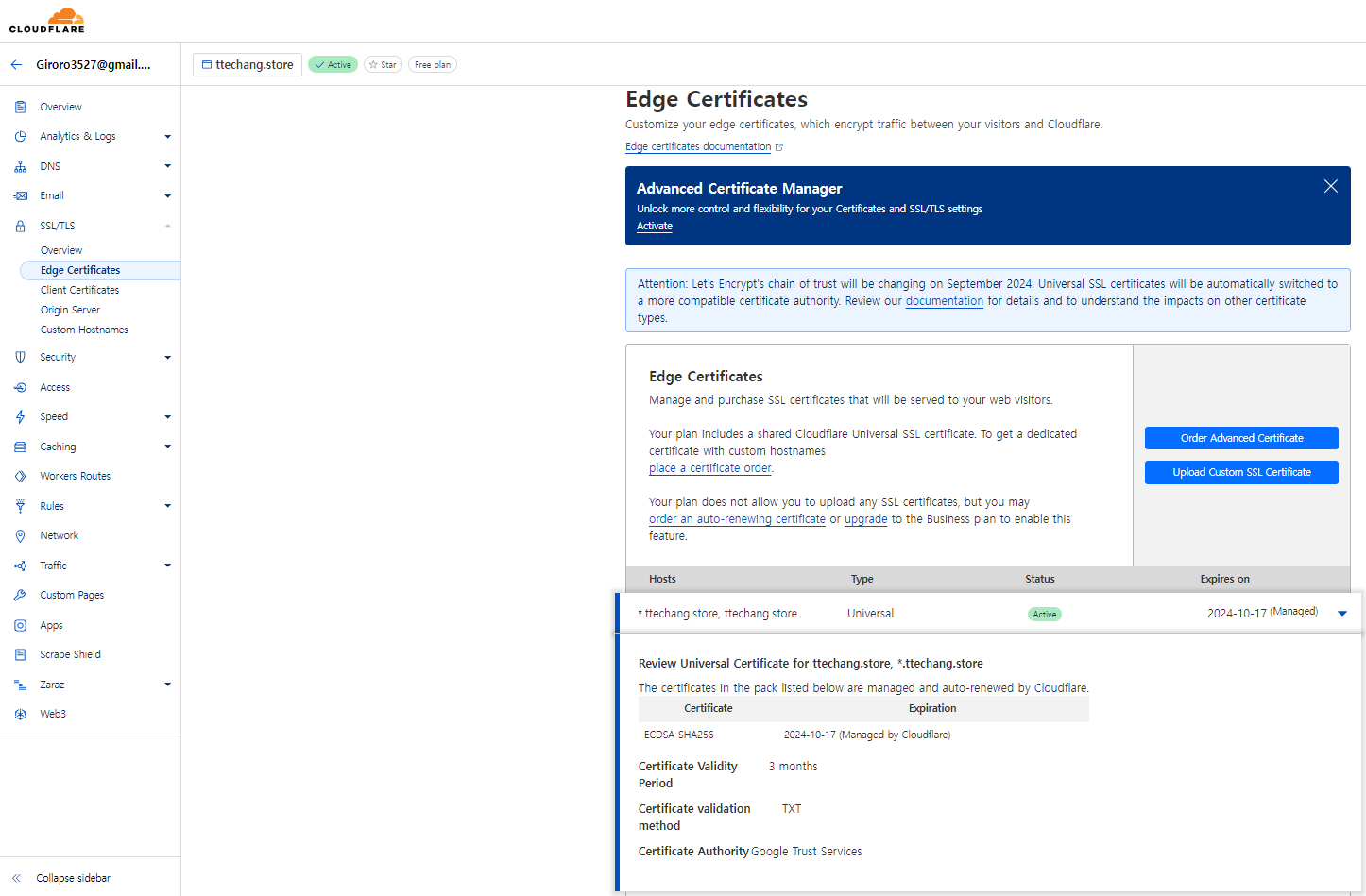
인증서 정보 및 기간 확인
성공화면
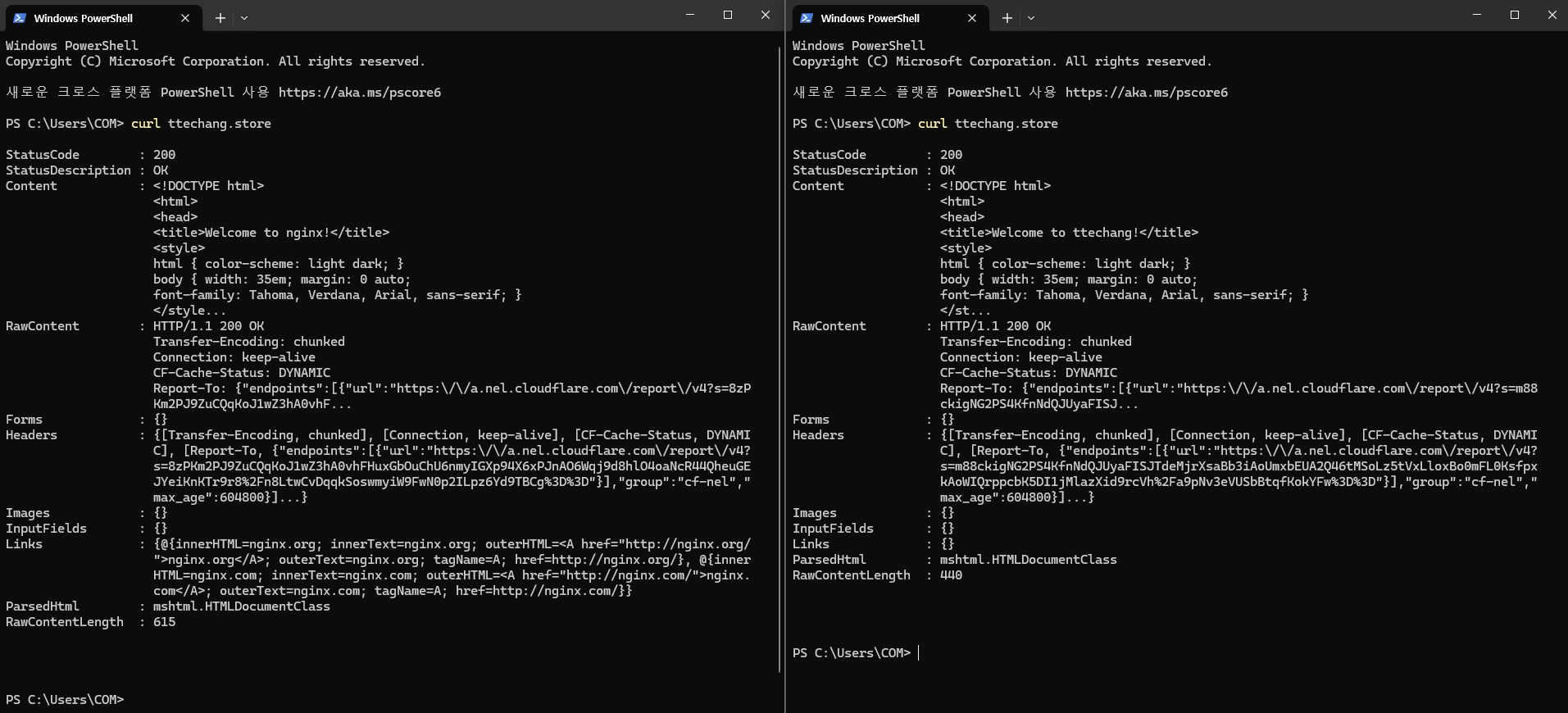

gabia로 구입한 도메인을 cloudflare 네임서버에 등록후 통신 확인

normal