
csv 파일 출력하기
readline()
with open("파일명", encod ing="euc-kr") as 별칭:
	print(별칭.readline())
read_csv() - pandas 사용
df = pd.read_csv("파일명", encoding="euc-kr", low_memory=False)

df.head()

df.to_csv("파일명")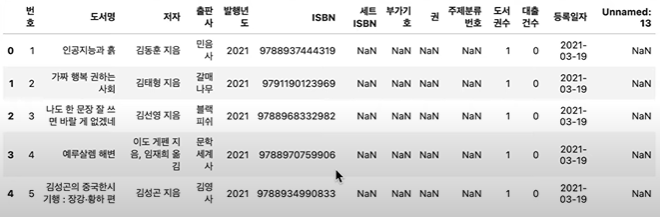
- head() : 처음 5개의 행만 출력
- low_memory : 기본적으로 True, 그러나 각 열의 데이터 타입을 제대로 파악하지 못해 오류발생가능성이 있어서 False로 데이터를 한 번에 읽을 수 있도록 처리
- to_csv() : csv 파일로 저장, 기본적으로 utf파일로 인식해서 encoding 지정하지 않아도 읽을 수 있음
Json
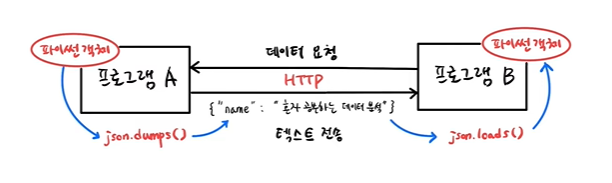
데이터 요청을 받으면 프로그램은 파이썬 객체를 json.dumps()를 이용해 문자열로 변환하여 전송, json.loads()를 이용해 파이썬 객체로 다시 변환
import json

d_str = json.dumps(d, ensure_ascii=False)
print(d_str)
=> {"key":"value"}
import json

d2 = json.loads(d_str)
print(d2["key"])
=> "value"
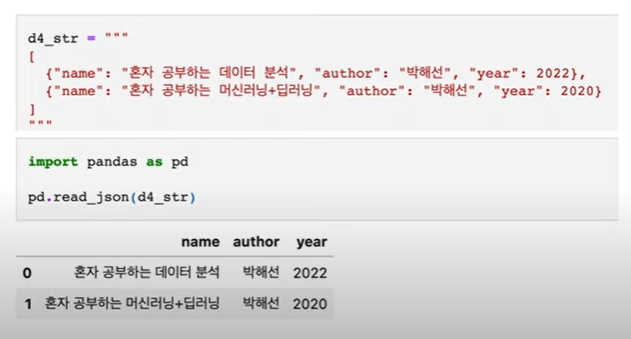
read.json - pandas
XML
- fromstring()
- findtext()
<book>
	<name>데이터분석</name>
    <author>쥬쥬</author>
</book>
x_str = """
<book>
<name>데이터분석</name>
<author>쥬쥬</author>
</book>
"""
import xml.etree.ElementTree as et
book = et.fromstring(x_str)
name = book.findtext("name")
author = book.findtext("author")
print(name)
print(author)=>
데이터분석
쥬쥬
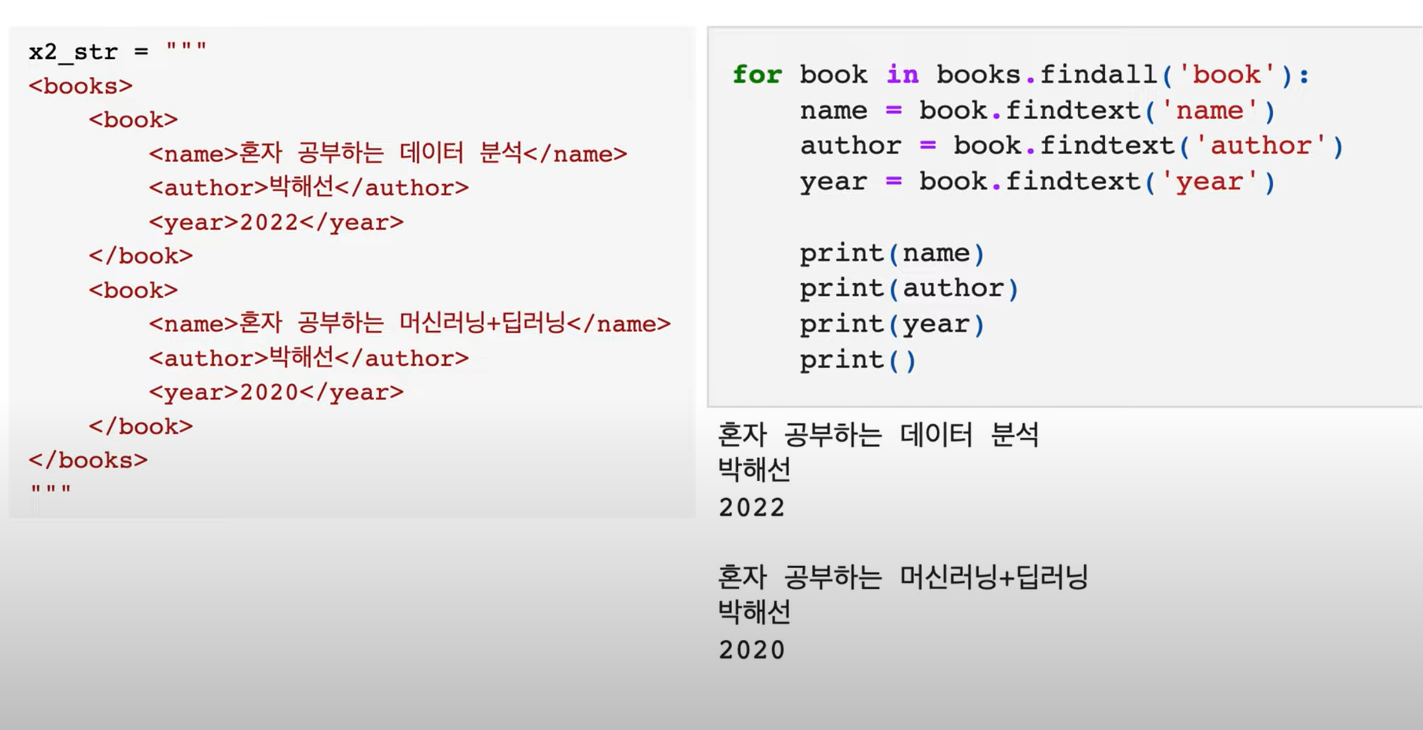
복잡한 XML구조
- findall()
requests로 URL 호출
import requests

r = requests.get(url)

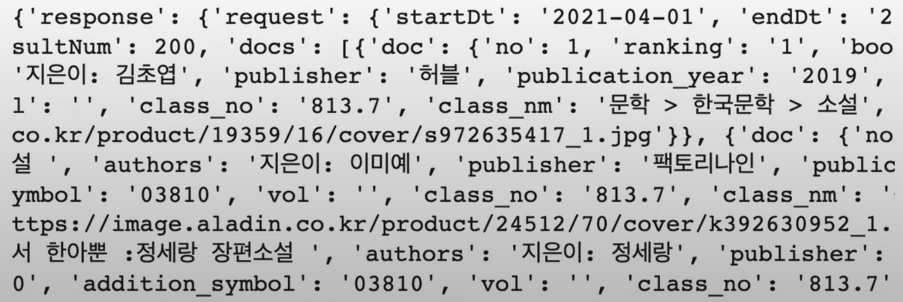
data = r.json()

print(data)
=>
json형태의 데이터들을 가지고 옴
데이터 프레임으로 바꾸기
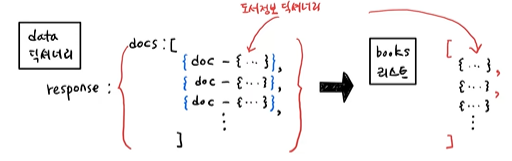
- DataFrame()
import pandas as pd

books_df = pd.DataFrame(books)

books_df
뷰티풀수프
# html.parser를 사용해서 파싱
soup = BeautifulSoup(r.text, "html.parser")

# id가 infoset_specific인 div를 찾아줌
prd_detail = soup.find("div", attrs = {"id":"infoset_specific"})

prd_tr_list = prd_detail.find_all("tr")

for tr in prd_tr_list:
	if tr.find("th").get_text() == "쪽수, 무게, 크기":
    	page_td = tr.find("td").get_text()
        break

# 해당 책의 쪽수를 구할 수 있음
print(page_td.split()[0])
개발자 꿈나무