- "Dev Containers" VS Code extension 설치
- Docker Container 실행
- ssh로 접속한 VS Code에서 <CTRL + SHIFT + P> "Dev Containers: Attach to Running Container..."로 Container에 접속
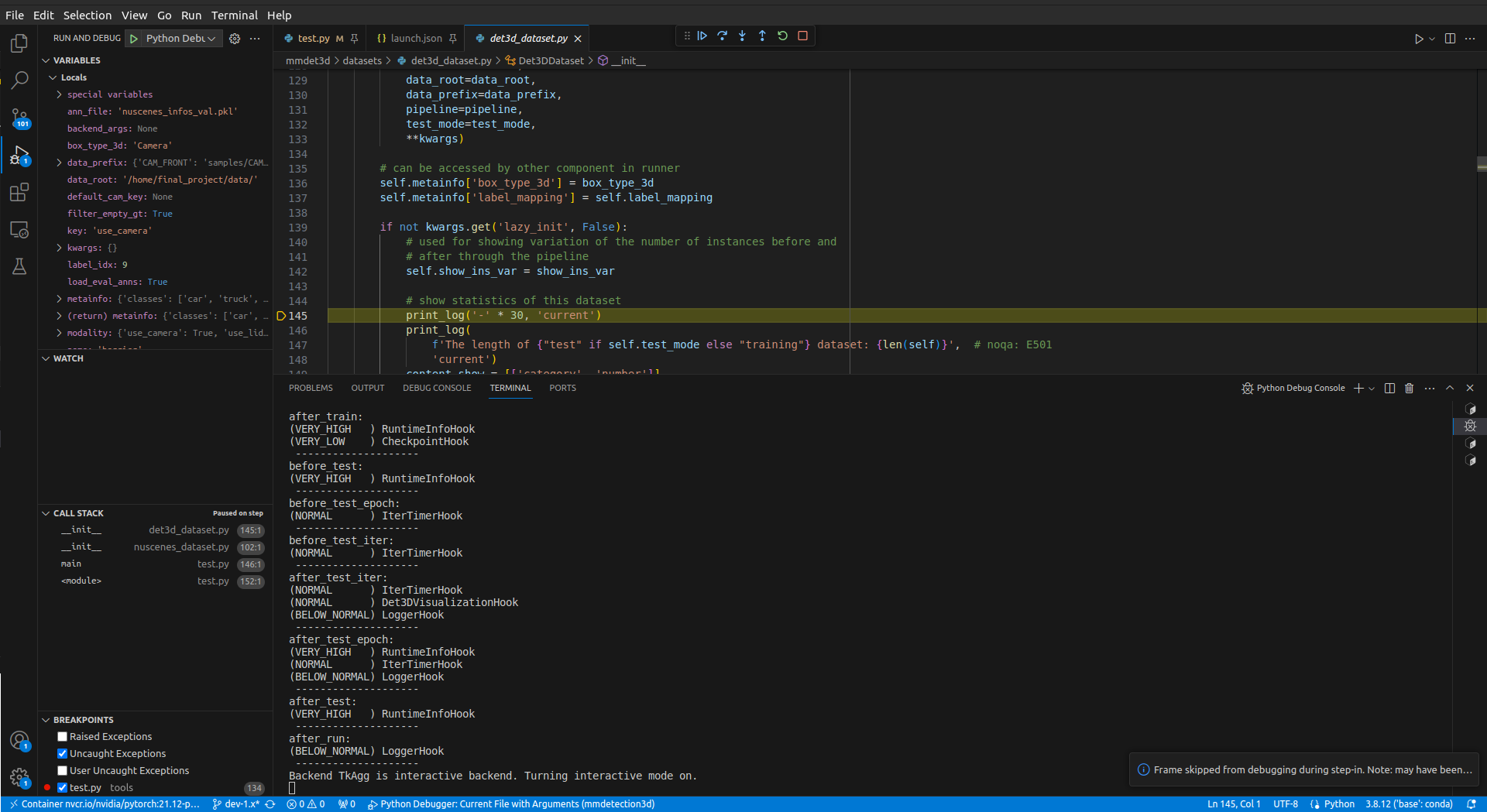
- Run and Debug 실행
- 아래와 같은
.vscode/launch.json생성하여 버튼으로 편하게 실행 가능{ // Use IntelliSense to learn about possible attributes. // Hover to view descriptions of existing attributes. // For more information, visit: https://go.microsoft.com/fwlink/?linkid=830387 "version": "0.2.0", "configurations": [ { "name": "Python Debugger: Current File with Arguments", "type": "debugpy", "request": "launch", "program": "tools/test.py", "console": "integratedTerminal", "args": "train_fcos3d_res50/fcos3d_r101-caffe-dcn_fpn_head-gn_8xb2-1x_nus-mono3d.py train_fcos3d_res50/epoch_12.pth --task mono_det --score-thr 0.2" } ] }
- 아래와 같은

JUST DO IT.