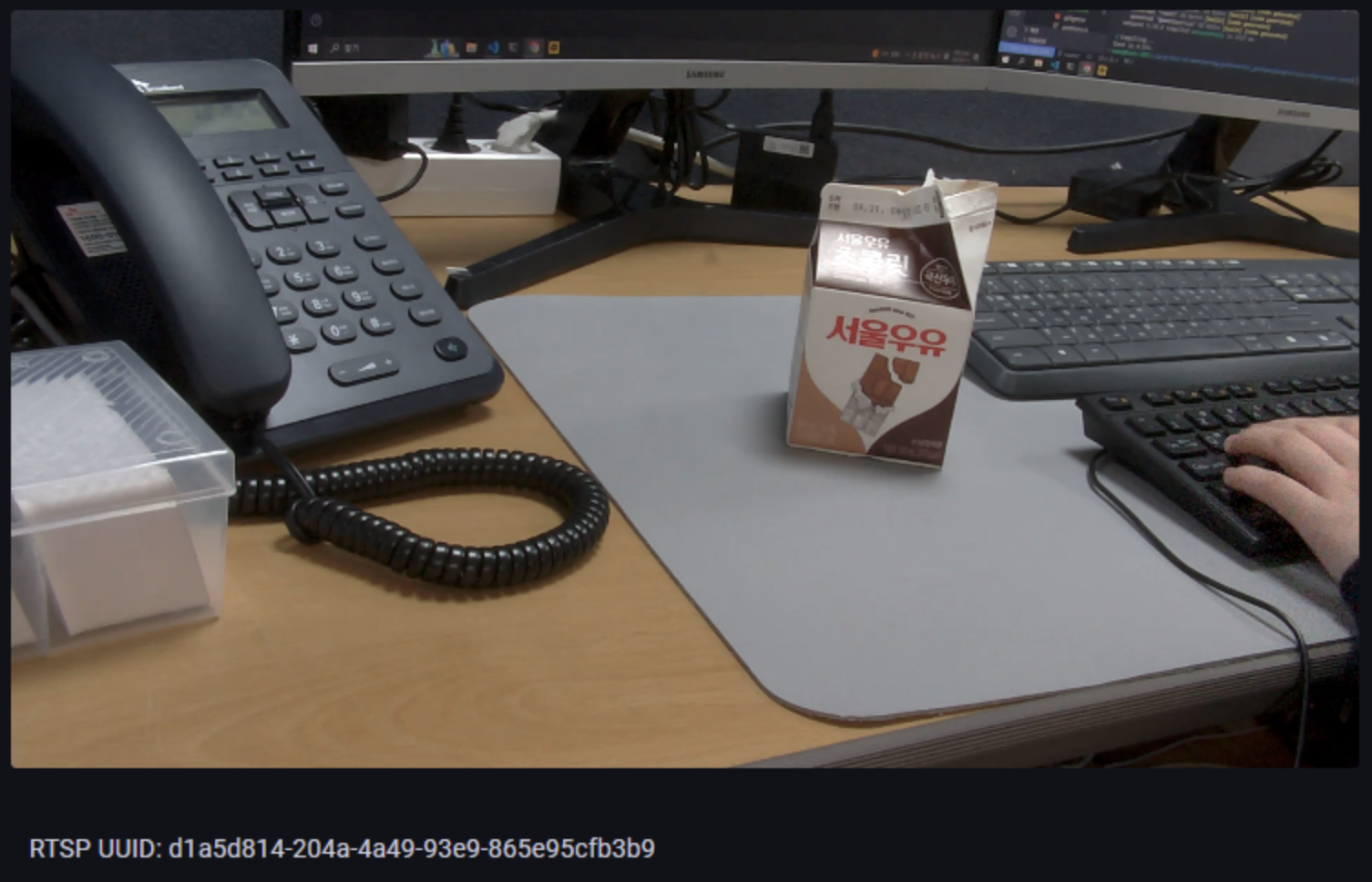
🪴 GitHub 오픈 소스
🪴 HTML5의 video 태그에서 RTSP 프로토콜 지원 안 함
단순 무식한 생각일 수 있지만, video 태그에 rtsp 프로토콜을 가진 IP 카메라의 주소를 넣어주면
실시간 영상을 스트리밍 할 수 있을 것이라고 생각했다.
<video src="rtsp://cam_ip/path/to/stream" />결론은, HTML5의 <video> 태그는 RTSP 스트리밍을 지원하지 않는다.
여러 이유가 있었지만, 내가 이해할 수 있는 이유들만 적어보았다.
-
브라우저 호환성 문제
웹에서는 웹 컨텐츠 전송을 위해 설계된 HTTP 프로토콜을 사용하는데, RTSP는 HTTP와 다른 전송 메커니즘을 사용하기 때문에,
웹 브라우저가 이 프로토콜을 이해/해석 할 수 없음. -
브라우저의 보안 정책
HTTP 는 기본적인 보안 기능(TLS/SSL)이 내장되어 있지만, RTSP는 HTTP와 달리 보안에 취약함.
따라서, 웹 브라우저에서 RTSP 프로토콜을 가진 IP 카메라 영상을 실시간 스트리밍 하려면, HTTP 기반 프로토콜을 사용해야 한다.
아래 HTTP 프로토콜을 기반의 다른 대안책들이 있다.
- [서버부하] FFmpeg, GStreamer, Kurento, Wowza 등을 사용해서 스트림 변환
- RTSP를 WebRTC(Web Real-Time Communication)로 변환하기
- RTSP를 HLS(HTTP Live Streaming)로 변환하기
- RTSP를 WebSocket으로 변환하기
- RTSP를 MJPEG로 변환하기
- [클라이언트부하] FFmpeg 스트림 변환
- [클라이언트부하] VLC 또는 Video.js와 같은 플러그인에 임베드
- Video.js => 테스트 안 해봄
- Video.js in React => 테스트 안 해봄
- VLC => 클라이언트에서 VLC 설치 필요
- [클라이언트부하] deepch/RTSPtoWeb 오픈소스 사용
HLS, DASH .. 등을 사용하기 위해서는 서버에서 FFmpeg 같은 미디어 변환 도구를 사용해서 해결한다.
사내에서 AI 작업과 영상 디코딩 작업들이 이미 서버에 부하를 주고 있었기 때문에, FFmpeg 변환 작업까지 감당하기는 힘든 상황이었다.
서버의 부하 부담을 클라이언트로 끌어오면서, 다른 플러그인이 필요 없는 deepch/RTSPtoWeb + MSE 방법을 채택했다.
🪴 deepch/RTSPtoWeb
- FFmpeg 또는 GStreamer를 사용하지 않는 Golang 언어 기반 서버
- MSE 방식 말고도, WebRTC, HLS, HLSLL 등 탬플릿(html), API 명세서 제공
- 지원 비디오 코덱: H264 all profiles
- 지원 오디오: no
우분투 서버에 설치 및 실행
최종 폴더 구조
RTSP2WEB
  - rtsptoweb
    - config.json
  - docker-compose.yml
docker-compose.yml
services:
  rtsptoweb:
    image: deepch/rtsptoweb:latest
    container_name: rtsptoweb
    restart: always
    ports:
      - "8083:8083" # 서비스 웹 인터페이스
      - "5541:5541" # RTSP 서버 포트
    volumes:
      - ./rtsptoweb/config.json:/config/config.json
config.json
{
  // override setting - https://github.com/deepch/RTSPtoWeb?tab=readme-ov-file#example-configjson
  "channel_defaults": {},
  "server": {
    "debug": true,
    "http_debug": false,
    "http_demo": true,
    "http_dir": "web",
    "http_login": "demo",
    "http_password": "demo",
    "http_port": ":8083",
    "https": false,
    "https_auto_tls": false,
    "https_auto_tls_name": "",
    "https_cert": "server.crt",
    "https_key": "server.key",
    "https_port": ":443",
    "ice_credential": "",
    "ice_servers": [
      "stun:stun.l.google.com:19302"
    ],
    "ice_username": "",
    "log_level": "debug",
    "rtsp_port": ":5541",
    "token": {
      "backend": "http://127.0.0.1/test.php",
      "enable": false
    },
    "webrtc_port_max": 0,
    "webrtc_port_min": 0
  },

  // 스트림 정보
  "streams": {
    "7000a205-daaa-49a2-b7aa-014ab5256eac": {  // 스트림 UUID
      "channels": {
        "0": {  // 스트림 이름
          "debug": true,
          "on_demand": true,  // 시청자가 있을 때만 소스에서 비디오를 가져옴
          "url": "rtsp://id:pw@cam_ip:554/..."  // IP카메라의 RTSP URL
        }
      },
      "name": "0"  // 스트림 이름
    },
    ...
  }
}
실행 & 빌드
$ docker-compose up -d --build실행 웹 페이지
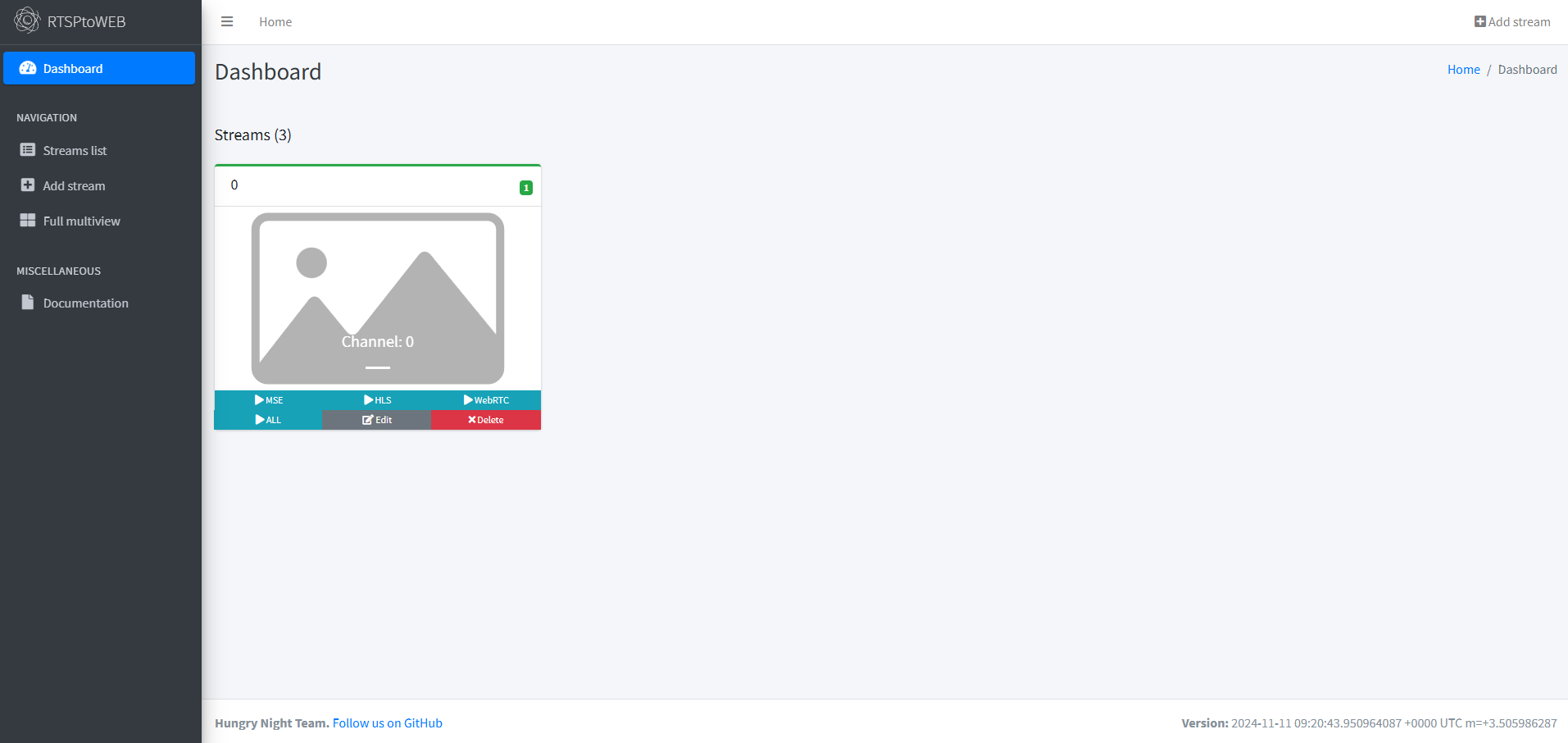
🪴 RTSP2WEB + React + MSE (Media Source Extensions)
Media Source API - MDN Web Docs
- 플러그인이 없는 웹 기반 스트리밍 미디어를 가능하게 하는 기능을 제공
<audio>,<video>요소를 사용하여 재생 가능
Deepch/RTSPtoWeb - API 명세서
Deepch/RTSPtoWeb - MSE tamplate(html, javascript)
API 명세서에 적힌 규칙대로 React.js 컴포넌트를 정의하면 아래와 같다.
(환경변수는 react-inject-env 라이브러리 사용)
import React, { useEffect, useRef, useState } from 'react';

// React 컴포넌트 정의
const MSEVideoPlayer = () => {
  // Ref를 사용하여 비디오 요소에 접근
  const videoPlayerRef = useRef(null);
  // Ref를 사용하여 mse 웹소켓 클라이언트 객체 정의
  let mseWS = useRef();

  const [mseQueue, setMseQueue] = useState([]);
  const [mseSourceBuffer, setMseSourceBuffer] = useState(null);
  const [mseStreamingStarted, setMseStreamingStarted] = useState(false);
  const [videoSound, setVideoSound] = useState(false);

  // 플레이어 초기화 함수
  const startPlay = () => {
    const uuid = document.getElementById('uuid').value;
    const channel = document.getElementById('channel').value;
    const protocol = location.protocol === 'https:' ? 'wss' : 'ws';
    const url = `${protocol}://${location.host}/stream/${uuid}/channel/${channel}/mse?uuid=${uuid}&channel=${channel}`;
    const mse = new MediaSource();
    videoPlayerRef.current.src = window.URL.createObjectURL(mse);

    mse.addEventListener('sourceopen', () => {
      mseWS.current = new WebSocket(url);
      mseWS.current.binaryType = 'arraybuffer';

      // WebSocket 연결 시 로그 출력
      mseWS.current.onopen = () => {
        console.log('Connected to WebSocket');
      };

      // WebSocket 메시지 수신 처리
      mseWS.current.onmessage = (event) => {
        const data = new Uint8Array(event.data);
        if (data[0] === 9) {
          // MIME 코덱 처리
          const decodedArr = data.slice(1);
          let mimeCodec;
          if (window.TextDecoder) {
            mimeCodec = new TextDecoder('utf-8').decode(decodedArr);
          } else {
            mimeCodec = Utf8ArrayToStr(decodedArr);
          }
          if (mimeCodec.indexOf(',') > 0) {
            setVideoSound(true);
          }
          const sourceBuffer = mse.addSourceBuffer(`video/mp4; codecs="${mimeCodec}"`);
          sourceBuffer.mode = 'segments';
          sourceBuffer.addEventListener('updateend', pushPacket);
          setMseSourceBuffer(sourceBuffer);
        } else {
          readPacket(event.data);
        }
      };
    });
  };

  // MSE 패킷 추가
  const pushPacket = () => {
    if (mseSourceBuffer && !mseSourceBuffer.updating) {
      if (mseQueue.length > 0) {
        const packet = mseQueue.shift();
        mseSourceBuffer.appendBuffer(packet);
        setMseQueue([...mseQueue]);
      } else {
        setMseStreamingStarted(false);
      }
    }
    if (videoPlayerRef.current.buffered.length > 0) {
      if (typeof document.hidden !== 'undefined' && document.hidden && !videoSound) {
        // 브라우저에서 소리 없는 비디오가 백그라운드로 일시정지된 경우 처리
        videoPlayerRef.current.currentTime =
          videoPlayerRef.current.buffered.end(videoPlayerRef.current.buffered.length - 1) - 0.5;
      }
    }
  };

  // MSE 패킷 읽기
  const readPacket = (packet) => {
    if (!mseStreamingStarted) {
      mseSourceBuffer.appendBuffer(packet);
      setMseStreamingStarted(true);
    } else {
      setMseQueue([...mseQueue, packet]);
      if (mseSourceBuffer && !mseSourceBuffer.updating) {
        pushPacket();
      }
    }
  };

  // Safari에서 비디오 정지 시 복구
  const handlePause = () => {
    if (
      videoPlayerRef.current.currentTime >
      videoPlayerRef.current.buffered.end(videoPlayerRef.current.buffered.length - 1)
    ) {
      videoPlayerRef.current.currentTime =
        videoPlayerRef.current.buffered.end(videoPlayerRef.current.buffered.length - 1) - 0.1;
      videoPlayerRef.current.play();
    }
  };

  // 초기 설정 및 이벤트 등록
  useEffect(() => {
    startPlay();

    // Clean up
    return () => {
      mseWS.current.close(1000, "");
    }
  }, []);

  return (
    <div className="content">
      {/* MSE 비디오 플레이어 */}
      <video id="videoPlayer" ref={videoPlayerRef} controls width="100%" />
    </div>
  );
};

export default MSEVideoPlayer;