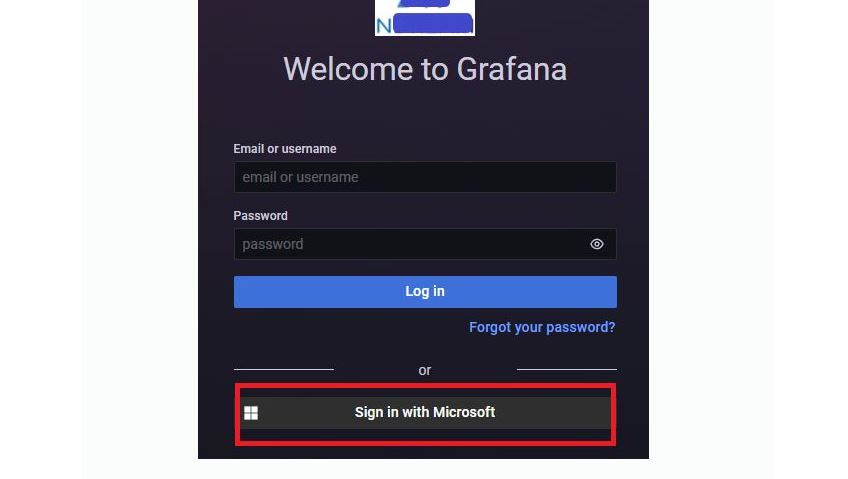
Single Sign-On(SSO)은 사용자가 하나의 계정으로 여러 애플리케이션이나 서비스에 로그인할 수 있게 해주는 인증 방식으로, Grafana와 같은 모니터링 도구에 적용하면 운영상의 이점과 사용자 경험 개선이 가능합니다.
Azure AD
앱 등록
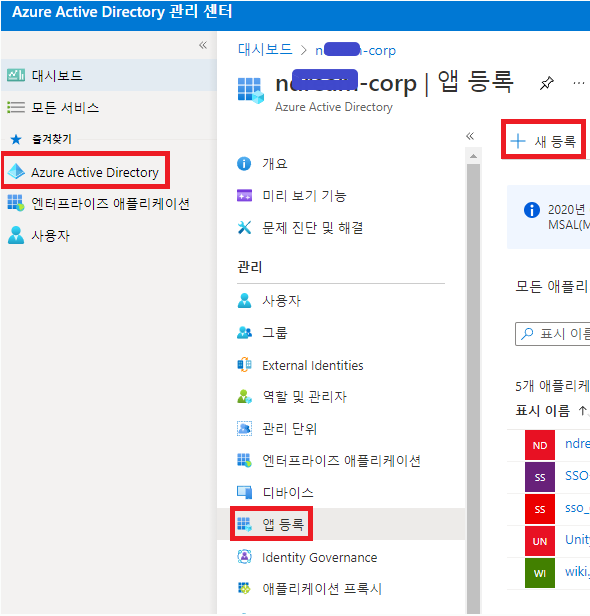
- 좌측 리스트에서 [Azure Active Directory] 클릭
- [앱 등록] 클릭
- [새 등록] 클릭
- 앱 이름 : 'sso_grafana' 따위로 다른 앱과 구분되는 이름을 지어줍니다.
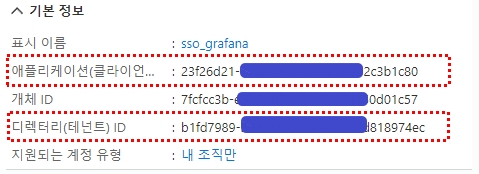
- 애플리케이션(클라이언트) ID : 23f26d21-7777-4444-9a5a-222222
- 클라이언트 암호 값 : K5e7Q~xxxxxxxx.yyy~123456789a.

생성된 앱의 엔드포인트가 값에는, '디렉터리 ID'가 확장된 값이 할당됩니다.
- OAuth 2.0 권한 부여 엔드포인트(v2) : https://login.microsoftonline.com/b1fd7989-5555-4444-9999-aaaaaaaaaec/oauth2/v2.0/authorize
- OAuth 2.0 토큰 엔드포인트(v2) : https://login.microsoftonline.com/b1fd7989-5555-4444-9999-aaaaaaaaaec/oauth2/v2.0/token
Grafana
Grafana 설정파일
vi /usr/share/grafana/conf/grafana.ini
AzureAD에서 생성한 앱의 속성 값들을, grafana 환경 파일에 넣어줍니다.
#################################### Server ##############################
[server]
# Protocol (http, https, h2, socket)
protocol = https

# The ip address to bind to, empty will bind to all interfaces
http_addr = monitoring.company.com

# The http port to use
http_port = 3000

# The public facing domain name used to access grafana from a browser
domain = monitoring.company.com

# Redirect to correct domain if host header does not match domain
# Prevents DNS rebinding attacks
enforce_domain = true

# The full public facing url
root_url = %(protocol)s://%(domain)s:%(http_port)s/
#################################### Azure AD OAuth #######################
[auth.azuread]
name = Azure AD
enabled = true
allow_sign_up = true
client_id = 23f26d21-7777-4444-9999-2222222220
client_secret = K5e7Q~Xxxxxxxxx.ByB~rrrrrrrrrsu.
scopes = openid email profile
auth_url = https://login.microsoftonline.com/b1fd7989-50d8-4444-9999-aaaaaaaec/oauth2/v2.0/authorize
token_url = https://login.microsoftonline.com/b1fd7989-50d8-4444-9999-aaaaaaaec/oauth2/v2.0/token
allowed_domains =
allowed_groups =
`
< Grafana 서비스 재시작 >
- 서비스 재시작
service grafana-server restart
- 서비스 상태 확인
service grafana-server status
<SSO가 적용된 Grafana 로그인 화면>
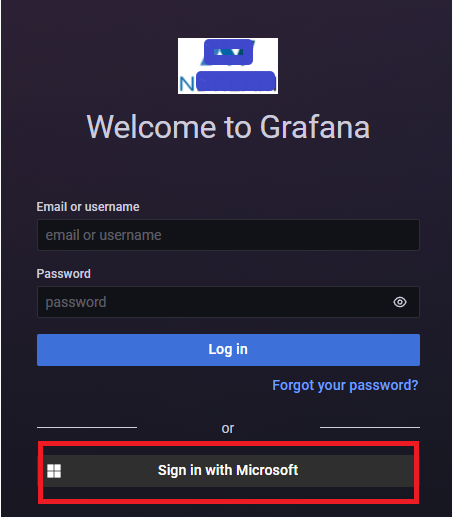
URL 매칭 이슈 해결
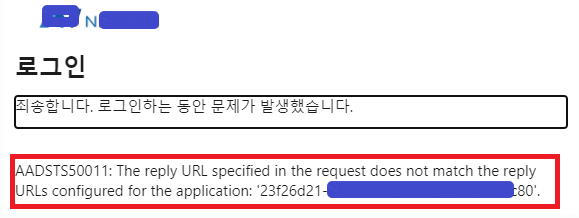
구성을 모두 마쳤는데, SSO 로그인 시도 시 URL 매칭이 되지 않는다는 에러가 발생할 경우, 아래와 같이 해결합니다.
< 증 상 >
< 해결 방법 >
기존 '리디릭션 URI'가 아래와 같은 형식으로 등록되어 있을 경우
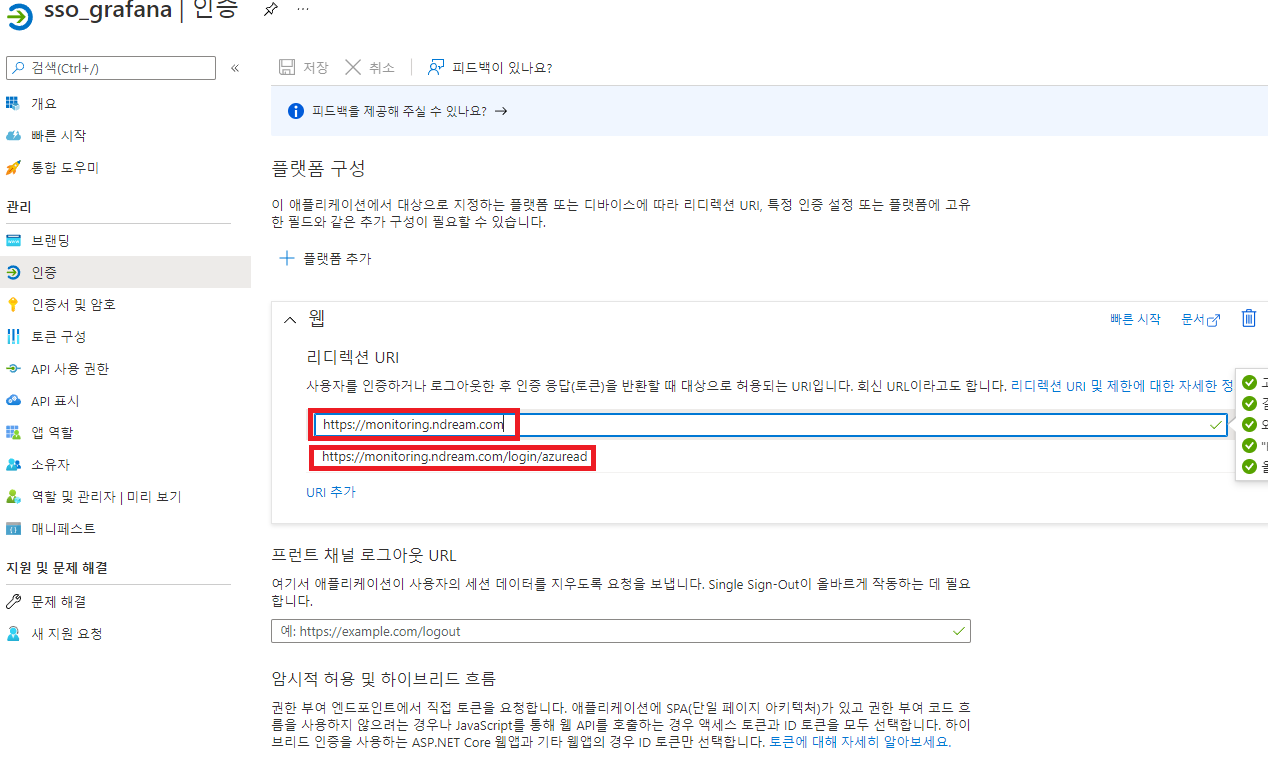
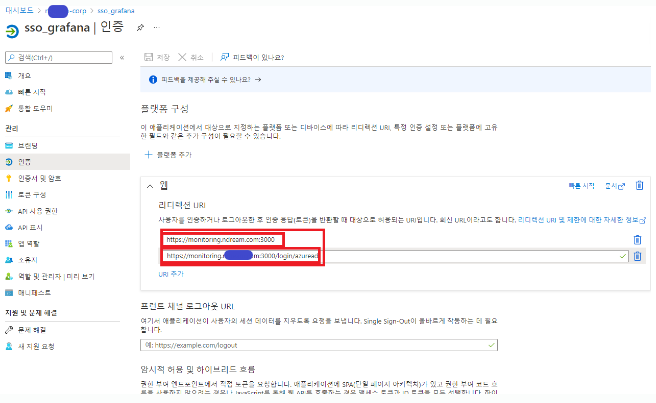
아래와 같이 URL 뒤에 포트번호 기재 후 저장합니다.
추가 옵션
로컬 로그인창 비활성화
sso 로그인을 가능하게 만들었으니, 기존 로컬 로그인창을 비활성화 하는 방법입니다.
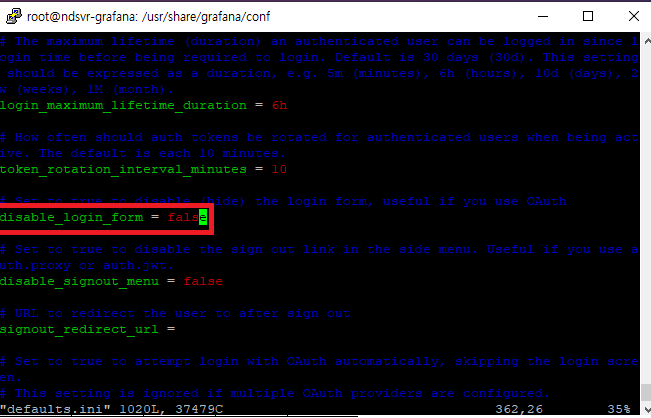
- /usr/share/grafana/conf/default.ini 에서 비활성화는 true, 로컬 로그인창을 다시 보이게끔 설정하려면 false

Cloud Engineer