1. Branching & Merging Basics
[commit 3] feature
[commit 2] main
[commit 1]
1. Create a branch: git branch feature
2. Switch to the branch: git switch feature
3. Create a commit: git add .. & git commit ..
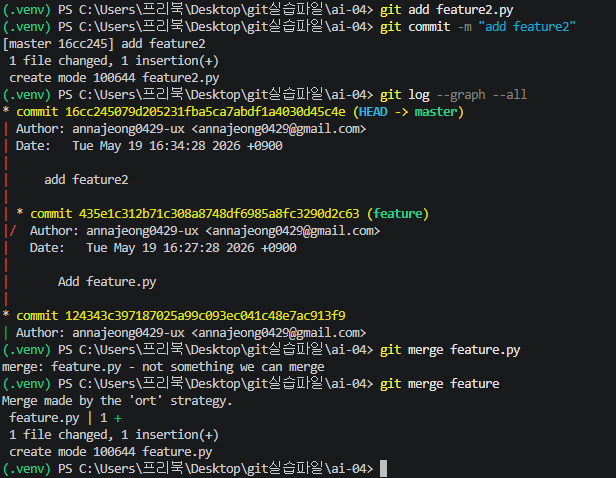
4. Merge branches: (on main) git merge feature
4-1. Fast-forward merge.
[commit 2] main
[commit 1]
1. Create a branch: git branch feature
2. Switch to the branch: git switch feature
3. Create a commit: git add .. & git commit ..
4. Merge branches: (on main) git merge feature
4-1. Fast-forward merge.
2. 3-Way Merge Concepts
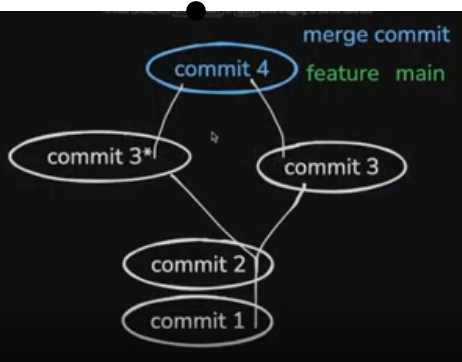
[commit 4] feature main == merge commit [commit 3] main
[commit 3*] feature
[commit 2]
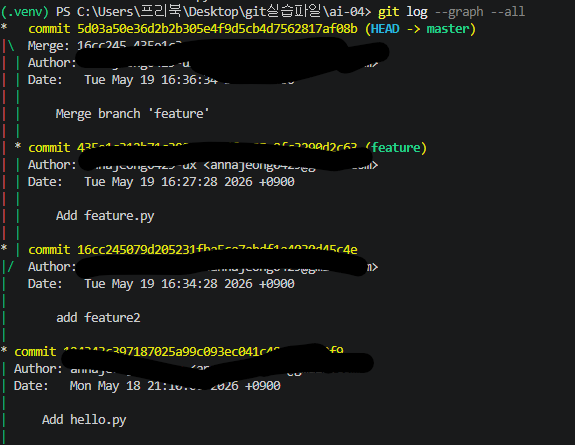
[commit 1] Merge = [commit 4] = Combines commit 2, commit 3, and commit 3* 4-2. 3-way merge
[commit 2]
[commit 1] Merge = [commit 4] = Combines commit 2, commit 3, and commit 3* 4-2. 3-way merge
3. Remote Repositories & Commands
My Computer - Local Repository
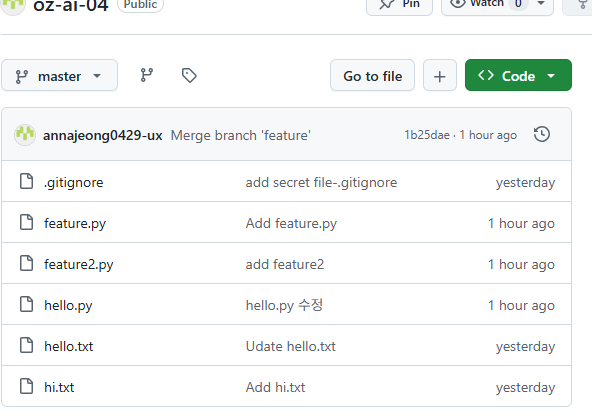
GitHub - Remote Repository
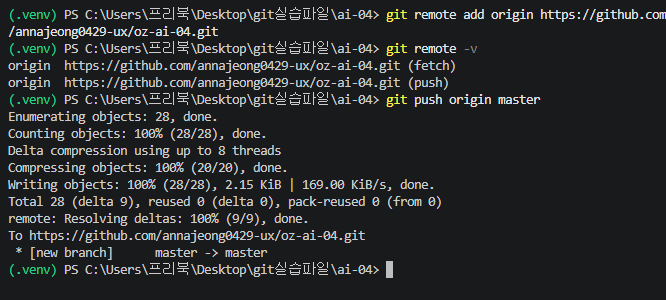
git remote add origin [URL]
git remote -v
(fetch) (push)
git push origin main
git fetch origin main
git merge origin/main
(fetch + merge = pull -> git pull origin main)
4. Project Workflow
- Steps 1 & 2 are mostly done on the Local Machine (My Computer).
- Steps 3 to 5 are mostly managed on GitHub.
- Steps 5 & 6 are typically handled via Cloud / Infrastructure.
- Steps 3 to 5 are mostly managed on GitHub.
- Steps 5 & 6 are typically handled via Cloud / Infrastructure.
5. Useful Shortcut Command
Create a new branch named 'document' and switch to it simultaneously
- git switch -c document
