**DataFrame기초 - 과제 응용!조회(인덱스에서)**
지금까지 컬럼에서 조회를 진행하였다면 이번 글에서는 인덱스를 기준으로 조회를 진행해보자.
실습 환경 구축
파일과 필요 컬럼을 가져온다.
import pandas as pd

cols = ['Genre','Series_Title','Released_Year','IMDB_Rating','Meta_score','Director','No_of_Votes','Gross']
movie_df = pd.read_csv('imdb_top_1000.csv', usecols =cols)

movie_df = movie_df[cols]
이후 영화 제목 컬럼을 인덱스로 만들어 준다.
movie_df.set_index('Series_Title', inplace =True)
movie_df.index.name = 'Title'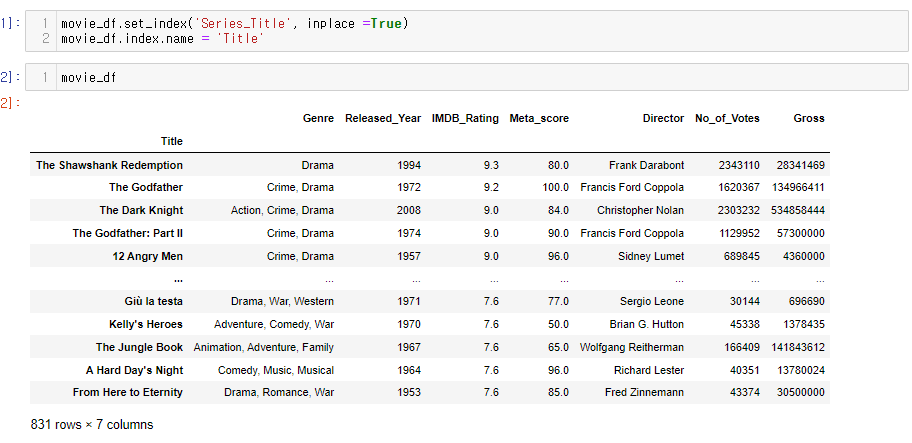
인덱스 조회 .col
이전에 Series 글에서도 사용했던 .col 함수이다.
기본 예제 : 특정 인덱스 조회
The Godfather 이라는 인덱스(영화제목)를 조회해보자.
movie_df.loc['The Godfather']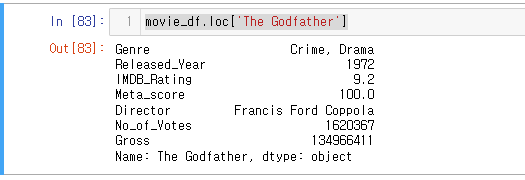
응용예제 : 특정 단어가 들어가는 인덱스 조회 - contains
위에서는 'The Godfather' 라는 영화를 조회 해보았다면
이번에는 'The Godfather'라는 글자가 들어가는 영화들을 조회해 보자.
movie_df.index.str.contains('The Godfather')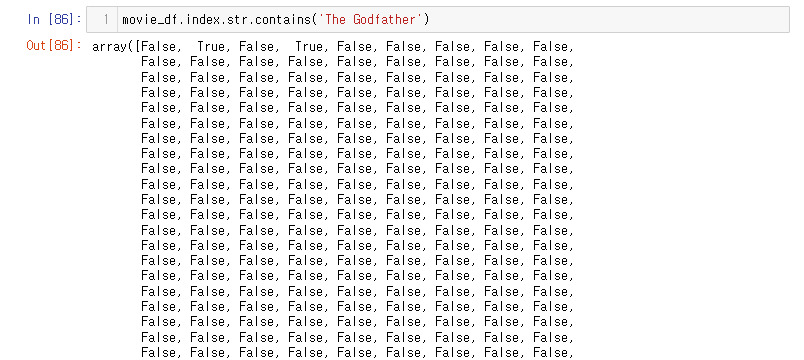
contains 를 이용해 The Godfather 이 포함된 문자열을 True 처리 했다.
이후 movie_df함수 대괄호에 넣어주면 해당 데이터만 조회된다. (Series글 참고)
movie_df[movie_df.index.str.contains('The Godfather')]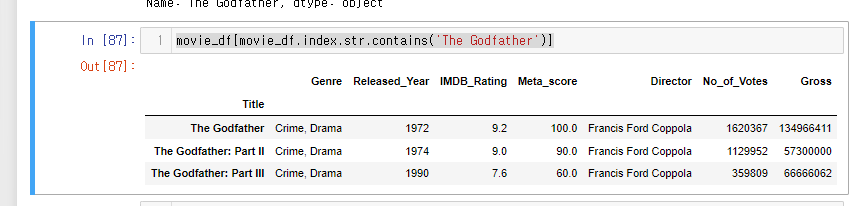
응용예제 : 장르에서 Animation이 들어간 영화 갯수 조회
movie_df[movie_df['Genre'].str.contains('Animation')]67개 행 즉 67개가 반환된다.

LV. 1