GameManager.cs
using System.Collections;
using System.Collections.Generic;
using UnityEngine;
using TMPro;
using UnityEngine.SceneManagement;
using UnityEngine.UI;

public class GameManager : MonoBehaviour
{
	// 🔹Inspector에서 드래그
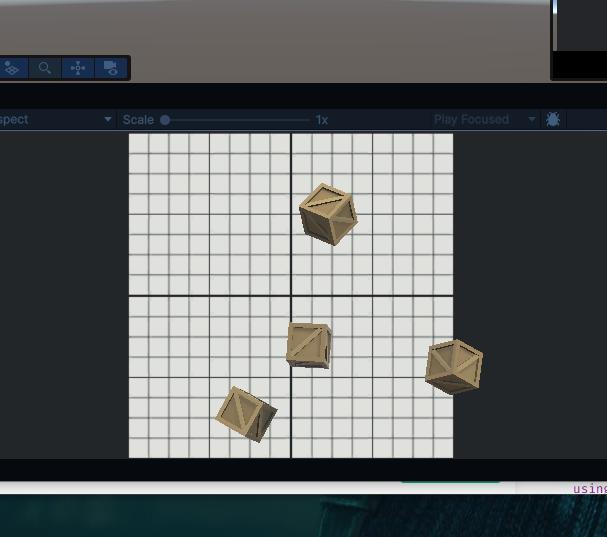
    public List<GameObject> targets;	// 스폰할 타겟 프리팹들
    public TextMeshProUGUI scoreText;	// 화면 점수 표시
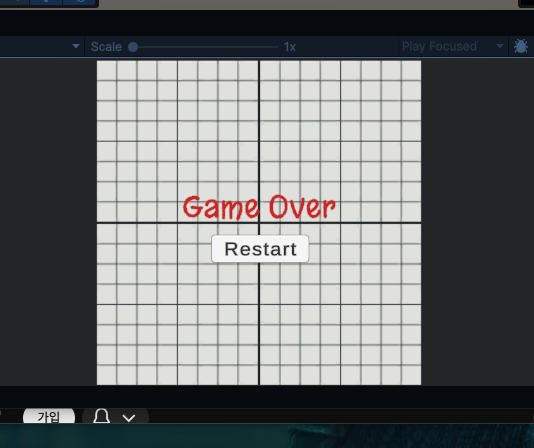
    public TextMeshProUGUI gameOverText;	// 게임오버 텍스트
    public Button restartButton;	// 다시 시작 버튼
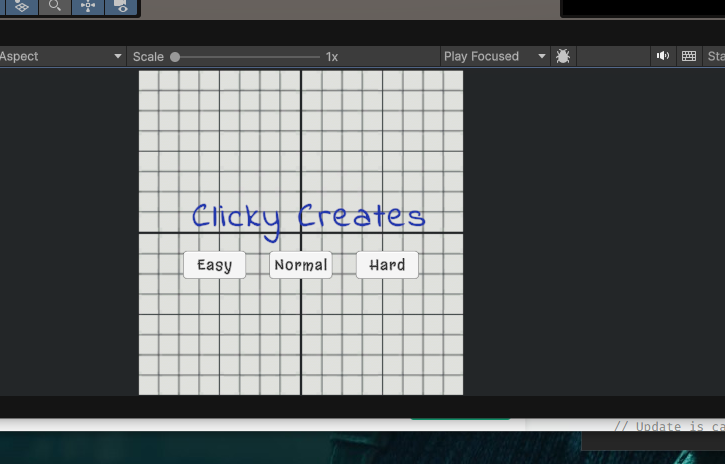
    public GameObject titleScreen;	// 난이도 선택 화면
    public bool isGameActive;		// 게임 진행 중인지 상태 체크
    private int score;
    private float spawnRate = 1.0f;	// 타겟 생성 주기 (초)


    void Start()
    {

    }

    // Update is called once per frame
    void Update()
    {

    }

	// 🔹 타겟 생성 코루틴
    IEnumerator SpawnTarget()
    {
        while (isGameActive)
        {
            yield return new WaitForSeconds(spawnRate); // spawnRate 간격으로 대기
            int index = Random.Range(0, targets.Count); // 랜덤 타겟 선택
            Instantiate(targets[index]); // 선택한 타겟 생성
        }
    }

    public void UpdateScore(int scoreToAdd)
    {
        score += scoreToAdd;
        scoreText.text = "Score: " + score;
    }

	// 🔹 게임 오버 처리
    public void GameOver()
    {
        restartButton.gameObject.SetActive(true);	// 다시 시작 버튼 표시
        gameOverText.gameObject.SetActive(true);	// 게임오버 텍스트 표시
        isGameActive = false;	// 게임 종료 상태로 변경
    }

	// 🔹 게임 다시 시작
    public void RestartGame()
    {
       // 현재 씬 다시 로드 → 게임 상태 초기화
        SceneManager.LoadScene(SceneManager.GetActiveScene().name);
    }

	// 🔹 게임 시작 함수
    public void StartGame(int difficulty)
    {
        isGameActive = true;
        score = 0;
        spawnRate /= difficulty;	// 난이도에 따라 spawnRate 조절 (난이도 높을수록 빠르게 생성)

        StartCoroutine(SpawnTarget());	// 타겟 생성 코루틴 시작
        UpdateScore(0); // 시작하자마자 화면에 Score: 0 이라고 보여주기

        titleScreen.gameObject.SetActive(false);	/ 난이도 선택 화면 비활성화
    }

}
Target.cs
using UnityEngine;

public class Target : MonoBehaviour
{
    private Rigidbody targetRb;      // 물리력 적용용 Rigidbody
    private GameManager gameManager; // 게임 상태 참조
    private float minSpeed = 12;     // 타겟 최소 속도
    private float maxSpeed = 16;     // 타겟 최대 속도
    private float maxTorque = 10;    // 회전 토크
    private float xRange = 4;        // x축 스폰 범위
    private float ySpawnPos = -6;    // y축 시작 위치

    public ParticleSystem explosionParticle; // 클릭 시 폭발 이펙트
    public int pointValue;                   // 타겟 점수


    void Start()
    {
        targetRb = GetComponent<Rigidbody>(); // Rigidbody 가져오기
        // GameManager 참조 가져오기
        gameManager = GameObject.Find("Game Manager").GetComponent<GameManager>();

        // 랜덤 힘과 회전을 적용해 위로 튀어오르기
        targetRb.AddForce(RandomForce(), ForceMode.Impulse);
        targetRb.AddTorque(RandomTorque(), RandomTorque(), RandomTorque(), ForceMode.Impulse);

        // 랜덤 스폰 위치 이동
        transform.position = RandomSpawnPos();
    }

    void Update()
    {


    }

    // 🔹 클릭 시 점수 증가 및 폭발
    private void OnMouseDown()
    {
        if (gameManager.isGameActive) // 게임 중 반응
        {
            gameManager.UpdateScore(pointValue); // 점수 추가
            Destroy(gameObject);                  // 타겟 제거
            Instantiate(explosionParticle, transform.position, explosionParticle.transform.rotation); // 폭발 효과
        }
    }

    // 🔹 타겟이 바닥에 닿으면 + GameOver 처리
    private void OnTriggerEnter(Collider other)
    {
        Destroy(gameObject); // 충돌 시 제거

        if(!gameObject.CompareTag("Bad")) // Bad 타겟이 아니면 게임오버
        {
            gameManager.GameOver();
        }
    }

    // 🔹 랜덤 포스
    Vector3 RandomForce()
    {
        return Vector3.up * Random.Range(minSpeed, maxSpeed);
    }

    // 🔹 랜덤 회전
    float RandomTorque()
    {
        return Random.Range(-maxTorque, maxTorque);
    }

    // 🔹 랜덤 스폰 위치
    Vector3 RandomSpawnPos()
    {
        return new Vector3(Random.Range(-xRange, xRange), ySpawnPos);
    }
}
DifficultyButton
using UnityEngine;
using UnityEngine.UI;

public class DifficultyButton : MonoBehaviour
{
    private Button button;
    private GameManager gameManager;
    public int difficulty;

    void Start()
    {
        //Debug.Log(GameObject.Find("Game Manager")); 디버그용 코드

        button = GetComponent<Button>();
        gameManager = GameObject.Find("Game Manager").GetComponent<GameManager>();

        button.onClick.AddListener(SetDifficulty);
    }

    void Update()
    {

    }

    void SetDifficulty()
    {
        Debug.Log(gameObject.name + " was clicked");
        gameManager.StartGame(difficulty);
    }
}

게임 개발에 관한 재밌는 글을 쓰고 싶습니다.