Canvas를 이용하여 씬 전환 시 로딩화면 구현
 [Image 1] 로딩 화면 UI
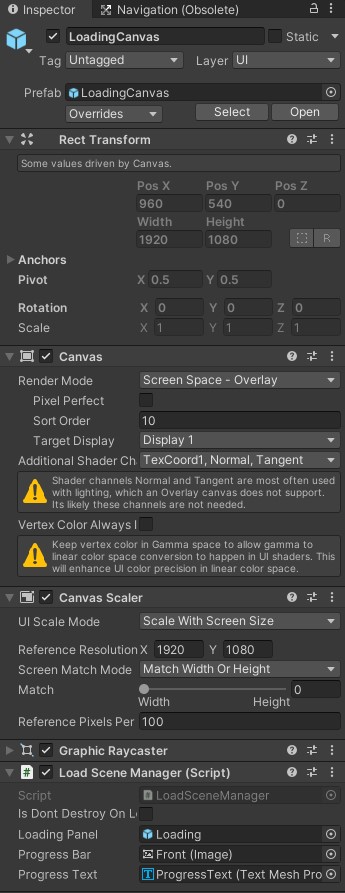
- 위의 로딩 화면 UI를 갖고 있는 Canvas에 MonoSingleton인 LoadSceneManager 스크립트를 붙여 Don'tDestroyOnLoad로 만든다.
- Scene이 전환될 때마다 해당 로딩 화면을 띄우고 다음 씬을 로드한다.
- 다음 씬의 로딩이 끝나면 로딩 화면을 비활성화하고 씬이 전환된다.
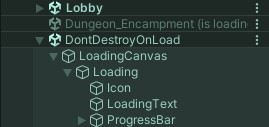
- 아래 코드에서 LoadScene 메서드를 호출하면 Hierarchy창에 아래 [Image 2]와 같이 다음 씬이 로딩중이라고 표시된다.
 [Image 2] Hierarchy창에 표시된 다음 씬
using System.Collections;
using TMPro;
using UnityEngine;
using UnityEngine.SceneManagement;
using UnityEngine.UI;

public class LoadSceneManager : MonoSingleton<LoadSceneManager>
{
    public GameObject loadingPanel;
    public Image progressBar;
    public TMP_Text progressText;

    private void Start()
    {
        SceneManager.sceneLoaded += OnSceneLoaded;
    }

    private void OnDestroy()
    {
        SceneManager.sceneLoaded -= OnSceneLoaded;
    }

    private void OnSceneLoaded(Scene scene, LoadSceneMode mode)
    {
        loadingPanel.SetActive(false);
    }

    public void LoadScene(string sceneName)
    {
        loadingPanel.SetActive(true);
        StartCoroutine(LoadingAsync(sceneName));
    }

    IEnumerator LoadingAsync(string sceneName)
    {
        AsyncOperation asyncOperation = SceneManager.LoadSceneAsync(sceneName);
        asyncOperation.allowSceneActivation = false;

        float time = 0f;
        float progress = 0f;

        while (!asyncOperation.isDone)
        {
            yield return null;
            time += Time.deltaTime;
            if (progress >= 90f)
            {
                progress = Mathf.Lerp(progress, 100f, time);

                if (progress == 100f)
                {
                    asyncOperation.allowSceneActivation = true;
                }
            }
            else
            {
                progress = Mathf.Lerp(progress, asyncOperation.progress * 100f, time);
                if (progress >= 90f) time = 0f;
            }
            progressText.text = $"{progress}%";
            progressBar.fillAmount = progress * 0.01f;
        }
    }
}

게임 개발 기록