html/css를 이용하여 홈페이지 만들기
오늘은 버튼을 누르면 추가메뉴가 나오는영역을 만들어보았다.
<body>영역
<body>
   <input type="checkbox" id="icon">
   <label for="icon">
        <span></span>
        <span></span>
        <span></span>
   </label>
   <div id="header">
       <ul>
           <li><a href="#">menu1</a></li>
           <li><a href="#">menu1</a></li>
           <li><a href="#">menu1</a></li>
           <li><a href="#">menu1</a></li>
           <li><a href="#">menu1</a></li>
       </ul>
   </div>
</body>
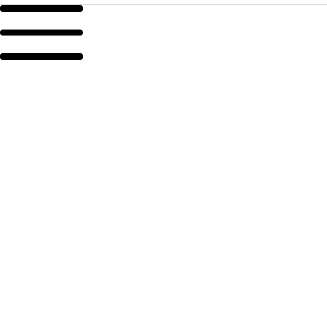
<input>을 이용해 체크박스를 하나 만들어 놓고 체크박스 위에 아이콘 모양을 만들기 위해<span>을 3개 만들어두었다.
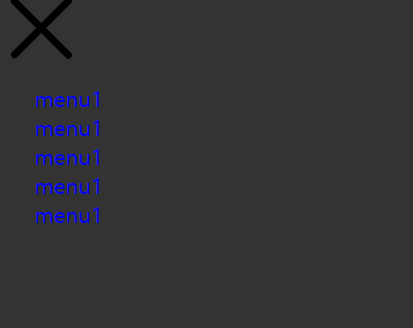
<div><ul><lu>를 이용해 icon 클릭시 나올 menu부분도 추가하였다.
CSS 영역
input[id="icon"]{
    display: none;
}

input[id="icon"] + label{
    position: relative;
    display: block;
    width: 60px;
    height: 40px;
    cursor: pointer;
}

input[id="icon"] + label > span{
    position: absolute;
    display: block;
    width: 100%;
    height: 5px;
    border-radius: 30px;
    background: #000;
    transition: all 0.35s;
    z-index: 2;
}
checkbox를 display:none를 사용해 빈공간으로 만들어준후 icon영역에 크기와 위에 마우스가 올라갈시 커서가 포인터로 바뀌게 만들었다.
아이콘 모양을 만들기 위한<span>을 크기 설정과 모서리 부분 라운딩을 하고 transition을 이용해 생동감을 더하였다.
z-index를 사용해 우선순위를 앞으로 하여 후에 추가할 menu부분보다 앞에 오게 했다.
input[id="icon"] + label > span:nth-child(1){
    top: 0px;
}
input[id="icon"] + label > span:nth-child(2){
    top:50%;
    transform: translateY(-50%);
}
input[id="icon"] + label > span:nth-child(3){
    bottom: 0px;
}

input[id="icon"]:checked + label > span:nth-child(1){
    top: 50%;
    transform: translateY(-50%) rotate(45deg);
}
input[id="icon"]:checked + label > span:nth-child(2){
    opacity: 0;
}
input[id="icon"]:checked + label > span:nth-child(3){
    bottom: 50%;
    transform: translateY(50%) rotate(-45deg);
}
구조적 선택자 nth-child를 사용해 각
<span>마다 위치를 다르게 조정 하였다.
transform: translateY(50%)를 사용해 span의 Y축의 50%만큼 위로올려 중앙을 맞추었다.
rotate() = 회전시킬 때 사용.
#icon + label + #header {
  position: fixed;
  width: 300px;
  height: 100%;
  background: #333;
  top: 0px;
  padding: 60px 25px 25px 25px;
  box-sizing: border-box;
  left: -300px;
  z-index: 1;
  transition: all 0.35s;
}

#icon:checked + label +#header {
  left: 0px;
}
icon 클릭시 나올 메뉴부분을 position:fixed를 사용해 고정해 주었다.
left를 -300px로 설정해 화면에 보이지 않게하고 #icon:checked에 left 0px을 주어 클릭시 화면에 보이게 설정하였다.
완성본