1. 📖 3D와 2D의 차이점
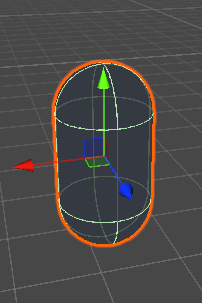
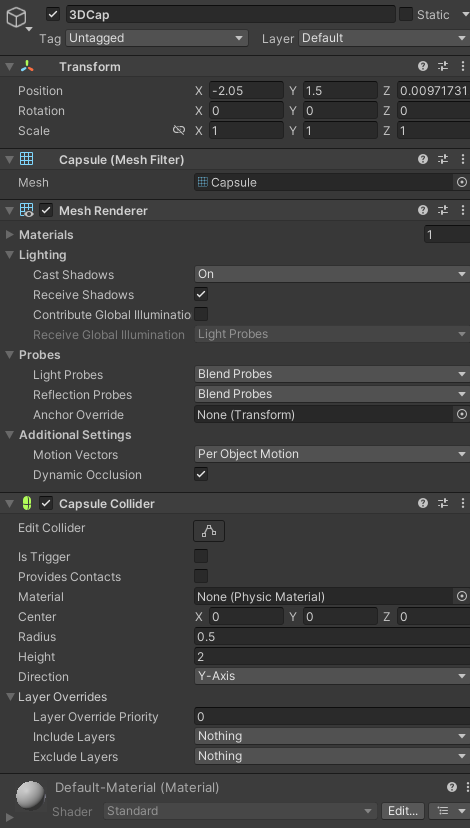
3D의 경우 오브젝트가 Mesh와 Collider가 기본적으로 세팅이 되어있는 것을 볼 수 있습니다.
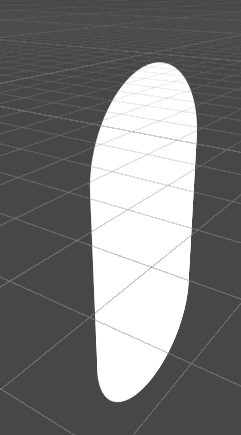

2D의 경우 Sprite가 있습니다.
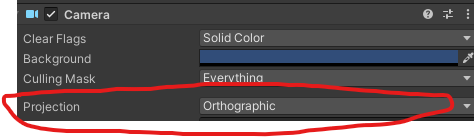
카메라는 원근감이 없는 형태(Orthographic)로 설정되어 있고요.
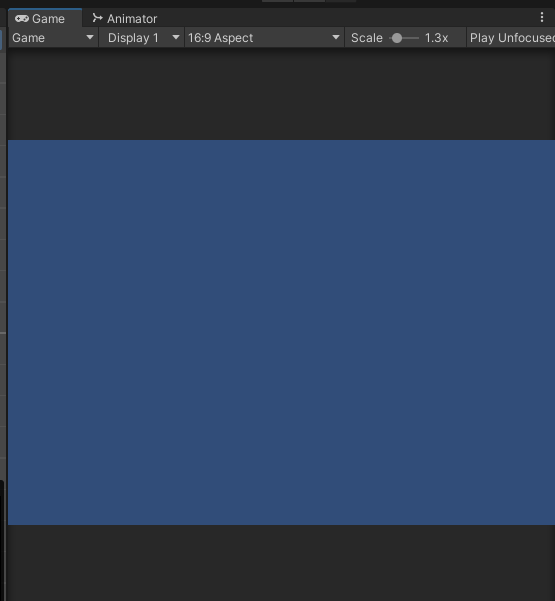
또 2D Project를 만드시면 배경이 이런 식으로 되어있는 경우를 볼 수 있을 겁니다.
이건 카메라에 Clear Flags의 설정이 SkyBox가 아닌 Solid Color로 설정되어 있기 때문입니다.
이 설정들은 변경할 일이 거의 없기 때문에 2D와 3D의 차이라고 생각하시면 되고 간단히 넘어가겠습니다.
2. 📖 2D 물리엔진
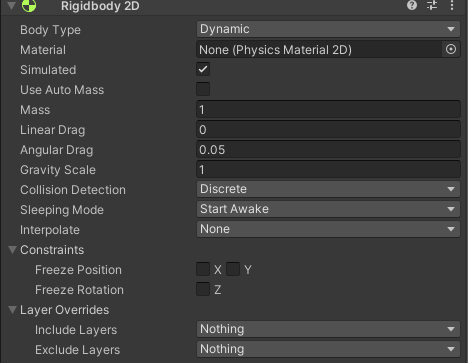
3D Rigidbody와 차이점이라면 설정만 보더라도 여러 차이점이 있기도 하고
Collider의 충돌의 경우에도 2D를 사용하고 있습니다.(BoxCollider2D, CircleCollider2D 등)
그렇다면 왜 물리설정과 충돌설정을 2D와 3D로 나눴을까요?
물리엔진 자체가 다른 것도 있긴 하지만
성능 최적화의 이유가 큽니다.
2D 게임에서 3D 물리 엔진을 사용하면 불필요한 z축 연산까지 하게 되는데
그런 부분을 없애고 가볍게 동작하게 만드려고 나눈 것입니다.
2D 게임에서 충돌 처리할 때, 굳이 z축까지 검사할 필요는 없으니까요
2-1 🖥️ 간단한 이동, 점프 구현
무한 점프가 안 일어나도록 땅에 닿았을 때 점프하도록 구성하도록 구성했습니다.
이 코드는 레이케스트를 이용해서 지금이 밟고 있는게 지면인지 확인 후 닿았을 때 점프하도록 설정했습니다.
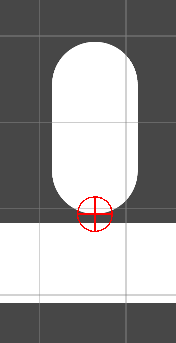
물론 전 레이어를 사용했지만 Tag로 찾을 수도 있고 OnCollisionEnter2D를 이용하셔도 됩니다.
public class PlayerController : MonoBehaviour
{
    [SerializeField] private float moveSpeed;
    [SerializeField] private float jumpForce;

    [SerializeField] private Transform groundCheck;
    [SerializeField] private float groundCheckRadius = 0.2f;
    [SerializeField] private LayerMask groundLayer;

    private bool isGrounded;

    private Rigidbody2D rid;
    private Vector2 inputVec;


    void Start()
    {
        rid = GetComponent<Rigidbody2D>();
    }

    void Update()
    {
        PlayerInput();

        isGrounded = Physics2D.OverlapCircle(groundCheck.position,
        groundCheckRadius, groundLayer);

        if (Input.GetKeyDown(KeyCode.Space) && isGrounded)
        {
            PlayerJump();
        }
    }

    private void FixedUpdate()
    {
        PlayerMove();
    }

    private void PlayerInput()
    {
        float x = Input.GetAxis("Horizontal");
        inputVec =  new Vector2(x, 0).normalized;
    }


    private void PlayerMove()
    {
        rid.velocity = new Vector2(inputVec.x * moveSpeed, rid.velocity.y);
    }

    private void PlayerJump()
    {
        rid.velocity = new Vector2(rid.velocity.x, 0f);
        rid.AddForce(Vector2.up * jumpForce, ForceMode2D.Impulse);
    }

    private void OnDrawGizmos()
    {
        Gizmos.color = Color.red;
        Gizmos.DrawWireSphere(groundCheck.position, groundCheckRadius);
    }

}