
🥸 Styled Component 의 탄생 배경
프로젝트의 규모,협업해야할 팀원이 날이 지날수록 많아짐에 따라 css를 작성하는 일관된 패턴이 필요하게되었고 css 작업을 효율적으로 하기위해 구조화된 css의대한 필요성을 느끼게 되었고 여러가지 css의 구조화된 패턴중의 하나이다.
🤩 라이브러리 설치하는법
$ npm install --save styled-components
🧐 예제코드
import styled from "styled-components";

const BlueButton = styled.button` //props로 값을 전달받아 값으로 사용가능.
  background-color: ${(props)=> props.color ? props.color : "null"};
  color:white;
  padding:20px;
  font-weight:600;
`;
const RedButton = styled(BlueButton)` // 컴포넌트 재사용 styled()
  background-color: ${(props)=> props.color ? props.color : "skyblue"};
`;
const NoPorpsButton = styled(BlueButton)`//삼항연산자를 통한 색변경
  background-color: ${(props)=> props.color ? props.color : "skyblue"};

`
export default function App() {
  // React 컴포넌트를 사용하듯이 사용하면 됩니다.
  return (
    <>
      <BlueButton color="blue">BlueButton</BlueButton>
      <RedButton color="red">RedButton</RedButton>
      <NoPorpsButton>NoPorpsButton</NoPorpsButton>
    </>
  );
}
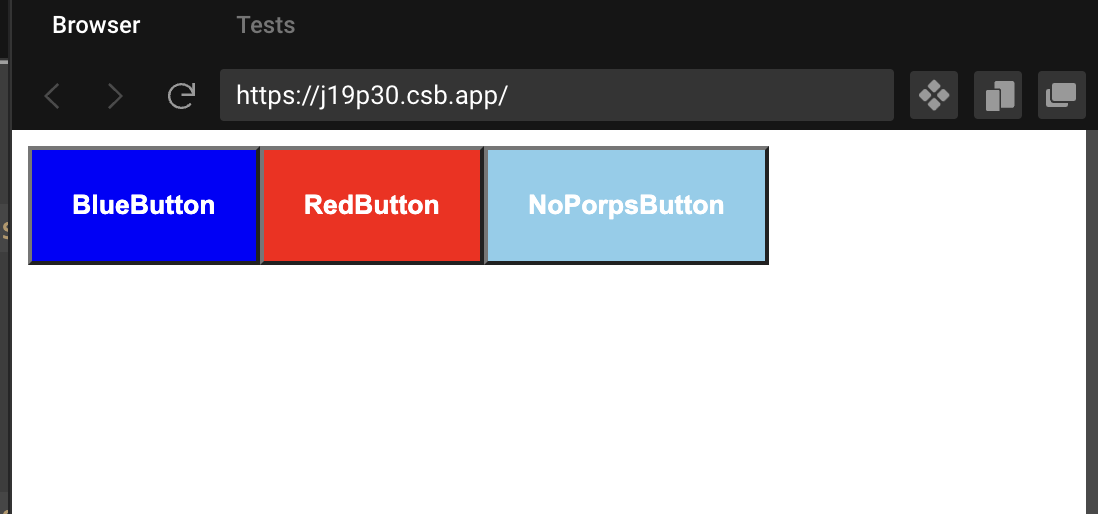
😏렌더링결과

코린이