리액트 컴포넌트 스프린트
import { useState } from "react";
import styled from "styled-components";

export const ModalContainer = styled.div`
  // TODO : Modal을 구현하는데 전체적으로 필요한 CSS를 구현합니다.
  display: flex;
  justify-content: center;
  align-items: center;
  height: 100%;
`;

export const ModalBackdrop = styled.div`
  // TODO : Modal이 떴을 때의 배경을 깔아주는 CSS를 구현합니다.
  display: flex;
  justify-content: center;
  align-items: center;
  position: fixed; //17~21 배경전체를 설정 하고싶을떄 자주사용
  top: 0;
  left: 0;
  right: 0;
  bottom: 0;
  width: 100%;
  height: 100%;
  margin: auto;
  background-color: rgba(0, 0, 0, 0.5);
`;

export const ModalBtn = styled.button`
  background-color: var(--coz-purple-600);
  text-decoration: none;
  border: none;
  padding: 20px;
  color: white;
  border-radius: 30px;
  cursor: grab;
`;

export const ModalView = styled.div.attrs((props) => ({
  // attrs 메소드를 이용해서 아래와 같이 div 엘리먼트에 속성을 추가할 수 있습니다.
  role: "dialog",
}))`
  // TODO : Modal창 CSS를 구현합니다.
  background-color: white;
  width: 500px;
  height: 150px;
  border-radius: 30px;
  display: flex;
  flex-direction: column;
  justify-content: center;
  align-items: center;
  > div {
    color: purple;
    font-weight: 600;
    text-align: center;
    line-height: 55px;
  }
  > button {
    align-items: center;
  }
  > div:first-child:hover {
    cursor: grab;
  }
`;

export const Modal = () => {
  const [isOpen, setIsOpen] = useState(false);

  const openModalHandler = () => {
    // TODO : isOpen의 상태를 변경하는 메소드를 구현합니다.
    setIsOpen(!isOpen);
  };

  return (
    <>
      <ModalContainer>
        <ModalBtn
          onClick={openModalHandler}
          // TODO : 클릭하면 Modal이 열린 상태(isOpen)를 boolean 타입으로 변경하는 메소드가 실행되어야 합니다.
        >
          {/* TODO : 조건부 렌더링을 활용해서 Modal이 열린 상태(isOpen이 true인 상태)일 때는 ModalBtn의 내부 텍스트가 'Opened!' 로 Modal이 닫힌 상태(isOpen이 false인 상태)일 때는 ModalBtn 의 내부 텍스트가 'Open Modal'이 되도록 구현해야 합니다. */}
          {isOpen ? "Opend!" : "Open Modal"}
        </ModalBtn>
        {/* TODO : 조건부 렌더링을 활용해서 Modal이 열린 상태(isOpen이 true인 상태)일 때만 모달창과 배경이 뜰 수 있게 구현해야 합니다. */}
        {isOpen ? (
          <ModalBackdrop onClick={openModalHandler}>
            <ModalView onClick={(event) => event.stopPropagation()}>
              <button onClick={openModalHandler}>x</button>
              <div>HELLO CODESTATES!</div>
            </ModalView>
          </ModalBackdrop>
        ) : null}
      </ModalContainer>
    </>
  );
};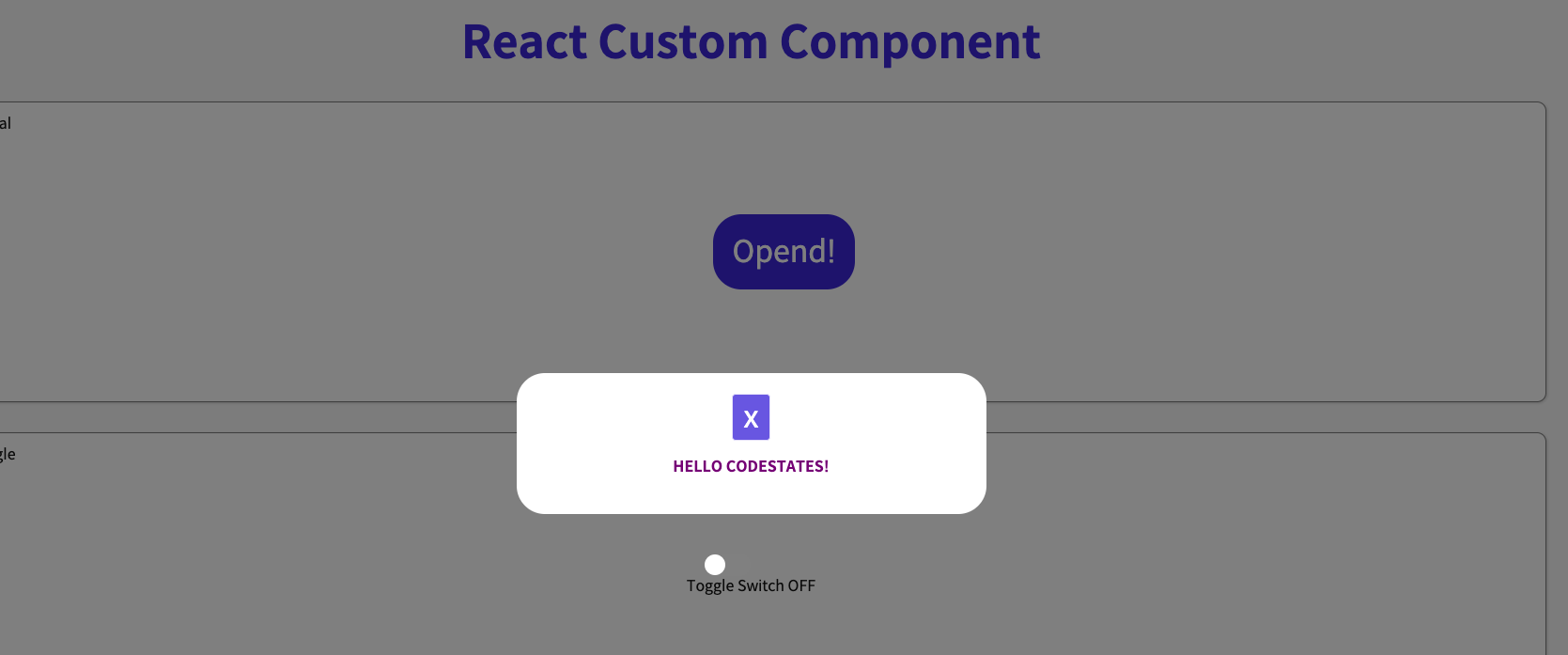
부모컴포넌트에 의해 자식컴포넌트가 영향받는것을 막으려면 자식컴포넌트에
onClick={(event) => event.stopPropagation() 를 추가해주면된다.
처음엔 이걸몰라서 ModalView의 바탕 즉 글자나 흰색바탕화면을 눌렀을때도 모달창이 꺼져버렸었다. 하지만 저이벤트를 넣어주니 부모컴포넌트의 영향을 받지않기때문에 버튼을 눌르거나or 아예 바깥바탕화면을 눌러야 모달창이 꺼지게 된다.

코린이