CSS & Javascript
오늘은 html에 스타일을 입히는 CSS와 html 요소를 제어하여 동적인 요소를 줄 수 있는 JS에 대해 배워봤어요.
인라인 CSS
인라인 CSS는 "HTML 태그 안에 직접 스타일을 적어주는 방식"이에요.
<h1 style="color: gray; font-size: 24px;">Hello, World!</h1>이와 같이 html 태그에 css요소를 바로 입혀서 간단하게 스타일을 제공할 수 있어요.
스타일 시트 주는 두 가지 방법
html에 css을 주는 방법은 인라인말고도 내부 스타일 시트와 외부 스타일 시트가 있어요.
내부 스타일 시트
HTML 파일 안의 <head> 부분에 <style>이라는 태그를 만들고 그 안에 CSS를 몰아서 적는 방식이에요.
<!DOCTYPE html>
<html lang="en">
<head>
<meta charset="UTF-8">
<meta name="viewport" content="width=device-width, initial-scale=1.0">
<title>Internal Style Sheet Example</title>
<style>
  h1 {
    color: green;
    font-size: 36px;
  }
  p {
    color: gray;
    font-size: 16px;
  }
</style>
</head>
<body>
<h1>Hello, World!</h1>
<p>This is an example paragraph.</p>
</body>
</html>
외부 스타일 시트
CSS를 별도의 .css 파일로 작성한 뒤, HTML 파일의 head 태그에서 link 태그로 외부 CSS 파일을 불러오는 방식.
  h1 {
  color: red;
  font-size: 24px;
}
p {
  color: black;
  font-size: 16px;
}

**styles.css (외부 CSS 파일)**
<!DOCTYPE html>
<html lang="en">
<head>
  <meta charset="UTF-8">
  <meta name="viewport" content="width=device-width, initial-scale=1.0">
  <title>External Style Sheet Example</title>
  <link rel="stylesheet" href="styles.css">
</head>
<body>
  <h1>Hello, World!</h1>
  <p>This is an example paragraph.</p>
</body>
</html>
Javascript 기초실습
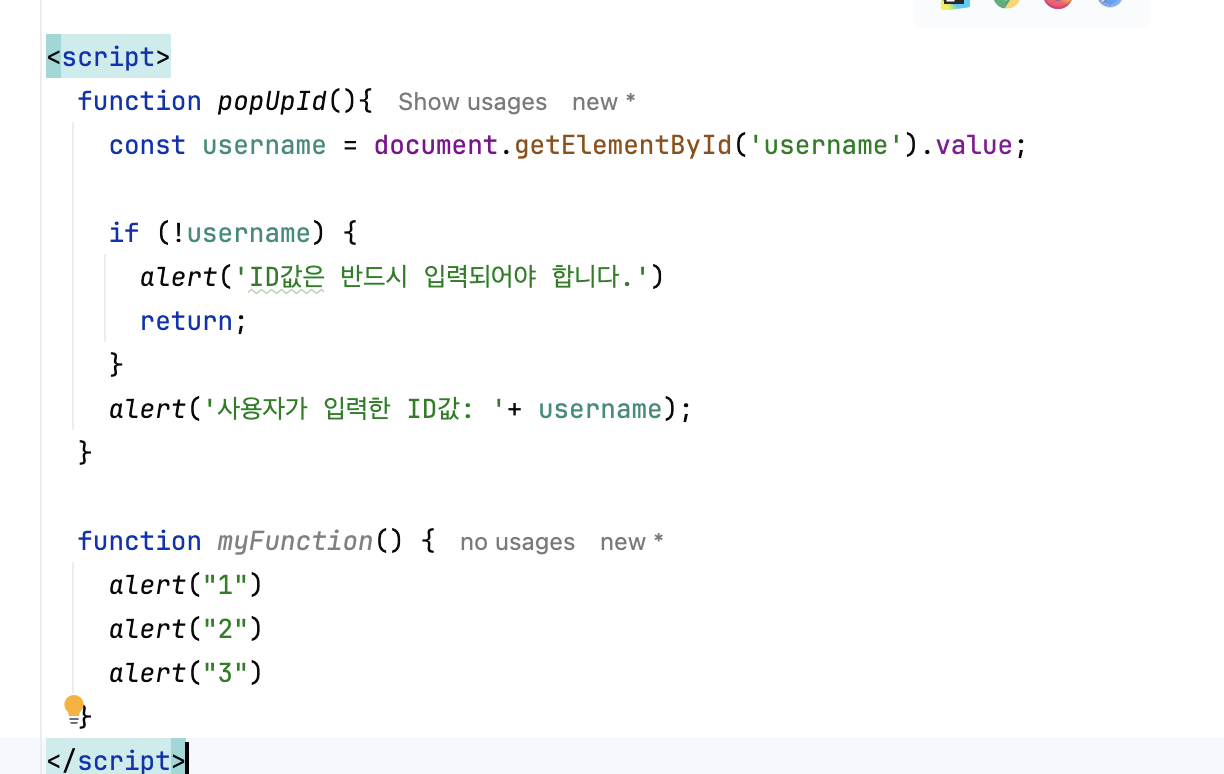
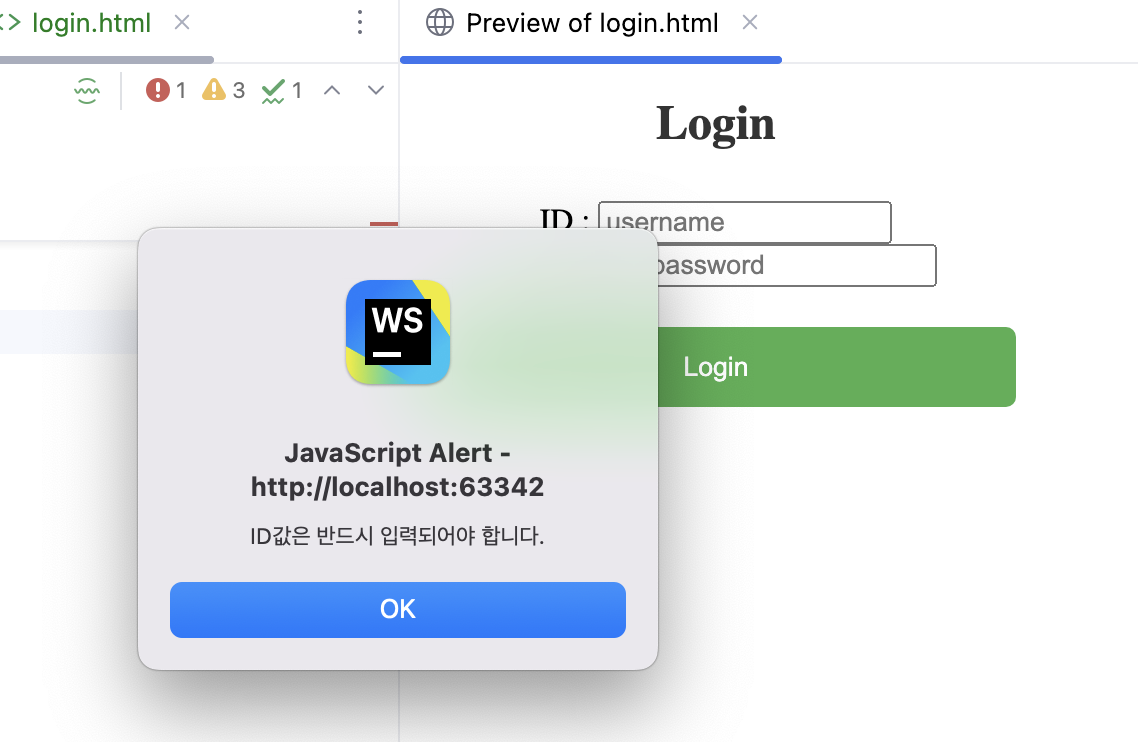
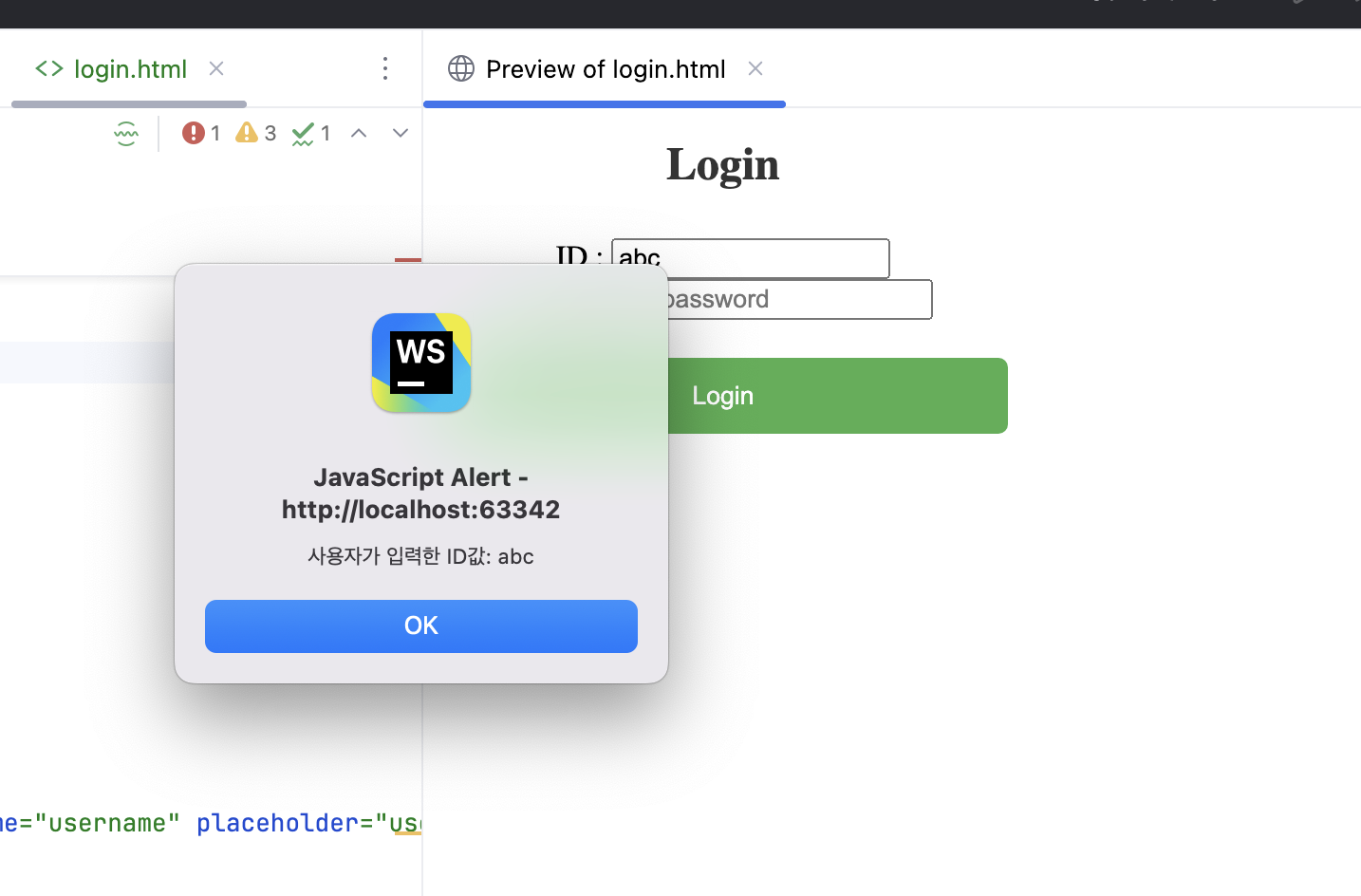
간단 로그인 UI에서, 사용자가 입력한 ID값을 받아 alert 메소드를 통해 화면에 출력하는 기능을 구현해봤어요.

할 땐 하고 놀 땐 노는 일일놀놀입니다.