1. 아침 스크럼
1) dateDecodingStrategy
지난 스크럼 때 JSON 데이터를 디코딩할 때 왜 dateDecodingStrategy를 쓰는 건지 이야기를 나누었다.
그리고 그 이유에 대해 팀원분이 설명해주셔서 정리해보려 한다.
어제 JSON 데이터를 파싱할 때, dateDecodingStrategy를 사용했다.
func loadBooks() throws -> [Book] {
	...
    let dateFormatter = DateFormatter()
    dateFormatter.dateFormat = "yyyy-MM-dd"

    let decoder = JSONDecoder()
    decoder.dateDecodingStrategy = .formatted(dateFormatter)

    do {
    	...
        let bookResponse = try decoder.decode(BookResponse.self, from: data)
        ...
    }
}
그런데 JSON 파싱 형태를 정의하는 파일에서 dateFormatter를 바로 사용해도 되지 않은가?
struct Book: Codable {
	let release_date: String

    var formattedDate: Date {
    	let dateFormatter = DateFormatter()
        dateFormatter.dateFormat = "yyyy-MM-dd"

        return dateFormatter.date(from: release_date)
    }
 }
위와 같이. 여기서 시작된 의문이었다.
두 가지 방식의 가장 큰 차이점은 '비교 대상을 가져와 비교하느냐'이다.
JSONDecoder에 dateDecodingStrategy로 날짜 형식을 지정해두면, 디코더는 데이터를 파싱할 때 해당 형식에 맞는 문자열이 들어오면 바로 Date 타입으로 변형하여 가져온다.
반면, dateFormatter만을 활용한 아래 방식은 우선 "yyyy-MM-dd" 형식의 문자열을 가져온 다음, 해당 문자열을 dateFormatter 안에 집어넣어 포매터의 날짜 형식과 일치한지 비교한다.
결국 원본 데이터를 가져오는 작업이 한번 더 필요한 셈이다.
특정한 데이터만 Date 형식으로 변경하고 싶은 경우에는 dateFormatter를 활용하는 게 좋을 것 같긴 하나, JSON 데이터의 모든 "yyyy-MM-dd" 꼴의 데이터(특정 형식의 데이터)를 Date로 사용하려면 dateDecodingStrategy를 활용하는 것이 적절해보인다.
2. 앱 입문 주차 과제
❌ 트러블 슈팅
1) Alert 띄우기
⚠️문제: Alert가 뜨지 않음
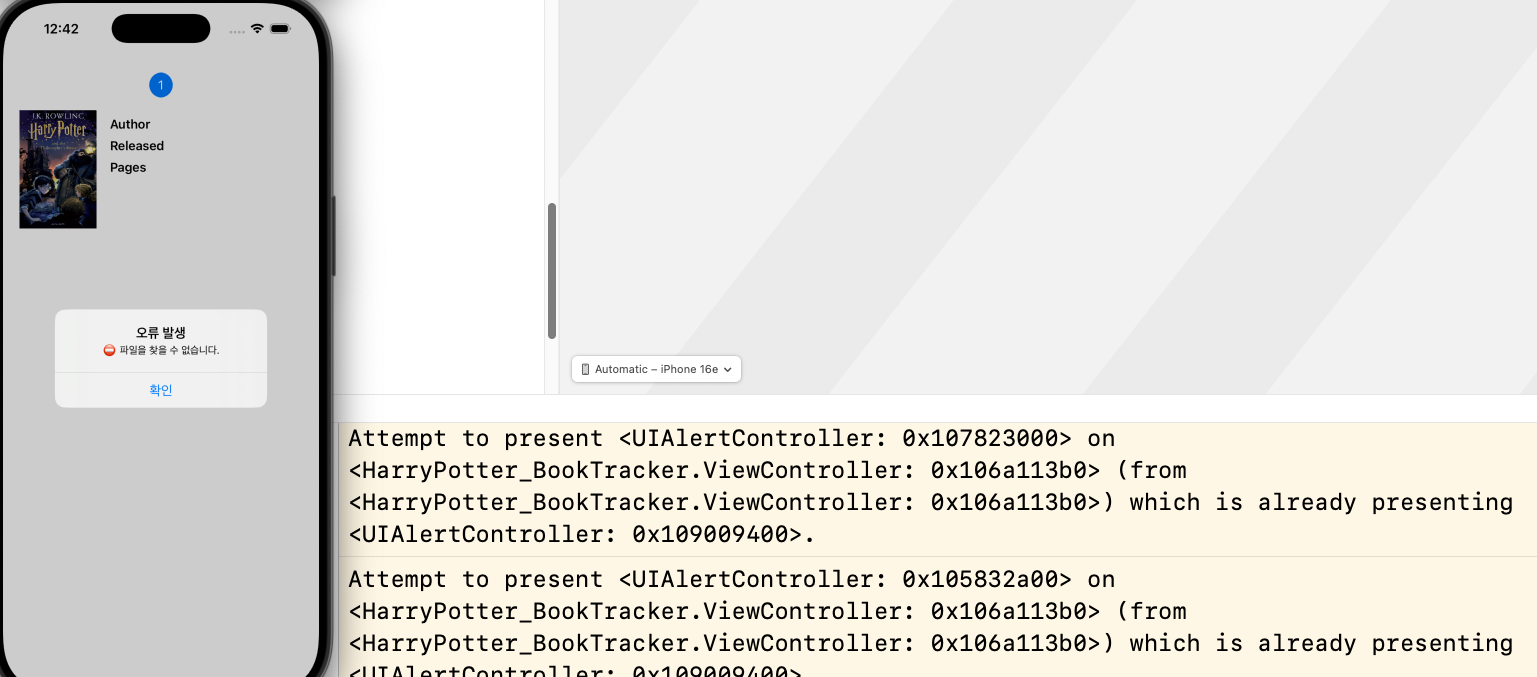
Alert 창이 뜨지 않고 "Attempt to present ... on ... whose view is not in the window hierarchy." 오류 발생
❗️원인: view의 계층 구조 문제 - 아직 생성되지 않은 view 위에 alert를 띄우려 시도
func showAlert(_ message: String) {
    let alert = UIAlertController(title: "오류 발생", message: message, preferredStyle: .alert)
    let confirm = UIAlertAction(title: "확인", style: .default, handler: nil)

    alert.addAction(confirm)
    self.present(alert, animated: true, completion: nil)
}

func getBook(num: Int) -> Book? {
	var book: Book?
    do {
    	book = try dataManager.fetchBook(num: num0
     } catch DataError.fileNotFound {
     	showAlert("⛔️ 파일을 찾을 수 없습니다.")
     } ...

} ViewController는 getBook을 호출하여 각 구성 요소를 세팅하고 있음
func setTitleLabel() -> UILabel {
	let text = getBook(num: 1)?.title ?? ""

   let label = UILabel( text: text, ...)
   ...
   return label
}
→ 위와 같은 세팅을 위한 함수는 viewDidLoad()에서 호출
⇒ 즉, view의 생성 단계에서 getBook이 호출됨.
이 시점에 오류가 발생한다면 view 위에 Alert를 띄워야 하는데, view가 없으니 "whose view is not in the window hierarchy."라는 오류 발생
✅ 해결 방법: DispatchQueue.main.async 사용하기
func showAlert(_ message: String) {
	let alert = UIAlertController(title: "오류 발생", message: message, preferredStyle: .alert)
    let confirm = UIAlertAction(title: "확인", style: .default, handler: nil)

    alert.addAction(confirm)

    DispatchQueue.main.async {
    	self.present(alert, animated: true, completion: nil)
    }
}
Alert를 present하는 부분을 DispatchQueue.main.async를 사용하여 mainQueue로 디스패치.
→ main큐는 기존의 viewController 사이클을 돈 후에 큐에 전달된 행동을 처리하므로 viewDidLoad가 끝난 시점에 Alert를 띄울 수 있음
💡
viewDidAppear를 사용하지 않은 이유
찾아볼 때 DispatchQueue 말고도viewDidAppear에서 Alert를 띄우면 된다는 답변도 보긴 했었다.다만 내 경우,
viewController내부에서 레이블 프로퍼티(eg.let titleLabel = UILabel())를 가지는 것이 아니라 함수 내부에서만 레이블을 생성한다.즉,
viewDidAppear에서titleLabel.text = getBook(num: Int).title처럼 사용할 수 없기 때문에 DispatchQueue를 사용하는 방법을 선택했다.
2) Alert 중복 Present
⚠️ 문제: 이미 존재하는 Alert를 중복으로 present 시도
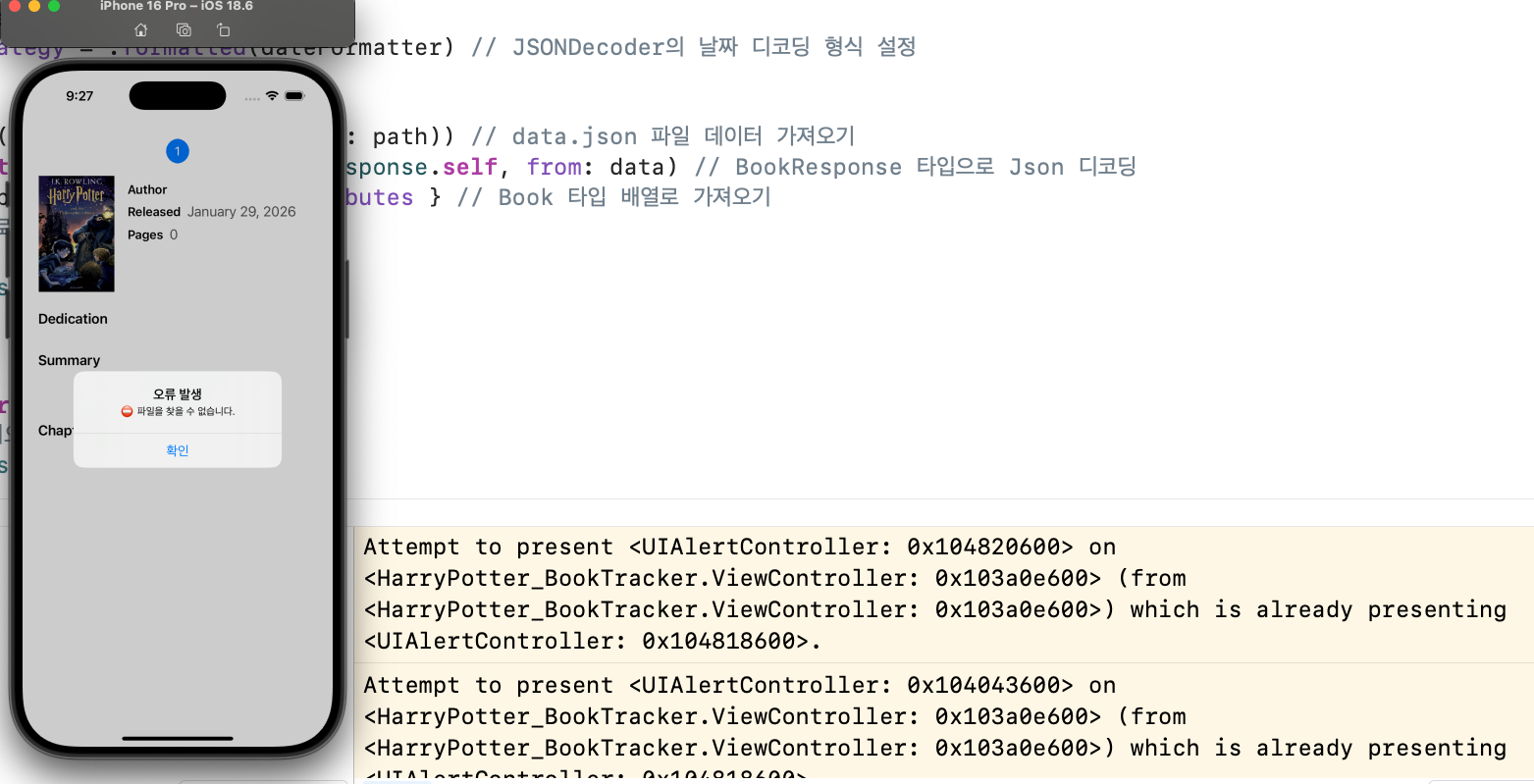
DispatchQueue.main.async를 통해 Alert를 띄우는 데는 성공
→ 이미 Alert가 존재함에도 불구하고 지속해서 Alert를 띄우려 시도
→ "Attempt to present ... on ... which is already presenting"
❗️ 원인: 지속적인 getBook 함수의 호출
viewDidLoad 내에서 getBook(num: Int) -> Book? 함수는 5번 호출됨
→ 첫 번째 호출에서 Alert를 띄우는데, 나머지 4번의 호출에서도 Alert를 계속 띄우려니 오류 발생
✅ 해결 방법: guard 조건문 사용
func showAlert(_ message: String) {
	let alert = UIAlertController(title: "오류 발생", message: message, preferredStyle: .alert)
    let confirm = UIAlertAction(title: "확인", style: .default, handler: nil)

    alert.addAction(confirm)
    DispatchQueue.main.async {
    	guard self.presentedViewController == nil else {
        return
        }

        self.present(alert, animated: true, completion: nil)
    }
}
→ DispatchQueue 내에서 presentedViewController가 존재하는지 확인하여 없을 경우에만 Alert를 띄우도록 함
💡
DispatchQueue안에서 조건을 거는 이유
처음엔getBook함수 내에서self.presentedViewController를 확인하려 했다.func getBook(num: Int) -> Book? { var book: Book? do { book = try dataManager.fetchBook(num: num) } catch DataError.fileNotFound { print(self.presentedViewController) showAlert("⛔️ 파일을 찾을 수 없습니다.") } ... }그런데
print(self.presentedViewController)의 결과가 모두nil이었다. Alert는 떠 있는데 왜nil이라는거지?→
getBook의 print문은DispatchQueue.main.async로 메인큐에 디스패치한 코드가 실행되기 전에 실행되기 때문이었다.
print(self.presentedViewController)를 하는 시점은 ViewController의 사이클이 도는 중이고, 아직 Alert가 생성되지 않았다.메인 큐는 ViewController의 사이클을 우선 처리하고나서 디스패치된 동작을 처리하므로, 해당 시점에는
nil인 것이 당연하다.그래서
DispatchQueue.main.async내에서print(self.presentedViewController)를 하면, 이때는 Alert가 생성된 이후이므로getBook이 처음 호출 될 때 1번은nil, 이후로는UIAlertController가 출력된다.