| 일수 | 일자 | 교과목 | 내용 | 편성시간 |
|---|---|---|---|---|
| 20 | 24/12/17 | 프론트엔드 | Javascript | 8 |
함수
함수 선언
: 함수는 function 키워드로 선언
function add(x, y){
  return x+y;
}
함수 표현식
: 함수를 변수에 할당하는 방식
const add = function(x, y){
  return x+y;
}
화살표 함수
const add1 = (a, b) =>{
  return a+b;
}

const add2 = (a, b) => a+b;
기본 매개변수 값
function greet(name="Guest"){
  return 'Hello, ${name}!';
}

console.log(greet("Alice")); // "Hello, Alice!"
console.log(greet()); // "Hello, Guest!"
가변 인자 함수
function sum(...numbers){
  let total = 0;
  for (let i of numbers){
    total = total+i;
  }
  return total;
}

colsole.log(sum(1,2,3,4)); //10
스코프
var은 함수 스코프로 함수 내에서만 유효
let과 const는 블록 스코프로 블록 내에서만 유효
function functionScopeExample(){
  if(true){
    var x = 10;
    let y = 20;
    const z = 30;
  }
  console.log(x); // 10
  console.log(y); // ReferenceError: y is not defined
  console.log(z); // ReferenceError: z is not defined
}
DOM
: HTML 문서 구조를 객체로 표현한 것
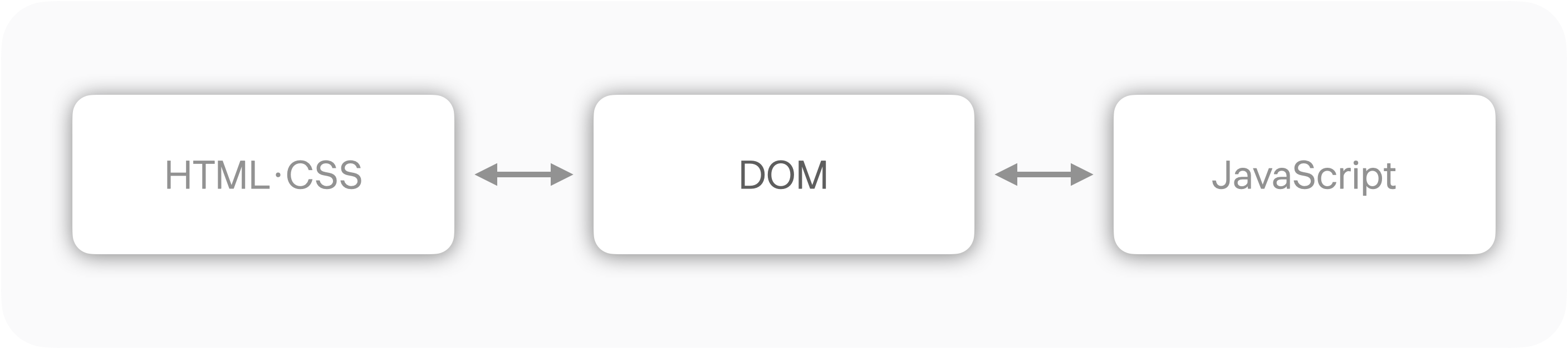
HTML로 구성된 웹 페이지와 스크립트 및 프로그래밍 언어를 연결시켜주는 역할을 한다.
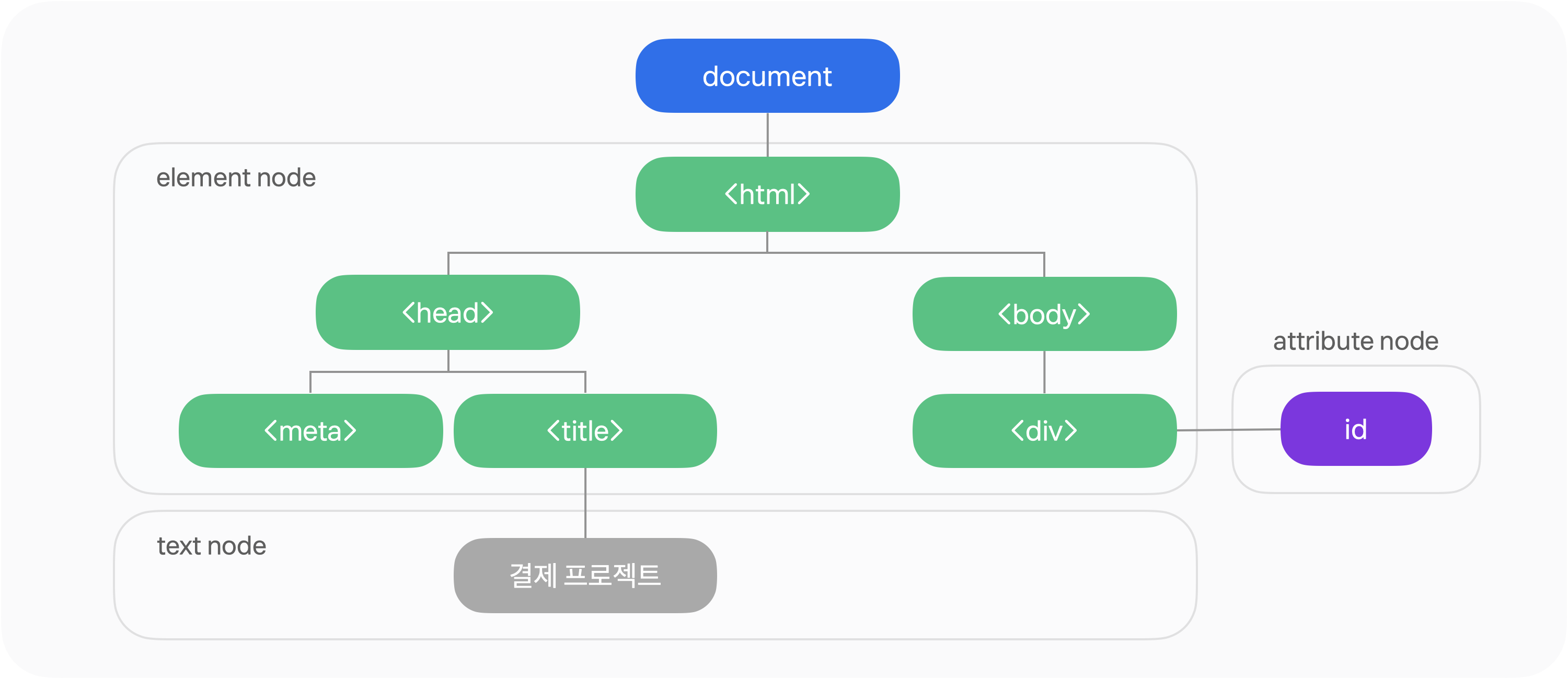
DOM의 계층 구조
참고 : 문서 객체 모델
실습
10x10 격자 만들기
<!DOCTYPE html>
<html lang="en">
<head>
    <meta charset="UTF-8">
    <meta name="viewport" content="width=device-width, initial-scale=1.0">
    <title>Document</title>
    <style>
        .grid {
            display: flex;
            flex-wrap: wrap;
            width: 300px;
            height: 300px;
        }
        .cell{
            width: 30px;
            height: 30px;
            box-sizing: border-box;
            border: 1px solid #ccc;
        }
    </style>
</head>
<body>

    <div class="grid"></div>
    <script>
        for(let i=0; i<100; i++){
            let gridDiv = document.querySelector(".grid");
            const newDiv = document.createElement('div');

            newDiv.classList.add("cell");
            //newDiv에 data-row 속성으로 행의 번호 추가
            newDiv.setAttribute("data-row", Math.floor(i/10));
            //newDiv에 data-col 속성으로 열의 번호 추가
            newDiv.setAttribute("data-col", Math.floor(i%10));

            //newDiv에 클릭 이벤트 추가
            //클릭하면 console.log로 data-row 속성 및 data-col 속성의 값 출력
            // newDiv.onclick =() => console.log(newDiv.getAttribute("data-row") + ", "+ newDiv.getAttribute("data-col"));
            newDiv.addEventListener("click", ()=>{
                console.log(newDiv.getAttribute("data-row"));
                console.log(newDiv.getAttribute("data-col"));
            });
            gridDiv.appendChild(newDiv);
        }

    </script>
</body>
</html>
결과
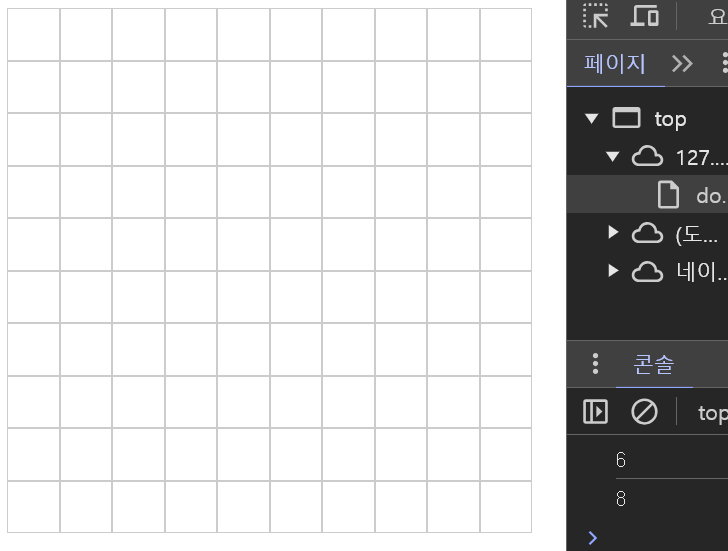
10x10 네모칸이 만들어지며, 칸 한 곳을 찍으면 콘솔에서 행과 열을 알려준다.