
1. API Key 발급받기
https://mapsplatform.google.com
+ 테스트해보기!
- https://www.maps.ie/create-google-map/
위 링크를 통해서 iframe 얻기 - view.xml에 코드 추가
xmlns:html="http://www.w3.org/1999/xhtml" .... <html:iframe width="100%" height="600" src="https://maps.google.com/maps?width=100%25&height=600& hl=en&q=Seoul+(My%20Project)&t=&z=14&ie=UTF8&iwloc=B&output=embed"> </html:iframe>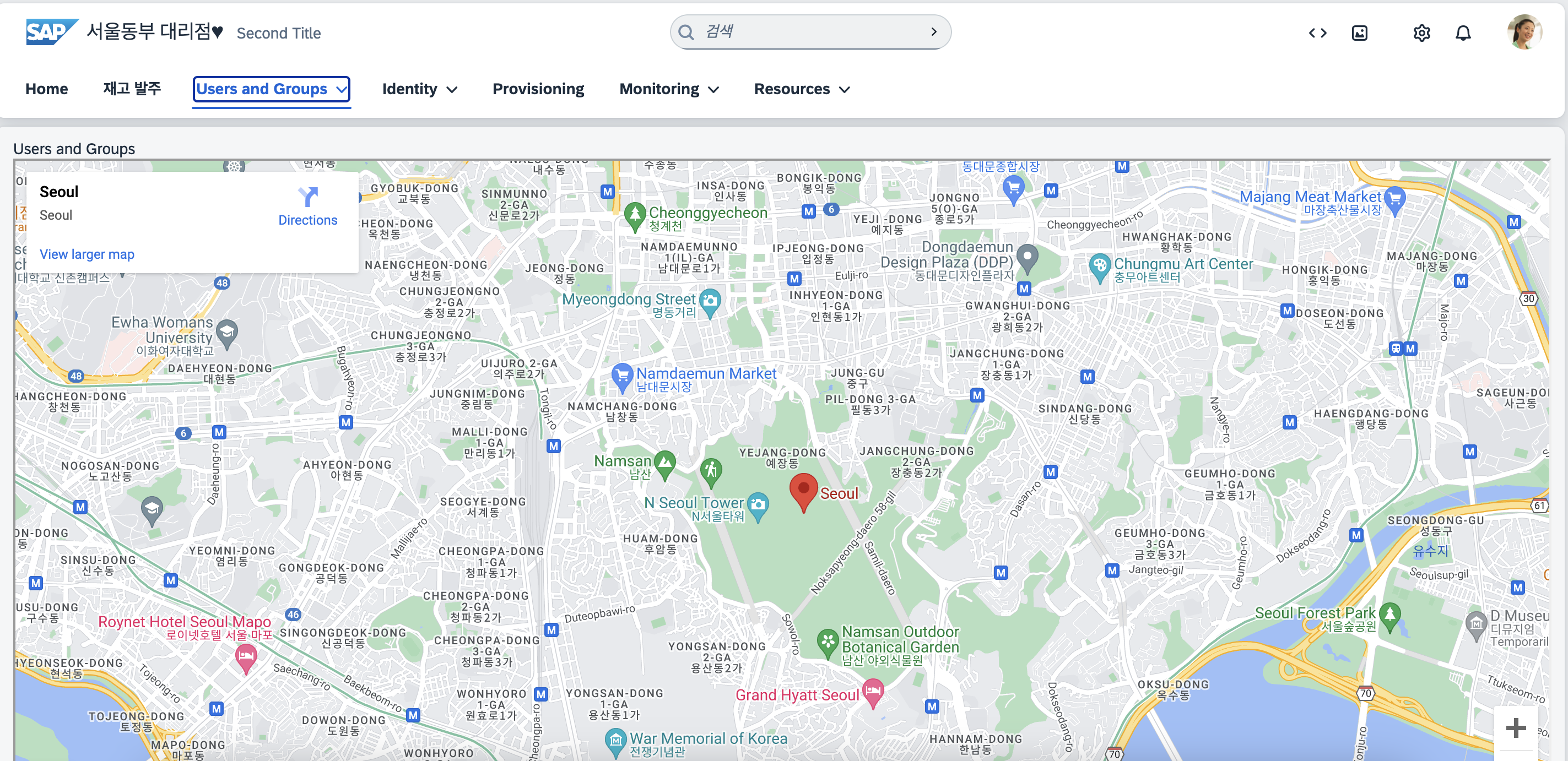
2. 좌표 지정해서 지도에 출력하기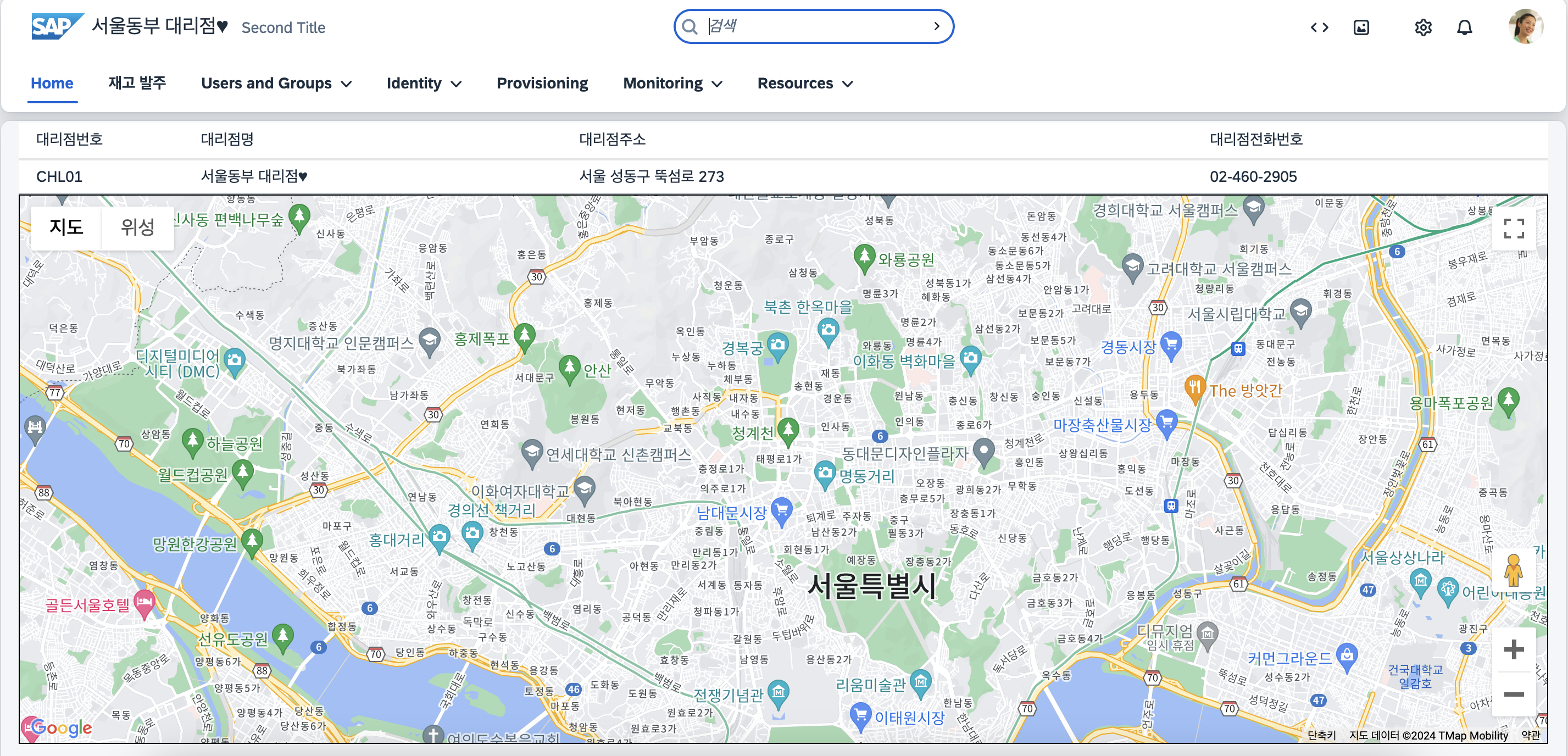
📌 렌더링 시점이 중요하다 : 뷰의 id를 참조하므로 뷰가 렌더링되고 난 후에 맵 초기화
1. index.html
<script src="https://maps.googleapis.com/maps/api/js?key=API키"
      type ="text/javascript"></script>
<style>
 .myMap {
   height: 500px;
   width: 100%;
   border: 1px solid black
 }
2. view.xml
<VBox id="map" class="myMap" height="500px" width="100%" afterRendering="onAfterRendering"></VBox>
3. controller.xml
onAfterRendering: function() {
  this.initializeMap();
},
initializeMap: function() {
  var mapOptions = {
    center: {lat: 37.5665, lng: 126.9780},
    zoom: 13
  };
  var mapElement = document.getElementById(this.getView().byId("map").getId());
  var map = new google.maps.Map(mapElement, mapOptions);
},
3. 마커 생성 + 인포윈도우
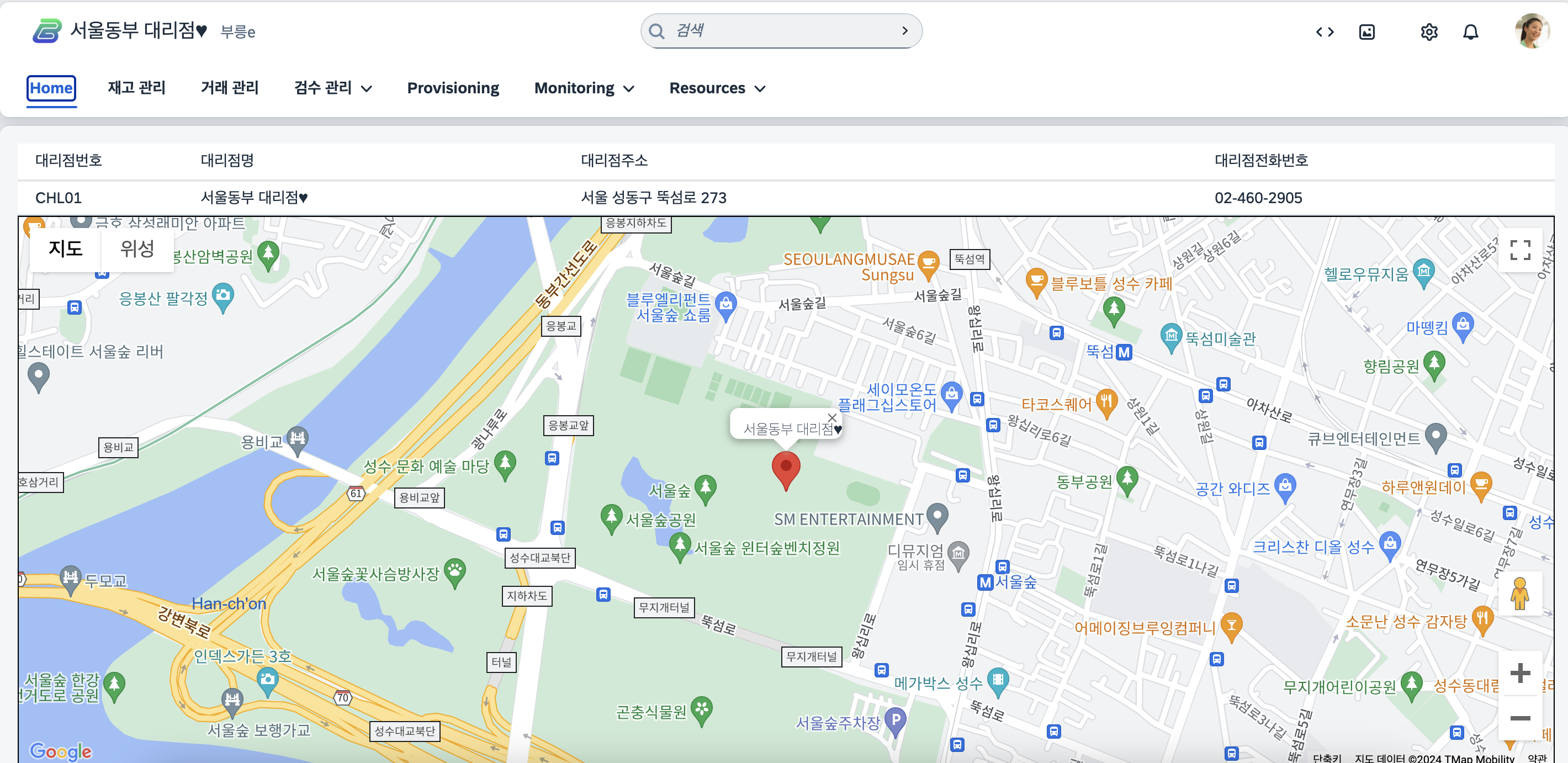
1. 마커 생성
var marker = new google.maps.Marker({
 position: { lat: 37.5665, lng: 126.9780 },
 map: map, // 마커를 지도에 추가
 title: "서울동부 대리점" // 마커에 표시할 툴팁
});
2. 인포 윈도우
var infowindow = new google.maps.InfoWindow({ content: "서울동부 대리점" });infowindow.open(map, marker); //인포윈도우를 지도와 마커에 연결
4. 주소로 경도, 위도 가져와서 지도 표현하기
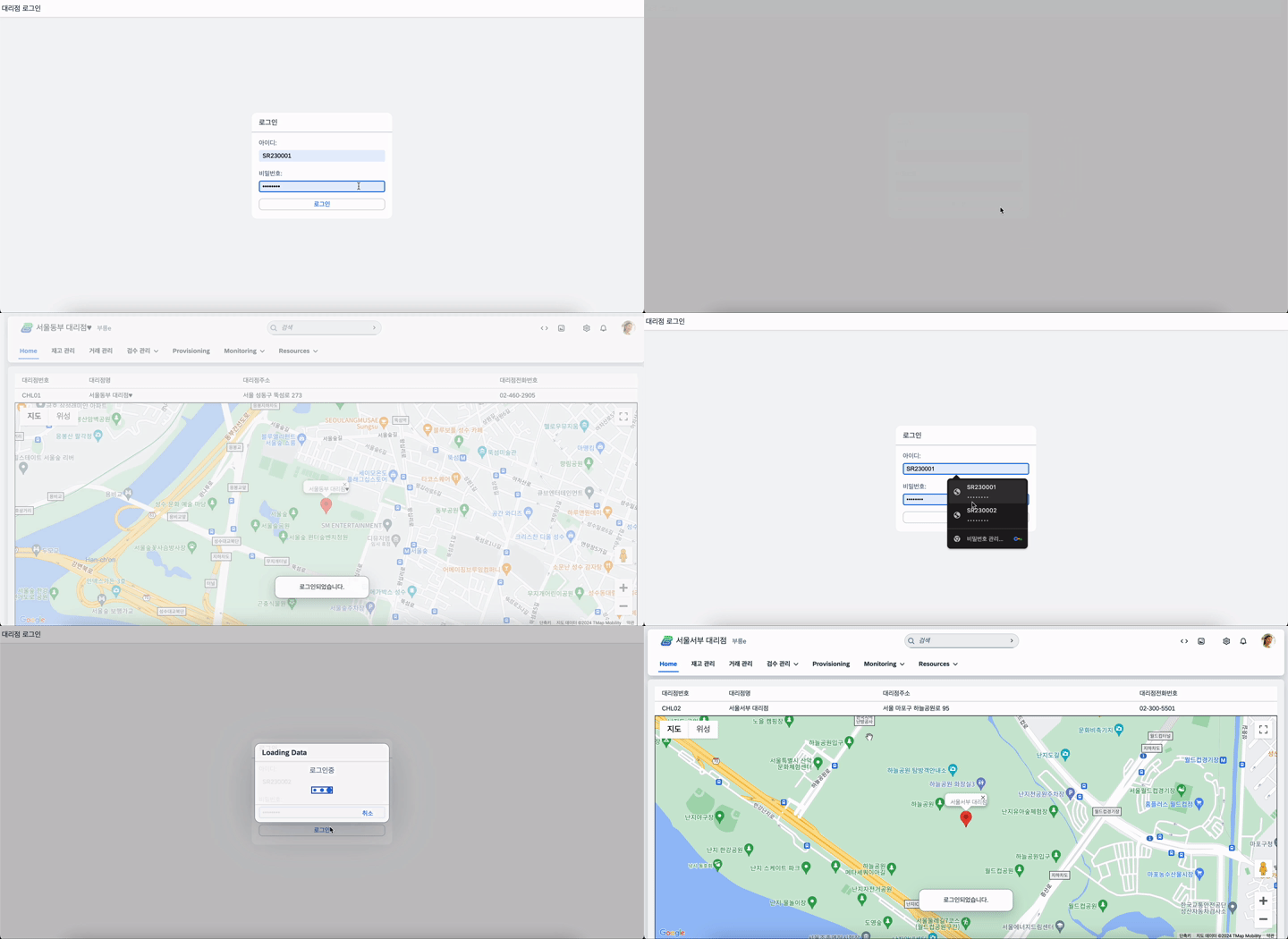
1. 로그인을 통해 가져온 정보를 사용하기 위해 지도 렌더링할때 라우팅하기
//지도 렌더링
onAfterRendering: function () {
  //라우터관련
  this._getRouter().getRoute("mainView").attachPatternMatched(this._onRouteMatched.bind(this), this);
},
2.라우팅에 성공할때 지도 초기화하기
//라우터 연결정보 가져오기
_getRouter: function () {
   return sap.ui.core.UIComponent.getRouterFor(this);
},
//전달받은 파라미터 값 가져와서 대리점 조회하기
_onRouteMatched: function (oEvent) {
   let oModel = this.getOwnerComponent().getModel();
   let oJsonModel = new sap.ui.model.json.JSONModel();
   //empno 받아오기
   oEmpno = oEvent.getParameter("arguments").Empno;
   //조회해서 JsonModel에 넣어서 View에서 사용하기
   oModel.read("/Ch_headerSet('" + oEmpno + "')", {
  	  success: function (response) {
        oJsonModel.setData(response);
        this.getView().setModel(oJsonModel, "Ch_Model");
        oChlno = response.Chlno;
        this._getTable();
        this.initializeMap(response);
      }.bind(this),
      error: function (response) {
        MessageToast.show("Error");
      },
   });
 },
3. geocoder 사용해서 주소를 경도, 위도로 변환하기
//지도 초기화 initializeMap: function (response) { var geocoder = new google.maps.Geocoder(); var address = response.Chladdr; var lat = null, lng = null; geocoder.geocode({ 'address': address }, (results, status) => { if (status === 'OK') { const lat = results[0].geometry.location.lat(); const lng = results[0].geometry.location.lng(); this._creatMap(lat, lng, response); //지도 생성 } else { alert('Geocode was not successful for the following reason: ' + status); } }); },_creatMap: function (lat, lng, response) { var mapOptions = { center: { lat: lat, lng: lng }, zoom: 16, }; var mapElement = document.getElementById( this.getView().byId("map").getId() ); var map = new google.maps.Map(mapElement, mapOptions); // 새로운 마커 생성 var marker = new google.maps.Marker({ position: { lat: lat, lng: lng }, map: map, // 마커를 지도에 추가 title: response.Chlname // 마커에 표시할 툴팁 }); // 인포윈도우 생성 var infowindow = new google.maps.InfoWindow({ content: response.Chlname }); infowindow.open(map, marker); // 인포윈도우를 지도와 마커에 연결 },