수정중 ✏️
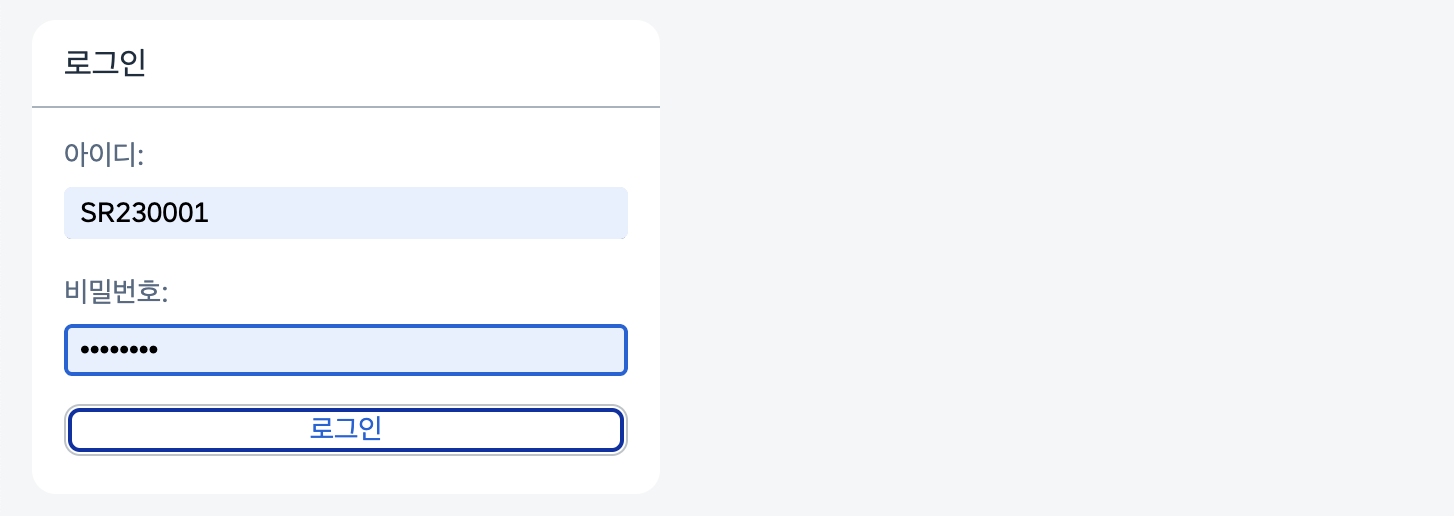
결과물

Route with parameter
Login.view -> Main.view
(로그인을 통해 얻은 대리점 번호를 던져서 함께 이동하기)
1. manifest.json
Route, target 경로 설정
routing -> target -> view
routes
- name : route name
- pattern : URL에 붙는 경로
- target : 해당 route가 볼 target
targets
- viewName : 해당 target이 가리키는 view
"routing": {
      "config": {
        "routerClass": "sap.m.routing.Router",
        "viewType": "XML",
        "async": true,
        "viewPath": "chn.channel.view",
        "controlAggregation": "pages",
        "controlId": "app",
        "clearControlAggregation": false
      },
      "routes": [
        {
          "name": "loginView",
          "pattern": "",
          "target": "login"
        },
        {
          "name": "mainView",
          "pattern": "Main/{Empno}",
          "target": "main"
        }
      ],
      "targets": {
        "login": {
          "viewType": "XML",
          "viewLevel": 1,
          "viewName": "Login"
        },
        "main": {
          "viewType": "XML",
          "viewLevel": 1,
          "viewName": "Main"
        }
      }
    },
2. Login.controller
getRouter().navTo로 route 이동
getRouter : 해당 뷰의 라우터 정보 가져오는 함수
sap.ui.define(
  [
    "sap/m/MessageToast",
    "sap/ui/core/Fragment",
    "sap/ui/core/mvc/Controller"
  ],
  /**
   * @param {typeof sap.ui.core.mvc.Controller} Controller
   */
  function (
    MessageToast,
    Fragment,
    Controller
  ) {
    "use strict";

    //Custno
    let Custno;

    return Controller.extend("chn.channel.controller.Login", {
      onInit: function () {},

      //로그인 버튼
      Login: function () {
        let lv_id = this.byId("custid").getValue(),
            lv_pw = this.byId("custpw").getValue(),
            oModel = this.getView().getModel();

        if (lv_id == "") {
          alert("아이디를 입력하세요.");
        } else {
          if (lv_pw == "") {
            alert("비밀번호를 입력하세요.");
          }

          //entityset
          oModel.read("/MemberSet('" + lv_id + "')", {
            success: function (oData) {
              if (lv_pw == oData.Custpw) {
                alert("로그인에 성공했습니다.");

                this.onSet(oData);

              } else {
                alert("비밀번호가 맞지 않습니다.");
              }
            }.bind(this),
            error: function (oData) {
              MessageToast.show("Error");
            },
          });
        }
      },

      //로그인 성공 시 Custno 가져오기
      onSet: function (oDataSet) {
        Custno = oDataSet.Custno;

        this._getRouter().navTo("mainView", {
          Empno: Custno
        });
      },

      //라우터 정보가져오기
      _getRouter:function () {
        return sap.ui.core.UIComponent.getRouterFor(this);
      },
    });
  }
);
3. Main.controller
- Login.controller에서 던진 파라미터를 받기
- 대리점 조회한 후
- 조회된 값 JsonModel에 넣기
- JsonModel 형태로 뷰에 세팅
sap.ui.define(
  [
    "sap/ui/core/mvc/Controller",
    "sap/m/MessageToast",
    "sap/ui/model/json/JSONModel",
    "sap/ui/Device",
  ],
  /**
   * @param {typeof sap.ui.core.mvc.Controller} Controller
   */
  function (Controller, MessageToast, JSONModel, Device) {
    "use strict";

    let oEmpno;
    let otable;

    return Controller.extend("chn.channel.controller.Main", {
      onInit: function () {
        //mainView(routes name)의 라우터에 연결
        this._getRouter().getRoute("mainView").attachPatternMatched(this._onRouteMatched.bind(this), this);

        //뷰에 데이터 세팅해줌
		var oModel = new JSONModel(sap.ui.require.toUrl("sync4/channel/webapp/model/data.json"));
		this.getView().setModel(oModel);

      //라우터 연결정보 가져오기
      	_getRouter:function () {
        return sap.ui.core.UIComponent.getRouterFor(this);
      },

      //전달받은 파라미터 값 가져와서 대리점 조회하기
      _onRouteMatched: function (oEvent) {
        let oModel = this.getOwnerComponent().getModel();
        let oJsonModel = new sap.ui.model.json.JSONModel();

        //empno 받아오기
        oEmpno = oEvent.getParameter("arguments").Empno;

        //조회해서 JsonModel에 넣어서 View에서 사용하기
        oModel.read("/Ch_headerSet('" + oEmpno + "')", {
          success: function (response) {
            oJsonModel.setData(response);
            this.getView().setModel(oJsonModel, "Ch_Model");
          }.bind(this),
          error: function (response) {
            MessageToast.show("Error");
          },
        })
      },
    });
  }
);