AWS IAM

Key Contents
- Users: mapped to a phyiscal user and has password
- Groups: contains users
- Policies: json document that outlines permissions for users or groups
- Roles: policies for AWS services
- Security : Password + MFA
- AWS CLI: manage AWS services using command line
- AWS SDK: manage AWS services using programming lanauge
- Access Keys: access AWS using CLI or SDK
- Audit: IAM Credential Reports and IAM Access Advisor
IAM
- Identity and Access Management
- Global service
- Root account
- created by default- should not be used or shared
- Users

- People within organziation
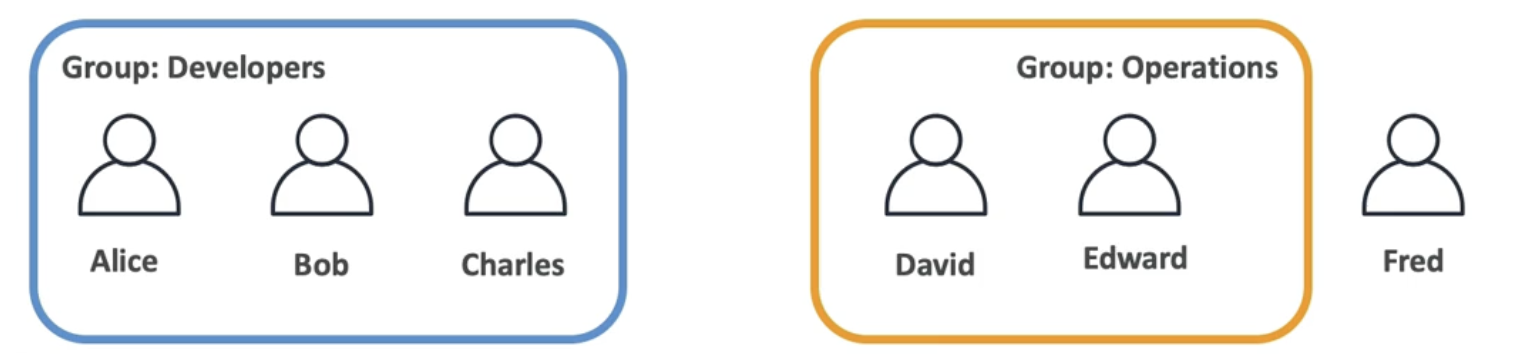
- Can be grouped
- Don't have to belong to a group
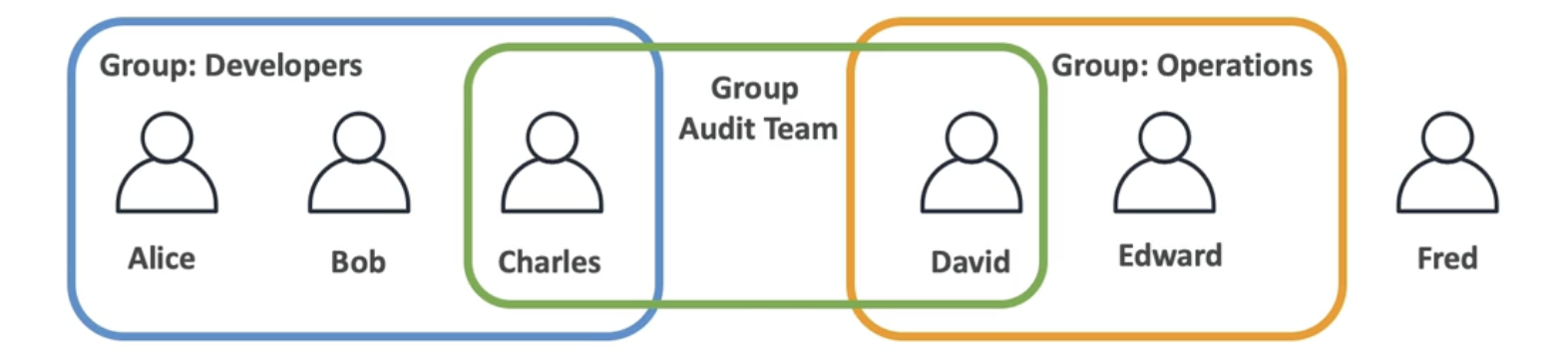
- Can belong to multiple groups
Permissions
Why do we create users and group them?
- IAM gives permission to each user allow using AWS services
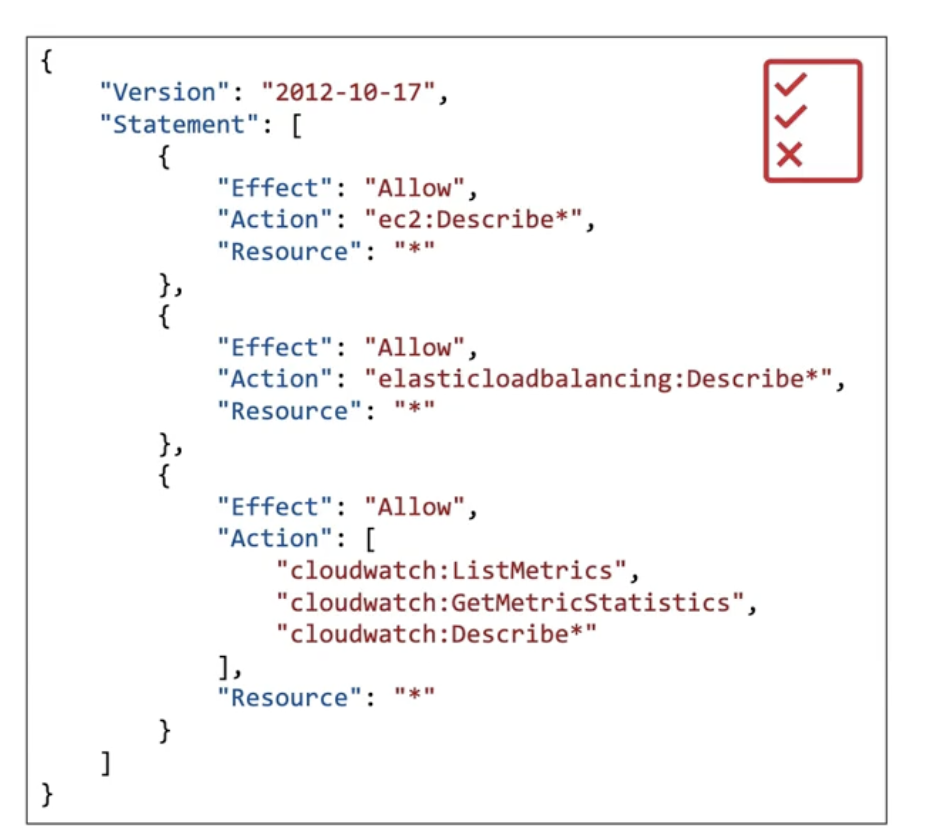
- Users or Groups are assigned with JSON called permission policies
- Apply the least privilege princple so that users don't get more than they need
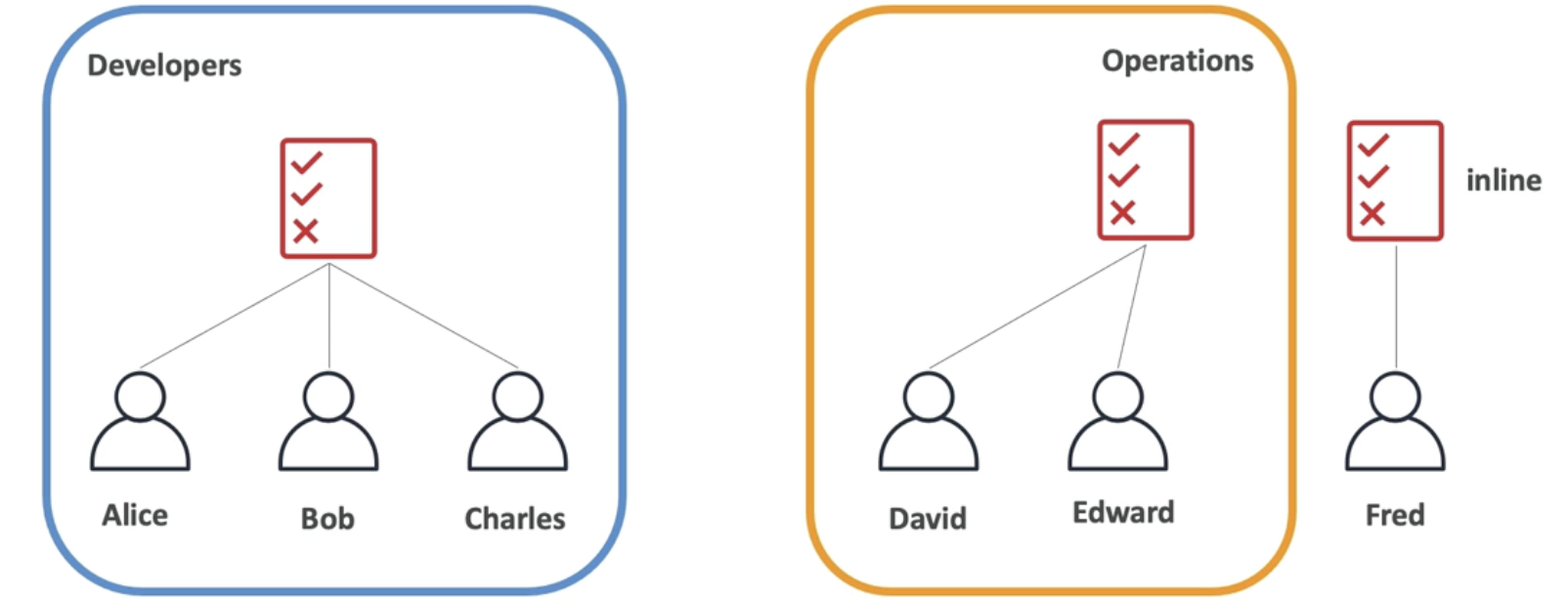
Policies Inheritance
-
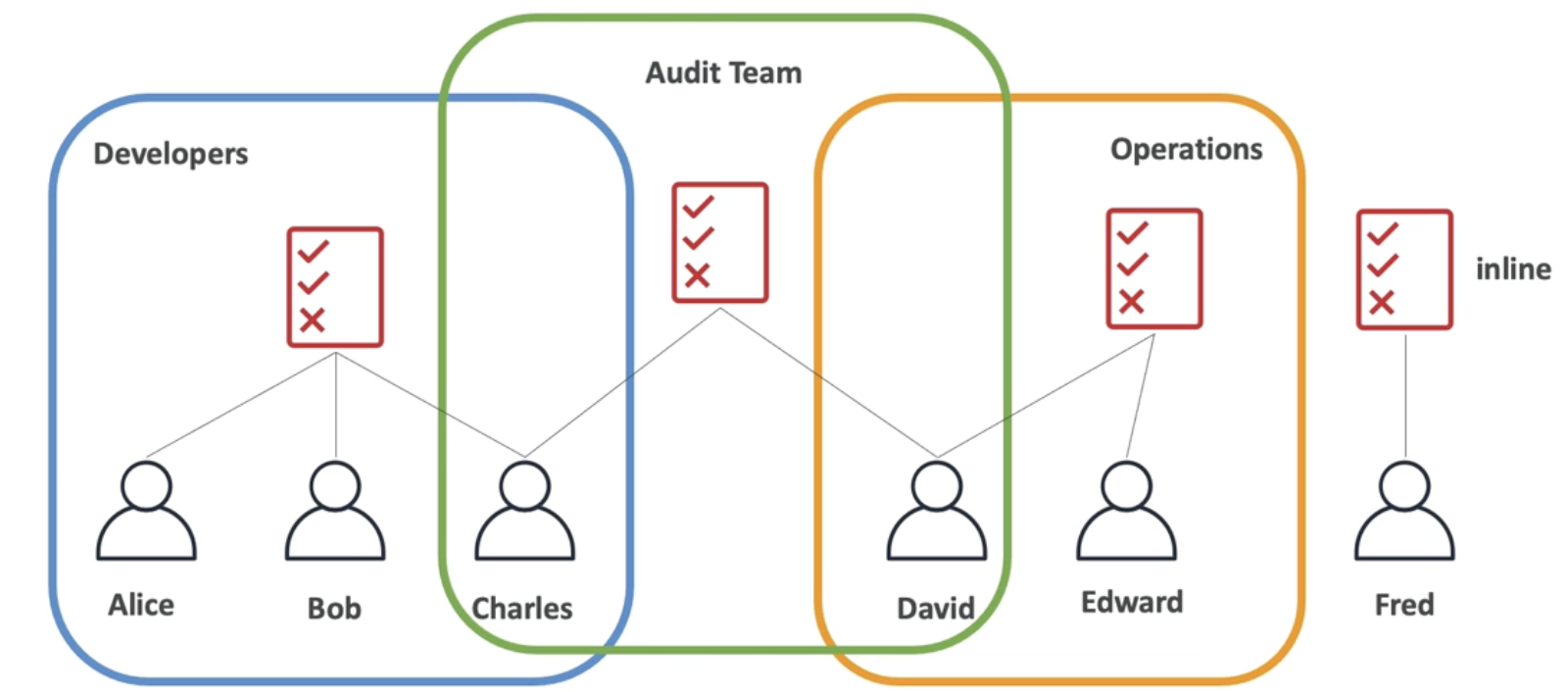
Users in the same group are inherited the same policies
-
Users outside the group inline assign policies
-
Users in multiple groups get multiple inheriances
-
Charles has policies from Developers, Audit, Operations group
Policies Structure
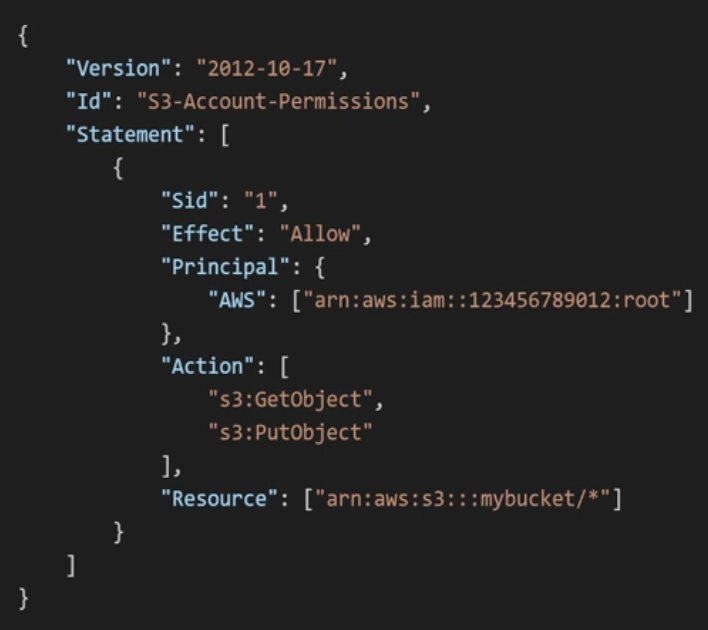
IAM Policy consists of Sid, Effect, Principal, Action, Resource, and Condition. Version is part of the IAM Policy itself, not the statement.- Version: policy language version
- always include 2012-10-17 - Id: identifier for the policy (optional)
- Statement: one or more statements (required)
- Sid: identifier for the statement (optional)
- Effect: allow or deny access
- Principal: account/user/role to which this policiy applied to
- Action: list of actions this policy allow or deny
- Resource: list of resources to which the actions applied to
- Condition: when this policy is in effect (optional)
Having created users and groups, now protect these from being compromised
Password Policy
-
Minimum password length
-
Require specific character types
-
Allow all IAM users to change their own password
-
Require to change their passwrod after some time (expiration)
-
Prevent passwrod reuse
Multi Factor Authentication

-
password + security device
-
Even though a password is hacked, the accoutn is not compromised
-
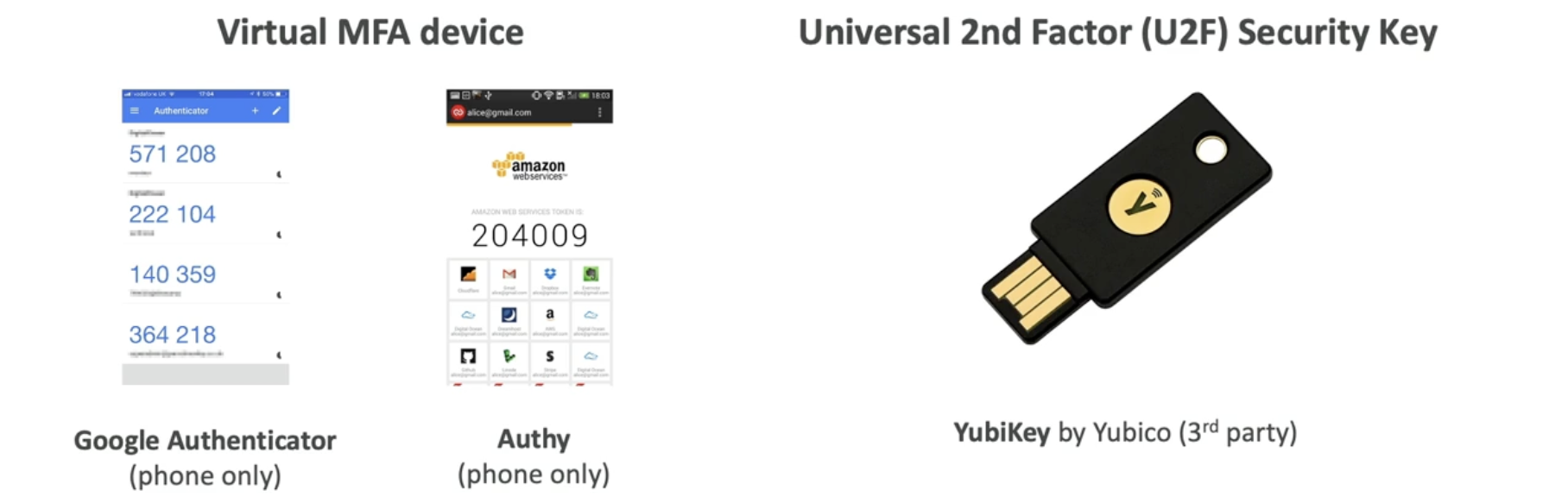
Virtual MFA device: multiple tokens on a single device
- Google Authenticator (Phone only)- Authy (Phone only)
-
Universal 2nd Factor (2UF) Security Key: multiple root and IAM users using a single security key
- YubiKey (3rd party)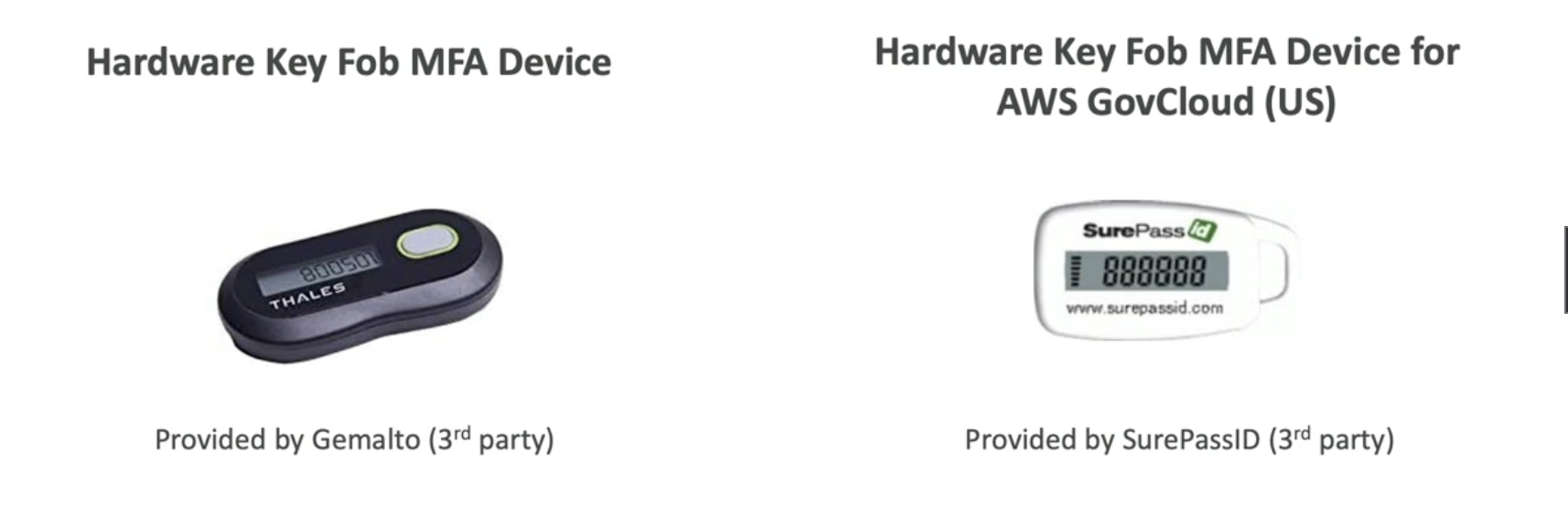
-
Hardware Key Fob MFA Device
- Gemalto (3rd party)
-
Hardware Key Fob MFA Device for AWS GovCloud (US)
- SurePassId (3rd party)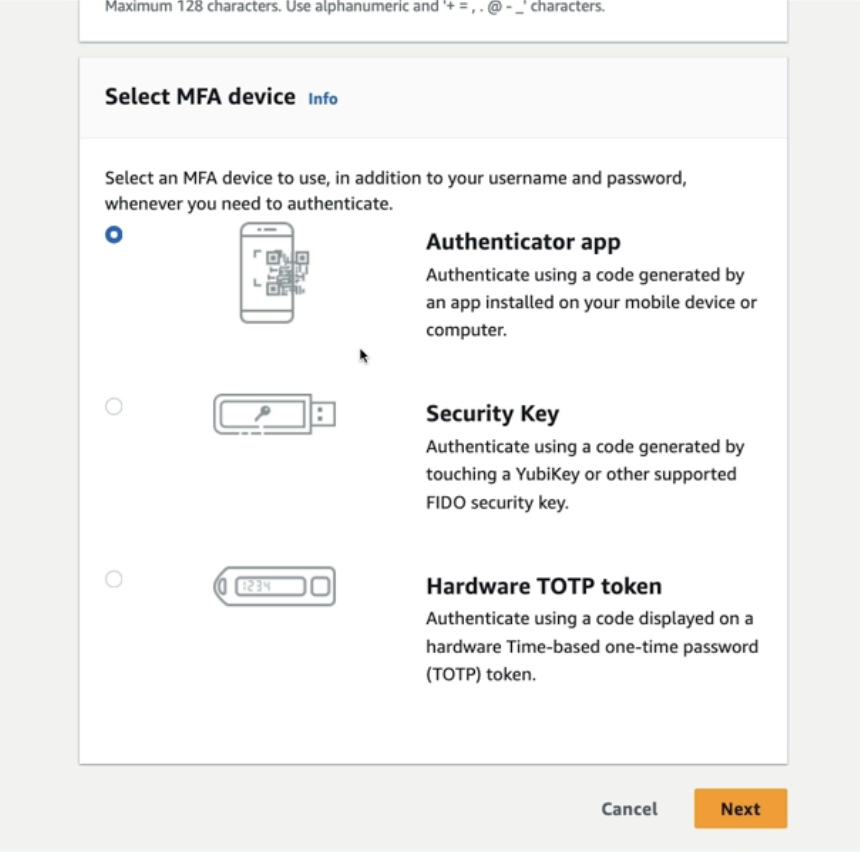
Role
-
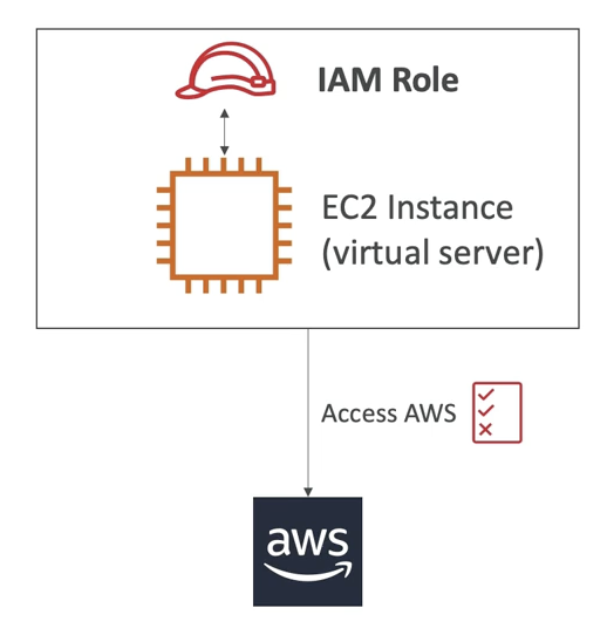
Some AWS service perform actions on my behalf
-
We have to assign permissions to AWS services with IAM Roles
-
Not used by people, used by AWS services
-
ex) EC2 needs permission (IAM Role) to access RDS database

-
There are default roles
Role of AWS service
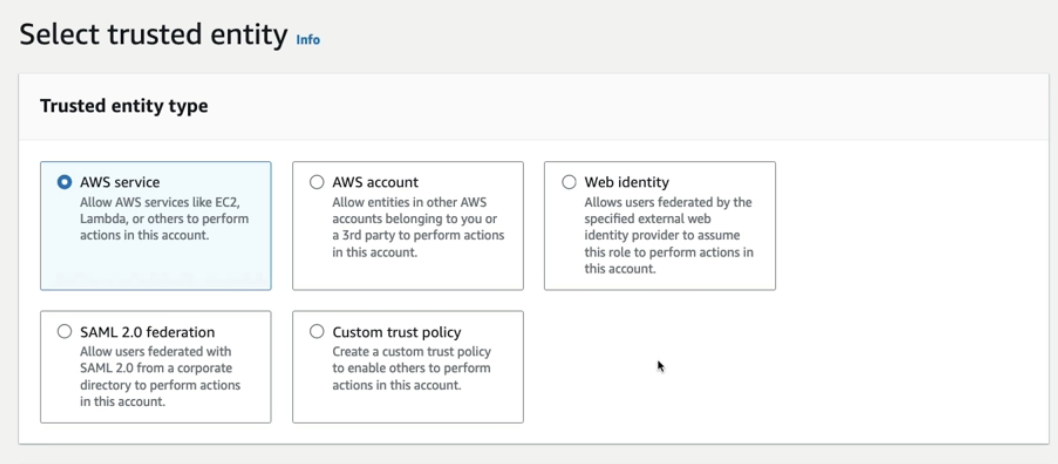
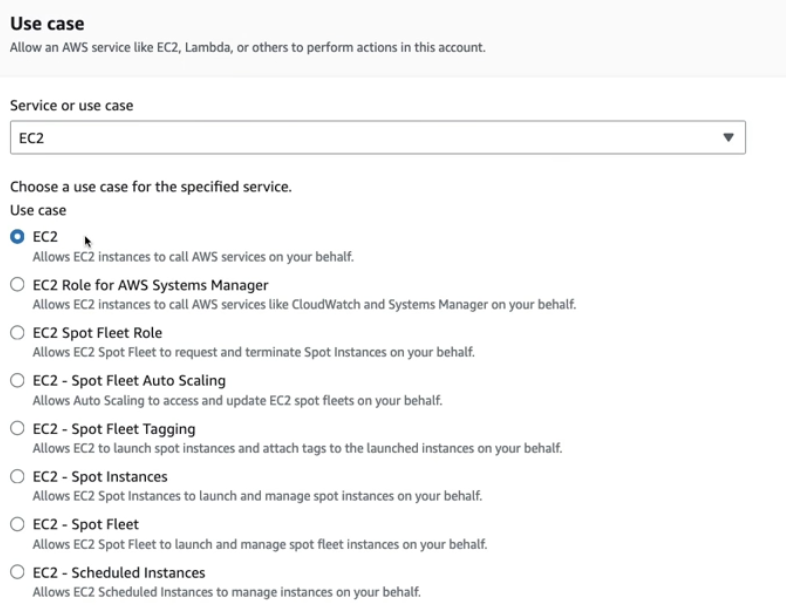
- Create role for EC2 instance
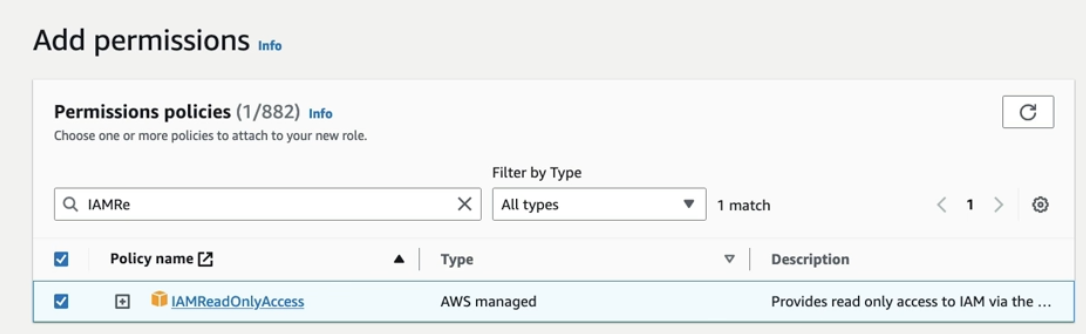
- Attach permission policies to the role
- In this case, EC2 can only read whatever in IAM
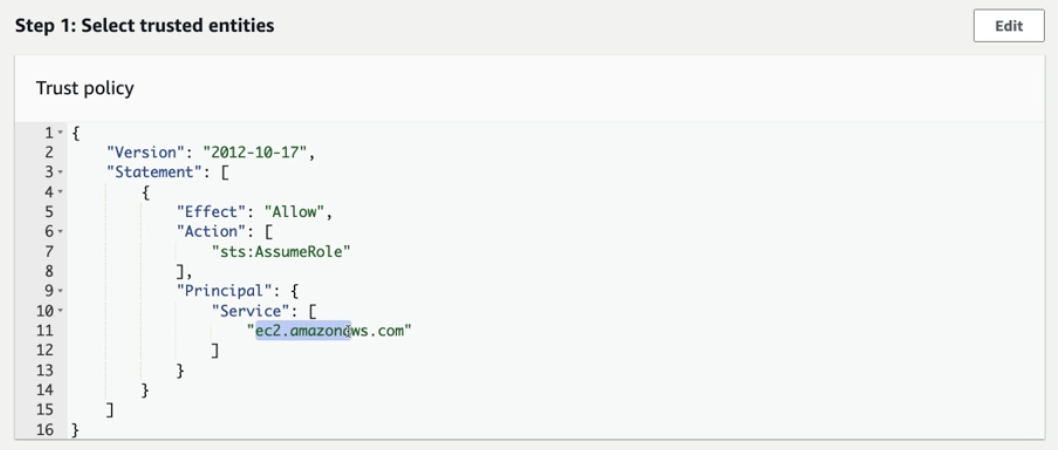
- Trused entity is an entity that is allowed to assume a role or access certain resources within an AWS account
- Ec2 is selected in Principal
Security Tools
IAM Credentials Report (account-level)
- Lists all account users and the status of their various credentials
IAM Access Advisor (user-level)
- Show the service permissions granted to a user and when those services were last accessed by the user
- Use this information to revise polices so that each user has the least priveliged permissions
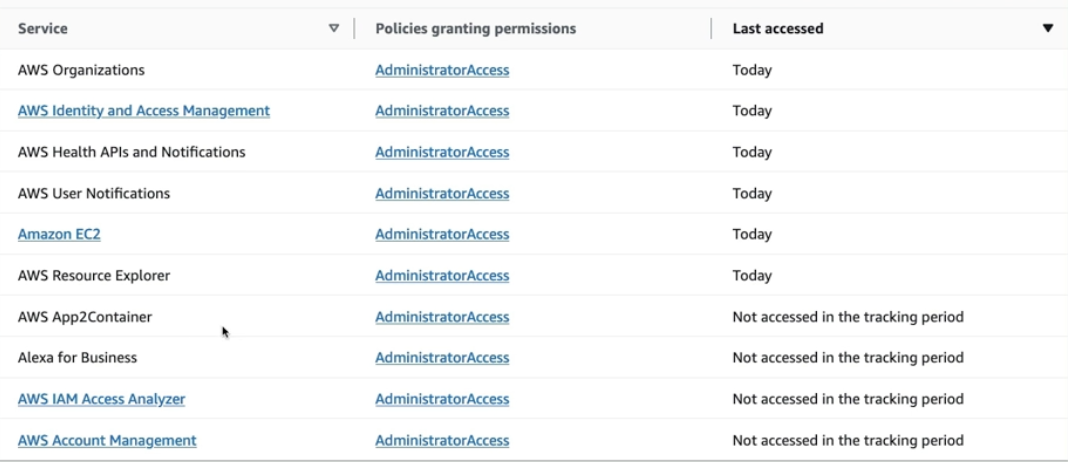
- Shows the user needs access to fewer services
Guidelines
- Don't use root acount except for AWS account setup
- Create aws user for each user (one user = one aws user)
- Assign users to groups and assign permissions to groups
- Security should be managed in a group level - Strong password policies
- Use MFA
- Create and use roles to give permissions to AWS services
- Use Access Keys for programmatic access (cli/sdk)
- Audit permissions using IAM Credential Report and Access Advisor
- Never share IAM users and Access Keys
