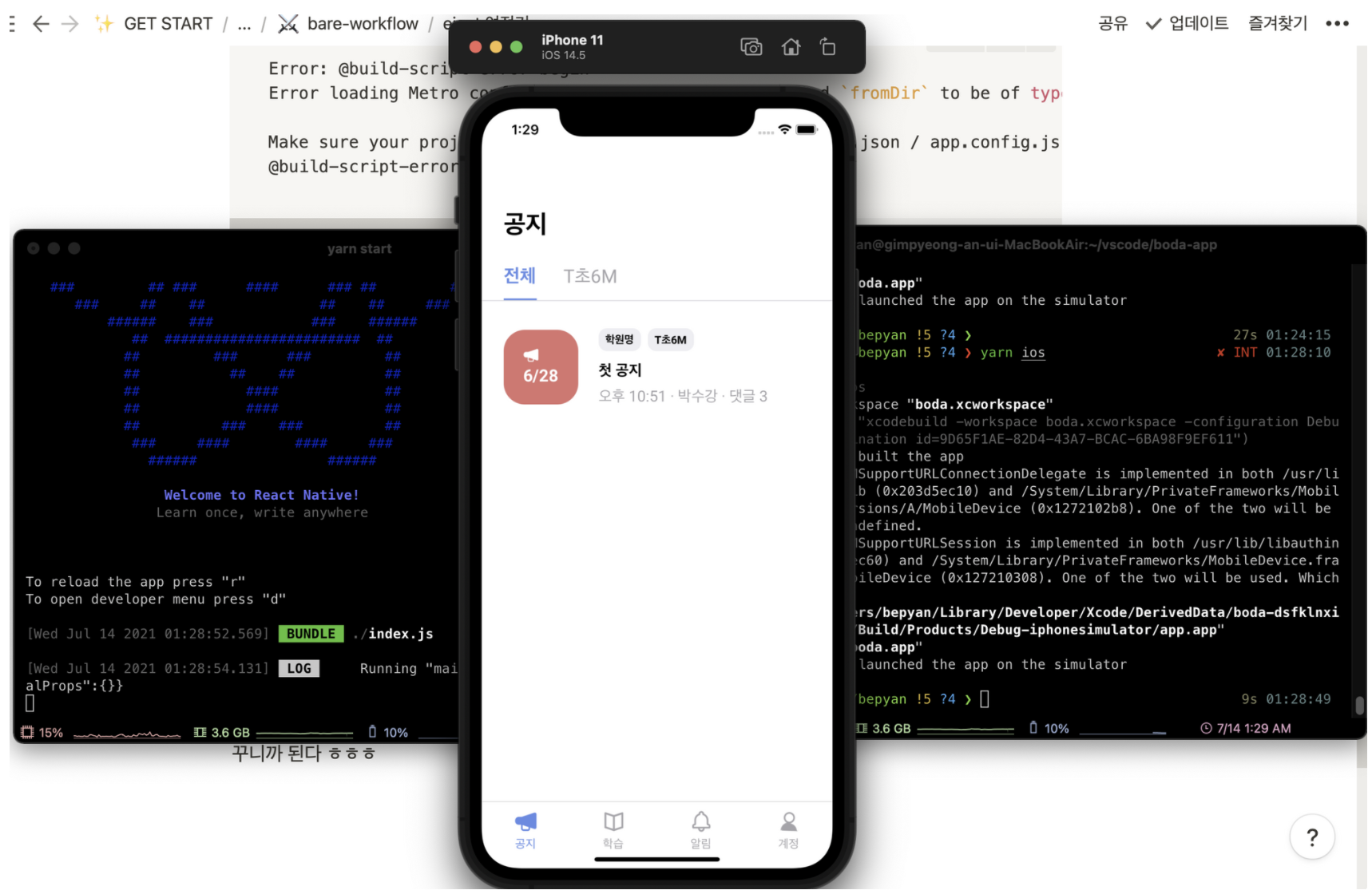
Bare Workflow 프로젝트를 만들었으니 이제 expo eject를 도전해보자.
사이드 프로젝트로 진행하던 Typescript 프로젝트 boda로 해봤다.
eject
expo eject
sudo gem install cocoapods
sudo arch -x86_64 gem install ffi
npx pod-install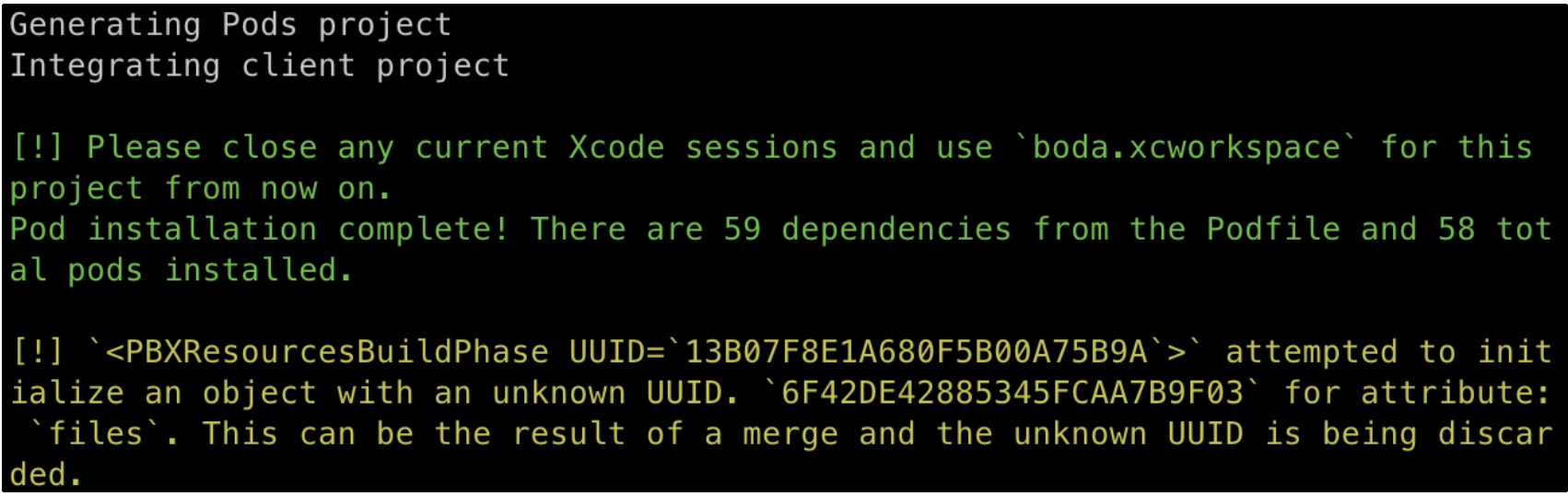
unknown UIID를 경고가 뜬다.
⚡️ 도와줘요 구글신
pod를 업데이트를 하지않고 pod install를 해서 그렇다. 삽질의 흔적
arch -x86_64 pod deintegrate boda.XCODEPROJ
arch -x86_64 pod install(boda는 디랙토리 이름)
빌드 & 실행
iOS기준으로 2가지 방법이 있다.
command로 실행하기
yarn iosyarn startxcode로 실행하기
open . Finder를 열어서 ios 디랙토리에 들어간다.
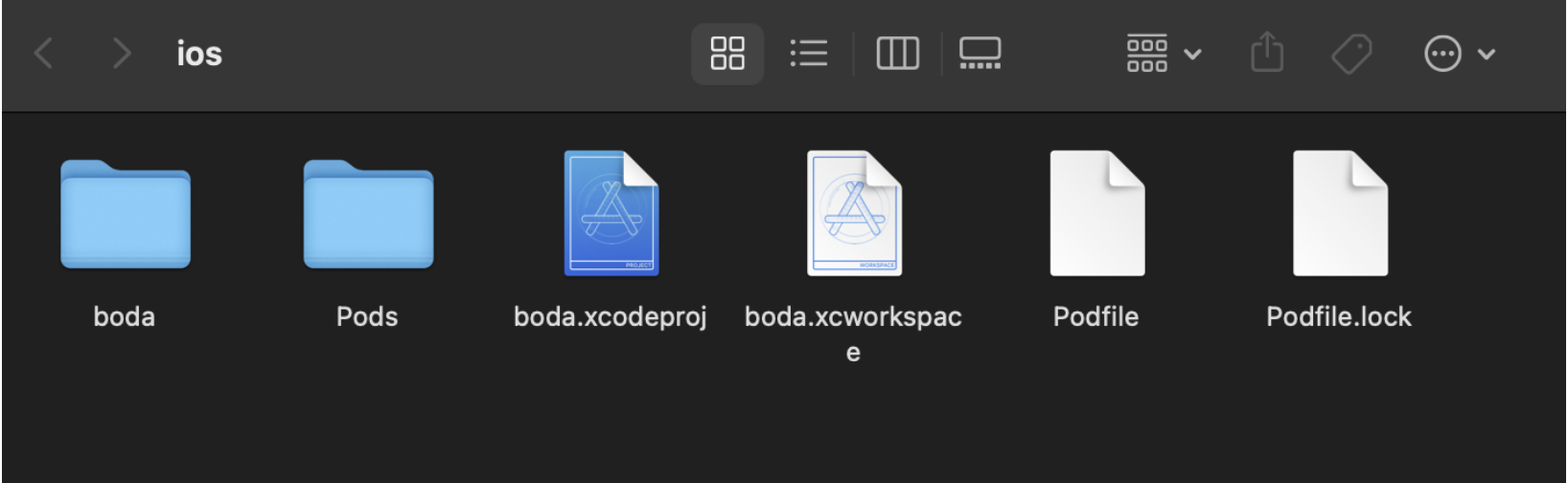
.xcworkspace을 열고 시작 버튼을 누르면 된다.
xcode가 없으면 설치해야 한다.
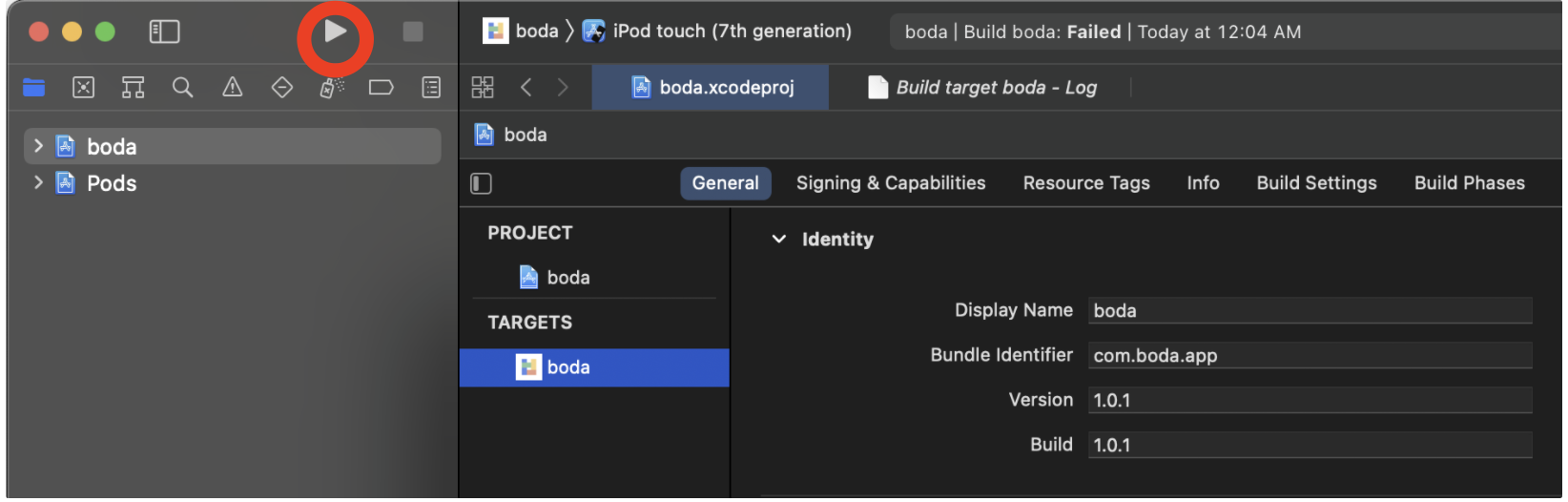
마주친 버그
cannot find the node binary
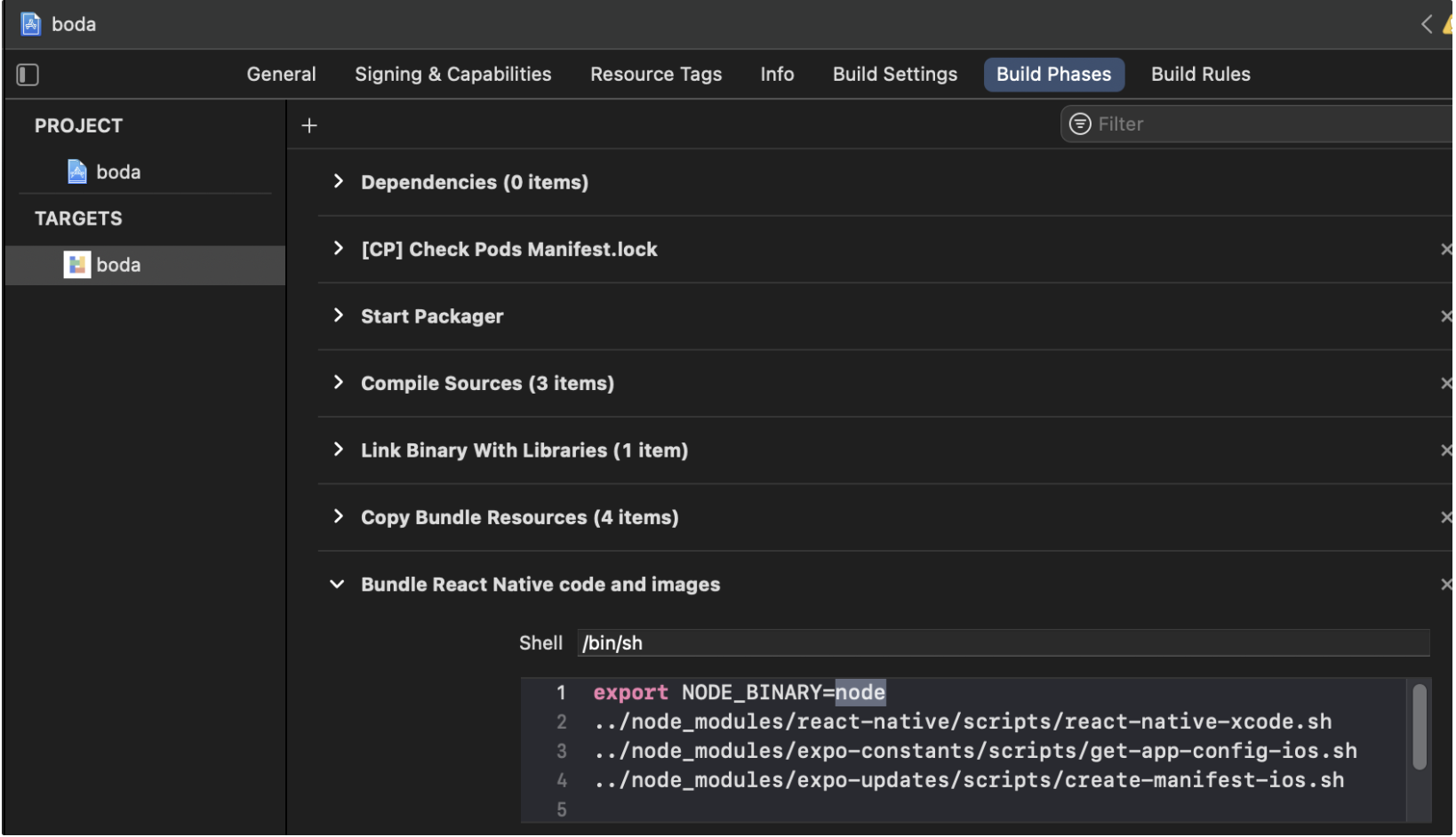
Error: cannot find the node binary. Try setting the NODE_BINARY variable in the "Bundle React Native code and images" Build Phase to the absolute path to your node binary. You can find it by executing "which node" in a terminal window.Build Phases / Bundle React Native code and images에
node 위치를 알려줘야 한다.
which node
export NODE_BINARY=/Users/bepyan/.nvm/versions/node/v14.17.3/bin/node복붙하면 끗!
Expected fromDir to be of type string, got undefined
Error: @build-script-error-begin
Error loading Metro config and Expo app config: Expected `fromDir` to be of type `string`, got `undefined`

Make sure your project is configured properly and your app.json / app.config.js is valid.
@build-script-error-endapp.json에 문제가 있다고 하는데.. ⚡️ 도와줘요 구글신1
"ios": {
      "supportsTablet": false,
      "bundleIdentifier": "com.boda.app",
      "buildNumber": "1.0.1"
 },
😢 안되더라..
metro.config.js의 __dirname문제인가? ⚡️ 도와줘요 구글신2
import path from 'path';
const __dirname = path.resolve();
😢 안되더라..
이런 도움이 안되는 구글신 퉤퉤
이전 빌드에 성공한 bare 프로젝트의 코드를 살펴보았다.
결론은 index.js(AppEntery)가 프로젝트 root에 있어야 한다.
이전에 커스터마이징한다고 src/index.ts에 뒀다. src에 안들어가면 뭔가 불편...
index.ts 로 옮겨 봤는데 안되었지만 .js 파일로 바꾸니까 되더라..
package.json
{
  "main": "index.js",
  //...
}
결과
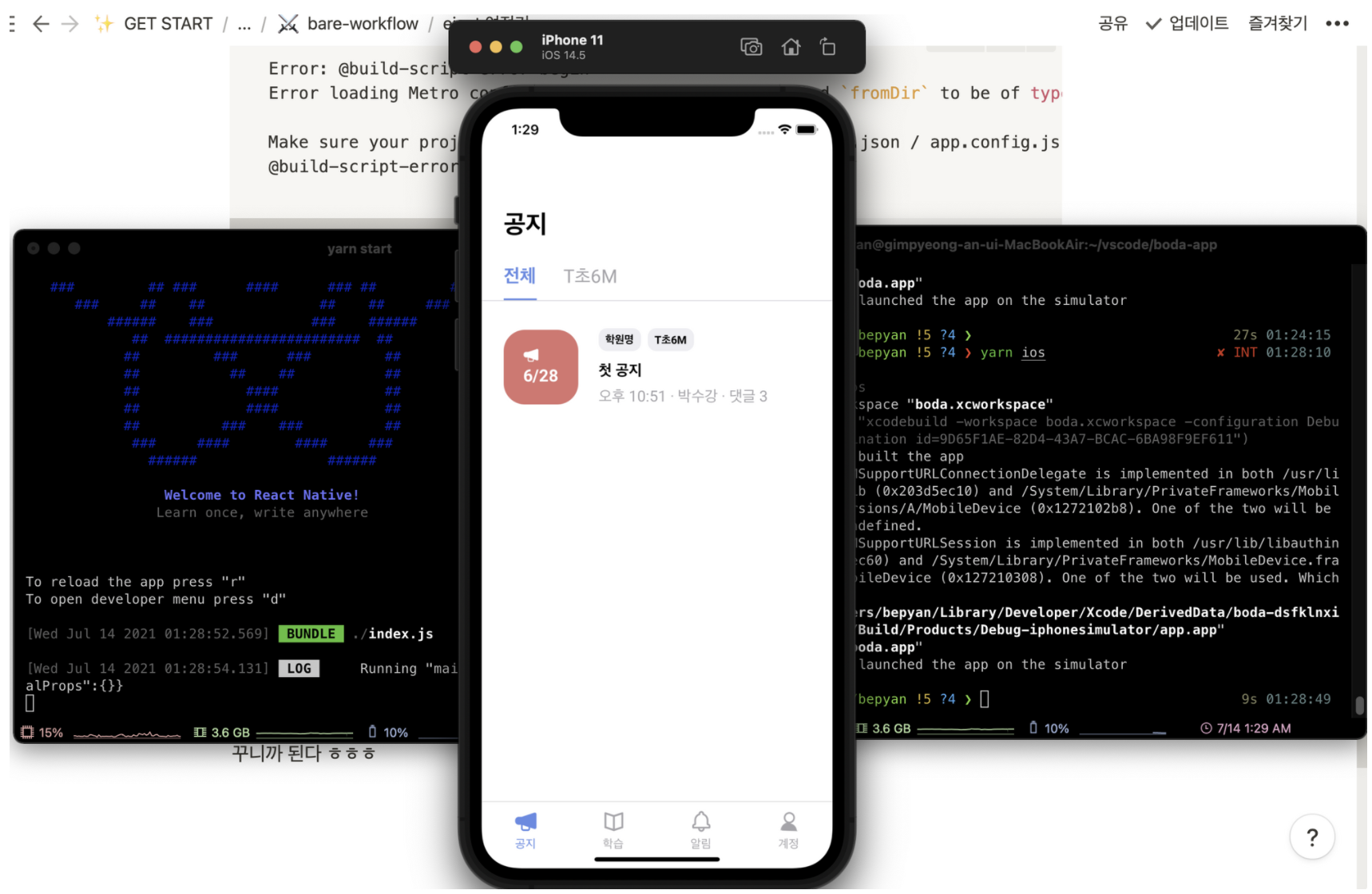
3시간의 혈투 끝에 eject 성공했다.
사실 이제부터 앱 설정 전쟁 시작이다..

https://bepyan.me/ <<< 블로그 이전했습니다.