✅ What I did today
- Project BCA
- Udemy Course : Unity Lighting
📝 Things I Learned
🏷️ Unity :: Vector3.ProjectOnPlane()
Vector3.ProjectOnPlane() is a method in Unity's Vector3 class that projects a vector onto a plane that is defined by a normal vector.
Vector3.ProjectOnPlane(Vector3 vector, Vector3 planeNormal)vector: The original vector that you want to project.planeNormal: The normal of the plane onto which the vector will be projected.
🏷️ Unity :: Ensuring Lerp() and RotateTowards() end at a fixed time
Does RotateTowards() Have a Zeno's Paradox Issue?
No, Quaternion.RotateTowards() does not suffer from Zeno's Paradox. Unlike Lerp(), which takes a fraction of the remaining distance each frame, RotateTowards() moves at a fixed speed (e.g., 45° per second), ensuring it reaches the target in finite time.
Why Does Lerp() Have a Zeno-Like Issue?
Lerp() uses a fractional interpolation:
transform.rotation = Quaternion.Lerp(transform.rotation, targetRotation, lerpSpeed * Time.deltaTime);- Since
Lerp()moves by a fraction of the remaining distance, it slows down as it gets closer. - If
lerpSpeed * Time.deltaTimeis small, it may never exactly reach the target due to floating-point precision.
Why Does RotateTowards() Work?
transform.rotation = Quaternion.RotateTowards(transform.rotation, targetRotation, rotationSpeed * Time.deltaTime);- This method moves by a fixed amount (degrees per second), not a fraction.
- Once the remaining angle is smaller than
rotationSpeed * Time.deltaTime,RotateTowards()snaps to the final rotation.
Zeno’s Paradox Fix for Lerp
If you must use Lerp() but want to ensure the rotation completes in exactly 2 seconds, manually interpolate based on elapsed time:
float rotationTime = 2f; // Time to complete rotation
float elapsedTime = 0f;
Quaternion startRotation;
Quaternion targetRotation;

void Start()
{
    startRotation = transform.rotation;
    targetRotation = Quaternion.Euler(0, 90, 0);
}

void Update()
{
    if (elapsedTime < rotationTime)
    {
        elapsedTime += Time.deltaTime;
        float t = elapsedTime / rotationTime; // Normalize time (0 to 1)
        transform.rotation = Quaternion.Lerp(startRotation, targetRotation, t);
    }
    else
    {
        transform.rotation = targetRotation; // Ensure it snaps to the final rotation
    }
}
🎮 Project BCA
Target offset correction
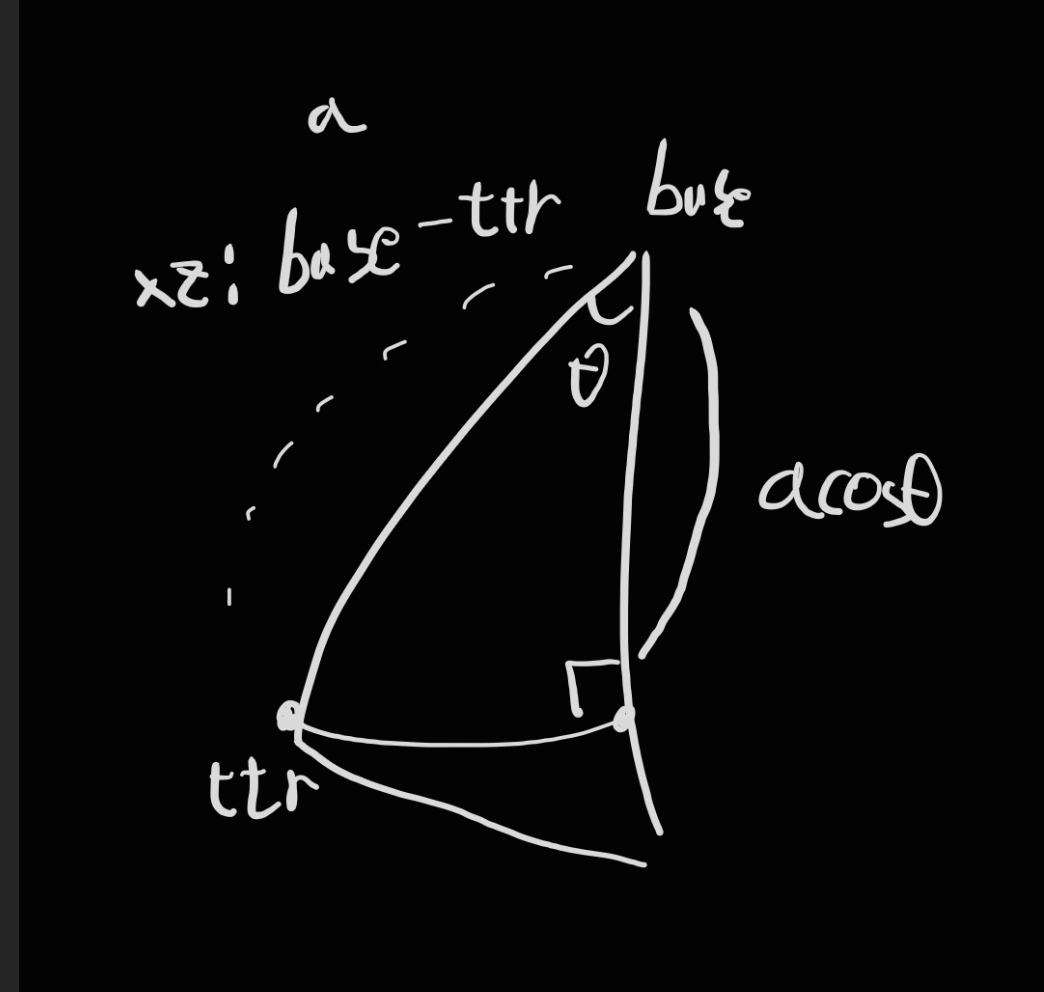
기하학적으로 다시 풀기. 각도 오프셋만큼 되돌린 후에, 길이를 정사영해주면 됨
문제
- 각도 오프셋이 팔이 뻗어나온 길이에 따라 달라진다.
상대적인 위치를 반영하는거라 변동하면 안되는 값인데도.<- 틀린 생각이었다. - 그런데도 각도 오프셋을 반영한 y축 회전은 멀쩡하게 유지되고 있다.
- 하지만 각도 오프셋으로 정사영한 길이는 원하는 결과가 나오지 않는다.
해결 과정
- 기존 교점 구하는 수식에서 x_c를 피타고라스로 풀 필요가 없이 y성분만 제거해주면 된다는 사실 발견 후 개선
- vector3.angle 결과값(단위: deg)을 mathf.cos(단위: rad)에 그대로 넣으면 안된다
- 상대적인 위치는 그대로여도, base와의 거리에 따라 각도는 달라진다.
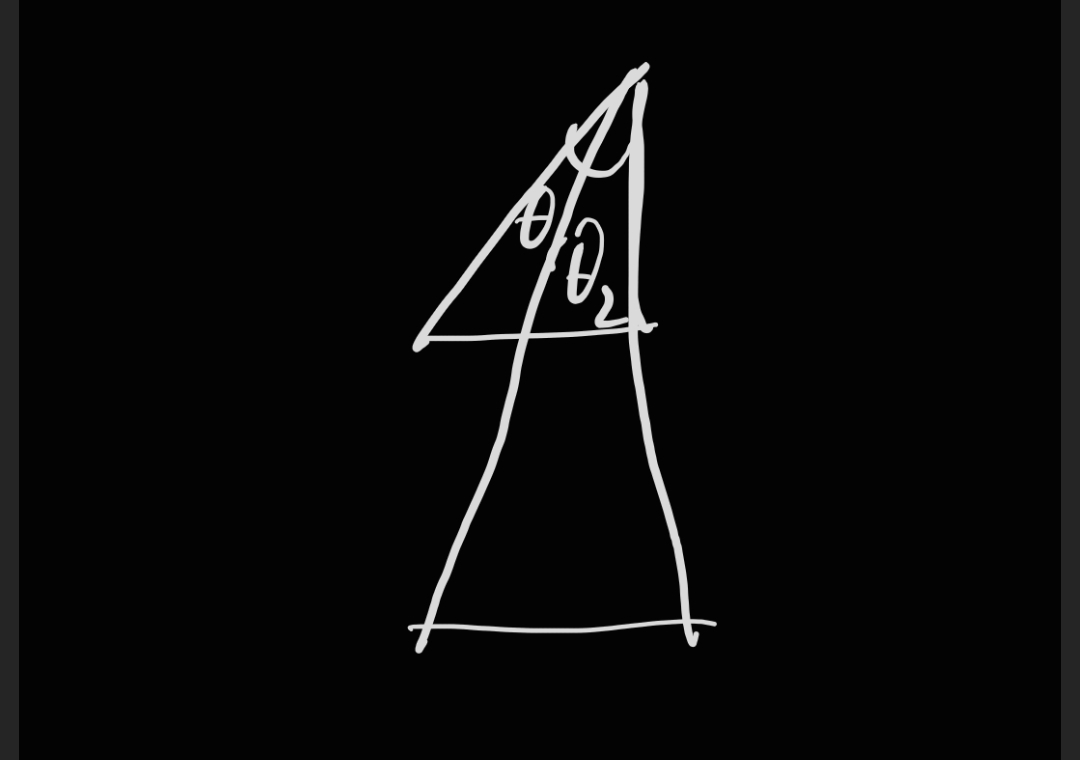
[SerializeField][Range(0, 1f)] private float length_magic_number_subt;
Vector2 c = new Vector2(x_c - length_magic_number_subt, y_c);
정사영은 포기하고 매직 넘버 빼서 해결했다.
문제 발생 원인은 모르겠지만, 더 이상 시간 지체 불가.
Completing main game
- 총소리 이후 암전, 게임 재시작
- 현재 마우스 있는 곳에 UI 있는지 확인 :
if (EventSystem.current.IsPointerOverGameObject()) return;
- 현재 마우스 있는 곳에 UI 있는지 확인 :
- 평소에 로봇팔 접어놓는 메서드
Moving pieces using robotic arm
- 기물 옮기기
- 타겟에 위치할 각도까지 서서히 변화하는 것부터 시작
- 목표 각도를 구하면 할당만 해두고, update()에서 목표 각도를 향해 연속적으로 움직이게 하기
- y_axis_part는 RotateTowards() 걸어두면 왜인지 계속 빙글빙글 돌길래 일단 지워놓음. SetTarget()에선 문제 안 일으킴. 초기값 문제?
- Set_Angle_Offset()은 해당 위치에 로봇팔이 가 있어야 정확히 계산되다보니, 현재 정상적으로 작동해주지 않는 상황. 내일 고치기.
- 타겟에 위치할 각도까지 서서히 변화하는 것부터 시작
    void Update()
    {
        if (target_to_reach == null) return;
        Rotate_To_Goal_Continously();
    }

    private void Rotate_To_Goal_Continously()
    {
        // y_axis_part.localRotation = Quaternion.RotateTowards(y_axis_part.rotation, y_axis_part_rotation_goal, move_time * Time.deltaTime);
        x_axis_part.localRotation = Quaternion.RotateTowards(x_axis_part.localRotation, x_axis_part_rotation_goal, move_time);
        x_axis_part_2.localRotation = Quaternion.RotateTowards(x_axis_part_2.localRotation, x_axis_part_2_rotation_goal, move_time);
        hand_part.localRotation = Quaternion.RotateTowards(hand_part.localRotation, hand_part_rotation_goal, move_time);
    }

    public void SetTarget(Transform target, float time)
    {
        target_to_reach = target;
        move_time = time;
        Set_Angle_Offset();
        Set_Y_Rotation();
        Set_X_Axis_Angles();
    }

    private void Set_Angle_Offset()
    {
        Vector3 a = tongs_part.position - x_axis_part.position;
        Vector3 b = hand_part.position - x_axis_part.position;
        a.y = 0;
        b.y = 0;
        hand_angle_offset = Vector3.Angle(a, b);
    }
🎞️ Udemy Course : Unity Lighting
섹션 1.12

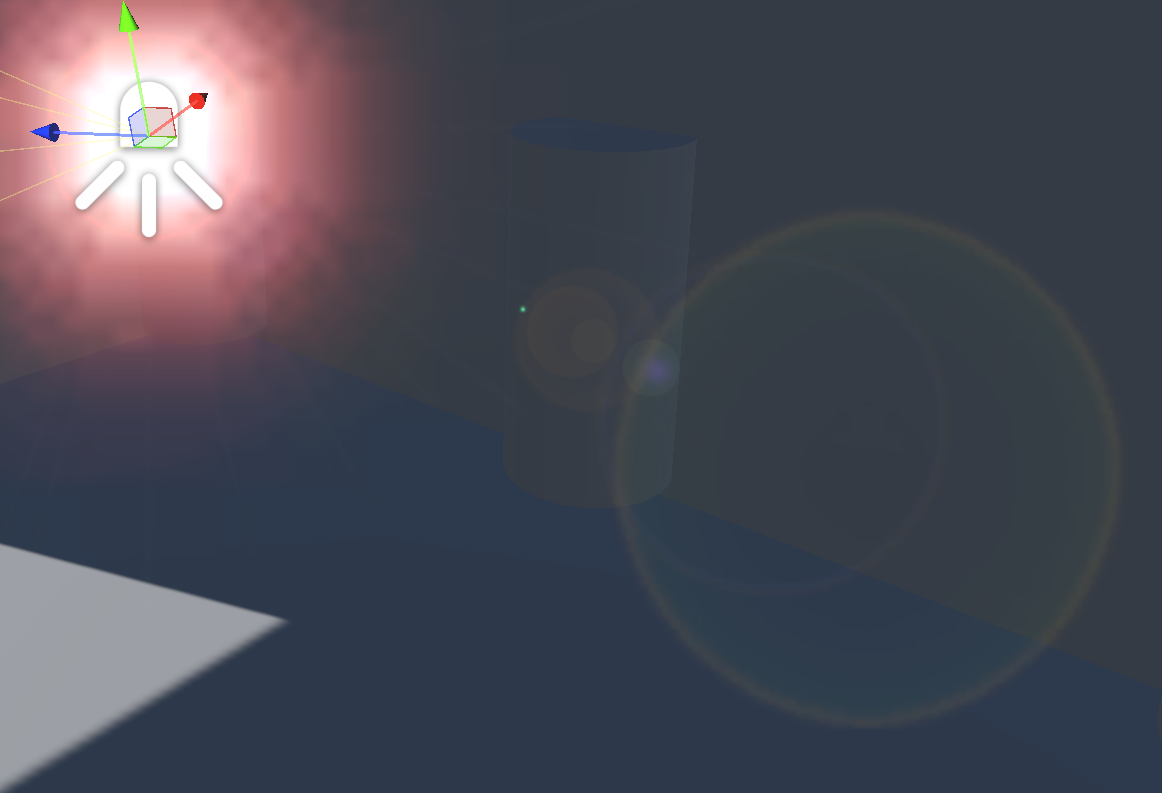
(뭐 때문인지 모르겠는데 오류 나서 이상하게 보임. flare도 lens flare 추가해야 보인다)
- Directional Light > Flare에 .flare 적용하면 스카이박스에 있는 태양에 flare 적용됨 (모든 광원에도 flare 적용 가능함)
- Main Camera에 Flare Layer 컴포넌트를 달아야 게임 뷰에서 flare 보인다
- 광원에 Lens Flare 컴포넌트 추가하면 flare 사라지는 속도나 색깔, 세기 등 조절 가능 (원래 있는 flare는 삭제할 것)
- flare는 멀어지면 커지고 가까이 가면 작아진다
