📝 Things I Learned
🏷️ Unity :: Camera : Clipping Planes
In Unity, the clipping planes of a camera component determine the range of distances from the camera at which objects will be rendered.
1. Near Clipping Plane
- This is the closest distance from the camera at which rendering starts.
- Any object closer to the camera than this value will not be visible.
- Default is usually around 0.3 units.
2. Far Clipping Plane
- This is the farthest distance from the camera at which rendering stops.
- Any object farther than this value will also not be visible.
- Default is often 1000 units, but can be adjusted.
🎞️ Udemy Course : Unity Lighting
- ~ 60.
(스킵하면서 대충 봄. 남은 건 굳이 볼 필요 없는듯)
- Reflection Probe 영역 조절할 때 바닥은 포함하지만 벽은 빼놓는다. volume으로 인해 밝아지는 걸 막기 위함인듯.
- real time light 보이는 개수 조절하려면 Project Settings > Quality > Pixel Light Cound 늘리기
- camera clipping plane 때문에 조명이 켜졌다 꺼졌다 하는 이슈도 생기는듯
- 거리에 따라 Project Settings > Quality > Shadow Cascades의 설정에 의해 부자연스럽게 보이는 경우도 있다. path의 간격을 조절해주면 해결됨
- 조명 하나만 쓰는게 아니라 여러 개, 여러 색깔 써서 맵을 밝힌다.
🎮 Project BCA
Showing the outline of a cake
- 케이크에 시선을 맞췄을 때 아웃라인 머테리얼로 바꾸고, 시선이 벗어났을 땐 원래 머테리얼로 돌아가는 기능 필요
- 기존에 게임과 관련 없는 오브젝트 (문이 유일했다) 를 클릭했을 경우 IRaycastReceiver가 있는지 확인하고 있으면 OnRaycastHit()를 호출하는 방식은 이와 어울리지 않음
- Update()문에서 GetComponent를 호출하면 성능에 안 좋기 때문.
    void Update()
    {
        Ray ray = new Ray(Camera.main.transform.position, Camera.main.transform.forward);
        RaycastHit hit;
        Debug.DrawRay(ray.origin, ray.direction * rayLength, Color.red);
        if (Physics.Raycast(ray, out hit, rayLength, targetLayer))
        {
            // 머테리얼 변경을 위해 현재 보고 있는 오브젝트 식별 및 함수 호출 (문은 아무 일도 안 일어남)
            if (curLookObj != hit.collider.gameObject)
            {
                curLookObj?.GetComponent<IRaycastNonGame>().OnEndLooking();
                curLookObj = hit.collider.gameObject;
                curLookObj.GetComponent<IRaycastNonGame>().OnStartLooking();
            }

            if (Input.GetMouseButtonDown(0))
            {
                curLookObj.GetComponent<IRaycastNonGame>().OnClicked(transform);
            }
        }
        else
        {
            curLookObj?.GetComponent<IRaycastNonGame>().OnEndLooking();
            curLookObj = null;
        }
    }
raycast_nonGame.cs
    public void OnStartLooking()
    {
        if (captured) return;
        propBlock.SetFloat("_Scale", 1.1f);
        meshRenderer.SetPropertyBlock(propBlock, 1);
    }

    public void OnEndLooking()
    {
        if (captured) return;
        propBlock.SetFloat("_Scale", 0);
        meshRenderer.SetPropertyBlock(propBlock, 1);
    }
Cake.cs
- 레이어 마스크로
Getcomponent<IRaycastReceiver>()가 하던 검증 로직을 대체하고, - 레이어에 해당되는 오브젝트들에는 반드시 OnClicked() 구현. 인터페이스로 묶어버리기. 두 개밖에 없는데도 interface가 편했다.
- 체스 기물도 같은 인터페이스를 사용할 수 있지 않을까 생각이 들긴 하지만, 이미 별도의 로직으로 구성되어있고, 개발 막바지라 굳이?
- Debug.DrawRay는 Scene뷰에서만 보인다.
- LayerMask.NameToLayer()는 비트 마스크가 아니라 정수를 반환하기 때문에 레이어 마스크로 못 써먹음. 앞에
1 <<붙이거나 GetMask 쓰거나. - SetPropertyBlock(); 안 해주면 적용 안된다.
Static batching removes additional material

- 실행하면 갑자기 mesh filter에서 combined mesh로 바뀌며 추가했던 머테리얼이 사라지는 오류 발생.
- 같은 모델로 동일하게 머테리얼 추가해보았지만 mesh filter 바뀌지 않음. static batching 최적화 과정에서 일어나는 현상이라고 함. 간단히 말해 유니티 엔진이 마음대로 바꿨다는거. static 체크 여부가 변인임을 확인.
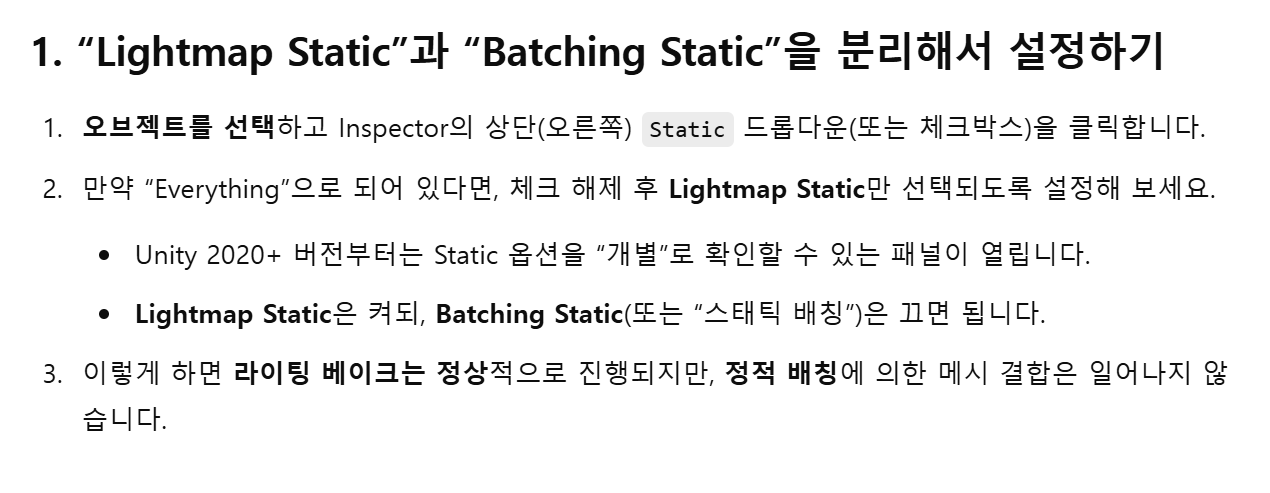
- static batching만 체크 해제하여 해결.
Bring a cake to the player
- 문제 : 오브젝트를 클릭했을 때 플레이어의 앞으로 가져오는데, 이때 위치를 이동하더라도 동일한 localPosition에 도착해야 한다.
- 코루틴으로 while문에서 오브젝트가 특정 localposition을 향해 움직이려고 할 때마다 목표 localPosition을 업데이트.
    /// <summary>
    /// 클릭했으면 케이크를 눈 앞으로 가져옴
    /// </summary>
    public void OnClicked(Transform player)
    {
        // 두 번 실행되지 않도록, 그리고 집었으면 다른 함수들 실행되지 않도록
        if (captured) return;
        captured = true;
        propBlock.SetFloat("_Scale", 0);
        meshRenderer.SetPropertyBlock(propBlock, 1);

        Transform camera = player.GetChild(0);
        transform.SetParent(camera);
        StartCoroutine(MoveToPlayer(camera));
    }

    private IEnumerator MoveToPlayer(Transform camera)
    {
        Vector3 startPos = transform.localPosition;
        float elapsed = 0f;

        while (elapsed < duration)
        {
            elapsed += Time.deltaTime;
            Vector3 endPos = camera.InverseTransformPoint(camera.position + camera.forward * forward_distance + Vector3.down * down_distance);
            transform.localPosition = Vector3.Lerp(startPos, endPos, elapsed / duration);
            yield return null;
        }

        transform.localPosition = camera.InverseTransformPoint(camera.position + camera.forward * forward_distance + Vector3.down * down_distance);
    }