✅ What I did today
- Udemy Course : Unity Shader
- Project BCA
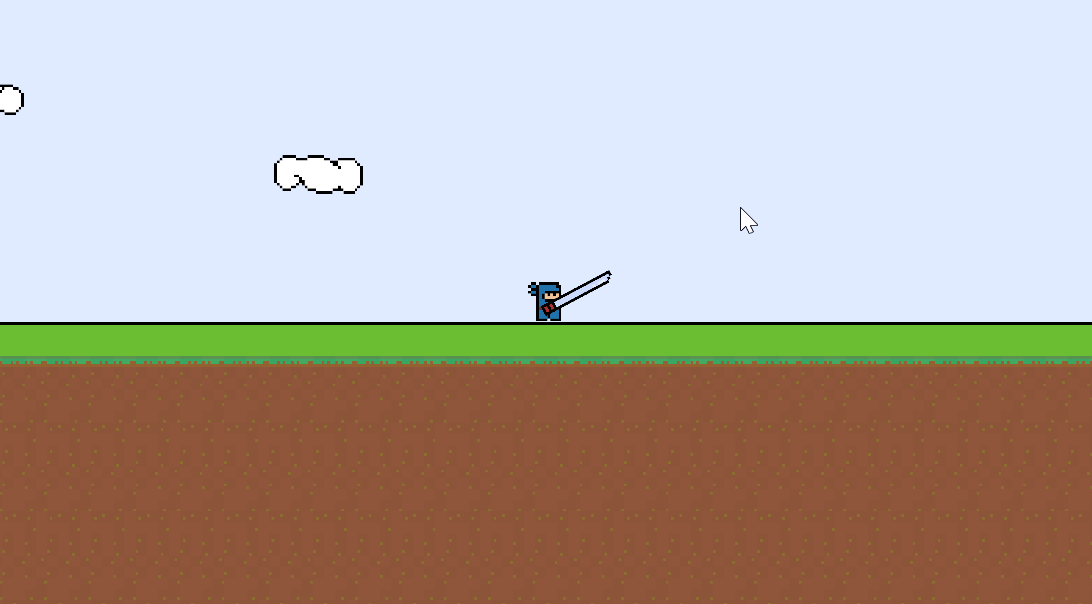
- Project Katana
🎞️ Udemy Course : Unity Shader
Ray marching
    SubShader
    {
        Tags { "Queue" = "Transparent" }
        Blend SrcAlpha OneMinusSrcAlpha

        Pass
        {
            CGPROGRAM
            #pragma vertex vert
            #pragma fragment frag
            #include "UnityCG.cginc"

            struct appdata
            {
                float4 vertex : POSITION;
                float2 uv : TEXCOORD0;
            };

            struct v2f
            {
                float3 wPos : TEXCOORD0;
                float4 pos : SV_POSITION; // 사용 안 해도 이걸(클립 공간 좌표) 반환해야 렌더링 가능
            };

            // 1. 정점을 월드 좌표로 변환하여 반환
            v2f vert (appdata v)
            {
                v2f o;
                o.pos = UnityObjectToClipPos(v.vertex);
                o.wPos = mul(unity_ObjectToWorld, v.vertex).xyz;
                return o;
            }

            #define STEPS 64 // 광선이 몇단계까지 뻗어나갈지
            #define STEP_SIZE 0.01 // 광선 각 단계의 길이

            // 4. 구 안에 들어왔는지 아닌지 판단
            bool SphereHit(float3 p, float3 centre, float radius)
            {
                return distance(p, centre) < radius;
            }

            // 3. 구에 맞았는지 아닌지 판단
            float RaymarchHit(float3 position, float3 direction)
            {
                for(int i = 0; i < STEPS; i++)
                {
                    // wPos를 받았으므로, 큐브 또한 (0,0,0)에 위치시켜야 한다
                    if (SphereHit(position, float3(0,0,0), 0.5))
                        return position;
                    position += direction * STEP_SIZE;
                }

                return 0;
            }

            // 2. 구를 감지했다면 그리고, 없다면 안 그린다
            fixed4 frag (v2f i) : SV_Target
            {
                float3 viewDirection = normalize(i.wPos - _WorldSpaceCameraPos);
                float3 worldPosition = i.wPos;
                float depth = RaymarchHit(worldPosition, viewDirection);

                if(depth != 0)
                    return fixed4(1,0,0,1);
                else
                    return fixed4(1,1,1,0);
            }
            ENDCG
        }
    }
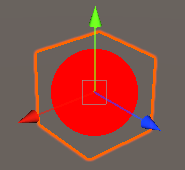
실제 ray marching과는 살짝 다른, 교육적 효과를 위한 예제

Cube의 크기를 키우면 뻗어나간 광선의 길이가 짧아서 구를 제대로 렌더링하지 못한다.
STEPS를 늘리면 해결된다.

STEP_SIZE를 늘리면 제대로 감지하지 못하고 넘어가는 부분이 생긴다.
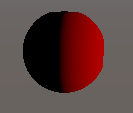
frag shader의 return을 fixed4(depth,0,0,1)으로 바꾸면 이렇게 보인다.
현재는 카메라의 위치에 관계없이 반으로 나뉘어 보인다.
ray marching의 광선 방향도 문제가 있지만,
float RaymarchHit(float3 position, float3 direction)
{
    for(int i = 0; i < STEPS; i++)
    {
        // wPos를 받았으므로, 큐브 또한 (0,0,0)에 위치시켜야 한다
        if (SphereHit(position, float3(0,0,0), 0.5))
            return position;
        position += direction * STEP_SIZE;
    }

    return 0;
}
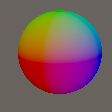
float로 x 좌표만 내보내게되던 기존 코드를
// 3. 구에 맞았는지 아닌지 판단
float3 RaymarchHit(float3 position, float3 direction)
{
    for(int i = 0; i < STEPS; i++)
    {
        // wPos를 받았으므로, 큐브 또한 (0,0,0)에 위치시켜야 한다
        if (SphereHit(position, float3(0,0,0), 0.5))
            return position;
        position += direction * STEP_SIZE;
    }

    return float3(0,0,0);
}

// 2. 구를 감지했다면 그리고, 없다면 안 그린다
fixed4 frag (v2f i) : SV_Target
{
    float3 viewDirection = normalize(i.wPos - _WorldSpaceCameraPos);
    float3 worldPosition = i.wPos;
    float3 depth = RaymarchHit(worldPosition, viewDirection);

    // return fixed4(depth,0,0,1);

    if(length(depth) != 0)
        return fixed4(depth.x,depth.y,depth.z,1);
    else
        return fixed4(1,1,1,0);
}
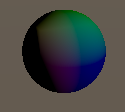
float3를 반환하게 한 뒤 그 정보를 사용하면 된다.
fixed4 frag (v2f i) : SV_Target
{
    float3 viewDirection = normalize(i.wPos - _WorldSpaceCameraPos);
    float3 worldPosition = i.wPos;
    half nl = max(0, dot(worldPosition, _WorldSpaceLightPos0.xyz)); // 광원 방향과 노말의 내적
    fixed4 diff = nl * _LightColor0;
    float3 depth = RaymarchHit(worldPosition, viewDirection);

    if(length(depth) != 0)
    {
        depth *= diff;
        return fixed4(depth,1);
    }
    else
        return fixed4(1,1,1,0);
}
원의 normal을 기준으로 lambert를 계산하면 빛에 의한 명암도 줄 수 있다.
🎮 Project BCA
Intro
planar reflection을 직접 구현하려고 알아보았으나
카메라를 추가로 설치해서 귀찮은 연산을 잔뜩 거치는 스크립트를 구현해야 해서
구현 시간과 성능 하락을 생각했을 때 굳이 해야할지 의문.
그냥 reflection probe로 대체했다.
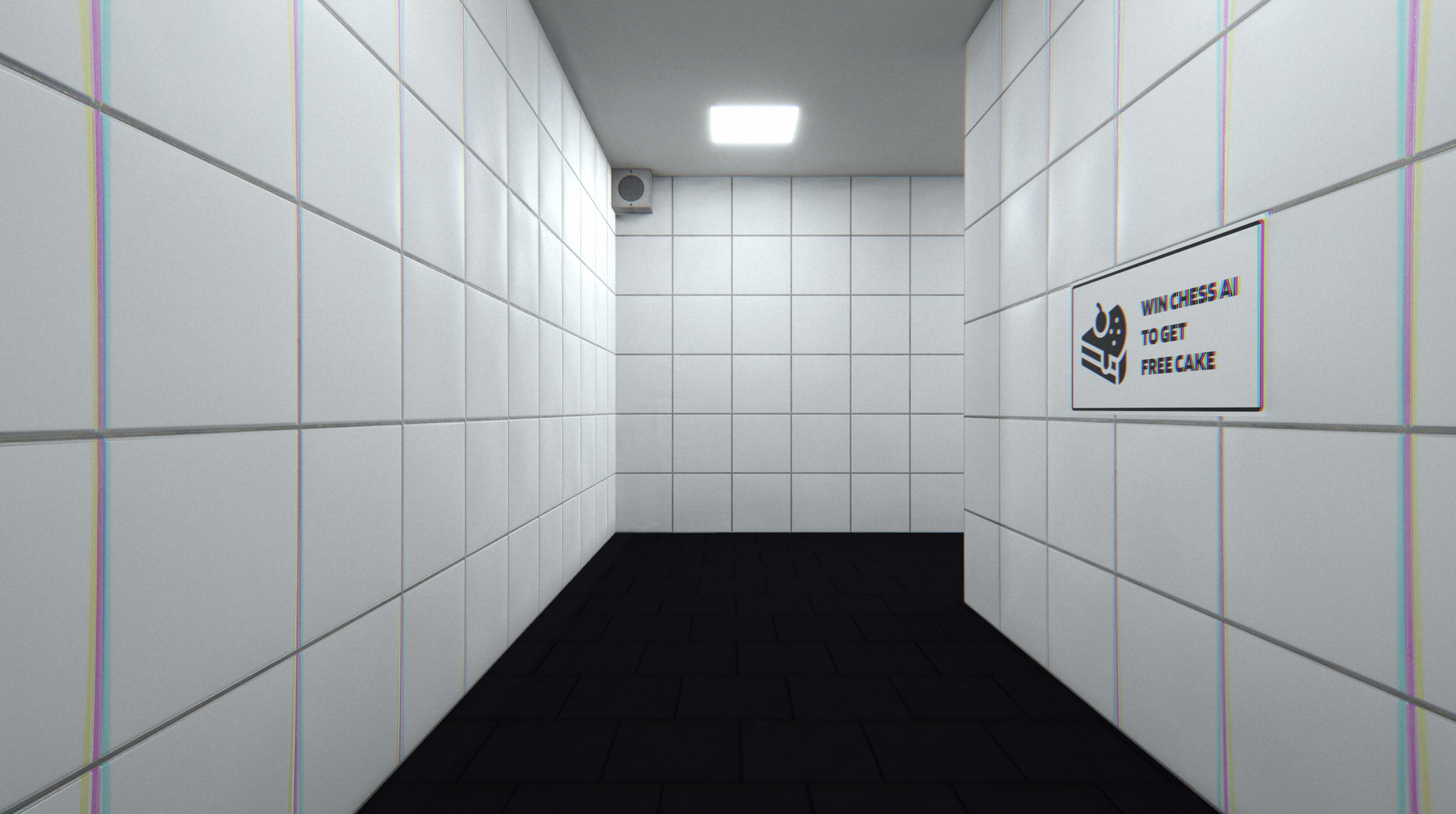
- refelection probe 추가
- Area Light 대신 Emission 붙은 오브젝트로 조명
- 벽 Smoothness 조절
Bug : Audio is not working when player gets reactivated
    void OnEnable()
    {
        wait_nextFootstep = false;
    }
Player를 SetActive(false)할 때 wait_nextFootstep=true인 상태로 꺼져버려서 발생한 버그.
OBS Studio Settings
- 녹화 시작만 누르면 gpu 사용량 max 및 프레임 드랍 : 해상도를 1920x1080으로 바꾸니 합리적인 사용량 사용
- 소리 너무 작음 : 스피커 자체 음량 올리고 윈도우 사운드 올림
🎮 Project Katana



ㅋㅋㅋㅋ 폐기
    private void AngleTracking(float angle)
    {
        float rotationSpeed = Mathf.Abs(Mathf.DeltaAngle(transform.rotation.eulerAngles.z, angle)) / Time.deltaTime;

        if (rotationSpeed > 1000)
        {
            vfx_atk_renderer.sprite = vfx_atk[3];
        }
        else if (rotationSpeed > 800)
        {
            vfx_atk_renderer.sprite = vfx_atk[2];
        }
        else if (rotationSpeed > 500)
        {
            vfx_atk_renderer.sprite = vfx_atk[1];
        }
        else
        {
            vfx_atk_renderer.sprite = vfx_atk[0];
        }

        Rot curRot;
        float currentAngle = transform.rotation.eulerAngles.z;
        if (Mathf.Approximately(angle, currentAngle)) curRot = Rot.wait;
        else if (Mathf.DeltaAngle(currentAngle, angle) > 0) curRot = Rot.clock;
        else curRot = Rot.antiClock;

        if (curRot == preRot)
        {
            if (curRot == Rot.clock)
            {

                print("시계방향으로 돌고있어");
            }
            else if (curRot == Rot.antiClock)
            {

                print("반시계방향으로 돌고있어");
            }
            else
            {
                print("쉬고있어");
            }
        }
        else
        {
            preRot = curRot;
            if (curRot == Rot.clock)
            {
                vfx_atk_renderer.flipY = true;
            }
            else if (curRot == Rot.antiClock)
            {
                vfx_atk_renderer.flipY = false;
            }
        }

        print("지금 상태는 : " + curRot);
    }