FileInputStreamTest/ 파일 입력을 위한 작업
=>API에서 메소드를 보면 처리해야하는 예외 알 수 있음
1. 파일오픈 (생성자에서 처리)
=>OS가 관리하는 리소스인 파일과 연결하는 작업을 처리
=>API를 이용해서 객체를 생성하는 작업
2. 파일엑세스
=>파일을 읽거나 파일에 쓰기
=>byte단위나 문자단위로 데이터를 처리
=>버퍼를 이용해서 효율적으로 IO작업을 처리할 수 있다.
3. 파일닫기(파일연결을 해제-자원을 해제)
=>파일을 닫아줘야 문제가 생기지않음. 꼭 닫아야함
public class FileInputStreamTest {
	public static void main(String[] args) {
    //API에서 FileInputStream(String name) 들어가면 throw되는 예외 확인할 수 있음.
		FileInputStream fis = null;
        //try블럭 밖에서도 사용하기 위해서 밖에서 초기화
		try {
			//1.상대경로
			//FileInputStream fis = new FileInputStream("src/data/test.txt");
			//2.절대경로
			fis = new FileInputStream("C:/backend23/work/javawork/advancedJava/src/data/.txt");
			System.out.println((char)fis.read());
		} catch (FileNotFoundException e) {
			System.out.println("파일 이름이 틀림");
			e.printStackTrace();//예외추적
		} catch(IOException e) {
			System.out.println("파일을 읽는 중에 오류가 발생할 수 있음..");
			e.printStackTrace();
		}finally {
			try {
				if(fis!=null)fis.close();
			} catch (IOException e) {
				e.printStackTrace();
			}
		}
	}
}
출력 :
j
(파일의 첫번째 글자)
FileInputStreamTest2
- byte단위로 입력
- FileInputStream을 이용해서 파일을 읽고 콘솔로 출력
- while문으로 출력
public class FileInputStreamTest2 {
	public static void main(String[] args) {
		FileInputStream fis = null;
		try {
			//1.파일오픈
			fis = new FileInputStream("src/data/test.txt");
			//2.파일엑세스
			while(true) {
				int data = fis.read();
				if(data==-1) {
					//file의 끝에 도달하면 멈추게 하기
                    //( read메소드 return형식)
					break;
				}
				System.out.print((char)data);
			}
		}catch(FileNotFoundException e) {
			e.printStackTrace();
		}catch(IOException e) {
			e.printStackTrace();
		}finally {
			//3.자원반납
			//파일이 없거나 해서 생성/오픈이 안되면(?) 초기화 null인상태 그대로
			//fis가 null이 아니라는건 fis가 열렸다는뜻이니까
            //열어주고 다시 반환하도록 finally구문 작성
			try {
				if(fis!=null)fis.close();//fis가 null이 아닐때 닫기
			} catch (IOException e) {
				e.printStackTrace();
			}
		}
	}
}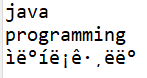
=>한글출력안됨
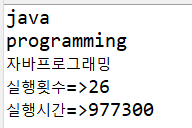
FileReaderTest
- FileReader 이용해서 파일을 읽고 콘솔로 출력하기
- FileInputStream을 FileReader로 변경
- nanoTime으로 처리시간확인
public class FileReaderTest {
	public static void main(String[] args) {
		FileReader fr = null;
		try {
			//1.파일오픈
			fr = new FileReader("src/data/test.txt");
			int count = 0;
			long start = System.nanoTime();
			//2.파일엑세스
			while(true) {
				int data = fr.read();
				if(data==-1) {//파일의 끝을 만난면
					break;//반복문을 빠져나오기
				}
				System.out.print((char)data);
				count++;//엑세스 횟수를 체크하기 위한 int형 변수
			}
			long stop = System.nanoTime();
			System.out.println();
			System.out.println("실행횟수=>"+count);
			System.out.println("실행시간=>"+(stop-start));
		}catch(FileNotFoundException e){
			e.printStackTrace();
		}catch(IOException e) {
			e.printStackTrace();
		}finally {
			//3.자원반납
			try {
				if(fr!=null)fr.close();
			}catch(IOException e) {
				e.printStackTrace();
			}
		}
	}
}
FileWriterTest
- 문자단위로 출력
- 파일출력의 기본은 덮어쓰기
- 출력할 파일과 연결(파일열기)
=>파일이 존재하지 않으면 파일을 생성해서 쓴다. - 파일엑세스
wirte메소드는 new line이 포함되지 않음 - 파일닫기- 리소스를 해제
close가 호출되지 않으면 파일엑세스중으로 판단해서 쓰기가 완료되지 않음
public class FileWriterTest {
	public static void main(String[] args) throws IOException{
    //여기서만 이렇게, 원래는 try~catch넣어서.
    //위에서 throw하는 건 내가 처리하지 않겠다는뜻

//		기본모드
//		FileWriter fw = new FileWriter("src/data/result.txt");

//		append모드
//		true를 추가하면 데이터 덮어쓰지 않고 추가(로그남는 .. )
		FileWriter fw = new FileWriter("src/data/result.txt",true);

//		2.파일엑세스
//		wirte메소드는 new line이 포함되지 않음
		fw.write(97);//a써짐 아스키로 인식
		fw.write(98);//b써짐
		fw.write("안녕~~\n");//안녕~~(enter)써짐

//		3.파일닫기- 리소스를 해제
//		close가 호출되지 않으면 파일엑세스중으로 판단해서 쓰기가 완료되지 않음
		fw.close();
	}
}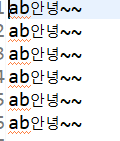
->덮어쓰지 않은 결과
FileCopy/ 미션
- api.lang패키지의 MathTest.java를 읽어서 data/output.txt로 출력할 수 있도록 FileCopy.java를 작성하세요
- FileReader로 파일 읽고 FileWriter로 파일을 쓰기
public class FileCopy {
	public static void main(String[] args) {
		FileReader fr = null;
		FileWriter fw = null;

		try {
			fr = new FileReader("src/api/lang/MathTest.java");
			fw = new FileWriter("src/data/output.txt");

			int data = 0;//read메소드의 실행결과를 저장할 변수
			while((data=fr.read())!=-1) {
            //while문의 ()안에 조건을 정의
			//파일의 한 문자를 읽어서 -1이 아닐동안 계속 반복작업
				fw.write(data);
			}
		} catch (FileNotFoundException e) {
			e.printStackTrace();
		}catch (IOException e) {
			e.printStackTrace();
		}finally {
			try {
				if(fr!=null)fr.close();
				if(fw!=null)fw.close();
			}catch (IOException e) {
				e.printStackTrace();
			}
		}
	}
}
실행시간 측정 추가
public class FileCopy {
	public static void main(String[] args) {
		FileReader fr = null;
		FileWriter fw = null;

		try {
			fr = new FileReader("src/api/lang/MathTest.java");
			fw = new FileWriter("src/data/output.txt");

			int count = 0;
			long start = System.nanoTime();

			int data = 0;
			while((data=fr.read())!=-1) {
				fw.write(data);

				count++;
			}

			long stop = System.nanoTime();
			System.out.println();
			System.out.println("실행횟수=>"+count);
			System.out.println("실행시간=>"+(stop-start));

		} catch (FileNotFoundException e) {
			e.printStackTrace();
		}catch (IOException e) {
			e.printStackTrace();
		}finally {
			try {
				if(fr!=null)fr.close();
				if(fw!=null)fw.close();
			}catch (IOException e) {
				e.printStackTrace();
			}
		}
	}
}
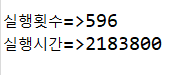
output파일
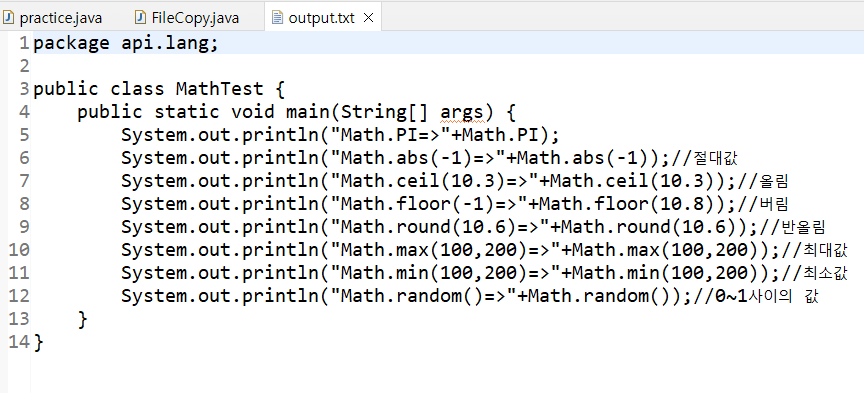
실행횟수와 시간
BufferedReaderTest
- 내부적으로 처리속도 높이려고 사용
- BufferedReader는 입출력작업의 효율을 높이기 위해서 임시로 읽은 데이터를 저장할 수 있는 Buffer를 사용해서
입출력을 모아서 한번에 처리하는 기능을 제공 - BufferedReader와 같은 보조스트림은 실제 데이터소스(파일, 키보드입력, 네트워크입력..)와 직접 연결이 불가능
-> 반드시 실제 데이터소스와 연결이 되는 Stream 객체를 생성한 후 보조스트림과 연결시켜야 한다.
public class BufferedReaderTest {
	public static void main(String[] args) {
		/*보조스트림은 자체적으로 입출력을 수행할 수 없고
		입출력을 하도록 설정된 클래스를 도와주는 역할을 수행함.*/
		FileReader fr = null;
		BufferedReader br = null;
		try {
//		원시데이터를 이용해서 읽기 작업을 처리할 수 있는 객체 생성
//			fr = new FileReader("src/data/test.txt");
//			br = new BufferedReader(fr);//이게 더 빠르고 편하다고함..

//			간단버전
			br = new BufferedReader(new FileReader("src/data/test.txt"));

//           while (true) {
//				String line = br.readLine();
//				if(line==null) {
//					break;
//				}
//				System.out.println(line);
//			}

//			간단버전
            String line = "";
			while((line = br.readLine())!=null) {
				System.out.println(line);
			}

		} catch (FileNotFoundException e) {
			e.printStackTrace();
		} catch (IOException e) {
			e.printStackTrace();
		}finally {
			try {
				if(br!=null)br.close();
			} catch (IOException e) {
				e.printStackTrace();
			}
		}
	}
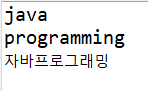
}
FileCopy_BufferedReader
- FileReader를 BufferedReader와 함께 사용해서 파일을 읽고 FileWriter로 파일을 쓰기
- 기존 FileReader를 쓴 FileCopy보다 BufferedReader를 쓴 해당 파일이 횟수와 시간 감소
public class FileCopy_BufferedReader {
	public static void main(String[] args) {
		BufferedReader br = null;
		FileWriter fw = null;
		try {
			br = new BufferedReader(new FileReader("src/api/lang/MathTest.java"));
			fw = new FileWriter("src/data/output.txt");

			int count = 0;
			long start = System.nanoTime();

			while(true) {
				String line = br.readLine();
				if(line==null) break;
				fw.write(line);

                count++;
				}
			long stop = System.nanoTime();
			System.out.println();
			System.out.println("실행횟수=>"+count);
			System.out.println("실행시간=>"+(stop-start));

		} catch (FileNotFoundException e) {
			e.printStackTrace();
		}catch (IOException e) {
			e.printStackTrace();
		}finally {
			try {
				if(br!=null)br.close();
				if(fw!=null)fw.close();
			}catch (IOException e) {
				e.printStackTrace();
			}
		}
	}
}
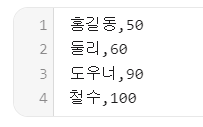
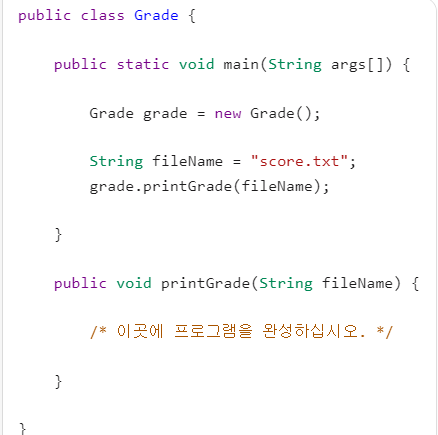
Grade / 미션
- api.lang.StringTest04참고
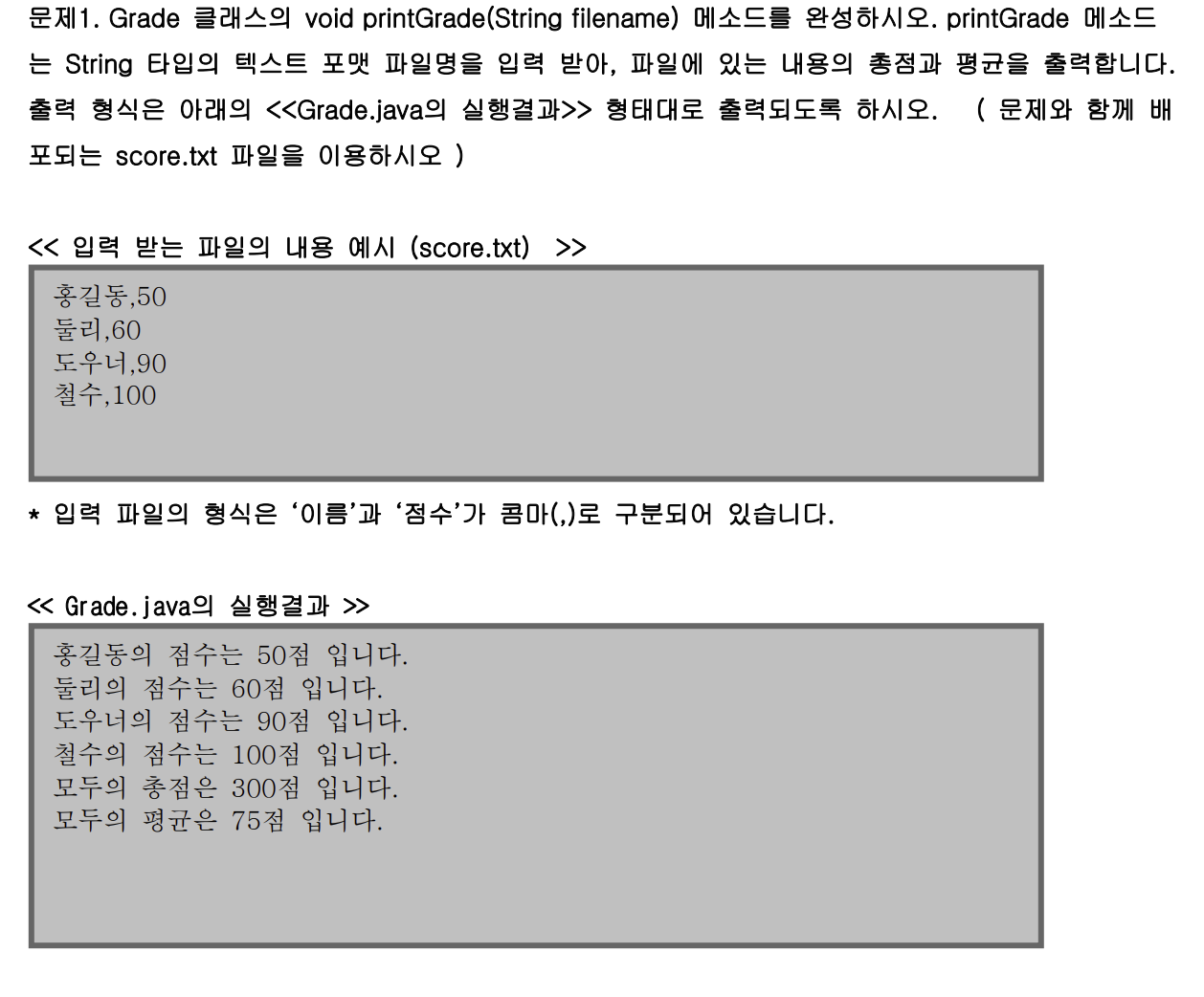
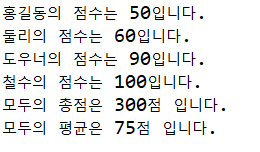
public class Grade {

	public static void main(String args[]) {

		Grade grade = new Grade();

		String fileName = "score.txt";
		grade.printGrade(fileName);

	}

	public void printGrade(String fileName) {

		BufferedReader br = null;
		try {
			br = new BufferedReader(new FileReader("src/data/"+fileName));
			int total = 0;
			int count=0;
			while(true) {//라인 하나 처리 반복
				String line = br.readLine();//1줄 읽기
				if(line==null) {
					break;
				}
				String[] data = line.split(",");
				total = total + Integer.parseInt(data[1]);
				System.out.println(data[0]+"의 점수는 "+data[1]+"입니다.");//0번째 1번째 반복
				count++;
			}
			System.out.println("모두의 총점은 "+total+"점 입니다.");
			System.out.println("모두의 평균은 "+(total/count)+"점 입니다.");
		} catch (FileNotFoundException e) {
			e.printStackTrace();
		}catch (IOException e) {
			e.printStackTrace();
		}finally {
			try {
				if(br!=null)br.close();
			}catch (IOException e) {
				e.printStackTrace();
			}
		}
	}
}
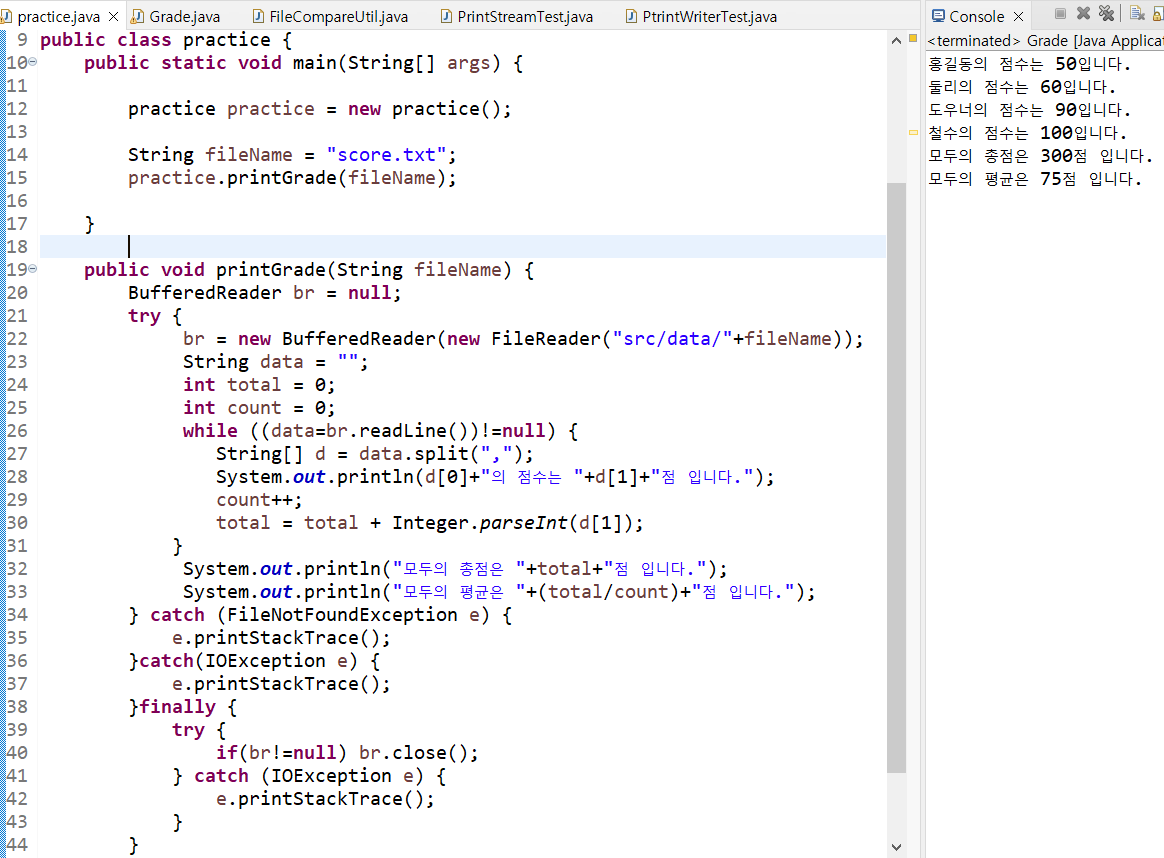
FileCompareUtil/미션
- static메소드를 정의하고 호출하는 방법
- BufferedReader의 사용방법
- string 클래스에서 문자열을 대소문자까지 비교하는 방법
- arraylist를 사용하는 방법
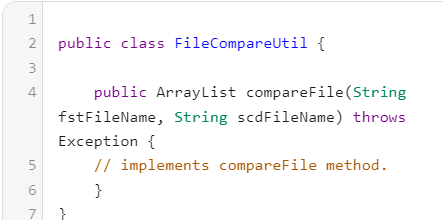

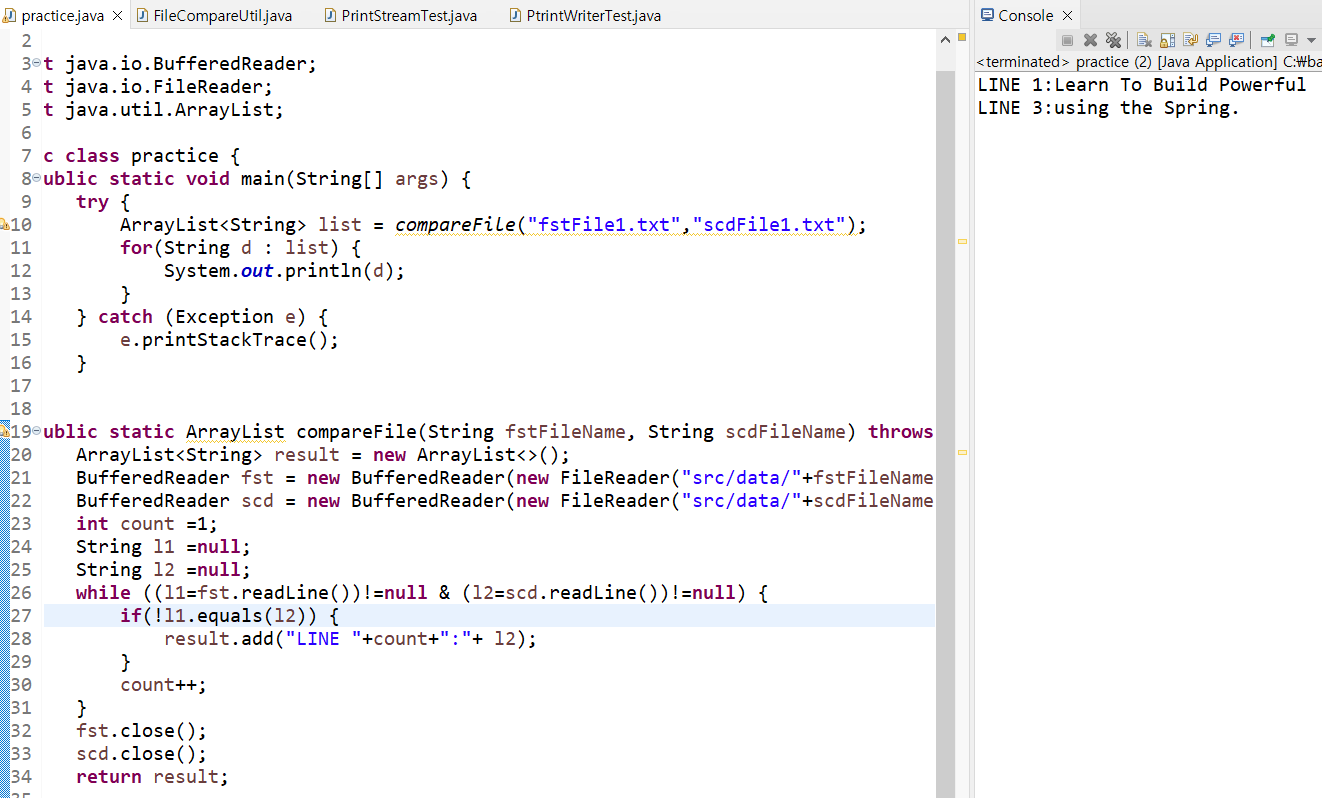
public class FileCompareUtil {
	public static void main(String[] args) {
		try {
			ArrayList<String> list = compareFile("src/data/fstFile1.txt", "src/data/scdFile1.txt");
			for(String data : list) {
				System.out.println(data);
			}
		} catch (Exception e) {
			e.printStackTrace();
		}
	}
	//main추가
	public static ArrayList<String> compareFile(String fstFileName, String scdFileName) throws Exception {
	    ArrayList<String> result = new ArrayList<>();
	    BufferedReader fstFile = new BufferedReader(new FileReader(fstFileName));
	    BufferedReader scdFile = new BufferedReader(new FileReader(scdFileName));
	    int count = 1;
	    while(true) {
	    	String line1 = fstFile.readLine();
	    	String line2 = scdFile.readLine();
	    	if(line1==null & line2==null) {
	    		break;
	    	}
	    	if(!line1.equals(line2)) {//line1과 line2가 문자열이 같지 않으면
	    		result.add("LINE "+count+":"+line2);
	    		//line2를 result에 add
	    	}
	    	count++;
	    }
	    fstFile.close();
	    scdFile.close();
	    return result;
	}
}
PrintStreamTest
- 입력하는대로 출력됨
public class PrintStreamTest {
	public static void main(String[] args) throws Exception {//테스트용이니 throw하기
		PrintStream ps = new PrintStream("src/data/p_out.txt");
		ps.println(3);
		ps.println('c');
		ps.println(123);
		ps.println("hi");
		ps.close();
	}
}
PtrintWriterTest
- 읽기는 BufferedReader 자주사용
- 쓰기는 PrintWriter(프린트스트림에서 향상된기능) 자주사용
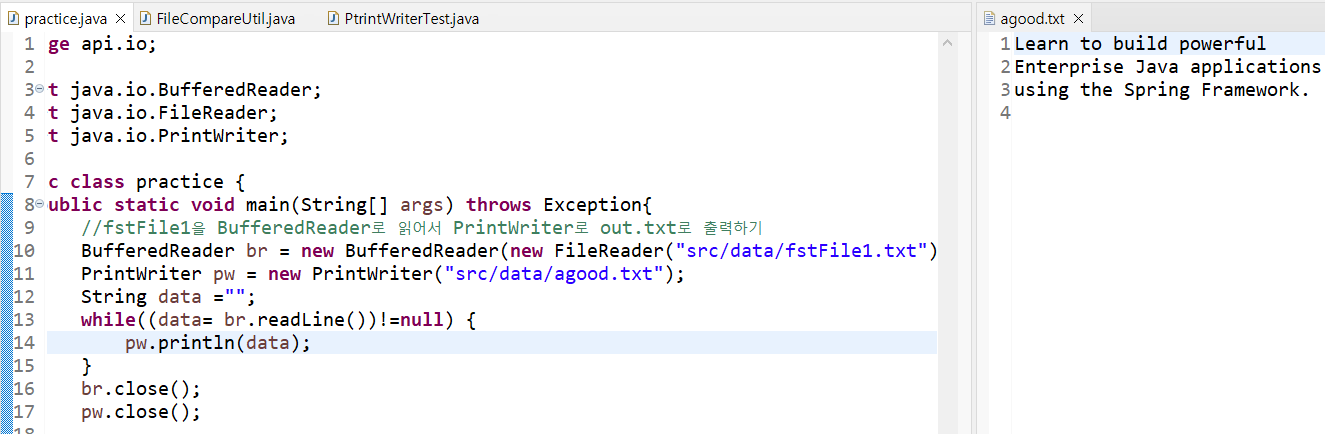
public class PtrintWriterTest {
	public static void main(String[] args) {
		//fstFile1을 BufferedReader로 읽어서 PrintWriter로 out.txt로 출력하기
		BufferedReader br = null;
		PrintWriter pw = null;
			try {
				br = new BufferedReader(new FileReader("src/data/fstFile1.txt"));
				pw = new PrintWriter("src/data/out.txt");
				String line="";
				while((line = br.readLine())!=null) {
					pw.println(line);
				}
			} catch (FileNotFoundException e) {
				e.printStackTrace();
			} catch (IOException e) {
				e.printStackTrace();
			}finally {
				try {
					if(br!=null) br.close();
					if(pw!=null) pw.close();
				} catch (IOException e) {
					e.printStackTrace();
				}
			}
	}
}
본 포스팅은 멀티캠퍼스의 멀티잇 백엔드 개발(Java)의 교육을 수강하고 작성되었습니다.