- NCP Clova 에서 제공되는 API 를 통해 음성파일을 텍스트로 변환 후 요약 하는 API 서비스 만들기
안녕하세요 ! 브릭메이트 Arnold 입니다!
오늘은 NCP(Naver Cloud Platform)에서 제공하는 Clova Open API를 활용 하여 서비스를 구축 해 보겠습니다!
💡 Clova Speech : 음성 파일을 텍스트로 변환 하는 기능
💡 Clova Studio (요약) : 장문의 텍스트를 요약 해 주는 기능
- Develop Tools : VSCode
- Language : Python 3.11.7 (HTML)
- Web Framework : Flask 3.0.2
- Open API : NCP Clova Speech, Clova Studio (summary)
- 참조 가이드 : https://api.ncloud-docs.com/docs/ai-application-service-clovaspeech-, longsentence (Clova Speech)
https://guide.ncloud-docs.com/docs/clovastudio-playground01#테스트앱생성 (Clova Studio)
👀 작업 과정
(사전에 Clova Speech 및 Clova Studio 서비스 신청 필요)
1. Object Storage 생성 & Clova Speech api 동작 테스트 (변환 소스를 Object Storage의 음성파일로 설정)
2. Clova Studio 요약 api 동작 테스트 (텍스트 요약 테스트)
3. Clova Speech & Studio API 동시에 사용 가능하게 만들기
4. 작업영역 및 html 파일 생성 & Flask 테스트 애플리케이션 생성
	- 사용자가 로컬에서 원하는 음성파일을 업로드 하여 텍스트 변환 후 요약 해주는 api 서비스 구현
1. Object Storage 생성 & Clova Speech api 동작 테스트
(변환 소스를 Object Storage의 음성파일로 설정)
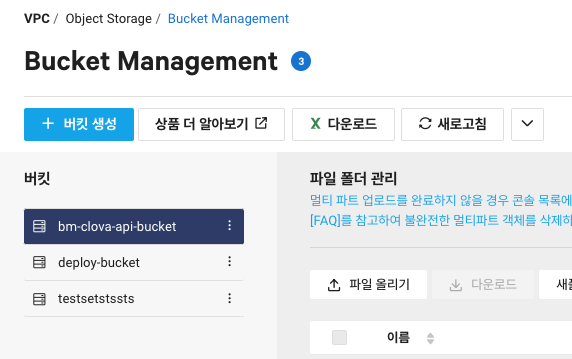
- Object Storage 생성
Clova Speech
- 콘솔 접속 > Clova Speech > Domain > 도메인 생성 (장문 or 단문)
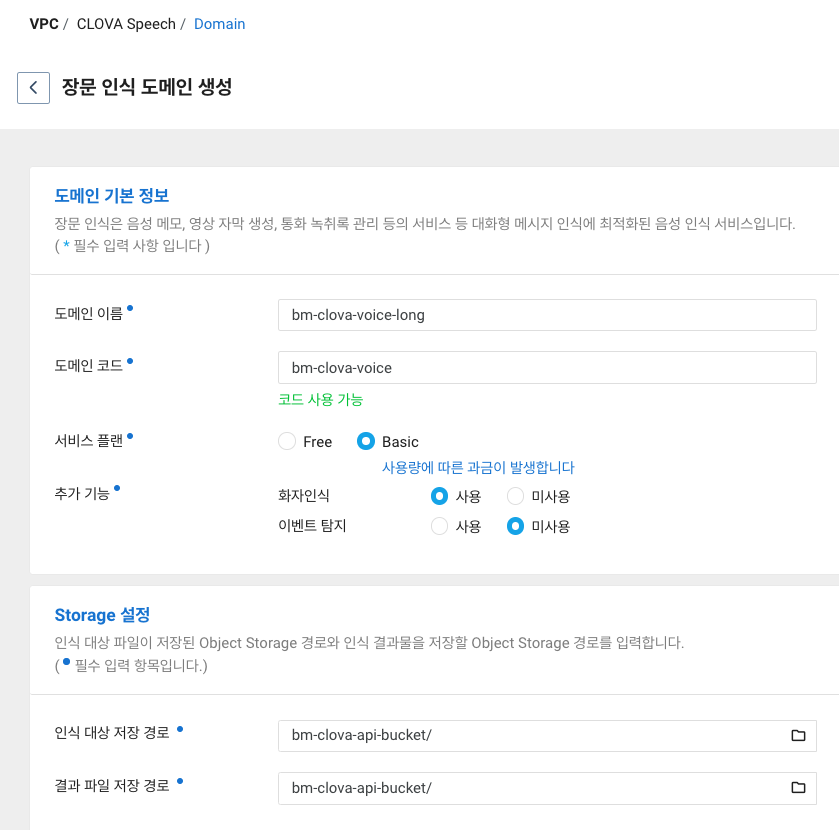
- 저는 장문인식 & Basic 서비스로 진행 하였습니다.
- 인식 대상 & 결과파일 저장 경로를 이전에 생성한 Object Storage로 설정
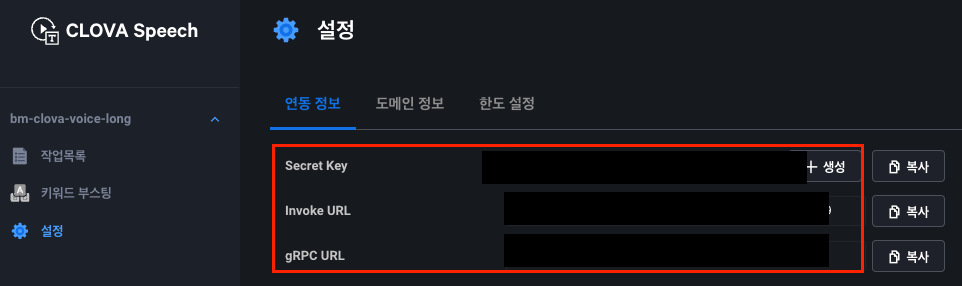
- 빌더 실행 > 설정 > Secret Key 생성 및 기타 키 값들 확인
- Object Storage에 음성 파일 업로드 하기
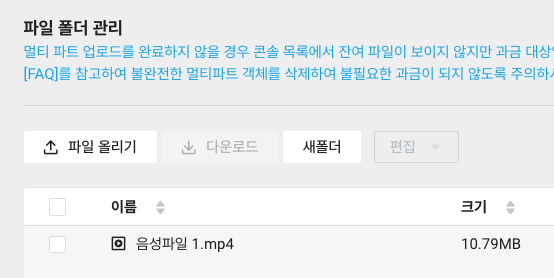
- 10MB인 음성파일을 업로드 했습니다 (+ 권한 전체 공개로 설정하기). (약 4분 30초)
Clova Speech API Code
# [clova speech api] (음성 파일을 텍스트로 변환하는 api)
import requests

# Clova Speech API 정보
CLOVA_SPEECH_SECRET_KEY = '' # Secret key 입력
CLOVA_SPEECH_INVOKE_URL = '' # Invoke URL 입력

def convert_speech_to_text(file_url):
    headers = {'X-CLOVASPEECH-API-KEY': CLOVA_SPEECH_SECRET_KEY}
    data = {
        'url': file_url,
        'language': 'ko-KR',
        'completion': 'sync'    }
    response = requests.post(f'{CLOVA_SPEECH_INVOKE_URL}/recognizer/url', headers=headers, json=data)
    return response.json()

if __name__ == '__main__':
		// object storage 음성 파일 경로
    file_url = 'https://kr.object.ncloudstorage.com/bm-clova-api-bucket/%EC%9D%8C%EC%84%B1%ED%8C%8C%EC%9D%BC%201.mp4'
    				# Object Storage 음성 파일 URL 입력
    response = convert_speech_to_text(file_url)
    print(response)
VScode로 api 동작 테스트
- test.py 파일 생성 후 python 실행 및 결과 확인
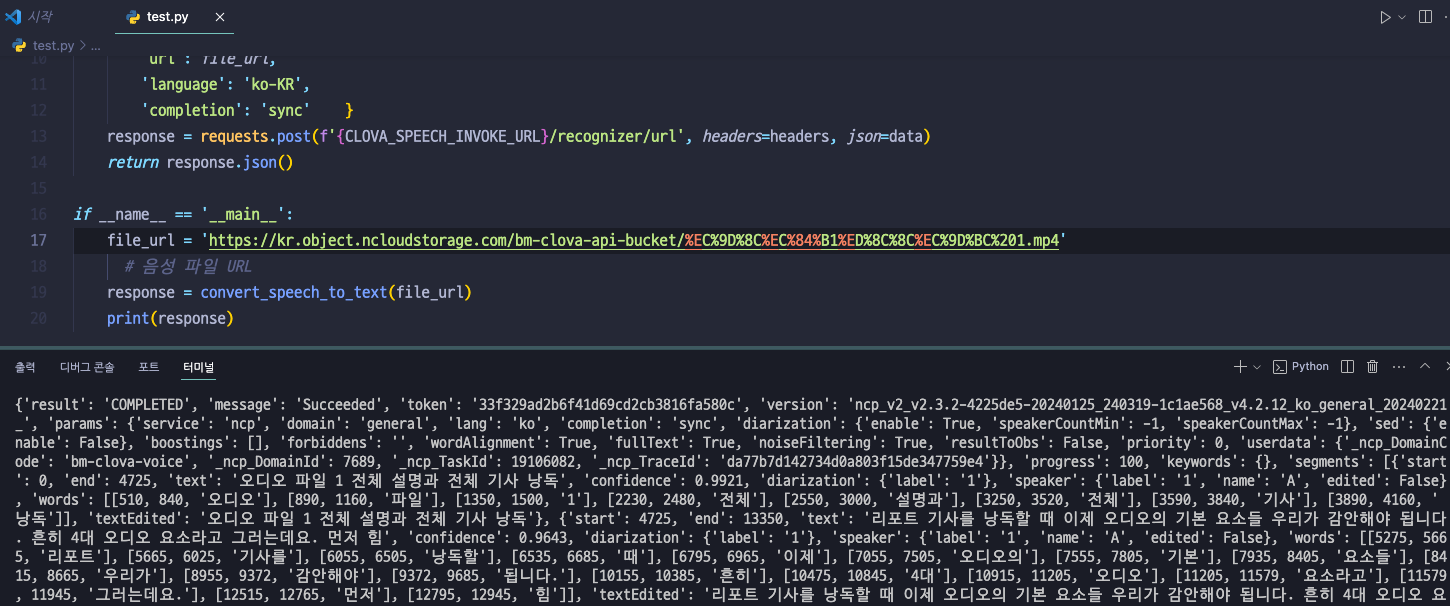
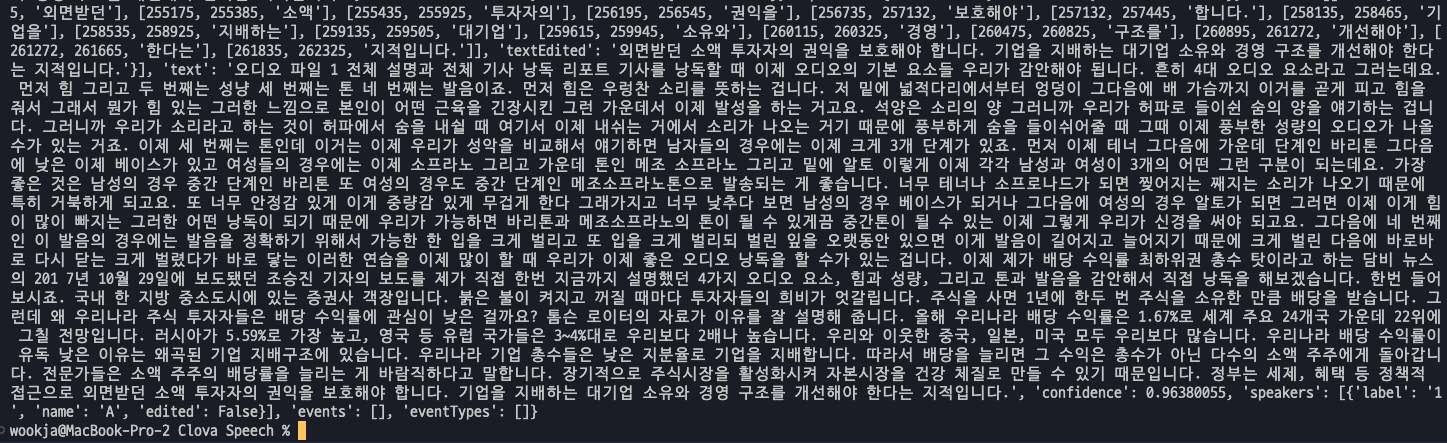
2. Clova Studio 요약 api 동작 테스트
(텍스트 요약 테스트)
Clova Studio (https://clovastudio.ncloud.com/) 접속
- 긴 글 요약 > 테스트 앱 생성
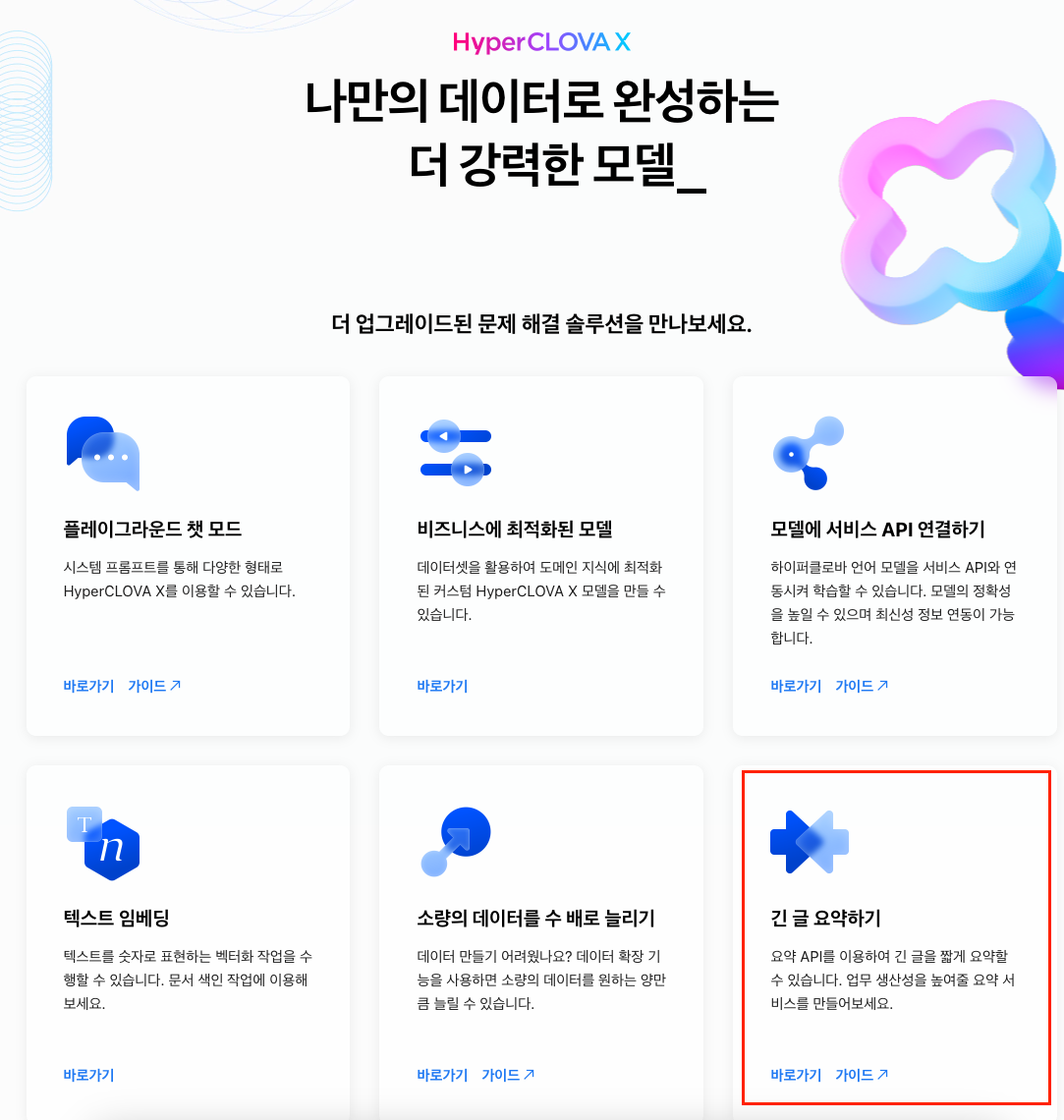
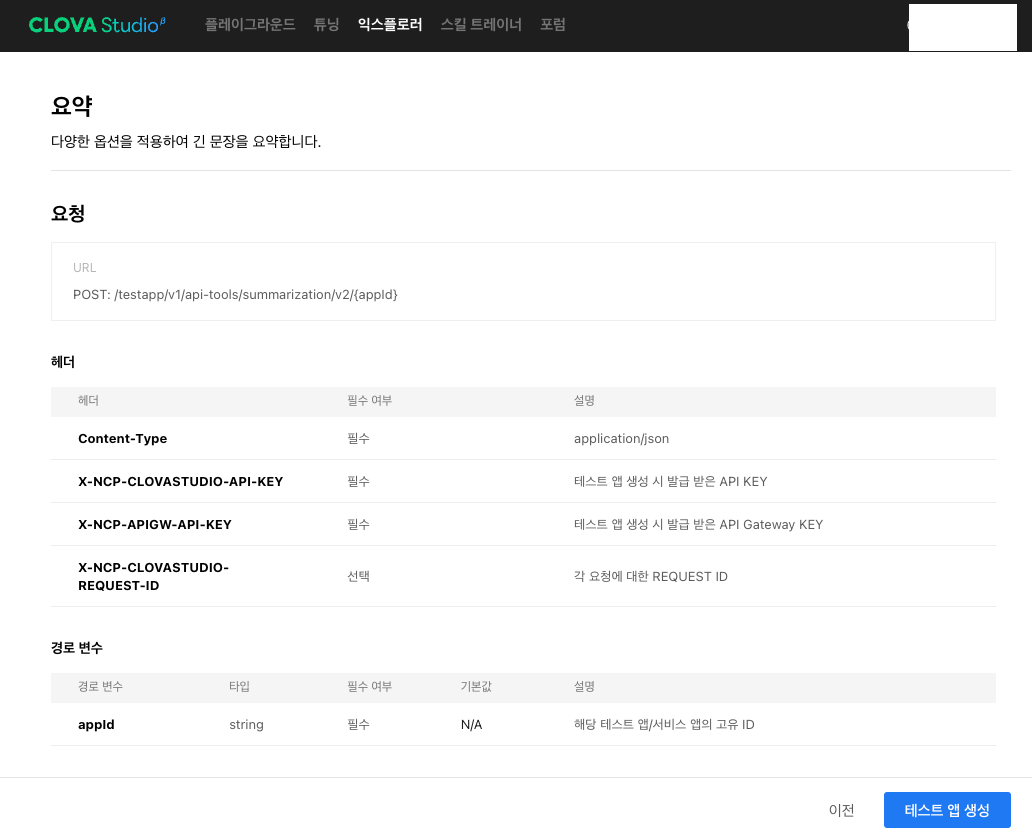
- 생성 된 테스트 앱 api 코드 & 키 값 확인
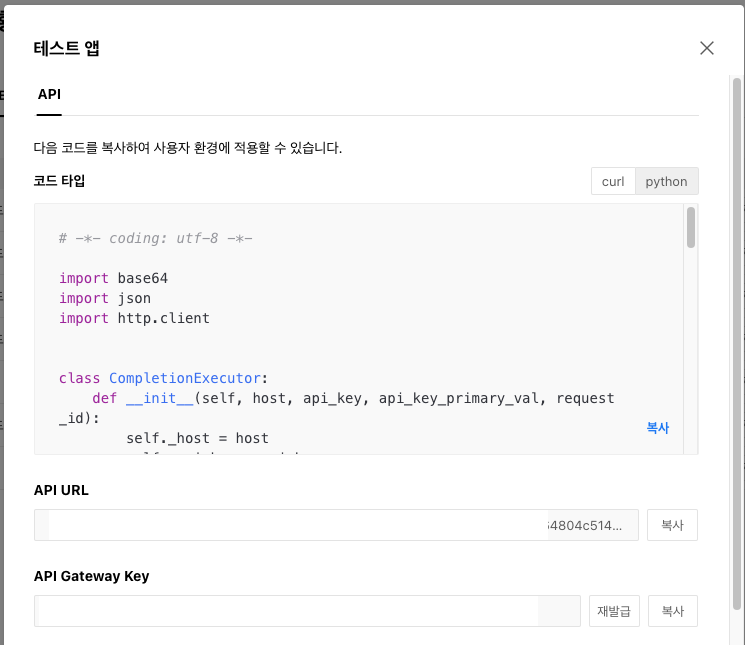
Clova Studio(요약) API Code
# [clova studio 요약 api] (장문을 요약 해주는 api)
import base64
import json
import http.client

class CompletionExecutor:
    def __init__(self, host, api_key, api_key_primary_val, request_id):
        self._host = host
        self._api_key = api_key
        self._api_key_primary_val = api_key_primary_val
        self._request_id = request_id

    def _send_request(self, completion_request):
        headers = {
            'Content-Type': 'application/json; charset=utf-8',
            'X-NCP-CLOVASTUDIO-API-KEY': self._api_key,
            'X-NCP-APIGW-API-KEY': self._api_key_primary_val,
            'X-NCP-CLOVASTUDIO-REQUEST-ID': self._request_id
        }

        conn = http.client.HTTPSConnection(self._host)
        						#api url 입력
        conn.request('POST', '/testapp/v1/api-tools/summarization/v2/', json.dumps(completion_request), headers)
        response = conn.getresponse()
        result = json.loads(response.read().decode(encoding='utf-8'))
        conn.close()
        return result

    def execute(self, completion_request):
        res = self._send_request(completion_request)
        if res['status']['code'] == '20000':
            return res['result']['text']
        else:
            return 'Error'

if __name__ == '__main__':
    completion_executor = CompletionExecutor(
        host='clovastudio.apigw.ntruss.com',
        api_key='~~ 테스트 앱에서 확인 가능',
        api_key_primary_val = 'API Gateway key 입력',
        request_id='~~ 테스트 앱에서 확인 가능'
    )

    request_data = json.loads("""{
  "texts" : ["요약할 텍스트 입력"],
  "segMinSize" : 300,
  "includeAiFilters" : true,
  "autoSentenceSplitter" : true,
  "segCount" : -1,
  "segMaxSize" : 1000
}""", strict=False)

    response_text = completion_executor.execute(request_data)
    print(request_data)
    print(response_text)
VScode로 api 동작 테스트
- test.py 파일 생성 후 python 실행 및 결과 확인
- text 란에 이전에 Clova Speech를 통해 텍스트로 변환 한 값을 입력
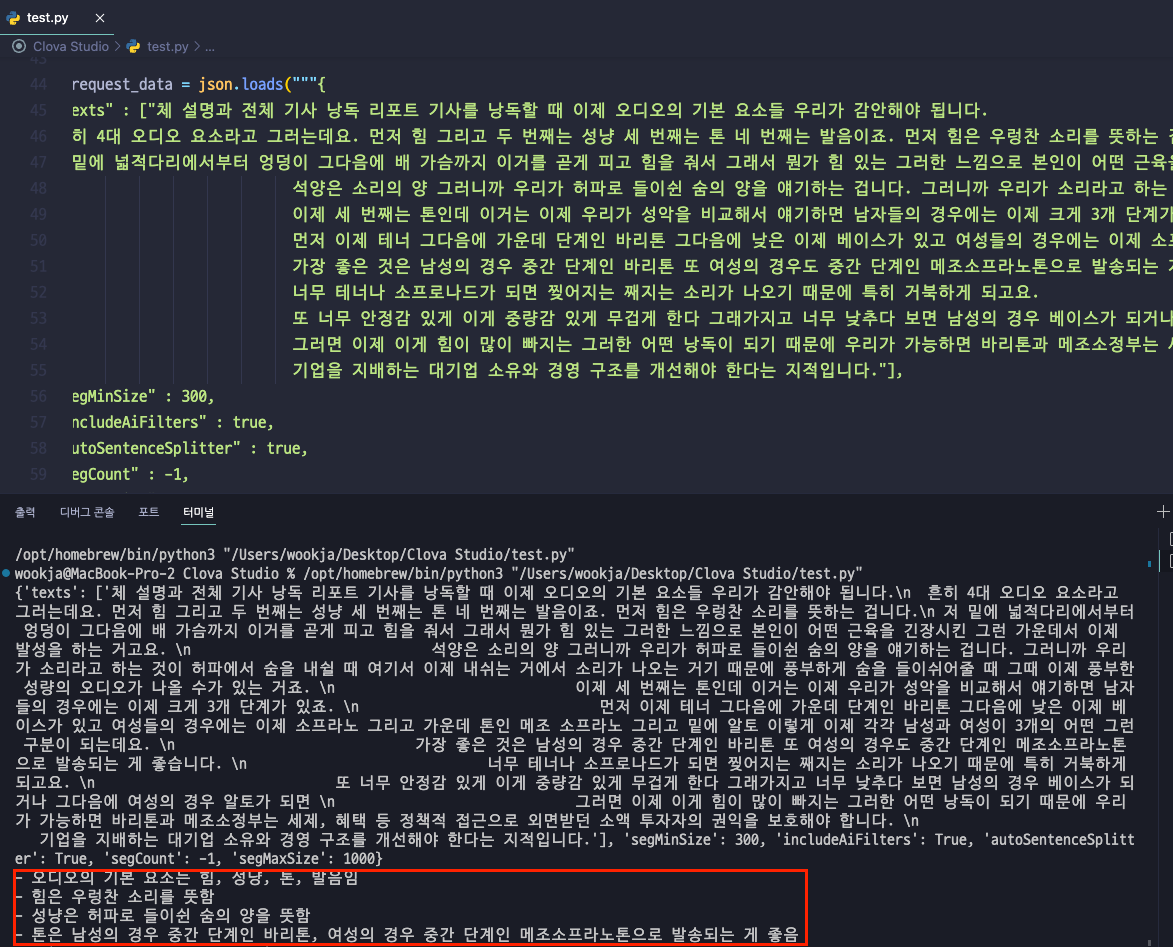
- 코드 실행 시 맨 아래에 요약된 값 확인
3. Clova Speech & Studio API 동시에 사용 가능하게 만들기
Object Storage에 새로운 음성 파일 업로드 및 Python 코드 구현
# 코드 실행 시 결과(요약) 값 바로 출력 됨
import requests
import json
import http.client

# Clova Speech API 정보 입력
CLOVA_SPEECH_SECRET_KEY = ''
CLOVA_SPEECH_INVOKE_URL = ''

def convert_speech_to_text(file_url):
    headers = {'X-CLOVASPEECH-API-KEY': CLOVA_SPEECH_SECRET_KEY}
    data = {
        'url': file_url,
        'language': 'ko-KR',
        'completion': 'sync'
    }
    response = requests.post(f'{CLOVA_SPEECH_INVOKE_URL}/recognizer/url', headers=headers, json=data)
    return response.json()

class CompletionExecutor:
    def __init__(self, host, api_key, api_key_primary_val, request_id):
        self._host = host
        self._api_key = api_key
        self._api_key_primary_val = api_key_primary_val
        self._request_id = request_id

    def _send_request(self, completion_request):
        headers = {
            'Content-Type': 'application/json; charset=utf-8',
            'X-NCP-CLOVASTUDIO-API-KEY': self._api_key,
            'X-NCP-APIGW-API-KEY': self._api_key_primary_val,
            'X-NCP-CLOVASTUDIO-REQUEST-ID': self._request_id
        }

        conn = http.client.HTTPSConnection(self._host)
        										# Clova Studio api값 입력
        conn.request('POST', '/testapp/v1/api-tools/summarization/v2/ 값입력 ', json.dumps(completion_request), headers)
        response = conn.getresponse()
        result = json.loads(response.read().decode(encoding='utf-8'))
        conn.close()
        return result

    def execute(self, completion_request):
        res = self._send_request(completion_request)
        if res['status']['code'] == '20000':
            return res['result']['text']
        else:
            return 'Error'

def execute_summarization(text):
    completion_executor = CompletionExecutor(
        host='clovastudio.apigw.ntruss.com',
       # Clova Studio 값 입력
       	api_key='',
        api_key_primary_val = '',
        request_id=''
    )

    request_data = {
      "texts": [text],
      "segMinSize": 300,
      "includeAiFilters": True,
      "autoSentenceSplitter": True,
      "segCount": -1,
      "segMaxSize": 1000
    }

    return completion_executor.execute(request_data)

if __name__ == '__main__':
    file_url = ''  # Object Storage 음성 파일 URL
    speech_to_text_response = convert_speech_to_text(file_url)
    # 음성 인식 결과를 텍스트로 추출
    recognized_text = speech_to_text_response.get('text', '')
    # 추출된 텍스트를 요약 API로 전송
    summarized_text = execute_summarization(recognized_text)
    print(summarized_text)**
코드 작동 방식 :
- Speech API를 통해 Object Storage에 있는 음성파일을 텍스트로 변환
- 변환된 텍스트를 Studio API를 통해 요약 생성
VSCode로 api 동작 테스트
- test.py 파일 생성 후 python 실행
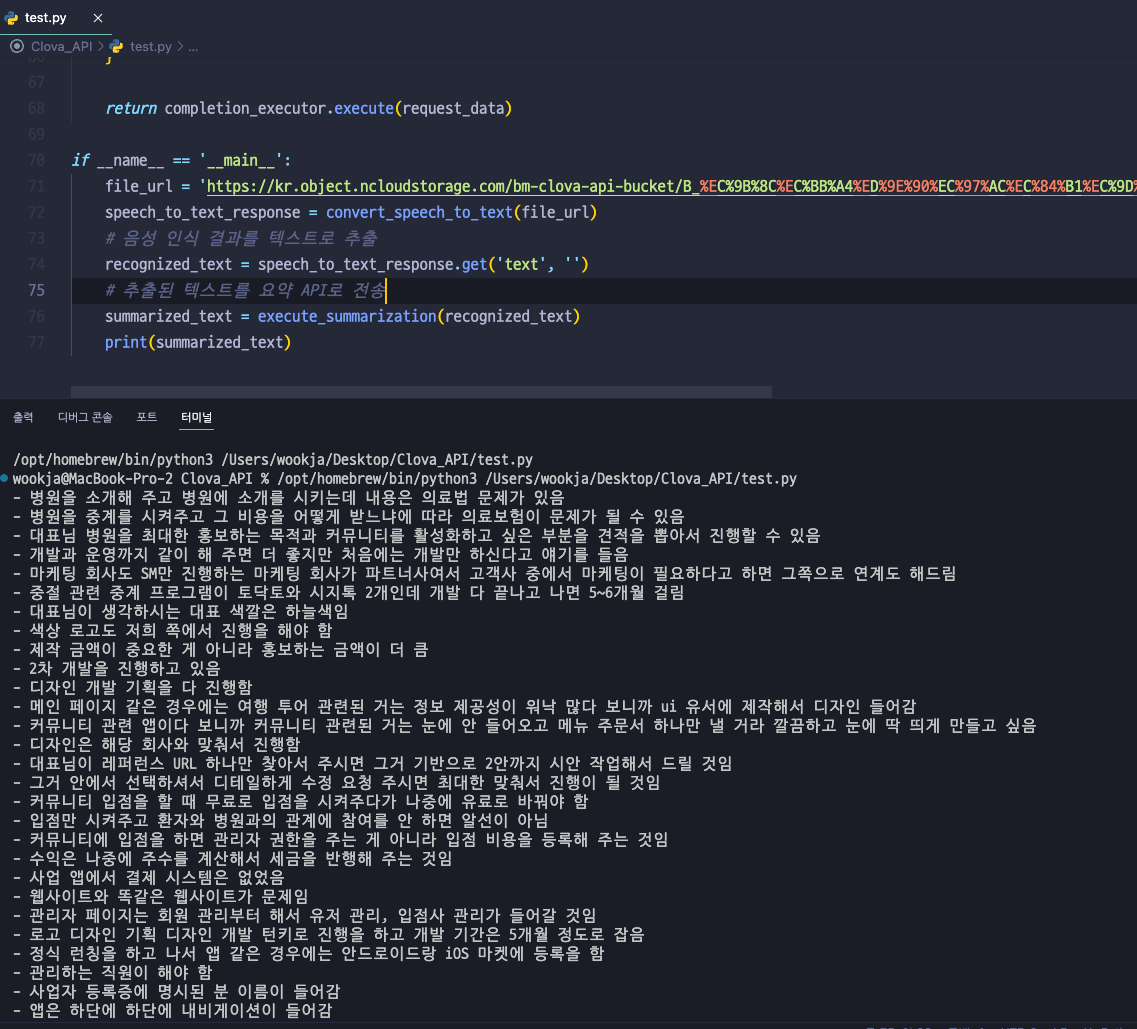
- 음성 파일 -> 텍스트 변환 -> 요약 한번에 구현 된 결과 확인
4. 작업영역 및 html 파일 생성 & Flask 테스트 애플리케이션 생성
-
사용자가 로컬에서 원하는 음성파일을 업로드 하여 텍스트 변환 후 요약 해주는 api 서비스 구현
-
Flask 프레임워크를 사용
-
사용자가 웹 폼을 통해 음성 파일 URL을 제출하면, 애플리케이션이 자동으로 음성을 텍스트로 변환하고, 이 텍스트를 요약하여 결과를 보여줍니다. (Speech → Studio 순서)
-
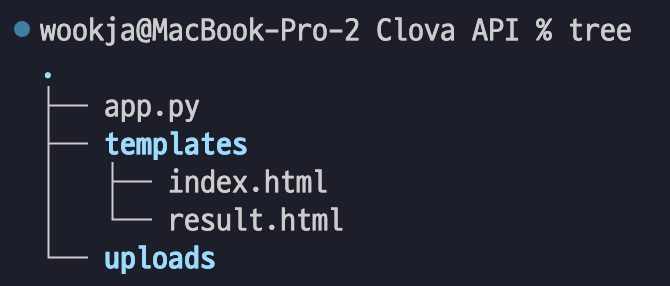
작업 영역
-
app.py : 메인 Python 코드 (Flask)
-
index.html : 메인 html 페이지
-
result.html : 업로드 결과 값 들을 나타내는 html 페이지
-
uploads : 사용자가 제출한 음성파일을 저장하는 폴더
app.py
**from flask import Flask, request, render_template
import os
import requests
import http.client
import json

app = Flask(__name__)

UPLOAD_FOLDER = 'uploads'
if not os.path.exists(UPLOAD_FOLDER):
    os.makedirs(UPLOAD_FOLDER)
app.config['UPLOAD_FOLDER'] = UPLOAD_FOLDER

# Clova Speech API 정보
CLOVA_SPEECH_SECRET_KEY = '값 입력'
CLOVA_SPEECH_INVOKE_URL = 'https://clovaspeech-gw.ncloud.com/external/v1/값 입력'

# Clova Studio 요약 API 정보
CLOVA_STUDIO_HOST = 'clovastudio.apigw.ntruss.com'
CLOVA_STUDIO_API_KEY = '값 입력'
CLOVA_STUDIO_API_KEY_PRIMARY_VAL = '값 입력'
CLOVA_STUDIO_REQUEST_ID = 'id 입력'

class CompletionExecutor:
    def __init__(self, host, api_key, api_key_primary_val, request_id):
        self._host = host
        self._api_key = api_key
        self._api_key_primary_val = api_key_primary_val
        self._request_id = request_id

    def _send_request(self, completion_request):
        headers = {
            'Content-Type': 'application/json; charset=utf-8',
            'X-NCP-CLOVASTUDIO-API-KEY': self._api_key,
            'X-NCP-APIGW-API-KEY': self._api_key_primary_val,
            'X-NCP-CLOVASTUDIO-REQUEST-ID': self._request_id
        }

        conn = http.client.HTTPSConnection(self._host)
        conn.request('POST', '/testapp/v1/api-tools/summarization/v2/값 입력', json.dumps(completion_request), headers)
        response = conn.getresponse()
        data = response.read().decode('utf-8')

        # Check if the response body is not empty
        if not data:
            return {'error': 'Empty response from Clova Studio API'}

        result = json.loads(data)
        conn.close()
        return result

    def execute(self, completion_request):
        res = self._send_request(completion_request)

        # Check if 'status' key exists in the response and if the code is '20000'
        if 'status' in res and res['status'].get('code') == '20000':
            return res['result']['text']
        elif 'error' in res:
            return f"Error: {res['error']}"
        else:
            return 'Error: Unexpected response structure from Clova Studio API'

def convert_speech_to_text(file_url):
    headers = {'X-CLOVASPEECH-API-KEY': CLOVA_SPEECH_SECRET_KEY}
    data = {
        'url': file_url,
        'language': 'ko-KR',
        'completion': 'sync'
    }
    response = requests.post(f'{CLOVA_SPEECH_INVOKE_URL}/recognizer/url', headers=headers, json=data)
    return response.json().get('text', '')

def convert_speech_to_file(file_path):
    files = {'media': open(file_path, 'rb')}
    params = {
        'language': 'ko-KR',
        'completion': 'sync',
        'wordAlignment': True,
        'fullText': True
    }
    headers = {'X-CLOVASPEECH-API-KEY': CLOVA_SPEECH_SECRET_KEY}
    response = requests.post(f'{CLOVA_SPEECH_INVOKE_URL}/recognizer/upload', headers=headers, files=files, data={'params': json.dumps(params)})
    return response.json().get('text', '')

def _send_request(self, completion_request):
    ...
    result = json.loads(data)
    print("API Response:", result)  # 응답 출력
    ...

@app.template_filter('newline_list')
def newline_list(summary):
    # Replace ' -' with '<br> -' to create a line break before each list item, except for the first
    return summary.replace(' -', '<br> -')

# Apply the custom filter to the summary in the template with {{ summary|newline_list }}
@app.route('/', methods=['GET', 'POST'])
def upload_file():
    if request.method == 'POST':
        file_url = request.form.get('file_url')
        voice_file = request.files.get('voice_file')

        if voice_file and voice_file.filename != '':
            filepath = os.path.join(app.config['UPLOAD_FOLDER'], voice_file.filename)
            voice_file.save(filepath)
            speech_to_text_response = convert_speech_to_file(filepath)

        elif file_url:
            speech_to_text_response = convert_speech_to_text(file_url)

        else:
            return 'URL이나 파일이 제공되지 않았습니다.', 400

        summarization_executor = CompletionExecutor(
            host=CLOVA_STUDIO_HOST,
            api_key=CLOVA_STUDIO_API_KEY,
            api_key_primary_val=CLOVA_STUDIO_API_KEY_PRIMARY_VAL,
            request_id=CLOVA_STUDIO_REQUEST_ID
        )

        request_data = {
            "texts": [speech_to_text_response],
            "segMinSize": 300,
            "includeAiFilters": True,
            "autoSentenceSplitter": True,
            "segCount": -1,
            "segMaxSize": 1000
        }
        response_text = summarization_executor.execute(request_data)

        if response_text != 'Error':
            return render_template('result.html', text=speech_to_text_response, summary=response_text)
        else:
            return '요약 과정에서 오류가 발생했습니다.', 500

    return render_template('index.html')

if __name__ == '__main__':
    app.run(debug=True)**
코드 실행 (flask run)

127.0.0.1:5000 접속 해 보기
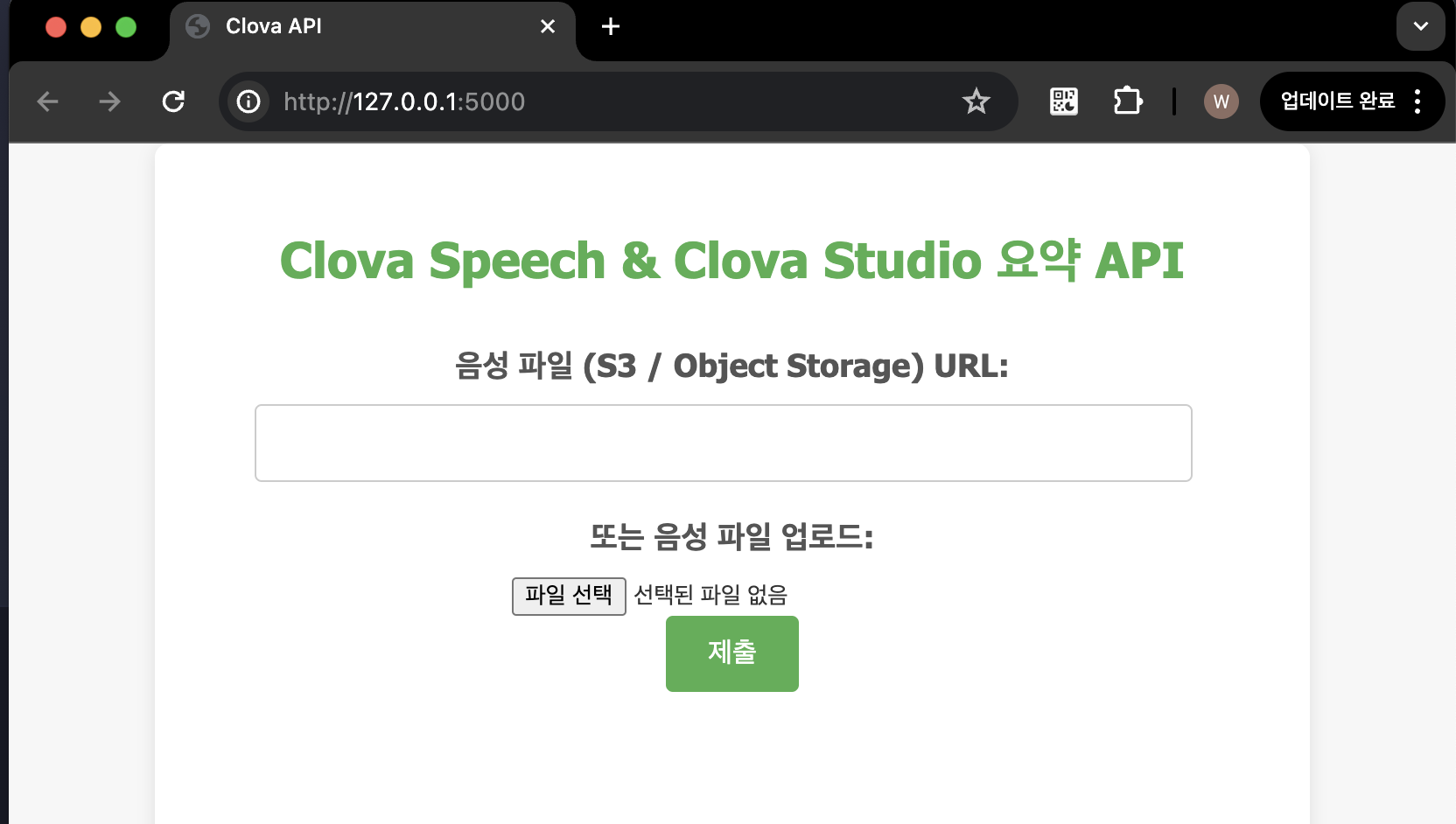
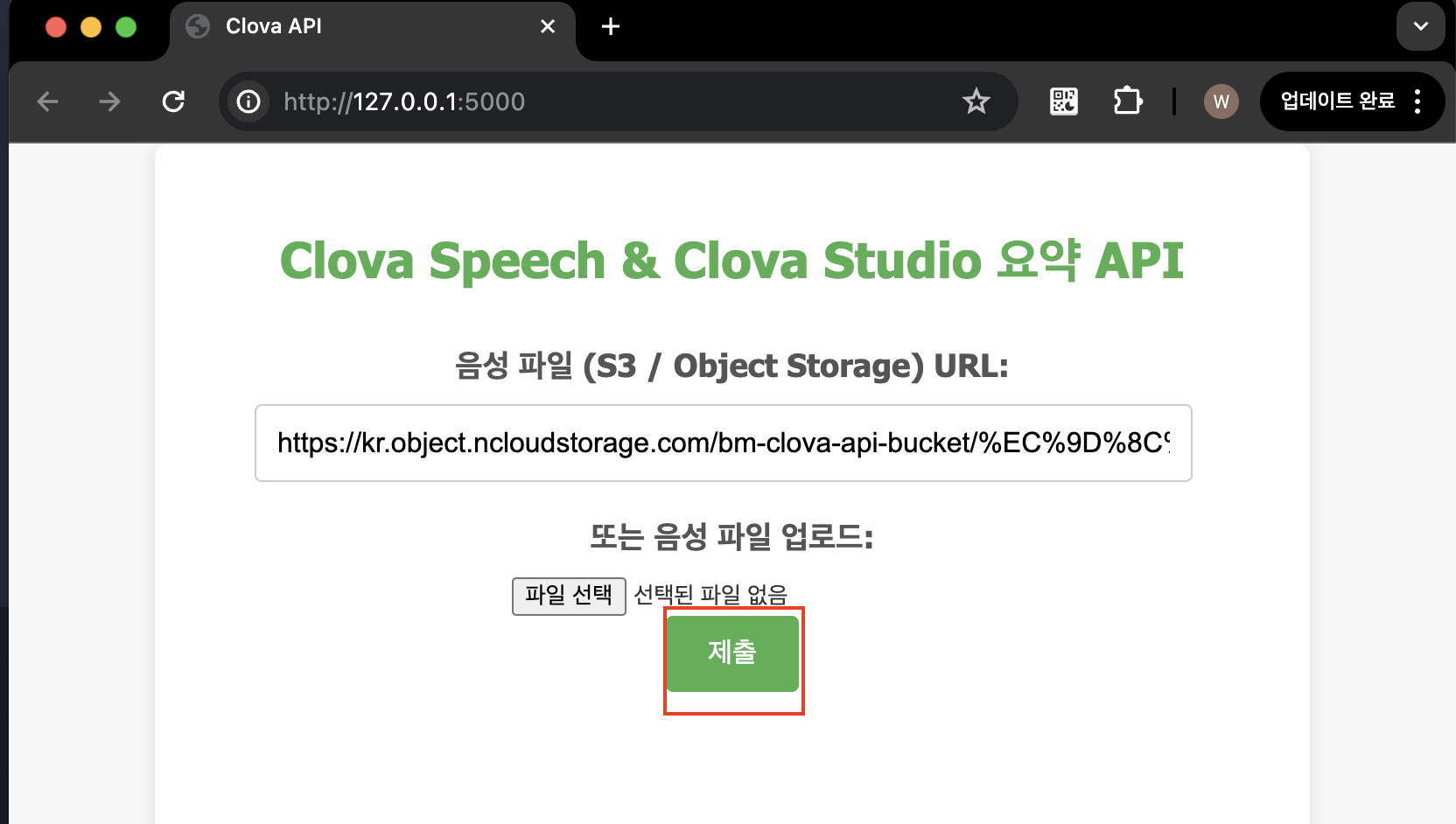
음성 파일 (Object Storage) URL 입력 후 제출 하기
- 전체 공개 된 음성파일의 URL 혹은 presigned url 입력 후 테스트
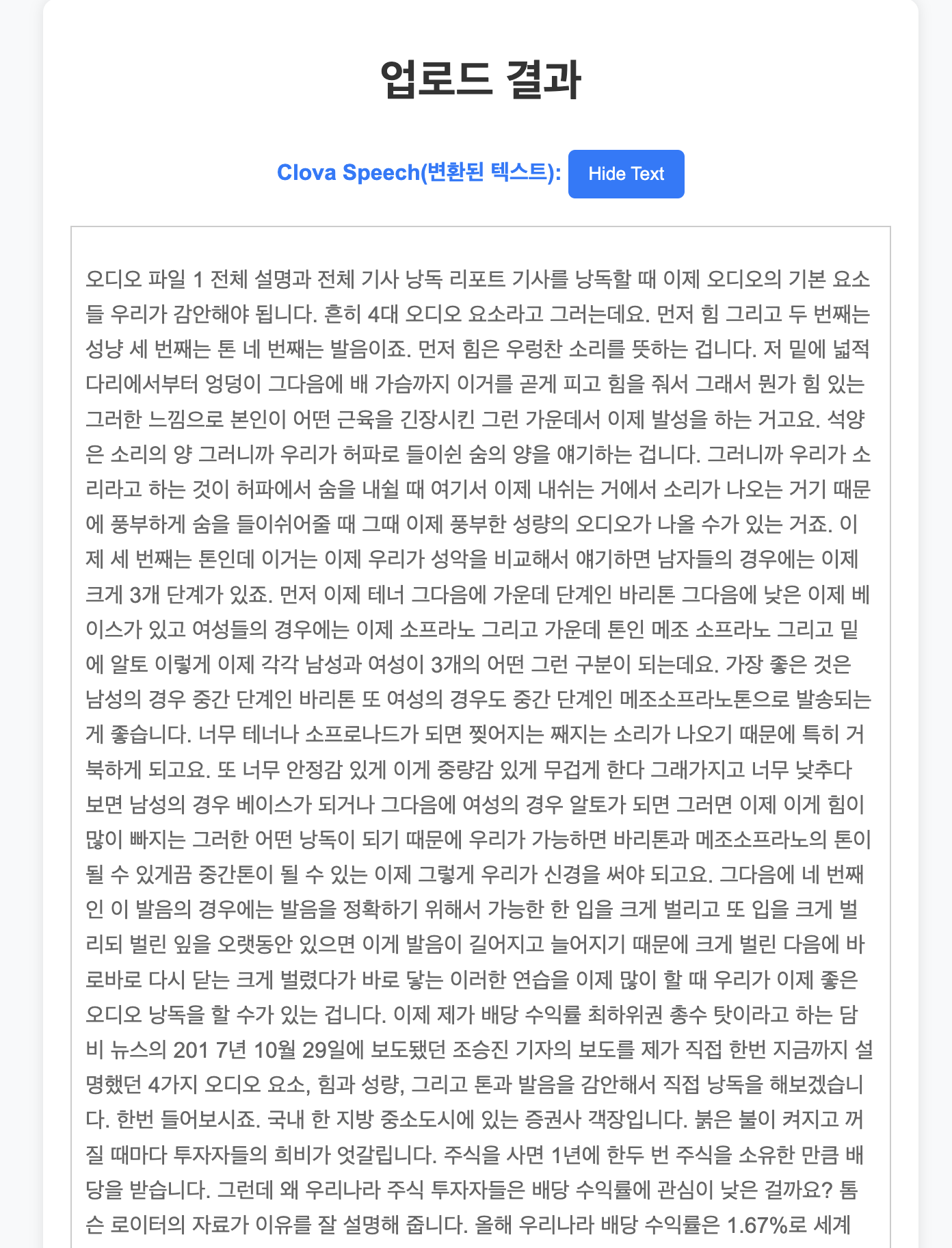
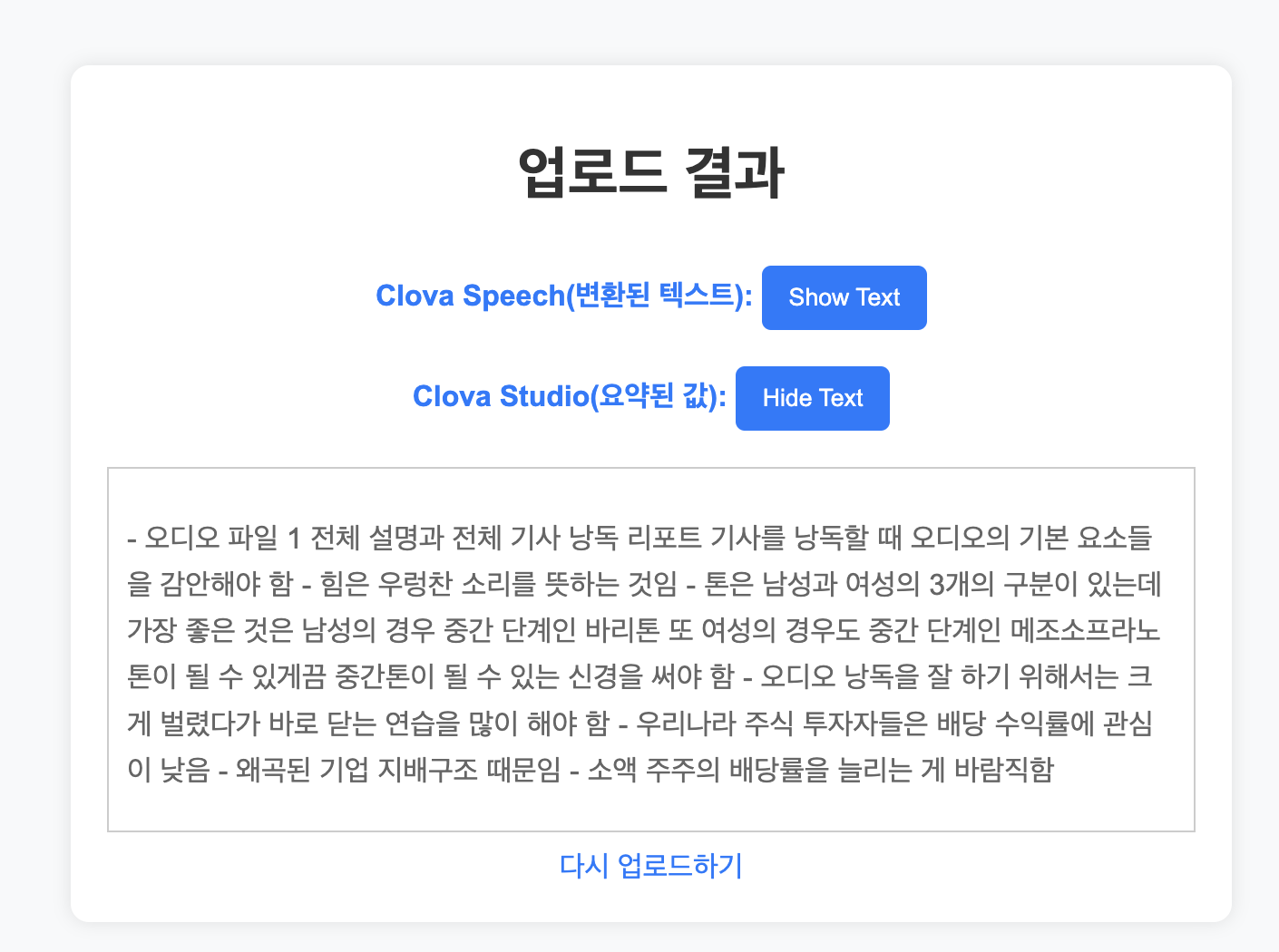
결과 확인
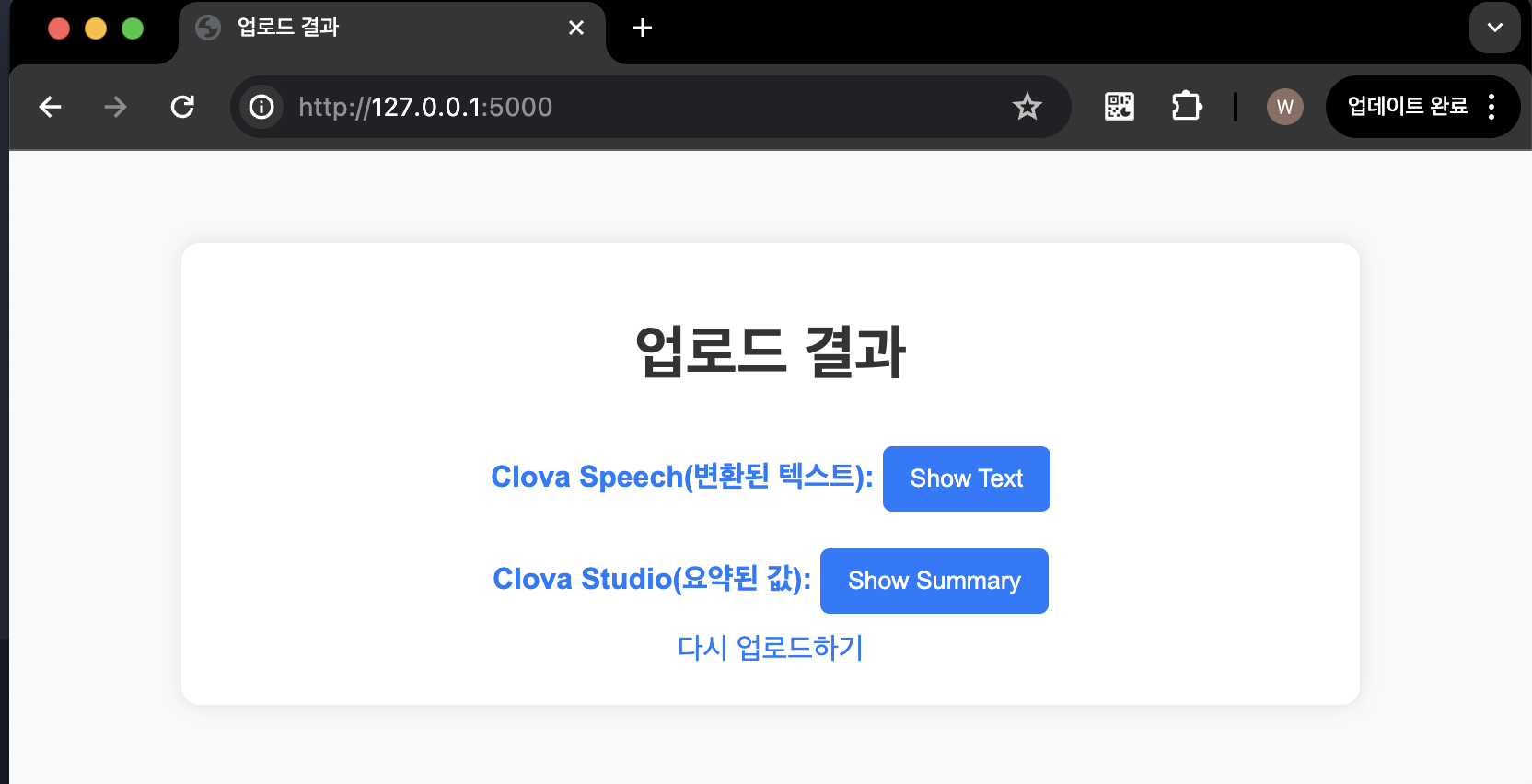
- Clova Speech
- Clova Studio (Summary)
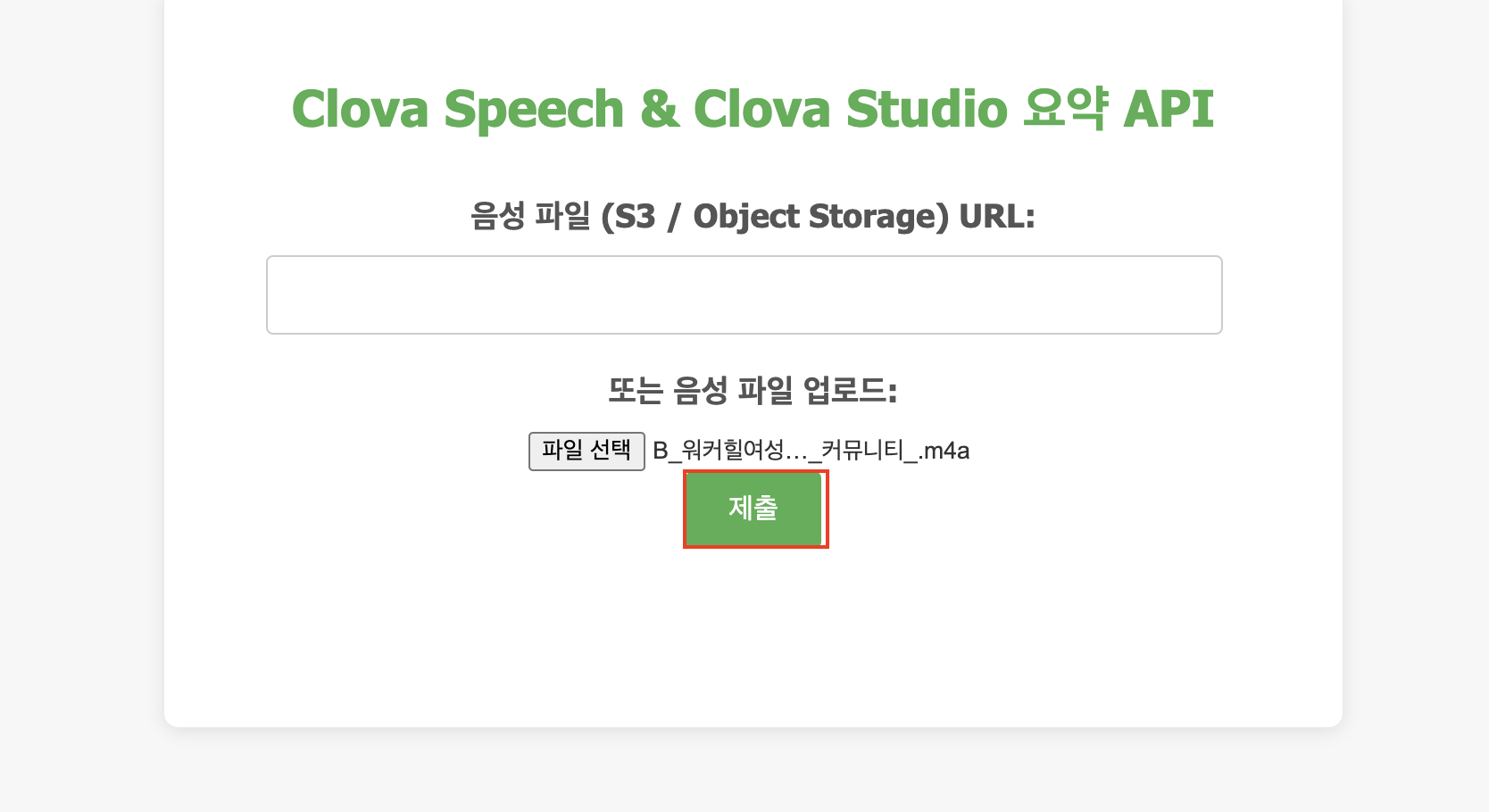
사용자 PC에서 음성 파일 업로드 후 제출 해보기
파일선택 > 열기 > 제출
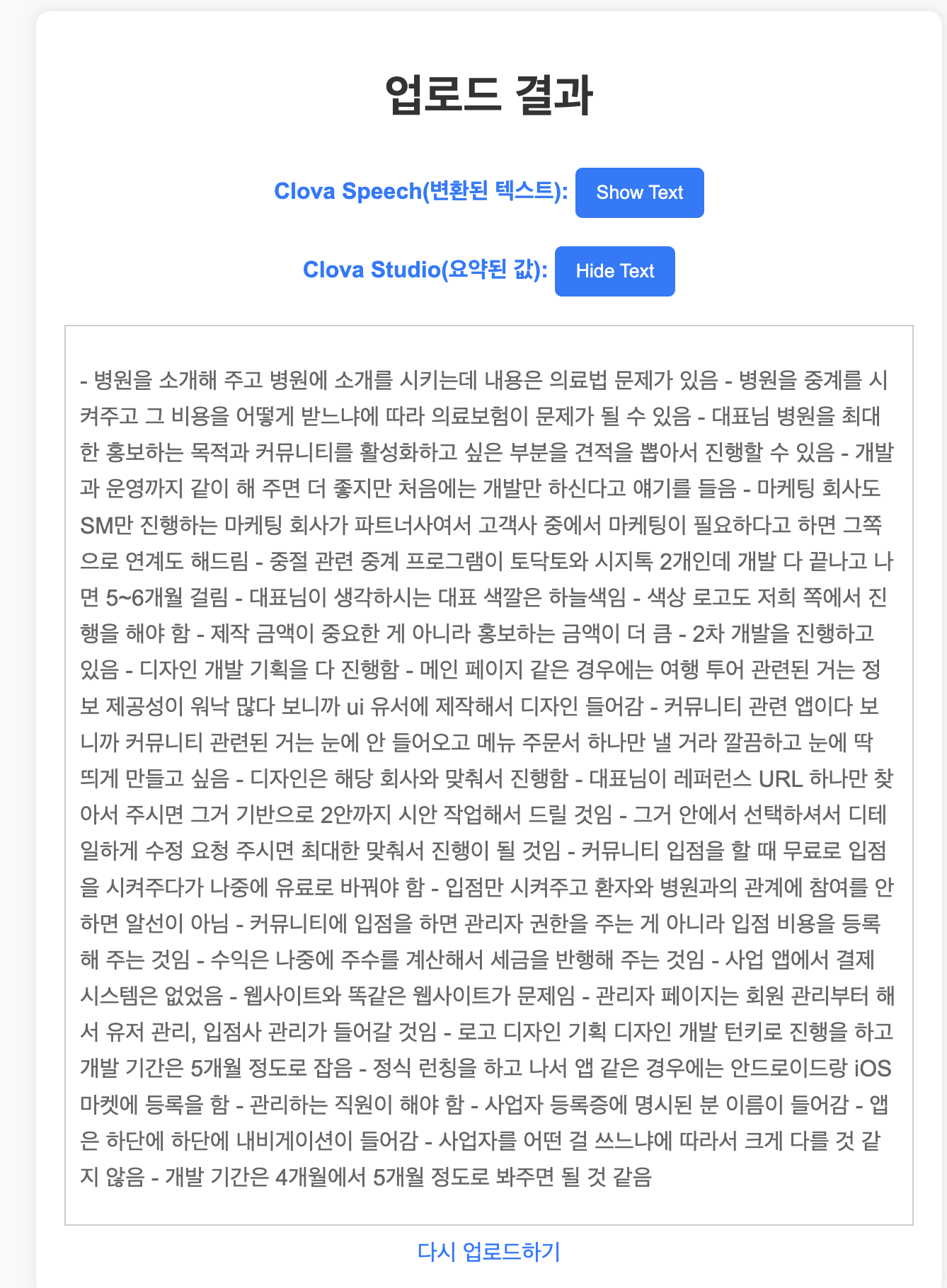
결과 확인
감사합니다.
Anything Possible!